Dealing with account issues on Blockchain.com can be tricky. Whether you’ve forgotten your password, can’t get a verification email, or need help with two-factor authentication, knowing how to contact Blockchain support is key. This guide breaks down the process, making it simpler to get the help you need for your account problems.
Key Takeaways
- The Blockchain.com Support Center is the first place to look for help with account issues.
- Common problems like login errors and verification email delays often have quick fixes you can try yourself.
- If you forget your password, you’ll need your recovery phrase to regain access to your wallet.
- Never share your password or recovery phrase with anyone, including support staff.
- For severe issues like losing both your password and recovery phrase, specialized recovery services might be an option.
Understanding Blockchain Support Channels

When you run into an issue with your Blockchain account, knowing where to turn for help is key. Blockchain.com provides several ways to get assistance, depending on the specific product or problem you’re facing. It’s important to use the right channel to get the fastest and most accurate support.
Navigating the Blockchain.com Support Center
The Blockchain.com Support Center is your first stop for most account-related questions. It’s a resource filled with articles and guides designed to help you solve common problems yourself. Think of it as a digital library for all things Blockchain.com. You can search for specific topics, like "forgotten password" or "verification email issues," and find step-by-step instructions. Remember, support staff will never ask for your password or your 12-word recovery phrase; keep this information private.
Here are some common issues addressed in the Support Center:
- Login and access problems
- Trouble receiving verification emails
- Managing two-factor authentication (2FA)
- Password and recovery phrase recovery steps
Identifying the Right Product for Assistance
Blockchain.com supports various products, and the support process can differ slightly between them. When you contact support or use the self-help resources, you’ll often be asked to select the specific product you need help with. This could be your wallet, the exchange, or another service. Selecting the correct product helps direct your query to the right team or resource, speeding up the resolution process. If you have multiple wallets linked to the same email, you’ll need to identify the specific Wallet ID you’re having trouble with. This usually involves logging in with your email and then verifying your device to see a list of linked wallets. From there, you can select the correct one. This process helps ensure that any actions taken are applied to the intended account.
It’s always a good idea to have your Wallet ID handy when seeking support. This unique identifier helps support agents locate your account quickly and accurately. You can typically find your Wallet ID within your account settings or in past transaction emails.
Troubleshooting Common Account Issues
It can be frustrating when you run into problems accessing your account. Let’s walk through some of the most common issues and how to sort them out.
Resolving Login and Access Problems
Sometimes, getting into your account isn’t as straightforward as it should be. A few simple checks can often get you back in.
- First, confirm your internet connection is stable. A spotty connection can cause all sorts of login hiccups.
- If you’re using a VPN, try disabling it temporarily. Some VPNs can interfere with the login process.
- Make sure you’re using the latest version of the Blockchain.com app or browser.
- On a desktop, try logging in using Google Chrome’s Incognito mode. If that doesn’t work, clearing your browser’s cache and cookies, then restarting it, can sometimes help.
It’s important to remember that Blockchain.com support will never ask for your password or recovery phrase. Be wary of anyone claiming to be support and requesting this sensitive information.
Addressing Verification Email Delays
Waiting for a verification email can feel like an eternity, especially when you just want to access your account. Here’s what to do:
- Check your spam or junk mail folder. Sometimes, these important emails get misrouted.
- Give it a little time. Emails can occasionally be delayed by a few minutes.
- Add
notify@wallet-tx.blockchain.comandnotify@exchange-tx.blockchain.comto your email’s safe sender list. This helps ensure future emails reach your inbox. - If you’re still not getting emails, consider if your email provider might be blocking them. Trying a different email address for your account might be a solution, or you can reach out for further help.
Managing Two-Factor Authentication (2FA) Challenges
Two-factor authentication adds a great layer of security, but it can sometimes cause access issues if you lose your device or can’t receive codes.
- If you’ve lost your 2FA device or can no longer receive SMS codes, you’ll need to disable 2FA. Instructions for this process are available in the support center.
- For future security, consider using an authenticator app like Google Authenticator. It’s generally more reliable and doesn’t depend on SMS delivery.
- If you’re having trouble receiving SMS codes, double-check that your phone number is correctly registered in your account settings and that your phone has a signal.
Recovering Lost Account Credentials
It can be quite unsettling when you can’t access your blockchain account. Whether it’s a forgotten password or a misplaced recovery phrase, there are steps you can take to regain access. This section will guide you through the process.
Steps for Forgotten Passwords
If you’ve forgotten your password, the first thing to try is to recall any variations you might have used. Think about different combinations, including capitalization and punctuation. Blockchain.com’s encryption design means they cannot recover your password for you. However, you can initiate a wallet recovery process if you have your recovery phrase.
Utilizing Your Recovery Phrase for Access
Your recovery phrase, often a 12-word sequence, is like a master key to your crypto wallet. If you have this phrase, you can use it to restore access to your account.
Here’s how:
- Go to the wallet recovery page.
- Click the "I Forgot My Password" button.
- Enter your recovery phrase accurately.
If you encounter an "Invalid recovery phrase" error or the "Continue" button doesn’t work, double-check that you’ve entered the phrase exactly as it was given to you. This process will restore your original wallet and any funds within it. You might need to re-verify your identity for custodial services.
What to Do Without Your Recovery Phrase
Losing both your password and your recovery phrase can unfortunately mean permanent loss of access to your non-custodial wallet and its contents. This is because the recovery phrase holds all the necessary private keys. If the value of the assets in your wallet is $500 or more, you might consider reaching out to specialized crypto asset recovery services. These partners focus on assisting users in regaining access to self-custody wallets when both credentials are lost.
Remember, your recovery phrase is the ultimate backup. It’s vital to store it securely and offline, away from any digital access points. Never share this phrase or your password with anyone, including support staff, as they will never ask for it.
Securing Your Blockchain Account
Keeping your digital assets safe is a top priority, and that starts with strong security practices for your Blockchain account. Think of your password and recovery phrase as the keys to your digital vault. Protecting them is paramount.
Safeguarding Your Password and Recovery Phrase
Your password is the first line of defense, but your recovery phrase is the ultimate backup. It’s a sequence of 12 words that can restore your entire wallet if you lose access to your device or forget your password. Never share your password or your recovery phrase with anyone, including support staff. Blockchain.com will never ask for this information. Treat these details with the same care you would your most sensitive personal information.
Here are some key practices:
- Create strong, unique passwords: Avoid common words, personal information, or easily guessable patterns. Consider using a password manager to generate and store complex passwords.
- Store your recovery phrase offline and securely: Write it down on paper and keep it in a safe place, like a secure safe or a bank deposit box. Avoid storing it digitally on your computer or phone, as these devices can be compromised.
- Do not share your recovery phrase: This is the most critical piece of advice. Anyone who has your recovery phrase can access your funds. Be wary of phishing attempts or unsolicited requests for this information.
- Be cautious of fake support: If someone claiming to be from support asks for your password or recovery phrase, it’s a scam. Always verify the source of any communication.
Locating Your Recovery Phrase Within Your Wallet
If you know your password, you can usually find your recovery phrase within your wallet’s security settings. This is a good step to take before you think you might need it, so you can store it securely. The exact steps can vary slightly depending on the version of the wallet you are using, but generally, you will:
- Log in to your Blockchain.com wallet using your current password.
- Navigate to the ‘Settings’ or ‘Security’ section of your account.
- Look for an option labeled ‘Recovery Phrase’, ‘Backup Phrase’, or ‘Seed Phrase’.
- Follow the on-screen prompts to reveal your phrase. You will likely need to re-enter your password for verification.
Once you have your recovery phrase displayed, write it down carefully and store it in a secure, offline location. Double-check that you have written down every word correctly and in the right order. Remember, this phrase is your last resort for regaining access to your funds, so its security is vital.
Losing access to both your password and your recovery phrase means your funds may be permanently inaccessible. It is your responsibility to safeguard these credentials. Always prioritize secure storage and never share them.
When to Seek Advanced Recovery Options
Sometimes, even with the best efforts, account recovery can become quite complex. If you’ve exhausted the standard troubleshooting steps and are still facing difficulties, it might be time to consider more specialized assistance. This section covers situations where you might need to look beyond the usual support channels.
Assistance for Lost Password and Recovery Phrase
Losing both your password and your recovery phrase is a serious situation. The recovery phrase is essentially the master key to your non-custodial wallet. Without it, and without your password, regaining access to your funds can be extremely challenging, if not impossible. Blockchain.com’s non-custodial wallet design means that they cannot reset your password or recover your phrase for you, as they do not have access to this sensitive information. If you have lost both your password and your recovery phrase, and the value of the assets in your wallet is significant, you may need to explore third-party recovery services.
Partnering with Crypto Asset Recovery Services
For users who have lost access to their non-custodial wallets and believe the value of their crypto assets is substantial (often a minimum threshold applies, such as $500), specialized recovery services can be a potential avenue. These services employ technical expertise to attempt recovery when standard methods fail. It’s important to approach these services with caution and due diligence. Research their reputation, understand their success rates, and be aware of any fees involved. They typically require detailed information about your situation but will never ask for your password or recovery phrase directly. They work by attempting to brute-force or otherwise recover your password or access keys based on the information you provide and the wallet’s technical specifications.
Remember, the security of your crypto assets relies heavily on your ability to safeguard your private keys and recovery phrases. While advanced recovery options exist, they are often a last resort and not guaranteed to be successful. Always prioritize secure storage of your recovery information from the outset.
Managing Multiple Blockchain Wallets
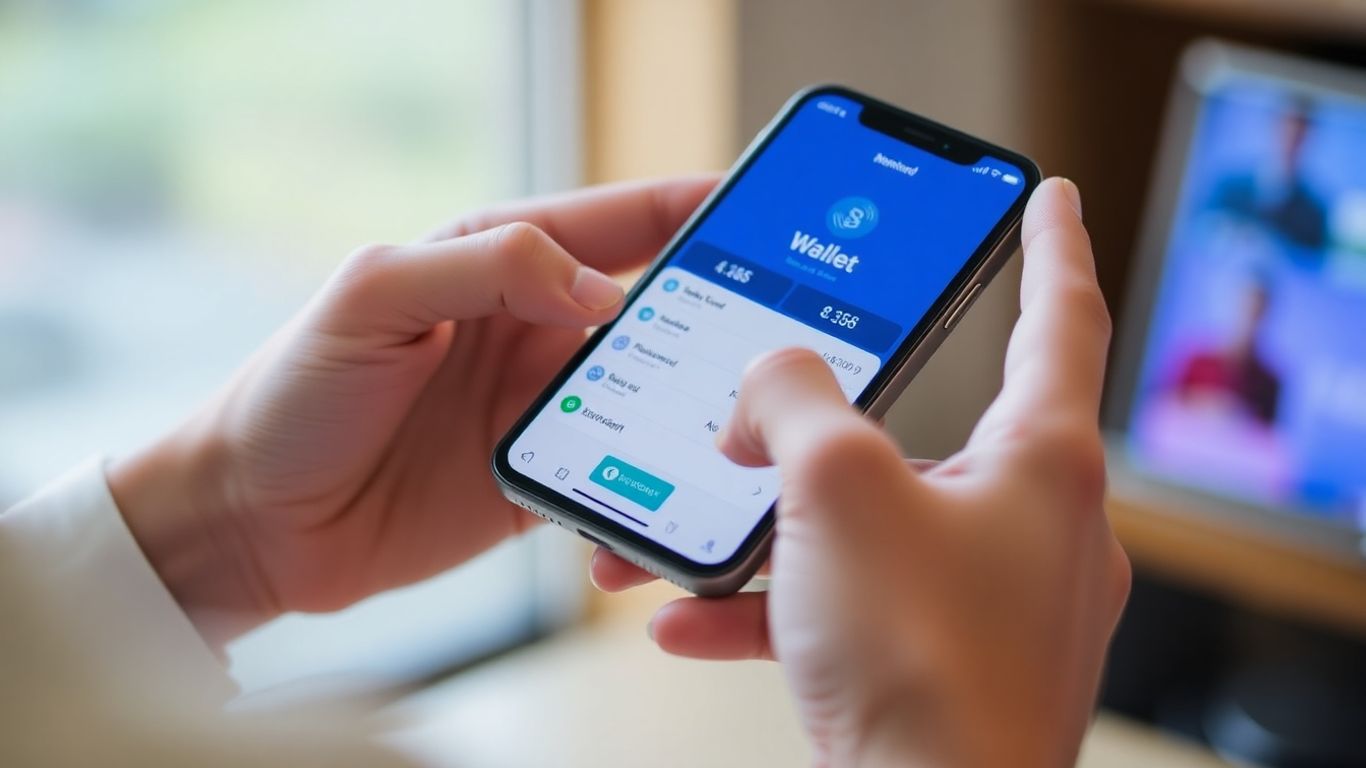
It’s quite common for users to have more than one Blockchain wallet. Perhaps you created one for personal use and another for business, or maybe you’ve set up several over time. When this happens, it’s important to know how to identify and access the correct wallet, especially when you’re trying to resolve an account issue. Keeping track of your different wallets is key to avoiding confusion and ensuring you’re working with the right account.
Identifying Wallets Linked to Your Email
When you need assistance or are trying to log in, Blockchain.com often uses your email address to help you find your wallets. The process usually involves logging in with the email address associated with your accounts. After you log in, you’ll typically receive an email that lists all the Wallet IDs connected to that specific email. This is a helpful way to see all the accounts you have under one digital roof.
Selecting the Correct Wallet for Access
Once you have the list of Wallet IDs from the verification email, you’ll need to choose the one you intend to access. The system often presents them in a way that the most recently created wallet appears first. Take a moment to review the list and select the specific Wallet ID that corresponds to the account you need help with or wish to log into. If you’re unsure, double-checking the Wallet ID against any records you might have can prevent mistakes.
It’s important to remember that your Recovery Phrase is unique to each wallet. If you have multiple wallets, each will have its own distinct Recovery Phrase. Never share this phrase with anyone, including support staff, as it grants full access to your funds.
Here’s a general process you might follow:
- Log in using the email address linked to your Blockchain.com Wallets.
- Check your inbox for a verification email that lists your Wallet IDs.
- Carefully review the provided Wallet IDs and select the specific one you need to access.
- Proceed with the login or support process for the chosen wallet.
Wrapping Up
Dealing with account issues can be a hassle, but knowing how to get help from Blockchain support makes it much easier. Remember to check their support center first for common fixes, and always keep your login details and recovery phrase super safe – never share them. If you still need a hand, reaching out through the right channels will get you the assistance you need to get back on track with your crypto.
Frequently Asked Questions
Where can I find help for my Blockchain account?
You can find help by visiting the Blockchain.com Support Center. This is the main place to get answers to common questions and find solutions for many issues you might encounter with your account.
What should I do if I can’t log in to my account?
First, make sure your internet is working well and try turning off any VPNs you might be using, as they can sometimes cause problems. If you’re using the app, check if it needs an update. For computers, try using a private window in your browser like Chrome’s Incognito mode and clear your browser’s cache if the issue continues.
Why am I not getting the verification emails?
Check your spam or junk mail folder first, as emails can sometimes end up there by mistake. Waiting about 10 minutes can also help, as emails can be a little delayed. You can also try adding our email addresses (notify@wallet-tx.blockchain.com and notify@exchange-tx.blockchain.com) to your contacts to make sure they get through.
I lost my 2FA device or can’t get SMS codes. What now?
If you cannot get the codes from your 2FA device or SMS, you will need to turn off 2FA. You can find instructions on how to do this in the support articles. It’s a good idea to use an app like Google Authenticator for 2FA because it’s safe and doesn’t need internet after it’s set up.
How can I recover my account if I forgot my password?
Blockchain.com cannot help you recover your password because your wallet is designed to be very secure. Try thinking of every password you might have used, including different ways of typing letters and symbols. If that doesn’t work, you can use your 12-word recovery phrase to get back into your wallet.
What if I’ve lost both my password and my recovery phrase?
If you no longer have your password or your 12-word recovery phrase, unfortunately, you will not be able to access your account or any money in it. For accounts with at least $500, you can contact special recovery services that help people get back into their crypto wallets.

Peyman Khosravani is a seasoned expert in blockchain, digital transformation, and emerging technologies, with a strong focus on innovation in finance, business, and marketing. With a robust background in blockchain and decentralized finance (DeFi), Peyman has successfully guided global organizations in refining digital strategies and optimizing data-driven decision-making. His work emphasizes leveraging technology for societal impact, focusing on fairness, justice, and transparency. A passionate advocate for the transformative power of digital tools, Peyman’s expertise spans across helping startups and established businesses navigate digital landscapes, drive growth, and stay ahead of industry trends. His insights into analytics and communication empower companies to effectively connect with customers and harness data to fuel their success in an ever-evolving digital world.