Most security teams are not short of alerts. They are short of hours. Mid-sized teams can see thousands of events in a day, and much of that work is mechanical. One alert leads to confirming a reputation, pulling recent logins, confirming if a laptop is already quarantined. Judgement is best saved for the unknowns, the alerts that should be investigated, but can’t be because of the mechanical alerts that consume judgement. Security orchestration, automation and response (SOAR) can execute these mechanical tasks, freeing up security analysts to work on what only a person can do.

What Is SOAR Automation and How Does It Work?
Three functions sit behind the acronym. Orchestration connects the tools a team already runs, so one workflow can query an identity platform, a firewall and a ticketing system without switching consoles. Automation executes defined steps without human input. Response ties both to structured actions: containment, notification, escalation, closure.
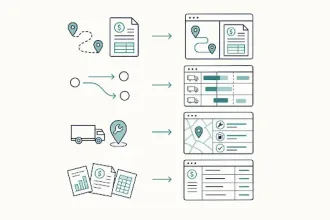
In practice, SOAR automation for security operations is delivered through playbooks. A playbook is a documented sequence of decisions and actions, encoded so the platform runs it identically every time. When a phishing report arrives, the playbook might extract the URL, check it against threat intelligence, search mailboxes for other copies, quarantine matches and open a case with everything attached. Twenty minutes of clicking becomes seconds, and the record is written automatically.
How a SOAR Playbook Executes Step by Step
Most workflows follow a pattern. An alert, email, or ticket initiates the playbook. Context steps (enrichment) gather context from internal and external sources. Decision steps test the context gathered and decide which path to take. Once the path is determined, actions are taken and the outcome written back to the case.
Many deployments contain actions and enrichment steps based on risk/cost analysis. It is common to see enrichment steps run automatically and give the analyst a single, consolidated view of all context needed to take a single decision.
Why Security Operations Teams Struggle Without Automation
Alert volume is only part of the strain. The deeper issue is inconsistency: when ten analysts handle the same alert type, they rarely handle it identically, and the gaps surface during audits and post-incident reviews. Automation makes the agreed process the default.
Four pressures push teams toward it:
- Triage debt. Queues grow faster than headcount, so low-priority alerts close unexamined.
- Shift handover loss. Context that lives in one analyst’s head disappears at shift end.
- Tool sprawl. Each product adds another console, credential and manual step.
- Evidence gaps. Manual investigations leave thin records, complicating regulatory reporting later.
SOAR Automation vs SIEM and EDR: How the Layers Differ
Confusion about these categories leads to repeated spending.
There are ‘log correlation’ tools that have the ability to detect. They bring in events across the estate, standardize them, and utilize rules, analytics and/or machine learning to extract and communicate information. The output is a prioritized alert which then becomes the responsibility of the user to determine next steps.
There are endpoint detection tools that work at a deeper level to monitor process and memory on a host. While they don’t necessarily ‘connect the dots’ across the environment, they are strong at host-based evidence and containment.
On the other hand, an orchestration solution sits above both. They consume detections and decide what occurs next, and reach out to other tools via their APIs to perform the desired function. Ultimately, they log and consolidate outcomes, and present them as ‘cases’.
The layers work cohesively to determine what is important (detection), decide what happens about it (orchestration), and ultimately prove it occurred (cases).
SOAR Automation Use Cases in Incident Response
Four workflows account for the initial value realization in a deployment.
Phishing triage, the starting point for most SOAR deployments, pulls indicators from reported emails, checks them, identifies other recipients, and removes emails for recipients for whom the email has been confirmed as malicious. Malware handling pulls hash reputation and process lineage and/or assets and is performed by an analyst prior to opening the malware.
Compromised credential incident response workflows lend themselves well to orchestration as they span many systems. For example, the workflow would include forcing a password reset, revoking a user’s sessions, email sessions, checking for new mail-forwarding rules, and reviewing any recently granted privileges. Vulnerability management workflows lend themselves to orchestration. A confirmed vulnerability is assigned to the appropriate owner and a case is automatically created.
How to Measure SOAR Automation Results in the SOC
Teams typically measure mean time to acknowledge (MTTA) and mean time to contain (MTTC). Because of alert fatigue, the time it takes for an analyst to notice an alert is usually the longest of all the components in the incident response process. Automation moves both of these significantly, especially if related alerts are produced and opened by analysts.
The more hidden benefit of SOAR is process discipline. Incident response frameworks emphasize the importance of being prepared, and an unplanned response process is ineffective. Encoding the process in a playbook helps eliminate ambiguity. Process steps that haven’t been documented have to be defined before they can be run.
SOAR Automation Implementation Best Practices
Automate frequent tasks that you have a clear understanding of how to perform. Service definitions in established incident management service frameworks help determine if a service is ready for automation.
Verify your integration coverage before committing. A SOAR platform that cannot authenticate cleanly against your identity provider, email service and endpoints gives a poor return on your time investment and leads to a fire drill to implement a multitude of homemade integrations.
Do not start with the most difficult case. Teams focusing on the most complex case to develop an investigation playbook (IP) spend too much time debugging the automation and ultimately lose faith in the tool before anything valuable is delivered. Before going live with a new IP, run it in logging-only mode and compare its decisions against analysts’ decisions to validate logic. Only then enable the playbook actions.
Limitations of SOAR Automation Every Team Should Plan For
Automation is only as good as the detections feeding it. With poorly configured alerting, you’ll get automated responses to noise at machine speed. Playbooks also need maintenance. Breaking a step in a playbook often leads to a failure to run it altogether. Expect ongoing ownership of the automation. Assign a named owner for the content in the playbooks. Review it as frequently as you would review detection rules.
Conclusion
SOAR does not get rid of analysts or solve a detection problem. SOAR removes mundane tasks, standardizes processes, and minimizes the time between an alert and an action. For teams focused on speed to contain, minimizing the time between an alert and an action leads to the greatest return. It is most effective if focused on a small area to begin and relies on humans to make important decisions. Deployments focused on areas beyond contained processes that require human analysis and judgement typically are not effective beyond the second year.
Frequently Asked Questions
Is SOAR automation only worth it for large security teams?
No. Small teams often benefit proportionally more, because a few workflows can recover a meaningful share of a two-person team’s week. The constraint is having documented processes to encode.
Does SOAR automation increase the risk of wrong actions?
It can, which is why containment usually sits behind approval gates while enrichment runs unattended. Scoping actions tightly and testing playbooks against historical alerts limits the exposure.
How long does a first SOAR playbook take to build?
A straightforward enrichment workflow can run within days once integrations are authenticated. Complex multi-tool playbooks take far longer, mostly because the underlying process needs agreeing first.
Can SOAR automation work without centralised log correlation in place?
Partly. It can orchestrate tools and manage cases independently, but without reliable detection upstream there is little worth triggering.