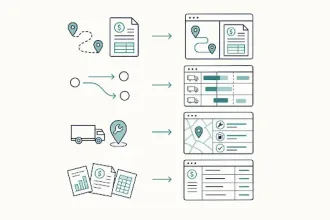
A driver finishes a delivery, gets the customer’s signature and moves on. By late afternoon, the signed ticket is still a photo on the driver’s phone. The job hasn’t reached your billing spreadsheet, so you need another call before you can invoice it.
If you handle dispatch and billing yourself, start by identifying where job details get delayed or entered twice. That gives you a concrete task to test before you commit to software.
Key takeaways
- Name the job that stalls most often before you read a feature list.
- Watch one real load go from assignment to invoice in every demo.
- Compare subscription, setup, hardware, training and migration costs for the same fleet size.
Match the software to the work you do
Software for a small trucking business covers several categories, including load planning, vehicle tracking and accounting. Start with the category that addresses your main problem.
Name the problem. Write down the task that stalls most often. In the opening example, it’s getting from a finished delivery to a sent invoice. For another fleet, it may be reassigning loads when a driver calls in sick or finding a truck’s location. Describe the missing information and who needs it next.
Choose the right category. A transportation management system (TMS) handles the freight side: orders, dispatch, paperwork and billing. Fleet-management tools focus on vehicles, covering GPS tracking, maintenance and driver safety. Products can overlap, so use the table to narrow your search, then check each candidate’s features.
| Problem you have | Category to look at |
| Dispatch and billing live in separate places | Transportation management system |
| Assignments change several times a day | Dispatch tools |
| You need truck location and maintenance history | Fleet-management tools |
| Financial records are scattered | Accounting software, or a TMS that connects to one |
Your work pattern matters as much as the category. A fleet running repeat local jobs may prioritize quick reassignments and ticket collection. A fleet hauling longer individual loads may put more weight on load planning and driver settlements. Match the features to your own week.
Test one real job from dispatch to invoice
Bring a representative load to each demo and ask the vendor to run it from order entry through billing. Remove customer details if needed. Use the same job and steps with every candidate so you can compare how each handles your work.
Enter and change the job. Ask the vendor to create the order while you watch, then swap the driver, adjust the quantity and move the pickup time. The dispatch screen is a useful place to test a midday change. Ask what happens when two people edit the same order and which changes each person can make.
Try the driver’s steps. Have a driver test the phone side of the demo while safely parked. Some systems send job details to drivers by text, with a link for uploading paperwork photos without an app or login. Ask each vendor what happens with a weak signal, how many steps a status update takes and how a driver corrects a mistake.
Check the paperwork. Attach a photo of a real delivery ticket, including a smudged or crooked one. If the system offers AI that reads ticket images, test it with your own documents and check the results. Then generate the invoice from that job and compare it line by line with what you would have entered in your spreadsheet.
Follow the numbers. Ask to see driver pay for the same job and the transfer to your accounting program. Ask whether invoices, settlements and related financial data export to QuickBooks Online or Desktop, and see it done with your setup so you can check that the fields and amounts you need transfer correctly. Apply the same test to every candidate.
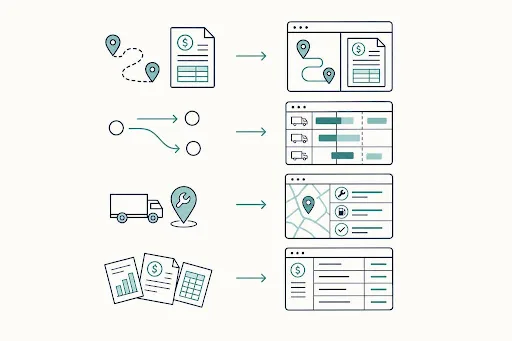
Before the demo, map the process as it runs today, including workarounds. Show where someone copies information, waits for paperwork or calls to confirm a detail. Start with the job that stalls between delivery and billing. If you are still building a shortlist, Toro TMS has a comparison of tools for running a small fleet that sorts the options by category and type of operation.
Compare the full cost of switching
The subscription is only part of the bill. ATRI’s July 15, 2026 release reported that industry-average non-fuel operating costs rose 4.2 percent to USD 1.854 per mile in 2025. Those findings provide context for careful spending; they don’t establish that software reduces operating costs.
Count every charge. Use one worksheet for each candidate. Add subscription charges and required setup, hardware, integrations, training and migration charges to calculate the first-year cost. Subtract discounts only when they appear in the written quote. Separate recurring fees from one-time costs so you can also estimate what you’ll pay after the first year.
Compare the same fleet size. Establish whether each quote charges per truck, per user or by fleet-size band. TruckingOffice’s Basic tier lists USD 25 per month for 1-2 trucks and USD 55 per month for 3-7 trucks, with no fees for additional users. Those are named tier examples, not an all-in price for every fleet. Some vendors list pricing only as a custom quote, so request a figure for your exact truck count and the number of people who need logins. Check which required features and services each quote includes.
Price the changeover. Ask for written details on renewal terms, cancellation, data export, support hours and onboarding. Confirm which records the vendor will import and what cleanup you must do first. Include the time your staff will spend learning the system and checking imported records.
Ask whether you can run a short pilot with a truck and real jobs before committing. Include the driver and whoever handles billing. Export the pilot data and open the file to confirm that you can retrieve usable records. During the pilot, check how the system handles small business invoicing for completed jobs, including payment terms and recurring invoices for regular customers.
If your operation must keep driver hours logs or file fuel-tax reports, confirm how the system supports those tasks. Federal hours-of-service rules include exceptions, so fleet size alone doesn’t determine your requirements.
Conclusion
Choose the system that fixes the delay you identified, then verify the full workflow and first-year cost before signing. A short pilot with real jobs can show whether it works for both drivers and the office.
FAQs
Can I keep my current accounting program?
Check the specific connection, which fields transfer and whether the integration costs extra. Ask whether invoices, settlements and related financial data export to QuickBooks Online or Desktop, and see that process run with your accounting setup.
Do drivers need to install an app?
Ask which driver tasks require an app, a browser or text messaging. Some systems send jobs by text and let drivers upload tickets through a link, with no app to install. Confirm how drivers submit tickets and update jobs in the setup you’re considering.
Is a free trial enough to judge a system?
A trial is useful when you can run representative jobs with the people who will use the system, including a driver and whoever handles billing. Ask what testing is available and whether the trial includes the features you need.
How difficult is switching from spreadsheets?
Ask for an import demonstration using your real file. Identify the cleanup your data needs, confirm who will handle it and check the imported records before using them for live jobs.