
A sketch can define the direction of a project, but it rarely communicates enough on its own. Clients, stakeholders, and internal teams usually need a clearer image to assess form, materials, lighting, and atmosphere. For that reason, many architects now use AI to convert early design inputs into realistic visuals before full production rendering begins.
In practice, the process starts with a readable visual input, moves through prompt-based control and rapid iteration, and ends with a presentation-ready image. At that stage, the value of the workflow depends on performance, not novelty. The key question is how well the tool preserves geometry, interprets textures, generates consistent results, and adapts to different architectural tasks.
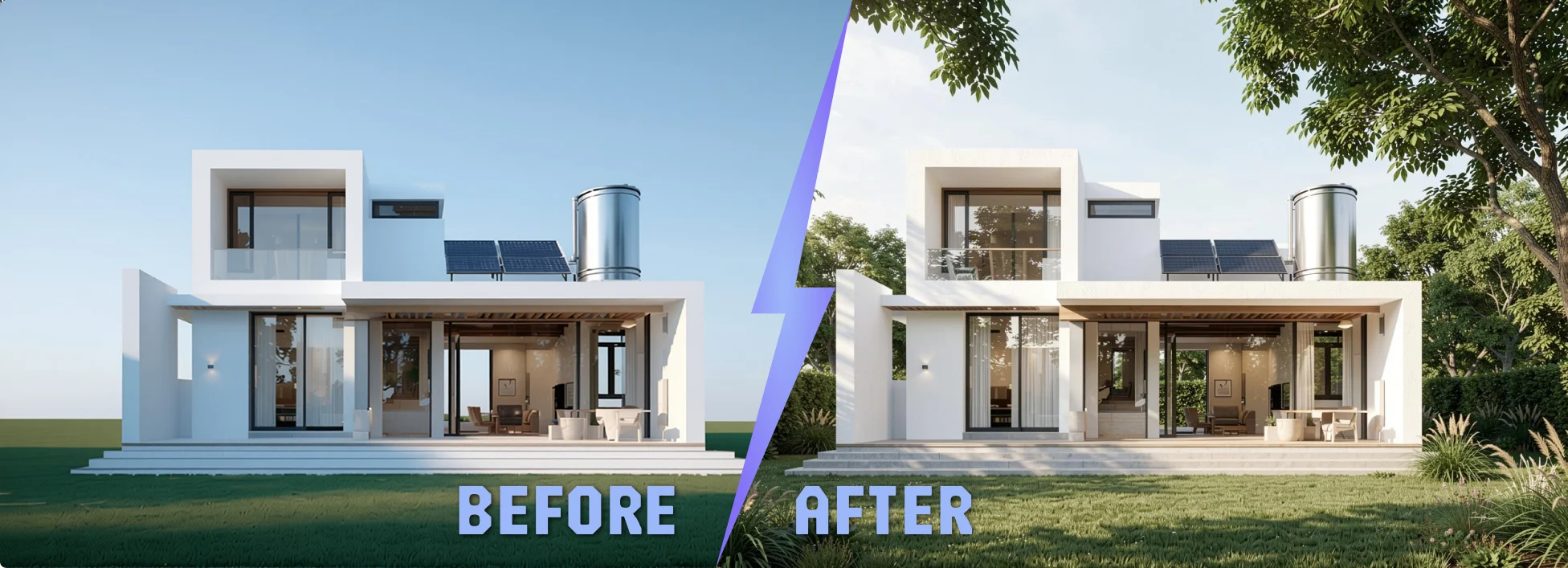
The Process of Turning Sketches Into Renders
Start with a Readable Architectural Input
The process usually starts with an image that already contains enough architectural information to guide the result. This may be a hand sketch, a CAD export, a floor plan, a clay render, or a screenshot from a 3D model. The clearer the perspective, proportions, and spatial structure, the more reliably the AI can produce a convincing render.
The input does not need to be polished, but it does need to be legible. Openings, massing, depth, and key spatial relationships should be visible enough to anchor the output. For that reason, rough model screenshots often perform better than loose conceptual sketches because they provide stronger geometric reference.
Define the Visual Direction with Prompts
Once the input is in place, the next step is to define the target image. A prompt is a short instruction that guides material direction, lighting, style, and atmosphere. Put simply, the input establishes the structure, while the prompt controls how that structure is visualized.
Useful prompt inputs often include:
- Material preferences
- Interior or exterior style
- Lighting condition
- Time of day
- Mood and atmosphere
- Desired level of photorealism
The most effective prompts are controlled and specific. When too many goals are combined in one request, the result often becomes less stable and less aligned with the original design intent.
Generate Early Variations Quickly
After the image and prompt are set, the next stage is iteration. Instead of building a full render scene for each option, architects can generate multiple directions in a short time. This makes it easier to compare facade materials, furnishing approaches, lighting moods, or overall visual character before moving into a more time-intensive rendering process.
This is where AI rendering becomes most useful. Early-stage design is usually about comparison, not finalization. A workflow that supports fast variation helps architects evaluate options sooner, refine them faster, and communicate decisions with less delay.
Review the Output Against the Original Design Logic
AI renders should be reviewed as design interpretations, not as automatic proof of accuracy. The output still needs to be checked against the original concept. Most importantly, it should remain consistent with the intended geometry, perspective, material logic, and architectural character of the project.
A practical review usually focuses on:
- Whether the massing still reads correctly
- Whether the geometry remains consistent
- Whether textures feel believable
- Whether the lighting supports the intended atmosphere
- Whether the image is presentation-ready or needs another pass
This stage matters because visual quality alone is not enough. A strong render is not just realistic. It also remains faithful to the structure and intent of the original input.
Move From Concept Visualization to Presentation
Once a strong variation is identified, the image can move into practical use. It may support internal review, client communication, early approval, or presentation work. The value of AI rendering is not only speed. It is the ability to shorten the path from concept to a visual asset that others can evaluate clearly.
What Makes This Process More Reliable?
Not every AI rendering tool handles this process equally well. Some platforms generate attractive images but fail to preserve the original structure. Others are useful for mood exploration, but fall short when consistency, speed, or architectural control become more important.
A more reliable workflow usually depends on five things:
- Accurate geometry preservation
- Clear material and texture handling
- Fast render generation
- Support for different input types
- Flexibility across multiple design stages
These factors matter because architects are not looking for attractive images alone. They need outputs that stay close to the original design intent, hold up during review, and fit naturally into a real architectural workflow.
Where ArchiVinci Fits Into This Process?
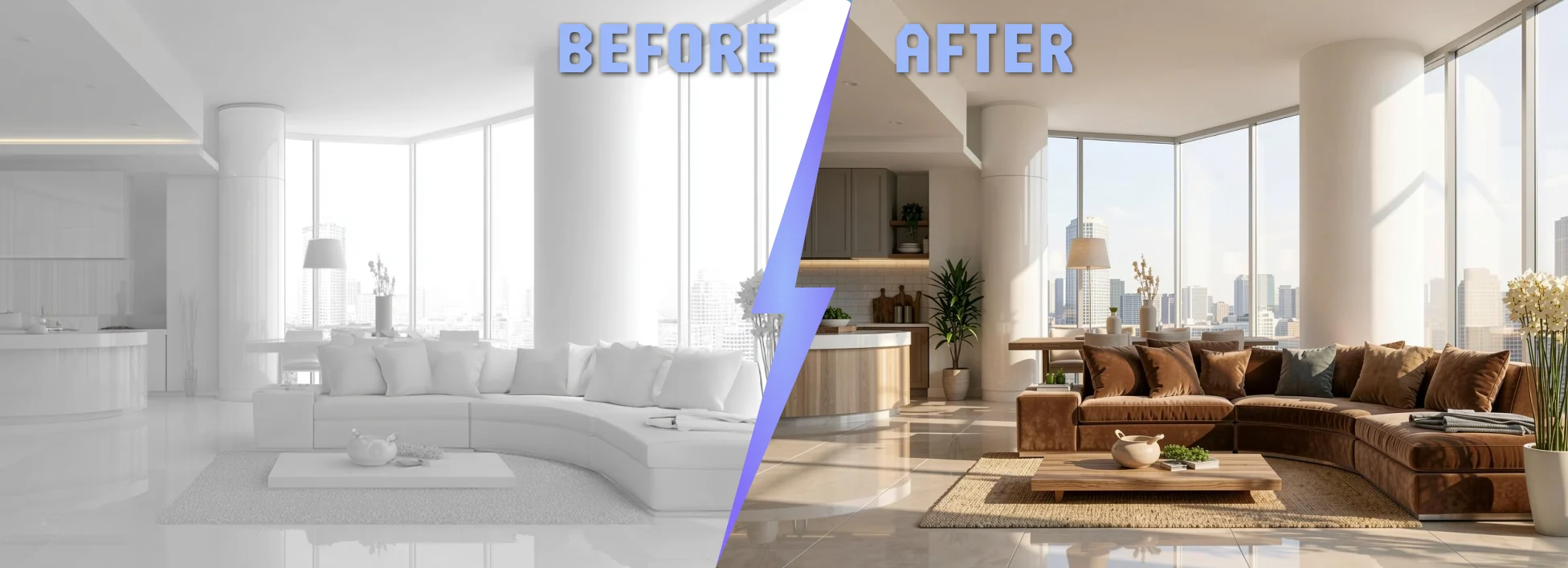
Trusted by 700K+ registered users, ArchiVinci AI is positioned within this workflow as a platform built for precise, fast, and geometry-aware architectural rendering.
At this stage, the difference between a visually interesting result and a usable architectural render becomes clear. In early concept workflows, speed helps, but speed alone is not enough. The render also needs to preserve structure, hold material logic, and remain close to the original design intent.
Built for Architectural Fidelity, Not Just Image Generation
A sketch-to-render workflow only becomes valuable when the output remains anchored to the source. Architects do not need loosely interpreted visuals that look impressive but distort the project. They need renders that preserve composition, respect geometry, and translate early inputs into images that still read as architecture.
That is where ArchiVinci is positioned differently. Its value starts with control over the parts of the image that matter most in design review: structure, material definition, and visual consistency. The platform is framed around industry-leading render precision, with a workflow built to preserve model geometry, maintain surface character, and produce photorealistic outputs that stay close to the original input.
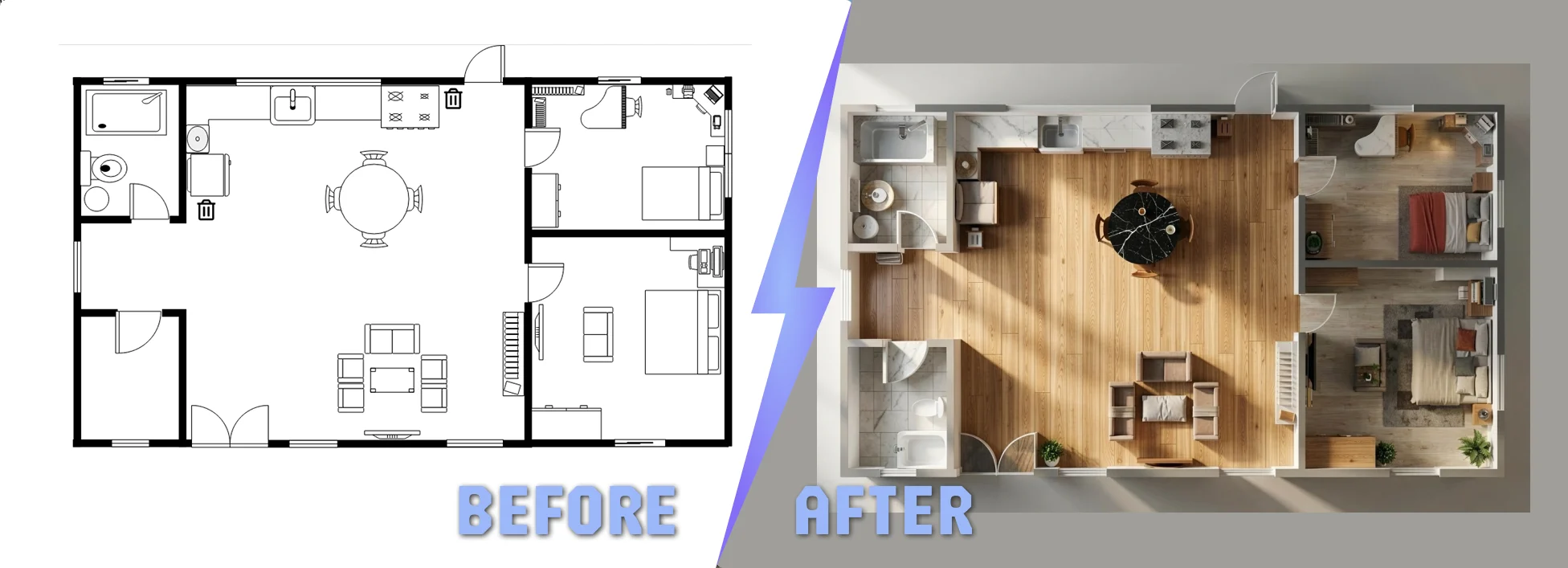
Fast Enough for Iteration, Reliable Enough for Review
Speed matters most when it improves decision-making. In practice, architects use rapid rendering to compare options, test directions, and move ideas forward before entering a heavier production workflow. But fast output only becomes useful when the result is stable enough to review with confidence.
In that context, ArchiVinci supports a workflow built around quick visual testing without giving up architectural clarity. It allows teams to move from sketch, model screenshot, floor plan, or reference image to a client-facing visual more efficiently. The advantage is not speed in isolation. It is speed combined with accurate render quality, precise textures, and stronger consistency across iterations.
Structured for Real Architectural Workflows
Architectural visualization rarely stays within one fixed task. A project may start with a loose concept, move into interior exploration, continue through exterior studies, and then require image edits, variations, presentation views, or upscale outputs. A useful platform needs to support that wider process rather than one isolated moment inside it.
That broader workflow is also why the AI interior design module matters in this context. It signals that the platform is not limited to one rendering scenario. It extends across interior design, exterior visualization, landscape workflows, masterplans, rotate-based views, image enhancement, and other presentation-driven use cases that appear throughout the design cycle.
No-GPU Access Changes the Practical Workflow
Accessibility is not only a technical detail. It shapes how often a team can use the tool and how easily the workflow scales across projects. A browser-based system removes much of the friction associated with installation, local performance limits, and hardware dependency.
That matters because a no-GPU workflow makes fast architectural visualization easier to integrate into day-to-day work. Instead of treating rendering as a separate technical stage, teams can use it earlier and more often as part of design development, review, and presentation.
Product Evaluation Also Comes Down to Coverage and Cost
At a certain point, evaluation becomes practical. Teams do not compare tools on image quality alone. They usually look at workflow coverage, reliability, speed, usability, and cost as part of the same decision.
That is where ArchiVinci’s pricing options enter naturally. The question is not simply whether the platform can produce a compelling image. The real question is whether it can cover enough of the architectural visualization process, with enough precision and flexibility, to justify its place in production.
Why ArchiVinci Fits This Stage of the Workflow?
ArchiVinci fits this process best when the requirement is clear. The team needs photorealistic output, fast iteration, precise textures, geometry retention, and a workflow that does not depend on dedicated GPU hardware. In that environment, the platform is positioned not as a generic AI image tool, but as a rendering system designed for architectural use.











