
Stop getting skipped. In 2025, the first 3 seconds of your social media video will decide its fate. We reveal the 10 essential video editing tips that improve watch time, increase engagement, and make your content impossible to scroll past.

Whether it’s a family sharing precious moments or a brand crafting captivating stories, videos shape how we connect, entertain, and influence online. More than 82% of marketers use video in their marketing plans, making it essential for both businesses and creators.
This rise in video use is not surprising because viewers are 95% more likely to remember a call to action when it is in video form. Social media videos also generate 1200% more shares than text and images combined, showing their ability to drive engagement and go viral.
With so many people vying for attention on social platforms, learning video editing has never been more important. Whether you’re making a promotional video, sharing your latest vlog, or creating educational content, high-quality editing is crucial for grabbing your audience’s attention and getting your message across.
A report shows that the global subscription revenue for video editing software was valued at $3.09 billion in 2023, with expectations to rise to $5.13 billion by 2032. As video becomes a bigger part of the digital experience, improving your editing skills can help you keep up.
Whether you’re just starting out or are already experienced, these video editing tips will help your content look professional and stand out in a crowded digital space.
Why video editing tips for beginners are important
Video editing is essential for creating engaging video content. It involves more than just cutting footage and adding music; it shapes your story and improves the viewing experience. Beginners may find video editing challenging, but it doesn’t have to be. With the right tools and approach, anyone can make videos that look professional.
Video editing software has become more user-friendly, allowing those with little or no experience to create high-quality content.
Good editing not only makes your video visually appealing but also helps tell a compelling story. When done well, editing captures viewers’ attention and communicates your message clearly and convincingly. The aim is to establish a smooth flow that enhances the story, making your content more engaging and impactful.
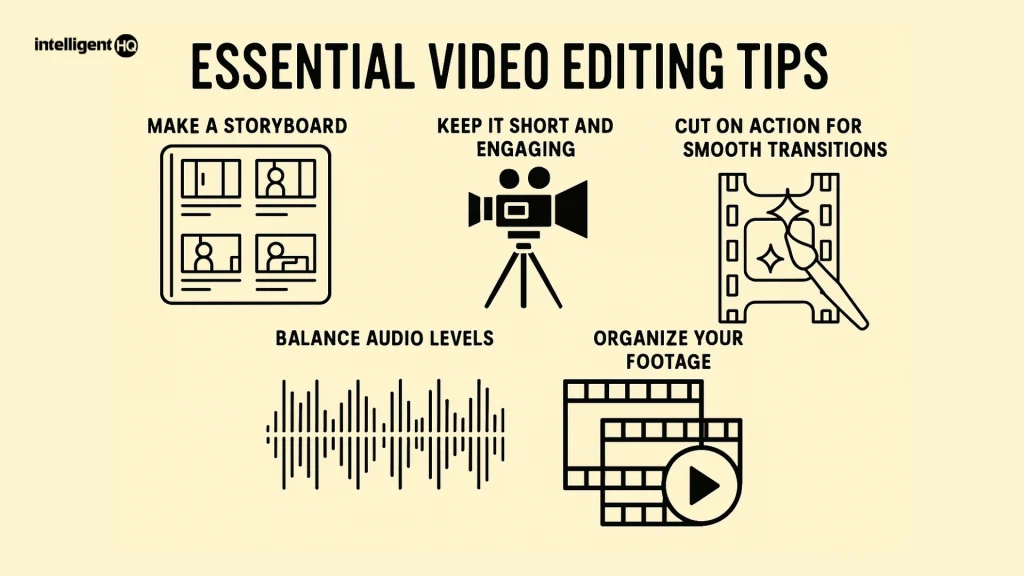
Easy video editing tips for beginners in 2025
Editing videos can be a fun and creative process, but starting with the right techniques can make all the difference. Below are some fundamental video editing tips that will help you elevate your content, even if you’re just starting.
- Plan and Organise Your Story Like a Pro
Every great video starts with a solid plan. Before you jump into editing, take a moment to outline your story’s flow. What message do you want to convey? How do your clips support the narrative? Whether you sketch a mind map or write down a simple scene order, having a roadmap keeps your editing focused and effective.
Next, organise your footage carefully. Name your clips, group them by scene or theme, and arrange them in timeline order. This preparation saves you from endless scrolling later and gives you a clear view of the story you are about to create.
2. Master the basics: Trimming and cutting
Don’t rush to learn every fancy effect just yet. The heart of editing lies in the basics: cutting out the fluff, trimming excess frames, and timing everything correctly. A clean cut can make a big difference, creating smooth transitions and a rhythm that keeps viewers engaged.
Practice these fundamentals until they become second nature. Learning shortcuts, like pressing J to rewind, L to fast-forward, and K to pause, can greatly speed up your workflow. Simple is often better, and once you have this down, everything else becomes easier.
3. Prioritise high-quality audio and video
Even the best edits can fall flat if the footage or sound quality isn’t good. Aim for clear visuals and audio right from the filming stage. Using a professional DSLR or a good smartphone camera can really improve your video’s appeal.
Audio needs special attention. Poor sound can quickly turn viewers away. If you can’t afford a top microphone, many editing tools now offer noise reduction features that help clean your audio tracks, making voices clearer and background noise less distracting.
4. Cut out the unwanted and stabilise shaky shots
Go through your footage frame by frame and remove clips that don’t add value. This “kill your darlings” approach tightens your story and makes your video much more enjoyable.
Shaky camera work can be distracting. Most editors, even free ones, come with stabilisation options. With a click, your footage feels professional, steady, and pleasing to watch, no fancy gear needed.
5. Use transitions sparingly for smooth flow
While it can be tempting to use swish effects everywhere, remember: less is more. Use basic fades or quick cuts to maintain visual flow and show changes in time or space without distracting from your main message.
By using transitions purposefully, you create a polished look and help viewers follow along easily. Your audience will notice the difference, even if they don’t fully understand why.
6. Consider pacing and colour grading to set the mood
Editing is about rhythm. If your scenes go by too fast or drag on too long, you risk losing attention. Adjust pacing to keep the narrative engaging and comfortable for your audience.
Colour grading is your secret tool to set the video’s mood and reinforce your brand identity. Whether you want warm, dreamy tones or stark, cinematic contrasts, the right colour palette elevates your footage from ordinary to exceptional.
7. Edit audio and video tracks separately
Did you know that audio editing often determines the professional quality of your final piece? Separate your audio from the video track to adjust volumes, add background music, or remove unwanted noise independently.
Multitrack editing allows for flexible, creative sound design. Use equalisers and sound effects wisely to create atmosphere, highlight dialogue, or boost impact, small tweaks in audio can make a big difference.
8. Add B-roll footage in groups of three
Want to make your video visually richer? Layer in B-roll shots, secondary footage that supports your main scenes, like reactions, details, or different angles.
For a smooth, dynamic feel, use B-roll in sets of three. This trio approach keeps your cuts fluid, engaging, and professional without overwhelming the main story.
9. Use split edits for seamless audio-visual flow
Split edits, or the technique of starting audio before the corresponding video or vice versa, create natural transitions and interesting pacing. For instance, hearing a voice or sound just before the speaker appears on screen builds anticipation and engagement.
This simple trick adds polish and professionalism, making your videos feel more crafted and thoughtful.
10. Include captions and choose music wisely
Finally, don’t overlook captions. Many viewers scroll through social media with the sound off, so subtitles improve accessibility and keep your message clear. Most platforms and editing software offer easy captioning in multiple languages.
Match your visuals with the right soundtrack. Choose music that aligns with your video’s tone and energy without overpowering dialogue or narration. Make sure it’s royalty-free or properly licensed to avoid issues later.
Do’s and don’ts to consider before starting editing
To make your editing process more efficient and hassle-free, here are some important do’s and don’ts.
Do’s
- Focus on storytelling. Keep your message clear and engaging.
- Organise your footage before editing to avoid frustration.
- Complete your edits in advance to avoid last-minute stress.
- Make use of analytics to improve your content.
Don’ts
- Don’t overuse cuts and transitions. Keep it simple and professional.
- Avoid using music that doesn’t match the mood of your video.
- Never skip the 3-2-1 backup rule; always have copies of your footage.
- Don’t let the editing process drag on. Know when to finish and move on.
The role of editing platforms and AI in 2025
The right software can transform your editing experience. Platforms like Gudsho, Canva, Clipchamp, and FlexClip blend ease-of-use with powerful AI tools that automate tedious tasks, enhance visuals, and speed up your work.
Thanks to AI, tools like text-to-video, image animation, and automatic sound equalisation are now accessible to beginners, helping you produce compelling content without years of experience.
Cloud-based editors offer extra perks: no installation risks, seamless collaboration, vast storage, and solid security. Select a platform compatible with your devices and skill level to make your workflow smooth and efficient.
Final thoughts
Video editing might seem intimidating at first, but by breaking it down into simple steps, you can make amazing social media videos that connect with people and inspire them. Focus on the basics, keep experimenting, and use helpful tools that make the creative process easier.
Keep in mind that every expert was once a beginner. So, gather your footage, open your favourite editor, and start telling your story, one cut, one trim, one colour grade at a time. The digital world is ready to see what you will create.











