Understanding Google’s Local Ranking Algorithm
For local businesses, visibility in online search is critical. When customers look for products or services nearby, they often turn to Google. In fact, nearly half of all Google searches seek local information. Eighty-eight percent of those searching on mobile devices visit or call a business within 24 hours.
This is where Google My Business (GMB), now known as Google Business Profile, becomes essential. It acts as a digital storefront, allowing businesses to control how they appear across Google Search and Google Maps. An optimized GMB profile can significantly boost a business’s local search rankings and visibility.

This guide will explore how a well-managed Google Business Profile drives local SEO success. It covers everything from setting up a profile to leveraging its advanced features. Readers will learn about key ranking factors like relevance, distance, and prominence. It also provides actionable steps for optimizing photos, posts, and customer reviews. Understanding GMB Insights and troubleshooting common issues are also discussed. By mastering these strategies, businesses can stand out from competitors and attract more local customers.
To truly dominate local search, a business must first understand how Google’s algorithm works. When a user performs a local search, such as “dentist near me” or “pizza delivery Chicago,” Google aims to provide the most relevant and helpful results. These often appear in the “Local 3-Pack” – a prominent block of three business listings displayed directly on the search results page, often above organic search results. The majority of engagement for any given keyword occurs as a result of the Local 3-Pack from Google Business Profile. Google My Business can generate nearly 4x more calls and form fills than a website, highlighting its immense value.
Google’s local search rankings are primarily determined by three core factors: Relevance, Distance, and Prominence. Optimizing for these factors is crucial for any local SEO strategy.
Relevance: Matching Search Intent
Relevance refers to how well a business profile matches the intent of a user’s search query. Google strives to connect users with businesses that offer exactly what they are looking for. This means that a business’s categories, services, and overall profile information must clearly communicate what it does.
To maximize relevance, businesses should:
- Accurately select business categories: Choose the most specific and relevant primary category, and add up to nine secondary categories that accurately describe all services or products offered.
- Include keywords naturally: While keyword stuffing is detrimental, incorporating relevant keywords into the business description, services, and product listings can signal to Google what the business is about.
- Keep profile information detailed: A complete profile provides Google with more data points to match against search queries. Businesses with complete and accurate info are more likely to show up in local search results.
Distance: The Proximity Factor
Distance is straightforward: it’s how far a business is from the searcher’s location. Google uses the user’s current location (if available) or the location specified in their search query (e.g., “plumber in Brooklyn”) to determine proximity. The closer a business is, the more likely it is to appear in local search results.
For businesses with a physical storefront, providing an accurate address is paramount. Service Area Businesses (SABs), such as plumbers or electricians who serve customers at their locations, should clearly define their service areas within their GMB profile. While proximity is a significant factor, it’s not the only one. A highly relevant and prominent business further away can sometimes outrank a closer, less optimized one.
Prominence: Building Your Online Reputation
Prominence refers to how well-known and established a business is in the real world and across the web. This factor is a composite of several elements that signal a business’s authority and trustworthiness to Google.
Key elements contributing to prominence include:
- Online reviews: The quantity, quality, and frequency of reviews, along with a business’s response to them, significantly impact prominence. Reviews come in second place for local SEO success, and Google My Business Reviews account for nearly 10% of total ranking factors for local search.
- Backlinks: The number and quality of links from other reputable websites pointing to a business’s website.
- Local citations: Mentions of a business’s Name, Address, and Phone number (NAP) across other online directories and websites.
- Website SEO: The overall strength of a business’s website SEO, including its content, structure, and mobile-friendliness.
- Offline reputation: For some businesses, real-world fame (e.g., famous landmarks, well-known retail chains) can also contribute to prominence.
Optimizing for these three factors—Relevance, Distance, and Prominence—forms the bedrock of a successful local SEO strategy.
The Ultimate Guide to SEO and GMB Profile Setup
Setting up and thoroughly optimizing a Google Business Profile is the foundational step for local search dominance. It involves more than just listing basic information; it’s about creating a comprehensive digital representation of your business that Google can easily understand and rank.
Step 1: Claiming and Verifying Your Business Profile
The journey begins by claiming or creating your business profile. It’s crucial to ensure you have full control over your listing.
- Visit the Google Business Profile homepage: Start by navigating to the official Google Business Profile website.
- Search for your business: Type in your business name. If it already exists (perhaps Google created one based on public data), you’ll see an option to “Own this business?” or “Claim this business.” If not, you can proceed to create a new one.
- Claim or create: Follow the prompts to either claim an existing listing or add a new business.
- Verification process: Google requires verification to ensure you are the legitimate owner of the business. The most common method involves Google sending a physical postcard with a verification code to your business address. Other methods, like phone or email verification, may be available for certain business types. Once you receive the code, log back into your profile and enter it to complete the process. This step is vital because without verification, your profile won’t be fully visible or editable. You can always check your verification status if you’re unsure.
Step 2: Nailing the Core Information (NAP & Categories)
Accuracy and consistency are paramount for your Name, Address, and Phone number (NAP). This information must be identical across your Google Business Profile, website, social media, and all other online directories. Inconsistent NAP information can confuse search engines and customers, leading to a loss of trust. Studies show that 93% of customers experience frustration with incorrect information online, and 80% lose trust due to inconsistent contact details.
- Business Name: Use your exact, legal business name. Avoid adding keywords or location details that are not part of your official name, as this can lead to suspension.
- Address: Provide your precise street address. If you’re a Service Area Business (SAB) without a physical storefront (e.g., a plumber working from home), you can hide your address and specify your service areas instead.
- Phone Number: Use a local phone number that customers can use to reach you directly. Avoid tracking numbers that redirect, as these can sometimes cause issues with local search rankings.
- Website URL: Link to your official business website.
- Business Categories: This is one of the most impactful optimization elements. Select the most accurate primary category that describes your core business. Then, add secondary categories that encompass all other services or products you offer. Google provides thousands of categories, so choose wisely. While Google’s general advice on categories suggests being specific, selecting all relevant secondary categories can broaden your reach.
Step 3: Crafting a Compelling Business Description
Your business description is a valuable space to tell customers about your business, what makes it unique, and what services you provide. You have up to 750 characters to work with.
- Highlight Unique Selling Points (USPs): What sets you apart from competitors? Emphasize your specialties, customer service, or unique offerings.
- Integrate Keywords Naturally: Include relevant keywords that potential customers might use to find your services, but ensure the description reads naturally and is engaging.
- Avoid URLs and HTML: Google does not allow URLs or HTML in the business description field. Focus on compelling text.
- Include a Call to Action (CTA): While you can’t add a clickable link, you can subtly encourage action, such as “Visit our website for more details” or “Call us today for a free quote.”
Advanced Optimization: Leveraging GMB Features for Maximum Impact
Beyond the foundational setup, Google Business Profile offers a suite of powerful features that, when leveraged effectively, can significantly boost your visibility and engagement. These features allow you to showcase your business dynamically and interact directly with potential customers.
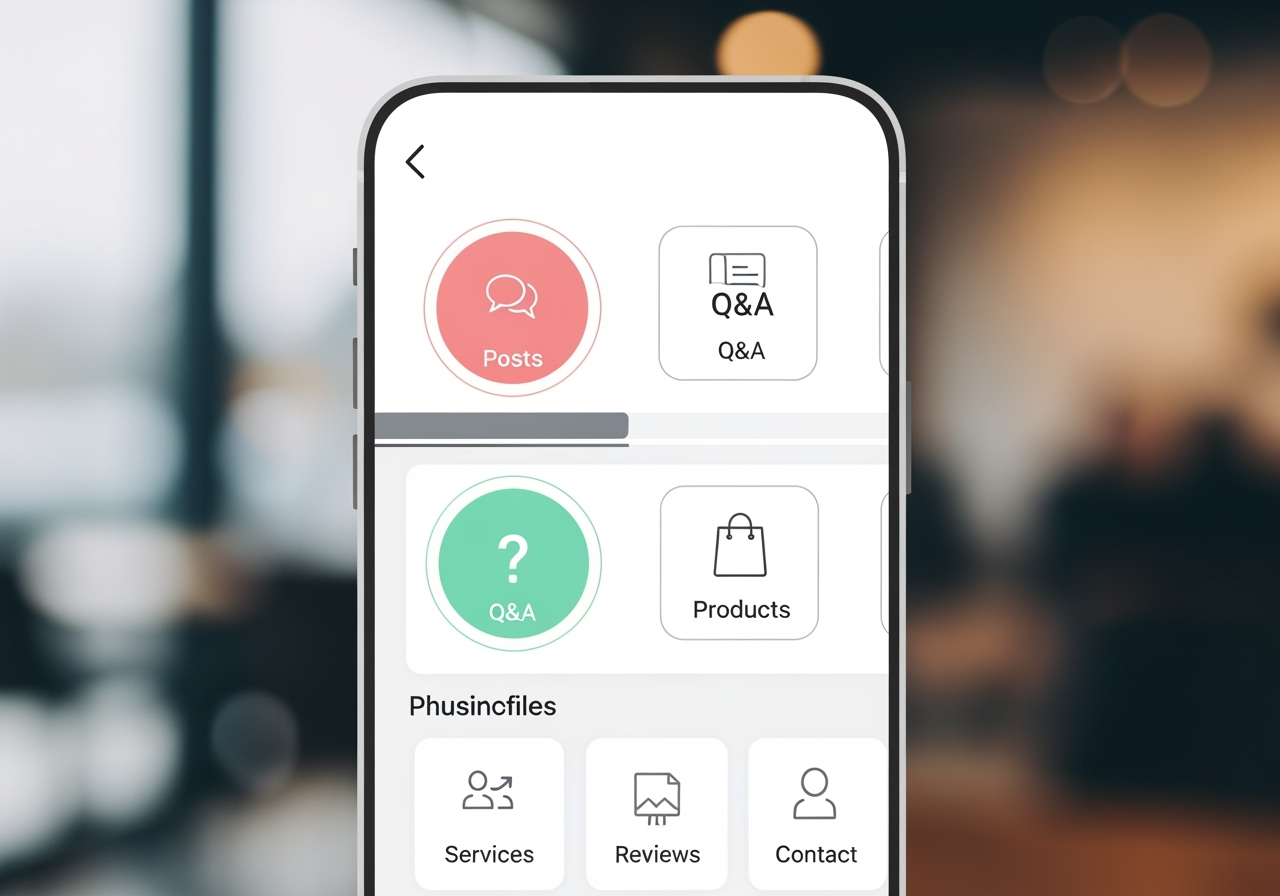
Using the Power of Photos and Videos
Visual content is incredibly impactful. Businesses with photos on their profiles receive 42% more requests for directions and 35% more clicks to their website than those without. High-quality images not only attract attention but also build trust and give customers a better sense of your business.
- Diverse Photo Types: Upload a variety of photos, including your storefront (exterior and interior), product shots, team photos, and photos of your services in action.
- High-Quality and Relevant: Ensure all images are high-resolution, well-lit, and accurately represent your business. Adhere to Google’s image format requirements to ensure they display correctly.
- Geotagging: For local SEO, geotagging your photos (embedding location data into the image’s metadata) can reinforce your physical location to Google. This can be done using various online tools or smartphone settings.
Engaging with Google Posts, Q&A, and Messaging
These interactive features provide direct channels for communication and promotion.
- Google Posts: Use Posts to share updates, offers, events, or new products directly on your GMB profile. These are like mini-blog posts that appear prominently in search results. Regularly publishing posts signals to Google that your business is active and engaged. That Google Business Profile posts expire after six months, so consistent updates are key.
- Q&A Section: This section allows users to ask questions about your business, and anyone (including the business owner) can answer. Actively monitor this section and provide prompt, accurate answers to common questions. This helps pre-empt customer queries and showcases your expertise.
- Google Business Messages: Enable the messaging feature to allow customers to send you a chat directly from your listing on Google Maps and Search. Google Business Messages can significantly improve customer service. Be prepared to respond quickly; Google requires messages to be replied to within 24 hours. Failure to do so may result in the deactivation of the chat feature.
Showcasing Products and Services
For businesses that offer specific products or a menu of services, these features are invaluable.
- Product Catalog: If you sell physical products, use the product catalog feature to display them directly on your profile with images, descriptions, and pricing. This allows customers to browse your offerings before even visiting your website or store.
- Service Menu: For service-based businesses, detail your services with clear descriptions. Restaurants and food service businesses, in particular, should add a link to a menu if applicable, providing immediate access to their offerings.
Mastering Review Management for SEO and GMB
Online reviews are a cornerstone of prominence and a critical conversion factor. Studies show that online reviews hugely influence a customer’s purchasing decision, with 71% of consumers influenced by reviews to use a business, and 74% trusting businesses with more GMB reviews.
- Encourage Reviews: Actively ask satisfied customers to leave reviews on your Google Business Profile. Make the process easy by providing direct links or QR codes.
- Respond to All Reviews: Whether positive or negative, respond to every review. For positive reviews, express gratitude. For negative ones, acknowledge the concern, apologize if appropriate, and offer a solution or invite them to discuss offline. This demonstrates excellent customer service and transparency. Reviews are considered conversion factors, and your responses are visible to all potential customers.
Measuring Success and Troubleshooting Common Issues
Optimizing your Google Business Profile is an ongoing process. To ensure your efforts are yielding results and to quickly address any issues, regular monitoring and troubleshooting are essential.
Decoding GMB Insights for a Better SEO and GMB Strategy
Google Business Profile Insights (formerly GMB Insights) provides valuable data on how customers interact with your listing. These insights are crucial for refining your local SEO strategy.
- How Customers Find You: Differentiate between “Direct” searches (customers who searched directly for your business name or address) and “Findy” searches (customers who searched for a category, product, or service that your business offers, and your listing appeared). Findy searches indicate successful broad visibility.
- Where Customers Find You: See whether customers found your business on Google Search or Google Maps. This helps you understand which platform is driving more visibility.
- Customer Actions: Track what actions customers took after viewing your listing, such as visiting your website, requesting directions, calling you, or viewing photos. Google My Business can generate nearly 4x more calls and form fills than a website, making call tracking particularly important.
- Phone Calls: GMB Insights provides data on the number of phone calls received directly from your listing, broken down by day of the week and time of day. This can help you optimize staffing.
Analyzing these insights allows you to understand customer behavior and adapt your GMB and overall digital marketing efforts. For a deeper dive into leveraging this data, consider exploring resources on Data-driven SEO and GMB.
Troubleshooting Common GMB Problems
Even with careful management, businesses can encounter issues with their Google Business Profile.
- Account Suspension: This is a serious issue that can arise from violating Google’s guidelines (e.g., keyword stuffing, inaccurate information, using a P.O. Box as a physical address). If your account is suspended, review Google’s guidelines, identify the cause, rectify the issue, and then submit a reinstatement form.
- Duplicate Listings: Sometimes, Google or users might create a duplicate listing for your business. This can dilute your SEO efforts. If you find a duplicate, report it to Google for removal.
- Incorrect User-Suggested Edits: Google allows users to suggest edits to business profiles. While often helpful, these can sometimes introduce inaccuracies. Regularly review your profile for any changes and revert incorrect edits promptly. For more complex or persistent issues, especially involving spam or fraudulent activity, you can submit a Business Redressal complaint form.
Frequently Asked Questions about SEO and GMB
What’s the difference between GMB and a website for local SEO?
Google Business Profile and a business website serve distinct but complementary roles in local SEO. GMB acts as your digital storefront and a “find me” tool. It provides quick, essential information directly in Google Search and Maps, helping customers find your location, contact details, and reviews at a glance. It’s often the first touchpoint for a local searcher.
Your business website, on the other hand, is your comprehensive digital hub. It offers in-depth information about your products, services, company history, testimonials, and detailed content. While GMB helps customers find you, your website provides the rich context and persuasive content that converts interest into action. For optimal local SEO, they work in a symbiotic relationship: an optimized GMB drives traffic to your website, and a well-optimized website reinforces your GMB’s authority and relevance.
How often should I update my Google Business Profile?
Continuous optimization is key for GMB. While there’s no strict daily requirement, regular updates are highly recommended:
- GMB Posts: Aim for weekly or bi-weekly posts to keep your profile fresh and share news, offers, or events.
- Photo Uploads: Add new photos regularly, perhaps monthly, to showcase new products, services, or seasonal changes.
- Responding to Reviews/Q&A: Respond to new reviews and questions as they come in, ideally within 24-48 hours.
- Updating Hours: Always update your business hours for holidays or special events well in advance.
- Information Accuracy: Periodically review all your core information (NAP, categories, services) to ensure it remains accurate and reflects any business changes.
Regular activity signals to Google that your business is active and engaged, which can positively impact your local rankings.
Can I rank in a city where I don’t have a physical address?
It is possible to rank in a city where you don’t have a physical address, especially if you operate as a Service Area Business (SAB). SABs can hide their physical address on their Google Business Profile and instead define the specific geographic areas they serve.
However, it’s important to understand the “Distance” ranking factor. For businesses with physical storefronts, proximity to the searcher is a strong signal, often leading to inclusion in the Local 3-Pack. SABs face a greater challenge in the Local 3-Pack because they lack a physical point of presence. To compensate, SABs must heavily rely on other prominence factors:
- Localized Website Content: Create dedicated landing pages for each service area, featuring local keywords and testimonials.
- Local Citations & Backlinks: Build strong local citation profiles and acquire backlinks from other businesses or organizations within your target service areas.
- Reviews: Generate a high volume of positive reviews, especially those that mention the service area or city.
While challenging, a robust local SEO strategy can help SABs achieve significant visibility even without a physical address in every target city.
Conclusion
In the competitive landscape of local business, a well-optimized Google Business Profile is no longer optional—it’s a necessity. It serves as your primary digital storefront, connecting you directly with customers actively searching for your products and services. By understanding and diligently applying the principles of Relevance, Distance, and Prominence, businesses can significantly improve their local search rankings and visibility.
From the initial setup and meticulous NAP consistency to leveraging advanced features like photos, posts, and proactive review management, every step contributes to a stronger online presence. Continuous monitoring through GMB Insights and swift troubleshooting of common issues ensure your profile remains a powerful asset.
Google Business Profile is a dynamic tool that, when integrated into a comprehensive local SEO strategy, can open up unprecedented growth and engagement. Accept continuous optimization, and your business will be well-positioned to dominate local search for years to come.

Founder Dinis Guarda
IntelligentHQ Your New Business Network.
IntelligentHQ is a Business network and an expert source for finance, capital markets and intelligence for thousands of global business professionals, startups, and companies.
We exist at the point of intersection between technology, social media, finance and innovation.
IntelligentHQ leverages innovation and scale of social digital technology, analytics, news, and distribution to create an unparalleled, full digital medium and social business networks spectrum.
IntelligentHQ is working hard, to become a trusted, and indispensable source of business news and analytics, within financial services and its associated supply chains and ecosystems