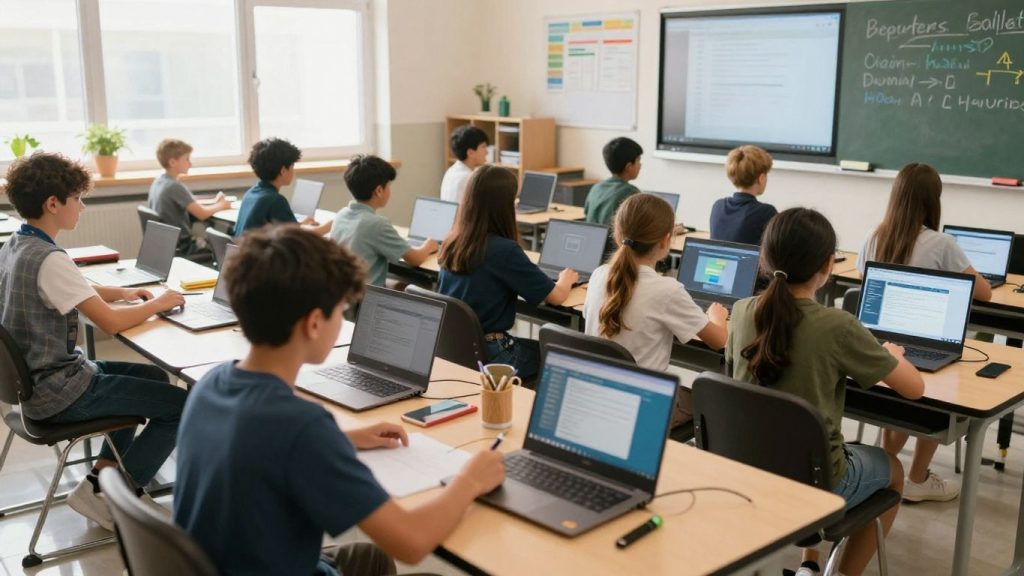
Technology is changing how we teach and learn. Gone are the days of just chalkboards and textbooks. Now, there’s a whole world of digital tools that can make lessons more interesting and help students learn in ways that work best for them. This article looks at some practical educational technology examples you can see in classrooms today. We’ll explore how these tools help with everything from basic skills to big projects, and how they can make school a better place for everyone.
Key Takeaways
- Interactive whiteboards and digital resources replace old chalkboards, making lessons more visual and engaging.
- Learning Management Systems and tools like Google Workspace and Microsoft OneNote help organize work, assignments, and communication.
- Tablets and AI assistants can help teachers give students lessons tailored to their individual needs.
- Virtual reality, augmented reality, and tools like Edpuzzle create exciting learning experiences, like virtual field trips or interactive video lessons.
- Technology can help students build important skills, from early reading and math with games to research and writing support for older students.
Leveraging Digital Tools for Enhanced Learning
In today’s classrooms, technology isn’t just an add-on; it’s becoming a core part of how we teach and how students learn. We’ve moved past chalkboards and textbooks to a world where digital resources can really change the game. These tools help make lessons more interesting and give students different ways to connect with the material. It’s all about making learning more active and accessible for everyone.
Interactive Whiteboards and Digital Resources
Interactive whiteboards have replaced the old chalkboards, offering a dynamic surface for lessons. Think of them as giant touchscreens that teachers can use to display content, write notes, and even let students interact directly with the material. Alongside these boards, a vast array of digital resources are now available. Instead of just static pages in a book, students can access e-books, online articles, educational videos, and interactive simulations. This shift means learning can be more visual, engaging, and tailored to different learning styles. It opens up possibilities for exploring topics in greater depth than ever before.
Learning Management Systems and Digital Tools
Learning Management Systems (LMS) act as central hubs for classroom activities. Platforms like Google Classroom or Canvas help teachers organize assignments, share resources, track student progress, and communicate with students and parents. They bring together various digital tools, making it easier to manage a classroom in a digital environment. When choosing tools, it’s smart to pick ones that fit your teaching goals. For instance, if you want students to work together, Google Workspace is a good choice. If you’re looking to make videos more engaging, Edpuzzle is excellent. For quick checks on understanding, tools like Kahoot! can be very effective. It’s best to introduce new tools gradually, matching them to specific lesson needs. Using analytics from these platforms can also help you see what’s working and adjust your teaching.
PowerPoint Presentations and Educational Games
PowerPoint, or similar presentation software, is a familiar tool, but it can be used in more engaging ways than just static slides. Teachers can incorporate multimedia elements like videos, animations, and interactive polls directly into their presentations. This keeps students more attentive and involved. Beyond presentations, educational games have become a powerful tool. These aren’t just for fun; they are designed to reinforce learning objectives in a way that feels like play. Games can help students practice skills, learn new concepts, and develop problem-solving abilities. They can be particularly effective for subjects that require memorization or repetitive practice, turning what might be a chore into an enjoyable challenge. The key is to select games that align with learning goals and provide meaningful practice.
The integration of digital tools in education is not about replacing traditional teaching methods but about augmenting them. It’s about providing educators with more options to reach diverse learners and equip students with the digital literacy skills they will need beyond the classroom. When used thoughtfully, these technologies can transform the learning experience, making it more dynamic, personalized, and effective for everyone involved.
Personalizing Education with Technology
The traditional one-size-fits-all approach to education is becoming less effective in today’s diverse classrooms. Technology offers powerful ways to tailor learning experiences to individual student needs, paces, and interests. This shift allows educators to move beyond a standardized model and create more student-centered environments. The goal is to meet each learner where they are and provide the specific support they need to succeed.
Differentiated Instruction with Tablets
Tablets have become a common sight in modern classrooms, and for good reason. Their portability and versatility make them ideal tools for differentiating instruction. Teachers can load various apps and resources onto tablets, allowing students to work on different tasks simultaneously. For instance, one group might be using an app for advanced reading comprehension while another group works on foundational math skills through interactive exercises. This flexibility helps address a wide range of learning abilities and styles within a single classroom.
AI-Powered Assistants for Planning and Personalization
Artificial intelligence is starting to play a significant role in helping educators manage the complexities of personalized learning. AI tools can assist teachers with tasks like generating lesson plan ideas, creating differentiated assignments, and even providing initial feedback on student work. This automation can free up valuable teacher time, allowing them to focus more on direct student interaction and support. For example, an AI assistant might suggest resources for students struggling with a particular concept or provide extension activities for those who have already mastered it. This kind of support can be a game-changer for teachers managing large classes with diverse needs.
Google NotebookLM for Research and Synthesis
For older students, particularly in middle and high school, developing strong research and synthesis skills is paramount. Tools like Google NotebookLM are designed to help students process information more effectively. It acts as a research assistant, allowing students to upload source materials and then ask questions about them, summarize key points, or identify connections between different texts. This helps students move beyond simply gathering information to truly understanding and integrating it. Learning to use such tools effectively is a skill that will serve them well in higher education and beyond. It’s a great way to prepare for future academic challenges, much like considering program fit when looking at MBA programs.
Technology should support, not replace, the human element in education. While AI and digital tools can automate tasks and personalize content, the teacher’s role in providing mentorship, social-emotional support, and nuanced guidance remains irreplaceable. The most effective use of technology is when it augments the teacher’s ability to connect with and guide students.
Fostering Collaboration and Communication
In today’s classrooms, working together and talking to each other are skills that technology can really help build. It’s not just about students working on projects, but also about teachers connecting with parents and each other. When students learn to share ideas and give feedback using digital tools, they’re practicing skills they’ll use throughout their lives.
Google Workspace for Seamless Collaboration
Google Workspace, which includes tools like Docs, Sheets, and Slides, is a popular choice for schools. It lets multiple people work on the same document at the same time. Imagine a group of students writing a report together; they can all type and see each other’s changes instantly. This makes group work much smoother and helps students learn to coordinate their efforts. Teachers can also use it to share materials and get feedback on assignments.
- Real-time co-editing: Students and teachers can work on documents simultaneously.
- Easy sharing: Documents can be shared with specific people or groups.
- Cloud-based access: Work can be accessed from any device with an internet connection.
Microsoft OneNote for Integrated Tools
Microsoft OneNote acts like a digital notebook where students and teachers can organize notes, share information, and work on projects together. It fits well with other Microsoft tools like Teams and Outlook, making it easy to bring different parts of schoolwork into one place. This is especially helpful for students who need to keep track of a lot of information for different classes or projects. It supports group work by allowing everyone to contribute to a shared notebook.
Using tools like OneNote can help students develop better organizational habits, which are important for academic success and beyond.
Listserv for Parent-Teacher Communication
While newer tools exist, email listservs still play a role in school communication. They allow teachers or school administrators to send messages to a large group of parents or guardians at once. This is useful for sharing general announcements, upcoming events, or important updates about the school or a specific class. It’s a straightforward way to keep families informed about what’s happening.
- Mass communication: Send one message to many recipients quickly.
- Record keeping: Provides a written record of communications.
- Accessibility: Most parents have access to email.
Immersive and Engaging Learning Experiences
Sometimes, just reading about a place or a concept isn’t enough. Students learn best when they can really experience it, even if it’s simulated. That’s where immersive technologies come in, bringing learning to life in ways that were once science fiction.
Augmented and Virtual Reality Field Trips
Imagine taking your class to ancient Rome or the Amazon rainforest without leaving the classroom. Augmented Reality (AR) and Virtual Reality (VR) make this possible. VR uses headsets to completely transport students to a different environment, letting them explore historical sites or even the surface of Mars. AR, on the other hand, overlays digital information onto the real world. Think of pointing a tablet at a diagram of the human heart and seeing a 3D model pop up, with labels and explanations.
These experiences aren’t just fun; they help students grasp complex ideas and remember information better. They turn passive learning into active exploration.
Virtual Science Labs and Historical Simulations
Not every school has the budget for a state-of-the-art science lab or the resources to visit historical landmarks. Virtual labs and simulations fill this gap. Students can conduct experiments that might be too dangerous or expensive in real life, like mixing volatile chemicals or dissecting a virtual frog. Historical simulations allow students to step into different eras, interact with historical figures (virtually, of course), and understand events from multiple perspectives. This hands-on, albeit digital, approach makes abstract concepts tangible and memorable.
Interactive Video Lessons with Edpuzzle
Video is a powerful tool, but simply watching a video can be a passive experience. Tools like Edpuzzle transform standard videos into interactive lessons. Teachers can embed questions, polls, and prompts directly into videos. This means students have to actively engage with the content as they watch. If a student gets a question wrong, the teacher can see that immediately. This allows for quick adjustments to teaching, making sure no one gets left behind.
These interactive elements help gauge student understanding in real-time, allowing educators to pinpoint areas where students might be struggling and provide targeted support before moving on. It’s a way to keep students focused and check their comprehension without interrupting the flow of the video too much.
Developing Foundational Skills with Technology
Technology offers a fantastic way to build the basic skills students need for learning, both now and in the future. It’s not just about using computers; it’s about making learning more engaging and effective, especially for younger students.
Interactive Games for Elementary Skills
For younger learners, turning practice into play can make a big difference. Interactive games are perfect for reinforcing core subjects like math, spelling, and reading. Think about games that help kids learn their phonics or practice multiplication tables. Many of these tools let teachers or even parents create custom word lists, so students can focus on what they specifically need to work on. This approach helps build confidence and a positive attitude towards learning right from the start.
Research and Citation Tools for Middle School
As students move into middle school, they start becoming more independent thinkers. Technology can help them develop important life skills, like how to find and use information responsibly. Tools designed for research can guide students to reliable sources online. More importantly, they teach students how to properly credit the information they use, which is a key part of academic honesty and avoids plagiarism. Learning these skills early sets them up for success in higher grades and beyond.
Read&Write for Literacy Support
Supporting students with their reading and writing is vital, and technology can be a great ally. Tools like Read&Write are designed to help students with various literacy needs. They can offer features such as text-to-speech, which reads text aloud, helping with comprehension and pronunciation. Other features might include word prediction to help with spelling and grammar checking to improve writing. These kinds of supports can make a significant difference for students who struggle with reading or writing, allowing them to access the curriculum more fully and express their ideas more clearly.
Technology in the classroom isn’t just about keeping up with the times; it’s about providing students with the tools they need to learn effectively and prepare for a world that relies heavily on digital literacy. When used thoughtfully, these tools can make learning more accessible and engaging for everyone.
Here’s a look at how different age groups can benefit:
- Elementary School: Focus on interactive games for math facts, spelling words, and early reading skills. Custom word lists can be very helpful.
- Middle School: Introduce tools for basic research, finding credible sources, and learning how to cite them correctly. This builds independence.
- All Levels: Utilize literacy support tools that offer features like text-to-speech and grammar assistance to help students with reading and writing challenges.
Smart Classroom Infrastructure and Device Management
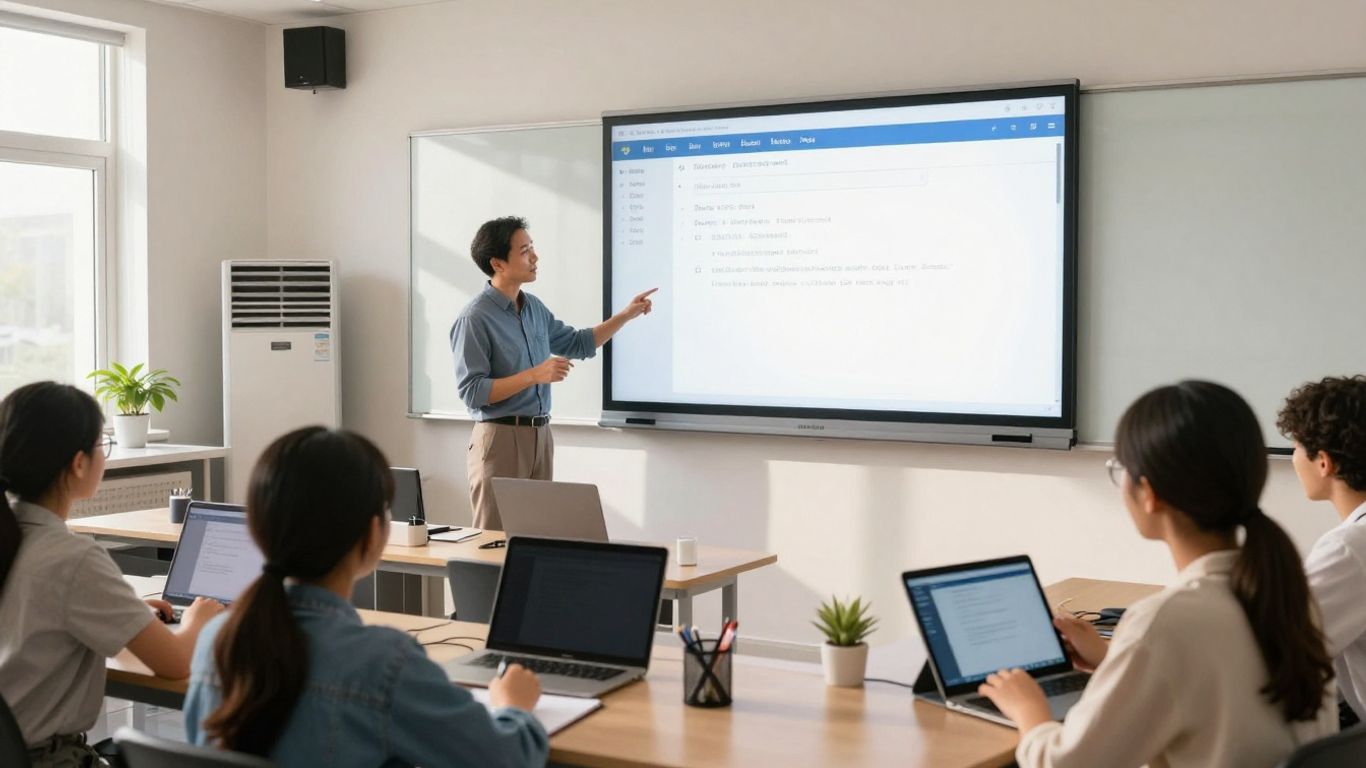
Setting up a modern classroom involves more than just the software and digital content. We also need to think about the physical space and the devices that make it all work. This means looking at the "smart" aspects of the classroom and how we manage all the technology.
Interactive Displays and Connected Controls
Interactive displays, like smart boards, are becoming common. They let teachers and students work together on problems right on the screen. Beyond just displays, "smart" classrooms can have connected systems for lighting and temperature. These systems can automatically adjust settings when a room isn’t in use, saving energy. Think about lights dimming when no one is there or the air conditioning turning down. These connected systems help create a more efficient and responsive learning environment.
Smart Access and Attendance Systems
Managing who is in the classroom and when can be streamlined with technology. Smart access systems can use student ID cards or even QR codes to log attendance automatically as students enter. This saves teachers time that would otherwise be spent taking roll call. It also provides accurate data on student presence.
Device Charging and Lifecycle Management
With so many schools adopting a "device-first" approach, keeping those devices charged and ready is a big job. Charging carts are a common sight, keeping devices organized and powered up. For more advanced management, schools are looking at smart charging lockers. These not only charge devices but also store them securely and can even help manage check-out and check-in processes. This reduces the burden on IT staff and ensures students have working devices when they need them.
Here’s a look at how device management systems can work:
- Secure Storage: Protects devices when not in use.
- Automated Charging: Keeps devices ready for the next lesson.
- Self-Service Options: Allows students to manage device access, reducing staff workload.
- Usage Tracking: Provides data on device availability and issues.
Managing the physical technology in a classroom is just as important as the digital content. It’s about building a reliable foundation so that teaching and learning can happen smoothly, without constant technical interruptions. The goal is for the technology to work quietly in the background, supporting the educational mission.
Empowering Student Voice and Expression
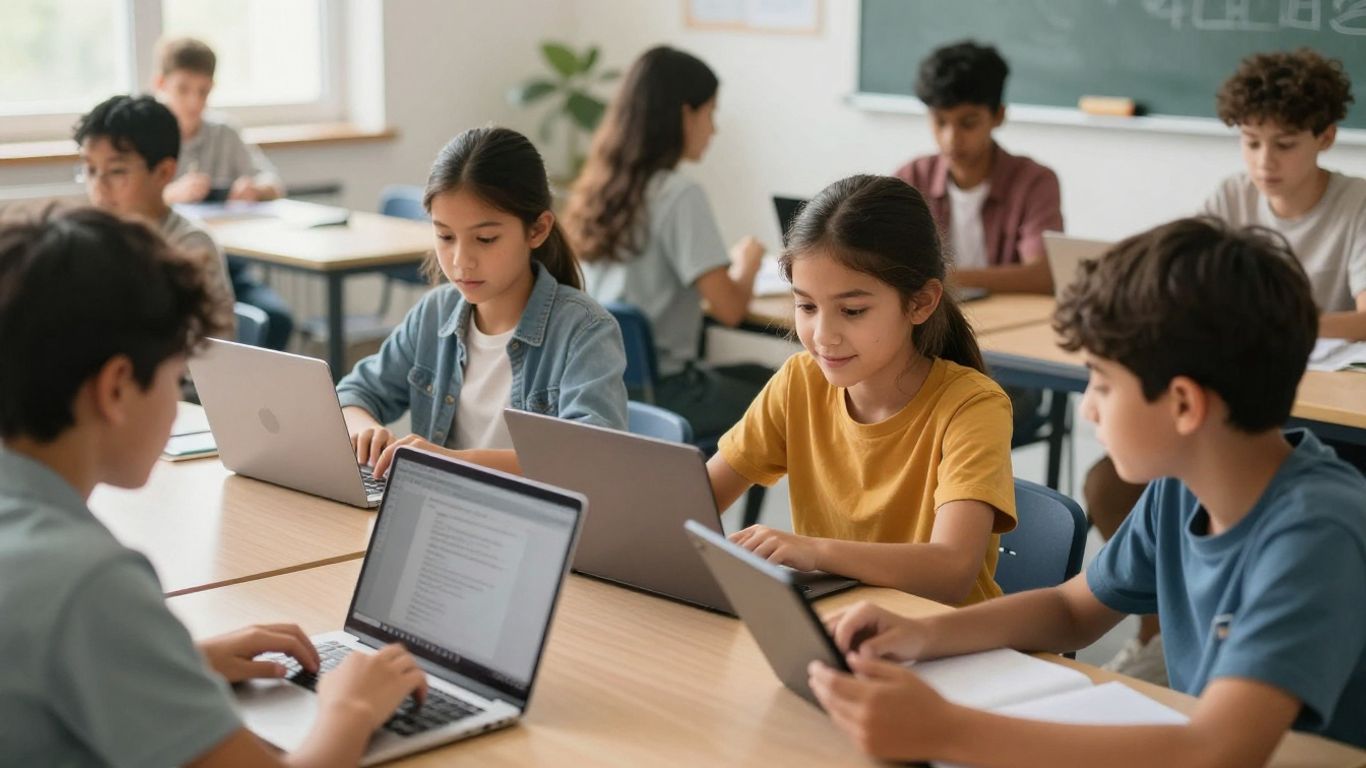
In today’s educational landscape, giving students a platform to share their thoughts and ideas is more important than ever. Technology offers some really neat ways to make sure every student, no matter their learning style or comfort level, can join the conversation. It’s about creating a classroom where everyone feels heard and valued.
Flip for Video-Based Discussions
Flip, formerly known as Flipgrid, is a fantastic tool that lets students respond to prompts using short videos. Think of it as a digital discussion board where instead of typing, students record themselves. This is a game-changer for students who might find writing difficult or who express themselves better when speaking. It also works great for students who are learning remotely or need different ways to participate. Teachers can easily watch the videos, leave feedback either by typing or recording their own video response, and even connect with families. It’s also a good way to build student portfolios and connect classrooms across different locations.
- How it works: Teachers post a topic or question.
- Students record a video response.
- Teachers and other students can view and comment on the videos.
This approach moves beyond traditional Q&A sessions, allowing for more thoughtful and personal responses that can be reviewed and revisited, promoting deeper engagement with the material.
Accessible Participation for All Learners
Making sure every student can participate is key. Technology can help break down barriers that might prevent some students from sharing. This includes tools that offer:
- Alternative response formats: Beyond video, students might use audio recordings, drawings, or even text-to-speech tools to share their ideas.
- Support for diverse needs: Tools can offer features like closed captions, translation services, or simplified interfaces to assist students with disabilities or those learning a new language.
- Flexible pacing: Students can often record their responses when they feel most ready, rather than being put on the spot in front of the whole class.
The goal is to create an inclusive environment where every student has the opportunity to contribute their unique perspective.
Looking Ahead
So, we’ve looked at a bunch of ways technology is changing classrooms, from simple tools like online assignments to more advanced stuff like virtual reality. It’s pretty clear that tech isn’t just a fad; it’s becoming a normal part of how we teach and learn. The key is to pick the right tools for your students and your classroom, and not to be afraid to try new things. By keeping up with these changes and thinking about how to use them best, we can help students get ready for whatever comes next. It’s all about making learning more interesting and useful for everyone involved.
Frequently Asked Questions
How has technology changed classrooms?
Technology has really changed classrooms a lot! Instead of chalkboards, we now have smart boards that do more. We also don’t need as many heavy books because we can use digital books and online resources. This makes learning more interesting and helps students learn in different ways.
What are some easy ways teachers can use technology?
Teachers can use tools like PowerPoint to make lessons more visual and include videos. They can also use online games, like Kahoot, to help students review what they’ve learned in a fun way. Posting homework online through learning platforms also helps students stay organized and access assignments easily.
How can technology help students learn at their own speed?
Some technology allows students to work at their own pace. For example, with tablets, teachers can give different assignments to different students based on what they need. This means some students can move faster while others get more help on tricky subjects.
What is ‘immersive learning’ and how is it used?
Immersive learning uses things like virtual reality (VR) or augmented reality (AR) to make students feel like they are actually part of the lesson. Imagine taking a virtual trip to ancient Rome or exploring the inside of a cell! This makes learning more exciting and helps students remember things better.
How does technology help students work together?
Tools like Google Workspace (with Docs, Sheets, and Slides) let students work on the same project at the same time, even if they are in different places. Microsoft OneNote is another tool that helps students and teachers share notes, ideas, and work on assignments together in one spot.
Can technology help students who have trouble reading or writing?
Yes, there are tools like Read&Write that help students with reading and writing. They can read text aloud, help with spelling, and even offer picture dictionaries. This makes it easier for all students, including those with learning differences or who are learning English, to keep up with their schoolwork.

Peyman Khosravani is a seasoned expert in blockchain, digital transformation, and emerging technologies, with a strong focus on innovation in finance, business, and marketing. With a robust background in blockchain and decentralized finance (DeFi), Peyman has successfully guided global organizations in refining digital strategies and optimizing data-driven decision-making. His work emphasizes leveraging technology for societal impact, focusing on fairness, justice, and transparency. A passionate advocate for the transformative power of digital tools, Peyman’s expertise spans across helping startups and established businesses navigate digital landscapes, drive growth, and stay ahead of industry trends. His insights into analytics and communication empower companies to effectively connect with customers and harness data to fuel their success in an ever-evolving digital world.