Most writing tools do one thing. GetSolved tries to do a lot more than that — checking for AI content, catching grammar slips, verifying facts, rewriting clunky sentences, summarizing long files, plus a few extras for people who need their writing to read as genuinely their own.
That’s a lot riding on one platform, honestly. So we went through it piece by piece to see what actually holds up under use, rather than just skimming the feature list.
We wanted real answers here — what each tool inside Getsolved tools actually does, how they connect once you’re using more than one at a time, what the pricing looks like once everything’s factored in, and who it’s genuinely built for versus who’s better off elsewhere.
What Is GetSolved.ai?
GetSolved.ai is an AI writing verification and improvement platform. Put simply: it’s for people writing with AI help, or anyone who just wants a second check before something goes out the door — students turning in essays, marketers publishing content, professionals sending client-facing documents.
Instead of one narrow feature, it bundles detection, correction, and rewriting under a single account.
No juggling five subscriptions just to check a document for AI patterns, fix the grammar, verify a claim, then smooth out the phrasing. It sits in one place, which sounds minor until you’re actually the one doing this work every week.
How It Works
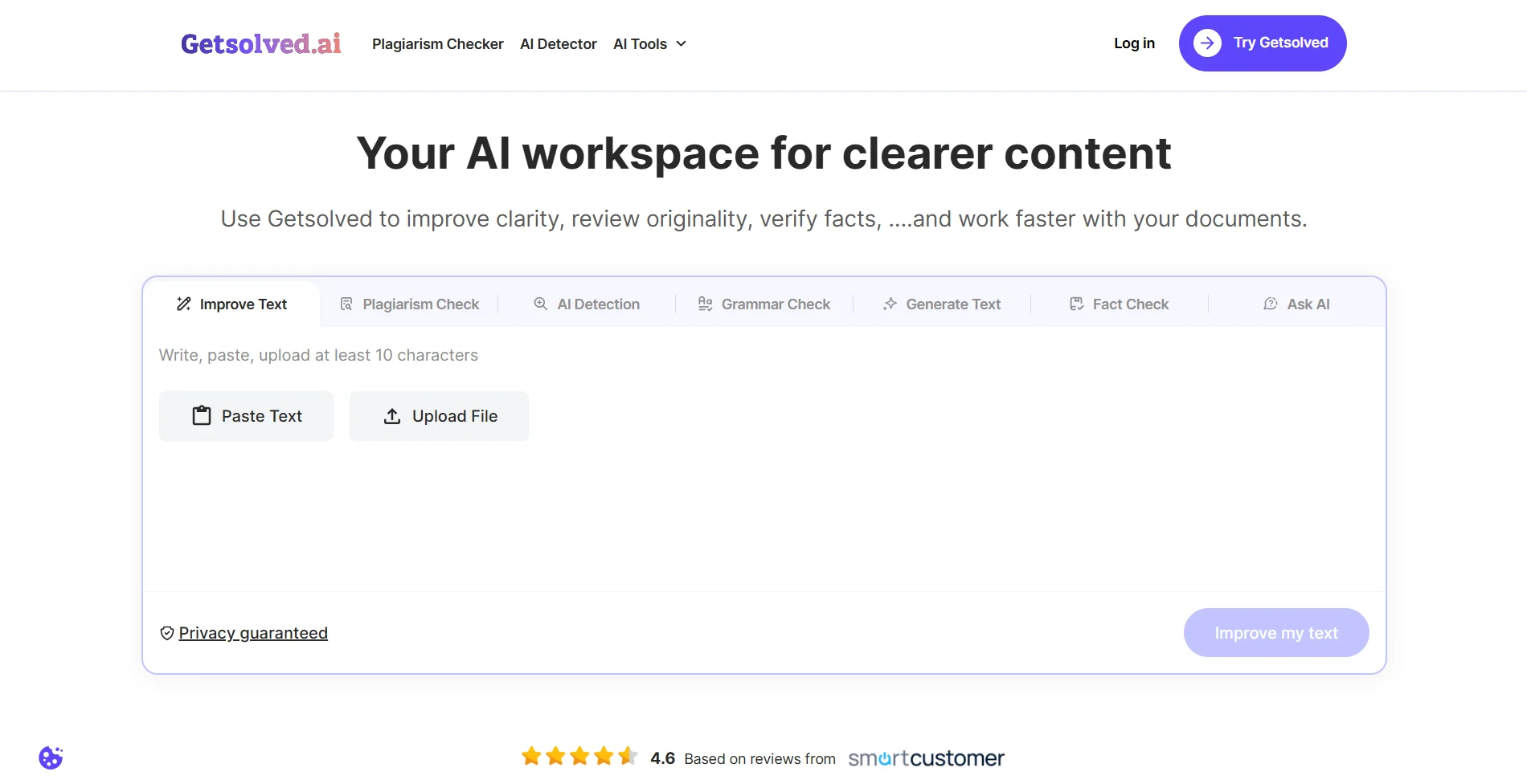
The workflow stays roughly the same no matter which tool you’re using, which honestly makes the platform easier to pick up than you’d guess from how many features it packs in.
- Paste in text directly, or upload a file — DOC, DOCX, TXT, PDF, a handful of others depending on the tool.
- Choose what you need done: detection, grammar, fact-checking, paraphrasing, summarizing.
- Review what comes back. A score, a highlighted section, a rewritten version — depends on the tool.
- Apply the fixes, download a report, or push the same text into another tool if it needs more work.
No app to install. It’s all browser-based, and switching tools inside one account doesn’t mean re-uploading your file each time — that part alone saves more time than it sounds like it would.
Key Features
AI Detector. Usually the first thing people show up for. It scans text for AI-generated patterns and returns a score along with which sections got flagged. Built for catching writing from newer models, which — let’s be honest — has gotten harder to spot on sight as those models keep improving.
Grammar Checker. Grammar, spelling, punctuation, plus a layer for clarity and tone on top. It’s fixing the small stuff — a missing comma, a tense that shifts halfway through a sentence — without rewriting everything around it.
Fact Checker. Not something you see everywhere, and one of the more genuinely useful pieces here. It flags unsupported claims or statements that look off, so you can verify or correct before hitting publish. Useful when you’re working from an AI-assisted draft that sounds sure of itself but occasionally gets a fact wrong.
Paraphrasing / Text Improver. Rewrites sentences or full paragraphs so they read more naturally, without drifting from the original meaning. We covered this one separately in more depth — short version, tone and meaning generally survive the rewrite intact.
Plagiarism Checker. Checks text against published content and flags overlap. Matters most for academic work or anything being published that needs to be provably original.
Summarizing. Turns long documents into their key points. Works across PDFs, Word files, and slide decks, and lets you focus on one section instead of summarizing the whole thing at once.
That’s six core tools, but there’s more once you’re registered. An AI Humanizer for adjusting AI-generated text so it sounds less machine-written. A Remove AI tool aimed at stripping out detectable AI patterns. Write in Your Tone, which tries to match your individual writing style rather than a generic one. An AI Chat assistant for brainstorming or talking through an uploaded document. AI Writer and Essay Writer for generating text from a prompt. And Expert Help — an actual person doing a manual review, for anyone who wants a human final pass before submitting anything.
How the Tools Work Together
The real value here shows up once you stop using these as one-off checks and start running them in sequence on the same piece of writing.
A typical flow: AI Detector first, to see where a draft actually stands. Fix whatever grammar and clarity issues get flagged. Then send it through the Paraphrasing Tool to smooth out any AI-typical phrasing still hanging around. Each pass builds on the one before it, and by the time a document’s been through detection, correction, and a rewrite, it reads noticeably more human than when it started. That’s really the whole argument for bundling these tools instead of selling them off separately.
Quick reference for which tool fits which situation:
| If you need to… | Use this tool | Best for |
| Confirm a draft doesn’t read as AI-written | AI Detector | Students, publishers, content teams |
| Clean up small grammar or clarity issues | Grammar Checker | ESL writers, business users |
| Verify claims before publishing | Fact Checker | Marketers, journalists, researchers |
| Smooth out stiff or repetitive phrasing | Paraphrasing Tool | Writers, students, ESL users |
| Confirm originality before submission | Plagiarism Checker | Students, academic writers |
| Get through a long file quickly | Summarizer | Researchers, business users, students |
Pricing: What You Get for the Money
Three access tiers, and every tool on the platform comes included in each one — not just the basics.
- 7-Day Access — €2.00/week. A cheap way to try the full toolkit before deciding on anything longer.
- Unlimited Monthly Plan — standard rate €39.99/month, currently €19.99/month (50% off) if you’re paying month to month. Fine for a semester, a short project, or anything temporary.
- Unlimited Annual Plan — same €39.99/month standard rate, dropping to €7.99/month (80% off) when paid annually. The best value on the page by a wide margin, assuming you already know you’ll be using this regularly.
Every plan includes the AI Detector, Grammar Checker, AI Text Improver, Fact Checker, Plagiarism Checker, Paraphraser, a Personal Expert Review, and 24/7 live support.
Nothing sits behind a separate add-on purchase — it’s the full set or nothing.
Pros and Cons
Pros:
- Seven-plus tools under one subscription, no per-feature pricing
- Tools are actually built to work together, not just bundled and left separate
- Fast processing across the board
- Multi-format file support — DOC, DOCX, PDF, TXT, and more
- Browser-based, nothing to install
- Human expert review option for anyone who wants a real final check
Cons:
- No standalone plan if you only want one tool
- The number of features can feel like a lot to sort through at first
- Early-impressions territory for some of the more specialized tools — AI Chat and Essay Writer especially — that we haven’t fully stress-tested yet
Who This Platform Is Best For
Students who need drafts checked before submission and want grammar, plagiarism, and AI detection covered without paying for three separate tools. Content marketers and agencies running AI-assisted writing through a verification pass before it goes live. ESL writers who want grammar correction and more natural phrasing handled in the same place. Business teams that need a fast way to double-check reports, emails, or client documents before sending them out.
If you only ever need one narrow feature — grammar checking, say, and nothing else — a dedicated single-purpose tool is probably simpler and cheaper. But for anyone whose writing work touches more than one of these concerns regularly, having it all under one account cuts out a lot of the back-and-forth between apps.
Privacy and Safety
GetSolved says uploaded text isn’t stored long-term, and files get removed once a session ends.
Reasonable baseline if you’re uploading drafts, reports, or documents you’d rather not have sitting indefinitely on someone else’s server. Still worth reading their actual privacy policy directly if you’re handling anything sensitive — that’s true of any platform, not just this one.
FAQ
How many tools are actually included in one subscription? All of them. AI Detector, Grammar Checker, Fact Checker, Plagiarism Checker, Paraphraser, and Summarizer come with every plan, plus extras for registered users like AI Chat and Expert Help.
Do I need to pick which tool I want before signing up? No. Every plan includes the full toolkit — nothing’s locked to a single feature.
Is there a free version? No permanent free tier, but the €2.00/week 7-Day Access plan is a cheap way to test everything first.
Can it check both AI content and plagiarism in the same document? Yes — AI Detector and Plagiarism Checker are separate tools, but both can run on the same file.
Does it store the documents I upload? GetSolved says no, files are removed after the session ends. Worth confirming the specifics on their privacy page if it matters to you.
Is Expert Help an actual person, or another automated tool? An actual person. It’s described as a manual review by a live expert, not an automated check.
Final Verdict
GetSolved isn’t trying to be a single-purpose tool, and honestly, that’s the whole point of it.
Bundling detection, grammar, fact-checking, plagiarism, summarizing, and rewriting into one account means less time bouncing a document between five different apps and more time actually fixing what’s wrong with it. It’s a solid fit for students, writers, and teams who run into these checks regularly and want them handled in one place.
If you only need one narrow feature every once in a while, this is probably more than you need. But for anyone doing this kind of writing work often, the full toolkit — backed by a cheap weekly trial to test it first — is worth the look.