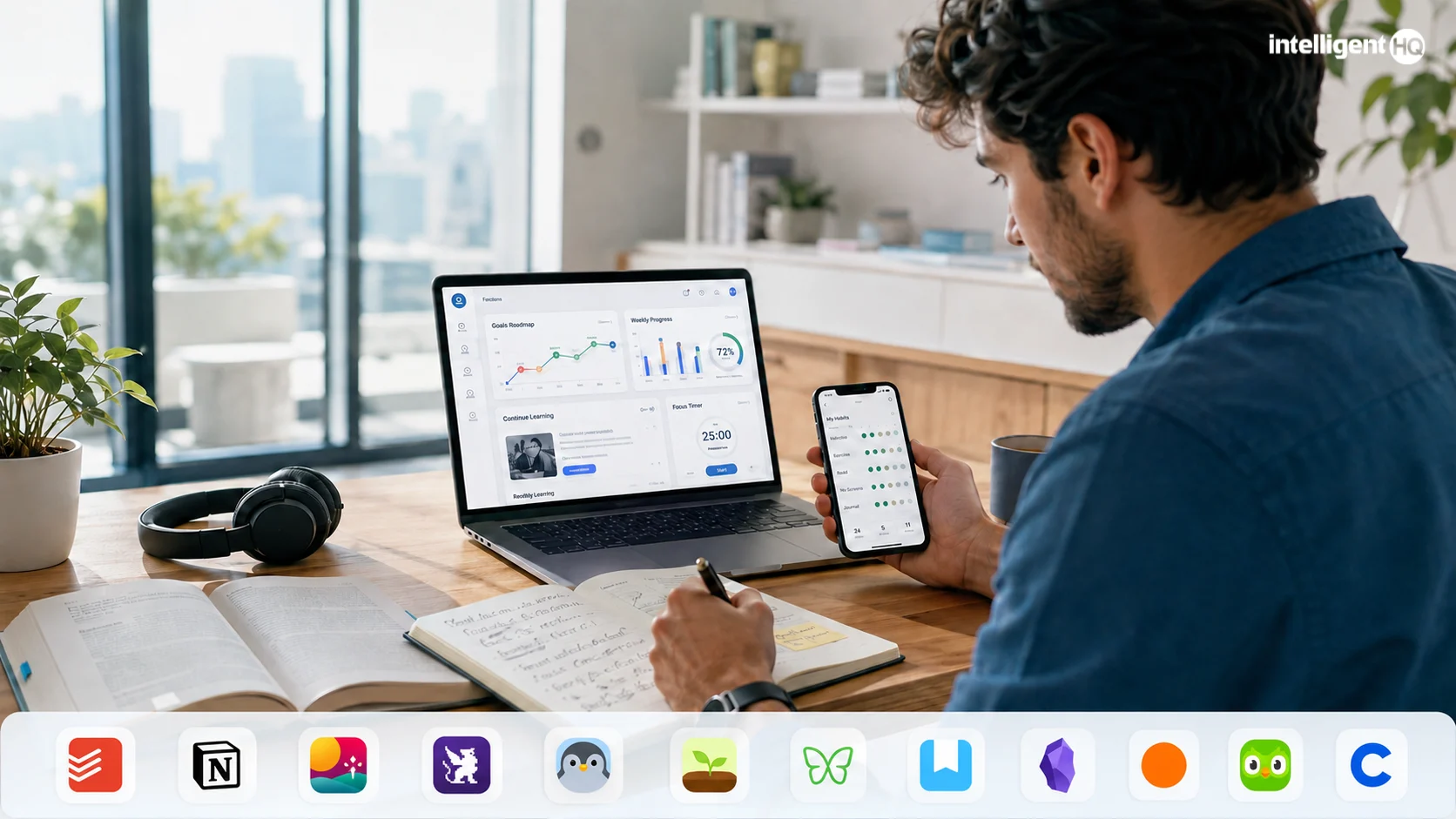
The best self-improvement app is not necessarily the one with the most features. It is the tool that helps a person convert an intention into a repeatable action and continue after the initial motivation disappears.
Different apps solve different parts of that process. Todoist turns objectives into scheduled tasks. Fabulous and Habitica reinforce routines. Forest and Freedom reduce digital distraction. Day One supports reflection, while Duolingo and Coursera provide structured learning.
This guide compares leading self-improvement apps in 2026 across six areas: planning, habits, focus, reflection, learning and wellbeing.
Best self-improvement apps at a glance
| Tool | Best for | Free access | Main consideration |
|---|---|---|---|
| Todoist | Turning goals into actions | Free plan available | Advanced planning features require payment |
| Notion | Building a flexible personal system | Free individual plan | Requires time to configure |
| Fabulous | Guided routines | Limited free access | Most structured programmes are paid |
| Habitica | Gamified habit tracking | Core features are free | Game mechanics do not suit everyone |
| Finch | Gentle daily self-care | Core experience is free | Less suitable for complex goal planning |
| Forest | Phone-focused concentration | Platform-dependent | Primarily supports individual focus sessions |
| Freedom | Blocking digital distractions | Trial or limited access | Full cross-device blocking requires payment |
| Day One | Private journaling and reflection | Free plan available | Multiple journals and media features are limited |
| Obsidian | Personal knowledge management | Free for personal use | Steeper learning curve |
| Headspace | Meditation and mindfulness | Trial access | Ongoing access generally requires a subscription |
| Duolingo | Daily language practice | Free, advertising-supported access | A complete language strategy needs wider practice |
| Coursera | Structured professional learning | Some content can be previewed | Certificates and graded work are generally paid |
Pricing, trials and feature limits change frequently. Check the current plan before committing personal information or building an important workflow.
1. Todoist
Best for: Turning long-term goals into scheduled actions
Todoist is a task-management application that can organise personal objectives into projects, sections, tasks and subtasks. Its natural-language input makes it easy to schedule recurring activities such as “review finances every Friday” or “practise Spanish every weekday.”
Users can prioritise tasks, create filtered views and review completed activity. This makes Todoist useful when a goal is already understood but consistent execution is the problem.
Its limitation is that it treats most activities as tasks. People who need detailed journaling, learning content or behavioural coaching will require another tool.
2. Notion
Best for: Creating a complete personal-development workspace
Notion can combine goals, projects, reading notes, habit records and weekly reviews in one custom workspace. Users can build databases, templates, calendars and dashboards around their preferred planning method.
The flexibility is its strongest feature and its main risk. It is easy to spend more time designing a sophisticated system than performing the actions recorded inside it.
Start with three pages: current goals, active projects and a weekly review. Add databases and automation only when the simpler structure becomes genuinely restrictive.
For a broader discussion of turning plans into execution, IntelligentHQ examines digital planning tools that help founders follow through.
3. Fabulous
Best for: Building guided morning and evening routines
Fabulous uses structured journeys and reminders to help users establish routines around activities such as hydration, movement, focus and sleep preparation.
It is more prescriptive than a blank habit tracker. That can benefit people who want guidance rather than designing an entire routine independently.
Some users may find the prompts and programme structure excessive. Its paid model should also be reviewed carefully before beginning a trial or subscription.
4. Habitica
Best for: People motivated by games and social accountability
Habitica turns habits, recurring activities and one-off tasks into elements of a role-playing game. Completing activities earns in-game rewards and develops a virtual character, while group quests can provide shared accountability.
The approach makes repetitive actions more engaging for users who respond to visual progress and immediate rewards.
Habitica may be distracting for people who prefer a minimal interface. Its game mechanics can also become the focus instead of the underlying behaviour, so users should regularly check whether progress inside the app corresponds to progress outside it.
5. Finch
Best for: Gentle routines and low-pressure daily reflection
Finch combines daily objectives, short reflections and self-care activities with a virtual companion. Completing actions helps the companion develop and explore.
Its supportive tone may suit people who find conventional productivity tools rigid or discouraging. Activities can be kept small, making the app useful when consistency matters more than ambitious targets.
Finch is not a replacement for professional healthcare, and it is less appropriate for detailed project planning or quantitative performance tracking.
6. Forest
Best for: Staying away from a phone during focus sessions
Forest turns focused time into a simple visual reward. The user begins a session and grows a virtual tree by staying away from distracting phone activity.
The app works best as an immediate environmental intervention: it creates a small cost for abandoning the session and a visual record of completed concentration periods.
Forest does not decide what deserves attention. Pair it with a task or planning tool so that each focus session begins with a defined outcome.
7. Freedom
Best for: Blocking distracting websites and applications across devices
Freedom is designed for users whose distraction extends beyond one phone. It can block selected websites and applications across supported computers and mobile devices during scheduled sessions.
This makes it useful for writing, studying and deep work when willpower alone is unreliable. Recurring sessions can protect the same periods each day or week.
Blocking software treats access rather than the reason behind the distraction. Users should combine it with clearer priorities, realistic workloads and planned breaks.
IntelligentHQ’s earlier guide to tools for improving time-management skills provides additional context for building a practical productivity system.
8. Day One
Best for: Structured personal journaling
Day One supports written entries, prompts, tags, photographs and other forms of personal record-keeping. Journaling can help users document decisions, observe recurring patterns and review how priorities change over time.
The service publishes information about encryption and account security, but users should still consider the sensitivity of what they record. Personal journals may contain information about health, relationships, work and location.
A useful format is:
- What happened?
- What did I learn?
- What should I repeat?
- What should I change?
- What is the next action?
This keeps reflection connected to future behaviour.
9. Obsidian
Best for: Building a private, connected knowledge system
Obsidian stores notes as local Markdown files and allows users to connect related ideas through internal links. It is suitable for reading notes, research, personal principles and long-term knowledge development.
Local-first storage provides greater control over the files, although optional synchronisation and publishing services have separate conditions.
Obsidian has a steeper learning curve than a conventional notes app. Begin with plain notes and links before adding community plugins or complex organisational systems.
10. Headspace
Best for: Guided meditation, mindfulness and sleep routines
Headspace provides guided meditation, mindfulness exercises, focus resources and sleep content. Its structured courses can help beginners establish a regular practice without searching for a new recording each day.
The platform now offers a broader range of mental-health services in certain markets, but access and eligibility vary. Meditation applications should not be presented as substitutes for diagnosis, therapy or emergency support.
IntelligentHQ has explored the broader role of mobile technology in personal wellness, including the importance of privacy and appropriate expectations.
11. Duolingo
Best for: Building a consistent language-learning routine
Duolingo uses short lessons, progress paths and streaks to encourage frequent practice. Its Practice tab includes activities focused on mistakes, vocabulary, speaking and listening, with availability varying by course and platform.
The app is effective at lowering the barrier to daily learning. However, completing app lessons is not the same as achieving broad language proficiency. Learners should also practise conversation, extended listening, reading and writing.
Treat the streak as evidence of attendance—not proof of mastery.
12. Coursera
Best for: Structured academic and professional development
Coursera provides online courses, specialisations and certificates from universities and industry organisations. It is useful when self-improvement requires a defined curriculum rather than isolated tips or short exercises.
Course availability, preview access, assessments and certificates vary. Before enrolling, review the syllabus, instructor, estimated workload and payment conditions.
The strongest approach is to select one course tied to a specific project. Applying the material creates stronger evidence of progress than collecting unfinished enrolments or certificates without practical use.
How these tools were compared
The tools were selected to represent different self-improvement workflows rather than minor variations of the same habit tracker.
The assessment considered:
- Clarity of purpose
- Ease of beginning
- Support for consistent action
- Progress visibility
- Cross-platform availability
- Free-access conditions
- Data and privacy considerations
- Risk of unnecessary complexity
- Suitability for long-term use
No app can guarantee personal improvement. The result depends on the behaviour, environment and review process surrounding the tool.
How to choose a self-improvement app
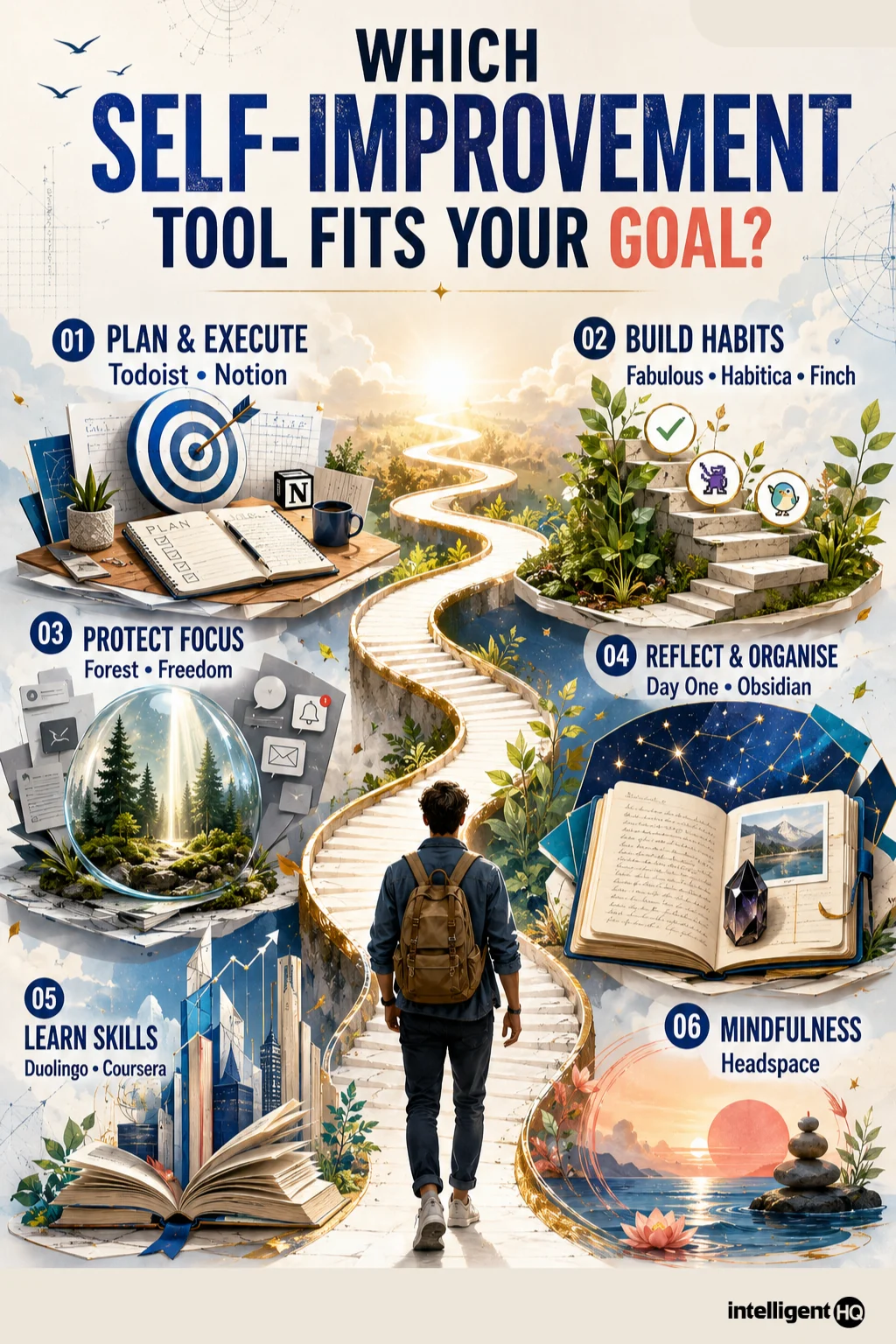
Start with the bottleneck
Choose the problem preventing progress:
- Unclear priorities: Use Notion or a simple planning document.
- Poor follow-through: Use Todoist.
- Inconsistent routines: Use Fabulous, Habitica or Finch.
- Digital distraction: Use Forest or Freedom.
- Limited reflection: Use Day One.
- Scattered knowledge: Use Obsidian.
- Need for structured learning: Use Duolingo or Coursera.
- Need for guided mindfulness: Consider Headspace.
Test one tool for two weeks
Changing apps repeatedly destroys continuity. Use one tool for at least two weeks before deciding whether the application—or the underlying plan—is responsible for the difficulty.
Measure behaviour, not app activity
Useful indicators include:
- Focused sessions completed
- Lessons practised and applied
- Weekly actions finished
- Days the intended behaviour occurred
- Projects completed
- Distractions reduced
- Decisions improved through reflection
Opening an app, maintaining a streak or reorganising a dashboard does not automatically constitute progress.
A simple self-improvement system
Most people do not need a large technology stack. Begin with three functions:
- Plan: Choose one outcome for the next eight to twelve weeks.
- Act: Define the smallest repeatable actions connected to it.
- Review: Examine progress weekly and revise the process.
A simple combination might be:
- Todoist for actions
- Forest for focused execution
- Day One for weekly reflection
Add a specialist learning, habit or wellbeing tool only when it solves a defined need.
Privacy considerations
Self-improvement applications may collect sensitive information, including routines, personal writing, goals, health-related activities, location and usage behaviour.
Before using an app, check:
- What information is collected
- Whether data are used for advertising or model training
- Whether entries are encrypted
- Whether information can be exported
- How account deletion works
- Whether third-party integrations receive data
- Which features require access to contacts, calendars or location
- Whether AI-generated advice is stored or reviewed
Record only the information required for the intended purpose. A habit tracker does not need every detail of a person’s private life.
Frequently asked questions
What is the best self-improvement app in 2026?
There is no single best option. Todoist is strong for executing plans, Fabulous and Habitica support routines, Forest protects focus, Day One supports reflection, and Duolingo or Coursera provide structured learning.
Are free self-improvement apps useful?
Yes. Todoist, Notion, Habitica, Finch, Day One and Duolingo offer meaningful free access. Limits differ, and some advanced functions require subscriptions.
How many self-improvement apps should I use?
Begin with one. Add another only when it performs a clearly different function. Using several planning and habit apps simultaneously often creates duplicate administration.
Do habit trackers improve habits?
A tracker can provide reminders, visibility and reinforcement, but it cannot make an unrealistic behaviour sustainable. The habit still needs an appropriate trigger, manageable difficulty and supportive environment.
Can AI coaching replace a human coach or therapist?
No. AI tools may assist with questions, planning and reflection, but they cannot reproduce professional judgement, personal accountability or clinical care. High-stakes advice should be reviewed with an appropriately qualified person.
Final thoughts
Self-improvement applications are most effective when they reduce friction between deciding and doing. The right tool should clarify the next action, make progress visible and support regular review.
Avoid building an elaborate collection of apps. Select one meaningful objective, choose the smallest tool capable of supporting it and evaluate the results after several weeks.
The purpose is not to become better at managing a self-improvement system. It is to improve something that matters outside the system.
Sources
- Todoist features
- Notion product overview
- Fabulous
- Habitica
- Finch
- Forest
- Freedom
- Day One privacy and security
- Obsidian
- Headspace
- Duolingo Practice tab
- Coursera personal and professional development