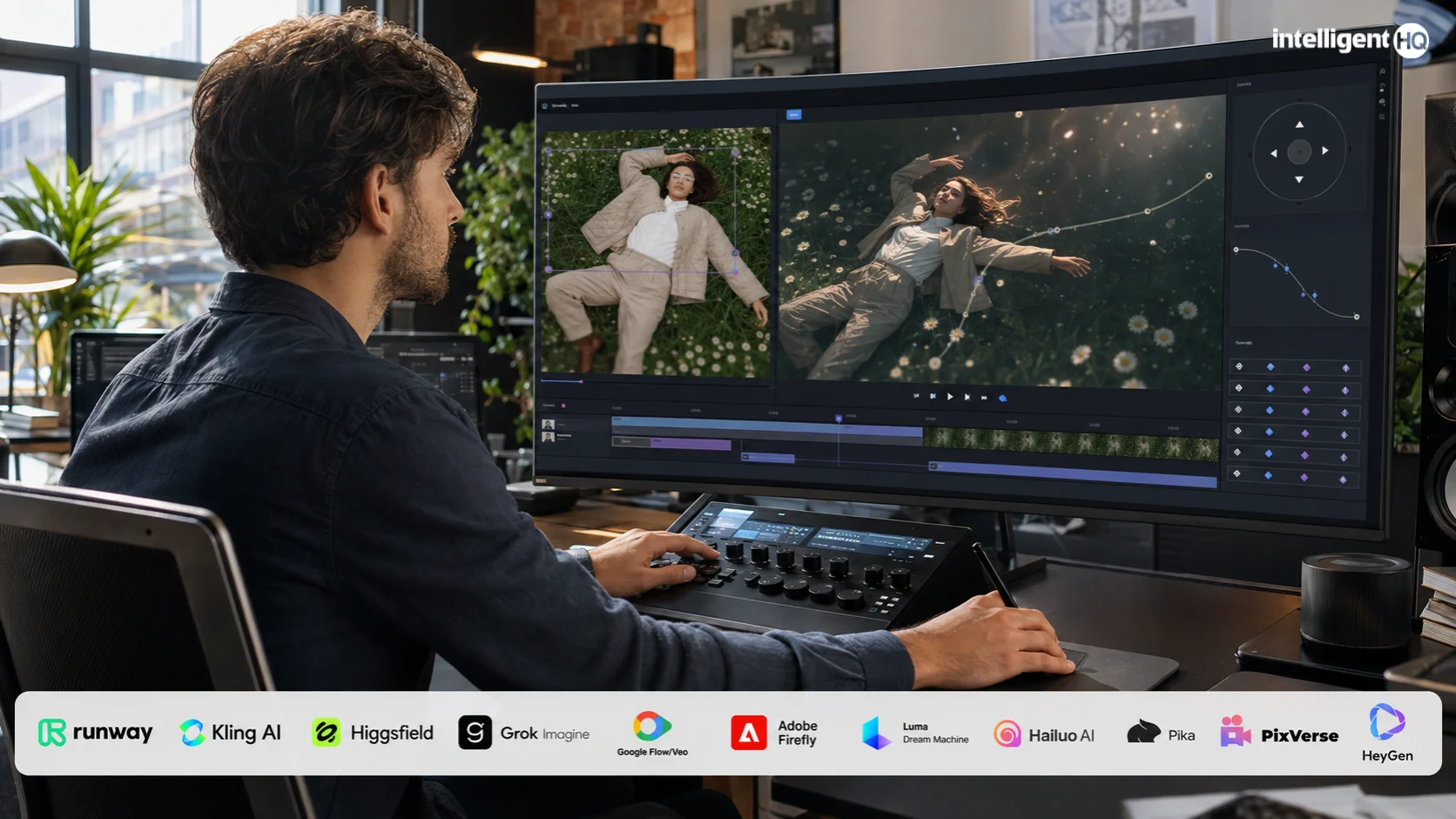
 A practical comparison of the leading tools for turning still images into short videos, camera moves, product shots, social clips and talking-photo content.
What is an AI image-to-video generator?
An AI image-to-video generator turns one or more still images into moving footage. The system estimates depth, subject movement, camera motion and changes over time, then synthesises the missing frames. A prompt can specify what should move, what must remain fixed and how the virtual camera should behave.
These tools can animate a portrait, introduce motion into product photography, create an establishing shot from concept art or convert a campaign still into a short social clip. They do not replace a full editor: the generated shot usually still needs selection, trimming, sound, captions, colour work and sequencing.
For broader editing, compositing and post-production options, see IntelligentHQ’s Best AI Video Editing Tools in 2026. If the starting point is a script rather than an image, compare the Best Free AI Video Generators in 2026 guide
The best AI image-to-video tools in 2026
| Tool | Best use | Primary advantage | Main caution |
|---|---|---|---|
| Runway | Professional creative teams | Strong control and production workflow | Credits disappear quickly during iteration |
| Kling AI | Realistic people and physical motion | Detailed motion and camera control | Outputs and queues vary by model and plan |
| Higgsfield | Directed cinematic shots and advertising | Extensive camera presets and multi-model workflow | A platform layer, so model choice and credit cost matter |
| Grok Imagine | Rapid photo animation and experimentation | Fast iteration with image-to-video and native audio | Consumer access, API terms and safeguards can differ |
| Google Flow / Veo | Cinematic scenes and story development | High-fidelity video inside a creative workspace | Access and credit allowances vary |
| Adobe Firefly | Brands and Creative Cloud users | Integrated, commercially oriented workflow | Premium video consumes generative credits |
| Luma Dream Machine | Fast cinematic exploration | Fluid motion and broad creative model access | Serious volume becomes expensive |
| Hailuo AI | Character and action animation | Strong motion from a single reference image | Plan details and model availability change frequently |
| Pika | Social effects and playful transformations | Simple interface and creative effect tools | Short clips can prioritise spectacle over continuity |
| PixVerse | Fast effects and high-volume short clips | Accessible templates and multi-transition options | Credit use rises with resolution and duration |
| HeyGen | Talking photos and presenter content | Photo avatars, voice and localisation workflow | Not intended for cinematic scene generation |
How this shortlist was selected
- Direct image-to-video capability. The product must currently animate a supplied still image, rather than offer only text-to-video or conventional editing.
- A defensible use-case advantage. Each inclusion must lead in a recognisable workflow such as cinematic camera direction, realistic motion, rapid experimentation, commercial production or talking portraits.
- Practical creative control. The assessment considers prompting, camera movement, reference handling, start and end frames, identity preservation, editing and export options.
- Production viability. Access, credit economics, watermarks, resolution, commercial terms and the cost of unsuccessful generations all affect usefulness.
- Current relevance. Official product and pricing information was checked in August 2026; volatile features should be reverified before publication.
1. Runway
Best for: Professional image-to-video production
Runway combines image-conditioned generation with a wider creative toolchain. It is the most complete option here when the generated shot must move into editing, compositing, lip sync, upscaling or team review rather than remain a one-off clip.
- Strengths. Strong prompt adherence, camera direction and a mature production environment.
- Watch-outs. Credit use can make experimentation expensive, and monthly credits on several plans do not roll over.
- Access note. A limited free plan exists; advanced models and practical production capacity sit on paid tiers.
2. Kling AI
Best for: Realistic motion and controlled camera movement
Kling is a strong choice when a still must become a convincing live-action-style shot. It supports image-to-video workflows alongside motion-control options, making it useful for people, products, landscapes and action with a defined camera path.
- Strengths. Detailed movement, physical realism and multiple quality or resolution choices.
- Watch-outs. Generation time, model access and credit consumption can vary; inspect hands, faces and fast interactions carefully.
- Access note. Consumer plans and API pricing are separate. Confirm the model, resolution and per-second cost before scaling.
3. Higgsfield
Best for: Cinematic camera direction and advertising
Higgsfield is a creative production layer built around image-to-video, camera presets, effects and access to multiple generation models. It is particularly useful for product reveals, fashion films, social advertising and shots that need a recognisable camera move rather than loosely prompted motion.
- Strengths. Dozens of cinematic camera controls, reference-led workflows and a broad production toolkit.
- Watch-outs. Quality and cost depend on the model selected inside the platform; creators must compare the underlying engine as well as Higgsfield’s interface.
- Access note. Limited free access is available. Paid plans use credits, with consumption varying by model, duration and resolution.
4. Grok Imagine
Best for: Fast image animation and creative iteration
Grok Imagine can animate a supplied image, generate or edit visual assets and iterate quickly inside a conversational creative environment. Imagine Video 1.5 also supports starting images, motion prompts, camera direction, duration and resolution, making it a serious image-to-video option rather than merely a social novelty.
- Strengths. Fast experimentation, native video generation and audio-capable workflows.
- Watch-outs. Consumer access and API access are different products; commercial terms, moderation and available controls should be checked for the intended workflow.
- Access note. Availability depends on the relevant Grok or API access route. Confirm current limits and pricing before production use.
5. Google Flow with Veo
Best for: Cinematic scene development
Flow provides a creative workspace around Google’s video and image models. It is useful when creators want to iterate on a visual idea, generate shots from references and develop a sequence rather than export one isolated animation.
- Strengths. High-fidelity imagery, scene-building tools and strong integration with Google’s generative ecosystem.
- Watch-outs. Credits, geographic availability and model access depend on the relevant Google AI plan.
- Access note. Flow can be tried with limited access, while higher-volume use requires a paid Google AI plan.
6. Adobe Firefly
Best for: Commercial design and Creative Cloud workflows
Firefly is the practical option for teams already working in Adobe products. Image-to-video generation can feed a broader campaign workflow that includes Photoshop, Premiere Pro, Adobe Express and Firefly Boards.
- Strengths. Integrated brand workflow, familiar creative controls and access to Adobe plus partner models.
- Watch-outs. Generate Video is a premium feature that consumes credits; different models may have different terms and costs.
- Access note. Adobe offers limited free access and several credit-based paid plans. Check the selected model’s commercial-use terms.
7. Luma Dream Machine
Best for: Rapid cinematic ideation
Dream Machine is built for quick visual exploration from text and images. It is especially useful for atmosphere, camera movement, environments and concept shots where a creator wants several directions before committing to a final production route.
- Strengths. Fluid movement, fast iteration and access to multiple image and video models.
- Watch-outs. The useful clip-to-cost ratio depends heavily on retries; high-volume plans are substantially more expensive.
- Access note. Luma lists individual and business plans, with commercial use and watermark rules depending on tier.
8. Hailuo AI
Best for: Character movement and action from one image
Hailuo is useful when the primary challenge is making a person, creature or illustrated character move with energy. It can produce striking short clips from a single reference, particularly when the prompt describes one clear action.
- Strengths. Expressive character motion and useful quality across realistic and stylised inputs.
- Watch-outs. Fine detail and identity can drift during aggressive motion, while credits and model names change frequently.
- Access note. A free entry route and credit-based subscriptions are commonly offered; verify the official product page in your region.
9. Pika
Best for: Social-first transformations and effects
Pika lowers the barrier to animating photos with ready-made transformations, scene tools and playful effects. It suits creators who value speed and shareability more than frame-level control.
- Strengths. Fast learning curve, recurring free access and strong effect-driven creativity.
- Watch-outs. Free output is limited and watermarked; complex scenes may show identity drift or abrupt motion.
- Access note. Pika offers a free plan and paid subscriptions; credit costs differ by model, effect and resolution.
10. PixVerse
Best for: Fast short-form effects and multi-transition clips
PixVerse is designed for rapid generation and visually obvious transformations. Its transition and effect options work well for social posts, product reveals and short experiments that need a clear visual hook.
- Strengths. Quick workflow, templates and resolution choices up to production-oriented outputs.
- Watch-outs. Higher resolution, longer duration and advanced transitions use more credits; effects can overwhelm subtle brand work.
- Access note. Free and creator access may differ from the API. The official API documentation publishes model-specific credit use.
11. HeyGen
Best for: Talking photos and multilingual presenter clips
HeyGen belongs in this comparison because its Photo Avatar workflow animates a still portrait into a speaking presenter. It is a specialised image-to-video use case rather than a general cinematic generator.
- Strengths. Strong lip sync, voice options, localisation and repeatable presenter workflows.
- Watch-outs. It is not the right tool for camera-heavy scenes, product cinematics or arbitrary environmental motion.
- Access note. The free plan is suitable for evaluation; paid plans remove watermarks and expand premium avatar usage.
How to choose the right image-to-video tool
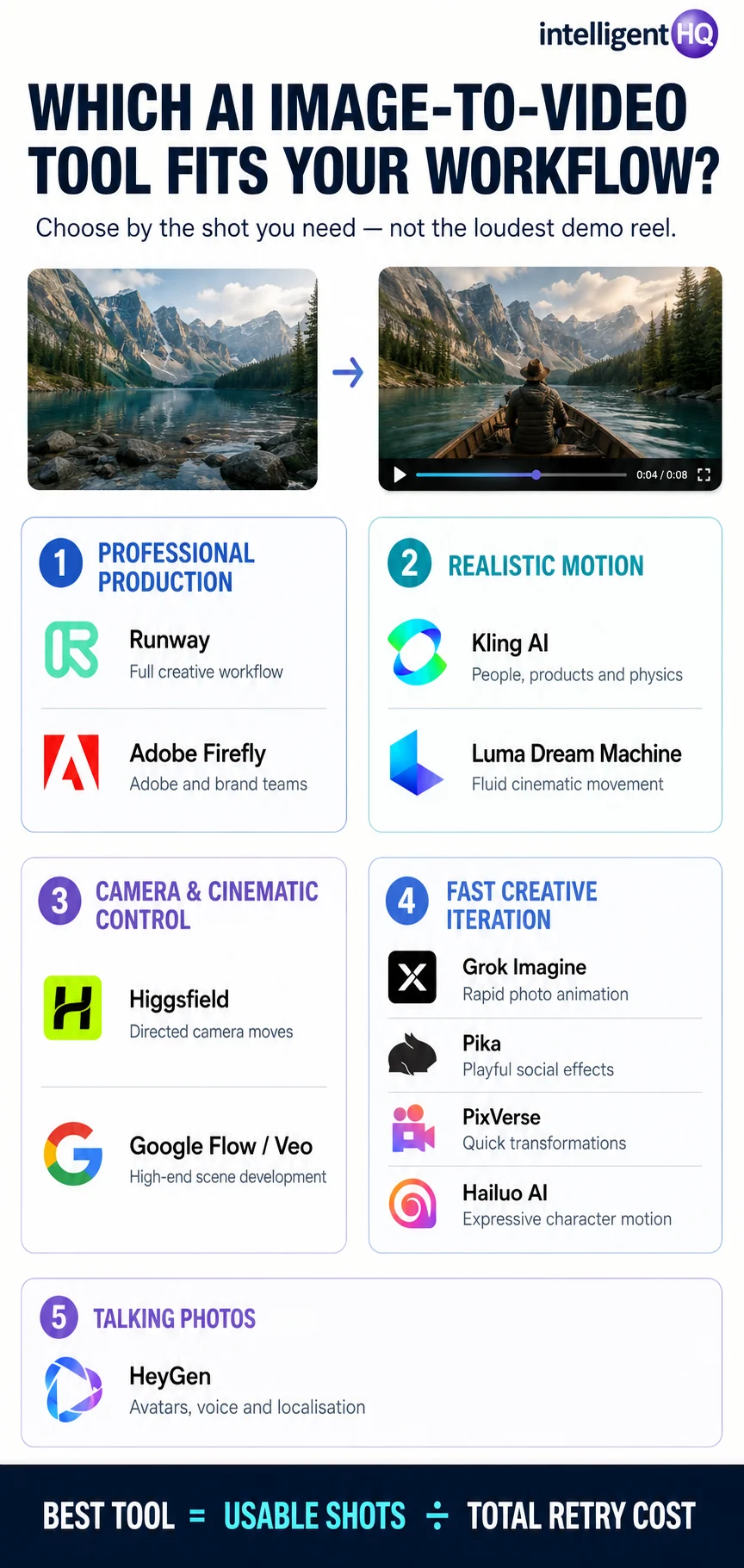
- Define the shot. Decide whether you need a camera move, subject action, product reveal, talking portrait, transition or stylised effect.
- Protect the source image. Use a sharp, clean image with clear separation between subject and background; keep important details away from crop edges.
- Prioritise control over the demo reel. Check camera controls, start and end frames, motion brushes, reference handling, seeds and extension tools.
- Budget for retries. The relevant cost is not one generation; it is the number of attempts required to produce one usable shot.
- Check export conditions. Confirm resolution, duration, watermark rules, commercial rights and whether outputs may be used to improve models.
- Plan the finishing workflow. Choose a tool that connects sensibly to editing, sound, captions, colour and delivery.
How to animate a photo into video
- Prepare the image at the final aspect ratio whenever possible.
- Describe one primary action and one camera instruction rather than several competing movements.
- State what must remain stable—for example, facial identity, product shape, logo geometry or background architecture.
- Generate a short draft at economical settings and inspect the first and final frames.
- Refine the prompt or motion controls before increasing resolution.
- Export the strongest take and finish it in a conventional video editor.
PROMPT EXAMPLE “Slow forward camera move. The subject takes one natural breath and turns slightly toward the window. Preserve facial identity, clothing, hands and room geometry. Subtle realistic motion; no morphing, no new objects.”
Common image-to-video problems
| Problem | Why it happens | Practical fix |
|---|---|---|
| Faces drift | Large motion forces the model to redraw identity | Reduce movement; use a stronger reference or identity-control feature |
| Hands deform | Hands change rapidly and are partly occluded | Use a source with visible hands or crop them from the shot |
| Products warp | The model treats rigid geometry as flexible | Request subtle camera motion and explicitly preserve product shape |
| Backgrounds melt | Depth and object boundaries are ambiguous | Simplify the scene and avoid extreme parallax |
| Motion feels weightless | The prompt asks for spectacle without physical constraints | Describe speed, direction, contact and one believable action |
| Clip cannot loop | First and final frames differ too much | Use loop controls or constrain the action to a reversible movement |
Rights, consent and disclosure
- Use images you are authorised to animate. Ownership of a photograph does not automatically provide rights to a person’s likeness, music, trademarks or depicted artwork.
- Obtain meaningful consent. Do not animate a real person into deceptive speech, endorsement or conduct without permission.
- Check commercial terms. Free, beta and partner models can have different licensing, watermark and data-use conditions.
- Preserve provenance. Keep source files, prompts, model versions and edit history for important commercial work.
- Disclose synthetic media when context requires it. News, public-interest, political and testimonial uses demand particular care.
Frequently asked questions
What is the best AI image-to-video tool in 2026?
There is no universal winner. Runway is the strongest all-round professional platform; Kling is compelling for realistic motion; Higgsfield is particularly useful for directed camera movement; Grok Imagine favours rapid iteration; Google Flow suits cinematic development; and Firefly fits Adobe-centred commercial workflows.
What is the best AI tool to animate a photo into video?
For a general photograph, compare Kling, Runway, Grok Imagine and Luma. Choose Higgsfield when camera direction is central, HeyGen for a speaking portrait, and Pika or PixVerse for conspicuous social effects.
Are Grok Imagine and Higgsfield good for image-to-video?
Yes. Grok Imagine is a credible option for quickly animating stills and iterating on motion, while Higgsfield is differentiated by cinematic camera presets and its multi-model production environment. They serve different workflows and should not be treated as interchangeable.
Can AI turn one photo into a video?
Yes. The model infers movement and depth from a single frame, but it cannot know what is hidden. Subtle motion usually preserves identity and geometry better than dramatic action.
Are free image-to-video tools good enough?
They are useful for evaluation and occasional posts. Production work often requires paid credits, watermark removal, higher resolution, commercial rights and enough capacity for retries.
How long are AI image-to-video clips?
Most workflows begin with short shots measured in seconds. Some tools allow extension or sequencing, but long coherent scenes are still harder than assembling several selected clips in an editor.
Can I use AI-generated clips commercially?
Sometimes, depending on the plan, model and source material. Read the current terms and ensure you hold the necessary rights to the uploaded image and depicted people or brands.
Final verdict
The leading tools are not interchangeable. Runway offers the broadest professional workflow; Kling excels at physical motion; Higgsfield provides direct cinematic camera choices; Grok Imagine supports rapid iteration; Google Flow and Luma suit cinematic ideation; Firefly fits brand production; and HeyGen specialises in talking photos.
Choose the system that produces repeatable usable shots at an acceptable cost. Start with a strong still, constrain motion and protect identity, then finish the clip using IntelligentHQ’s Best AI Video Editing Tools in 2026 pillar guide.
Sources and live product pages
- Runway — Pricing
- Kling AI — API Pricing
- Google Flow — Official Product Page
- Higgsfield — Image-to-Video AI
- xAI — Grok Imagine Video 1.5
- Adobe Firefly — Plans
- Luma — Pricing
- Pika — Pricing
- PixVerse — Platform Pricing Documentation
- HeyGen — Pricing