Working on cars can be tricky, right? Sometimes, you need more than just a basic code reader to figure out what’s going on under the hood. That’s where tools like the tech2 come in. It’s a device that lets you get pretty deep into a car’s systems, especially GM vehicles and brands like Isuzu. This guide will walk you through what the tech2 can do, its main features, and what to think about if you’re looking to get one.
Key Takeaways
- The tech2 scanner offers factory-level diagnostics for GM vehicles and related brands, going beyond simple error code reading.
- Key features include broad vehicle coverage, the ability to control vehicle systems for testing, and a durable design suited for repair shops.
- Users can choose between the physical tech2 hardware scanner or the tech2win software option, with specific models like the AD 400 designed for certain vehicles like SAAB.
- The tech2 is used for reading and clearing trouble codes, analyzing live data, and performing advanced functions like ECU reprogramming.
- When buying a tech2, consider the specific software cards needed (like for Isuzu), the CANdi module for newer vehicles, and necessary cables and power supplies.
Understanding The Tech2 Scanner’s Capabilities
The Tech2 diagnostic tool is a pretty serious piece of kit, especially if you’re working with GM vehicles or their associated brands. It goes way beyond what those basic OBD-II readers can do, giving you a much deeper look into what’s happening under the hood. Think of it as having a direct line to the car’s brain, not just a general inquiry.
OEM-Level Diagnostics For GM Vehicles
When we talk about OEM-level diagnostics, we mean getting the same kind of access that a dealership technician would have. The Tech2 uses actual GM software, which means it can communicate with all the different modules in your car – the engine control unit (ECU), the transmission control module (TCM), the anti-lock braking system (ABS), the airbags, and so on. This isn’t just about pulling a generic trouble code; it’s about understanding the specific language each system speaks. For GM, Chevrolet, Cadillac, Buick, and GMC vehicles, this level of access is pretty much standard. It’s like having the factory manual built right into the scanner.
Beyond Basic Code Reading
Most scanners can tell you if there’s a problem by spitting out a Diagnostic Trouble Code (DTC). The Tech2 does that, of course, but it also lets you see what the car was doing right when that code was set. This is called ‘freeze frame’ data. You can also look at ‘live data’ – all the sensor readings and operating parameters in real-time. This is super helpful for figuring out if a problem is happening constantly or just once in a while. You can see things like engine RPM, coolant temperature, fuel trim, and much more, all updating as you watch.
Speed and Intuitive Operation
One of the things people often mention about the Tech2 is how quick it is. It boots up fast and responds to your button presses without much lag. The menus are generally laid out in a way that makes sense, even if you’re not a seasoned pro. You can usually find what you’re looking for without too much hunting around. This speed and straightforward design really help when you’re trying to diagnose a problem efficiently, especially in a busy workshop setting.
The Tech2’s ability to perform bi-directional control is a game-changer. Instead of just passively reading data, you can actively command components to test their function. This means you can tell the fuel pump to turn on, cycle the ABS solenoids, or activate cooling fans, directly verifying their operation and helping to isolate faults much faster than guesswork.
Here’s a quick look at what makes it stand out:
- OEM Software: Uses genuine manufacturer software for accurate diagnostics.
- Live Data Streams: View real-time sensor readings and system parameters.
- Freeze Frame Data: Captures vehicle conditions at the time a fault occurs.
- Bi-Directional Control: Command vehicle components to test their functionality.
- Extensive Module Access: Communicates with nearly all electronic control modules in the vehicle.
Key Features Of The Tech2 Diagnostic Tool
The Tech2 diagnostic tool is a professional-grade device that goes far beyond what basic code readers can do. It’s built for serious automotive work, offering a range of capabilities that make it a staple in many workshops.
Extensive Vehicle Coverage
One of the Tech2’s biggest draws is its ability to cover a wide array of vehicles, especially within the GM family and its associated brands like Isuzu. This broad coverage isn’t just about reading codes; it means you can access specific modules and functions tailored to each manufacturer. To achieve this, the Tech2 relies on software cards, often PCMCIA cards, that contain the diagnostic software for particular vehicle groups and model years. For instance, having the correct Isuzu software card is vital if you’re working on their trucks from the late 90s through to the early 2010s.
- GM Vehicles (Buick, Cadillac, Chevrolet, GMC, Pontiac, Saturn, Hummer)
- SAAB Vehicles
- Isuzu Vehicles (including trucks)
- Suzuki Vehicles
- Holden Vehicles
Bi-Directional Control For Testing
This is where the Tech2 really shines. Unlike a scanner that just reports what the car’s computer is saying, the Tech2 can actually command components to perform specific actions. This is called bi-directional control, and it’s incredibly useful for troubleshooting.
- Activating Components: You can tell the fuel pump to turn on, the cooling fans to spin, or individual fuel injectors to fire, all without the engine running. This helps isolate whether a component is faulty or if the problem lies elsewhere.
- Testing Solenoids and Actuators: Many systems rely on solenoids and actuators. The Tech2 allows you to test these directly to confirm they are working correctly.
- Running Diagnostic Routines: Some systems have built-in self-tests that can be initiated via the Tech2, providing detailed feedback on system health.
This ability to actively test components is a significant advantage for pinpointing issues that might be intermittent or difficult to replicate.
Robust Build For Workshop Use
Let’s face it, tools in a professional workshop take a beating. The Tech2 was designed with this in mind. It features a rugged casing that can handle being dropped, jostled, and generally put through its paces day in and day out. The screen is typically a clear, albeit older, LCD, and the buttons are designed for durability. It’s not a delicate piece of equipment; it’s a workhorse built to last.
The physical design prioritizes functionality and resilience over sleek aesthetics, which is exactly what you want in a tool that’s used constantly in a demanding environment. It’s meant to be plugged in, used, and put away without worry.
Navigating Tech2 Hardware And Software Options
When you start looking into the Tech2 scanner, you’ll quickly see there are a few different ways to get your hands on this diagnostic power. It’s not just one single gadget; there are hardware units, software versions, and even specific tools for certain brands. Let’s break down what’s out there so you know what you’re dealing with.
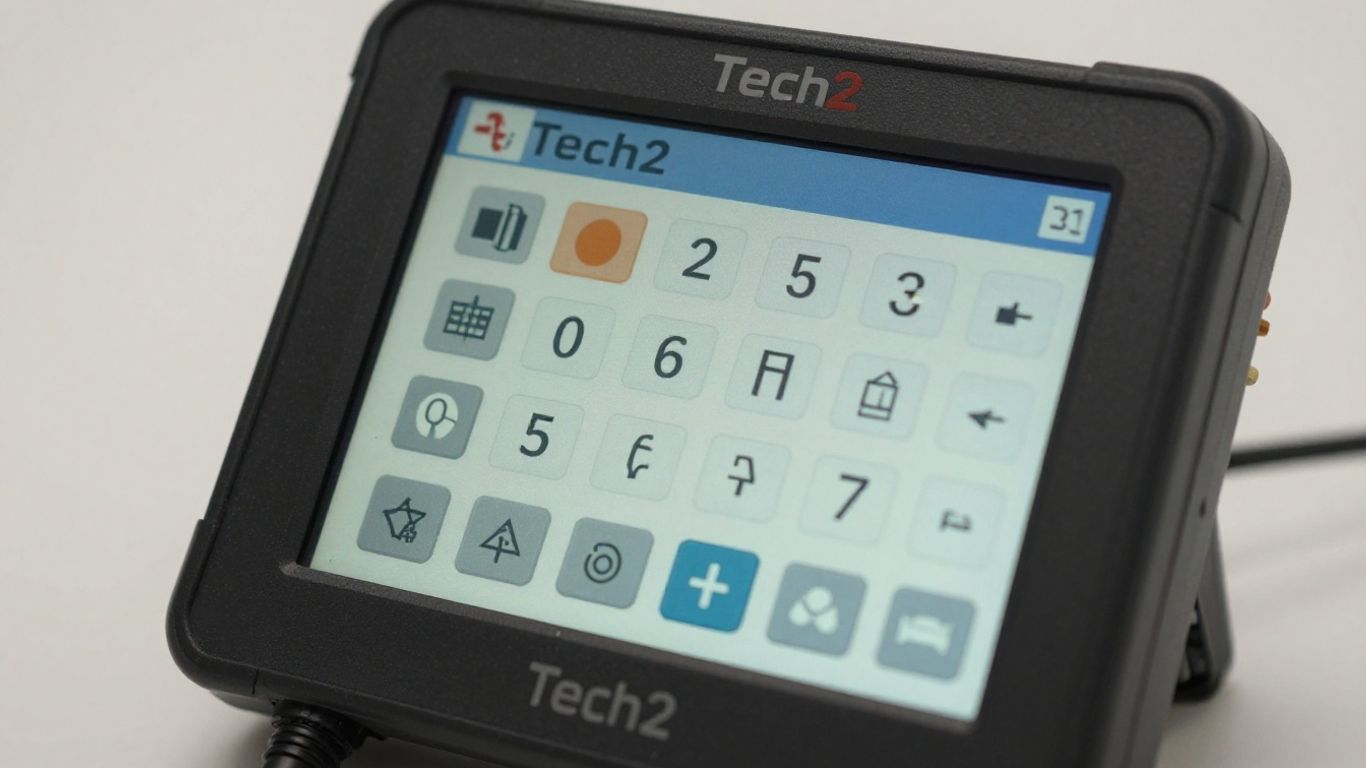
The Tech2 Hardware Scanner
This is the classic, handheld unit most people picture when they think of the Tech2. It’s a self-contained device, kind of like a ruggedized portable computer, that you plug directly into the vehicle’s OBD-II port. It uses PCMCIA cards to load the specific software for the car manufacturer you’re working on – think GM, Isuzu, Saab, and so on. The hardware scanner is the original and most direct way to access the deep diagnostic functions of the Tech2. It’s built tough, designed to handle the bumps and spills of a busy workshop. Power usually comes straight from the car, but you might need an external adapter for some situations, especially with older vehicles or 24-volt systems.
Tech2Win Software Scanner
Now, if you prefer working on a laptop or a PC, there’s Tech2Win. This is essentially the Tech2 software that you can run on a compatible computer. You’ll need a special cable to connect your computer to the vehicle’s diagnostic port. The big advantage here is that you get the same diagnostic capabilities as the hardware unit, but on a larger screen with a familiar keyboard and mouse interface. It’s a great option if you’re already comfortable with computer-based diagnostics or if you want to avoid the cost of a dedicated hardware unit. The software itself is often the same as what runs on the hardware, meaning you get access to all those detailed system checks and bi-directional controls.
Understanding The AD 400 Tech2 Scan Tool
For those specifically working on SAAB vehicles, you might come across the AD 400. Think of this as a specialized version of the Tech2, often referred to as the ‘daddy’ of SAAB diagnostic tools. It’s a handheld computer that also relies on PCMCIA cards for its software. SAABs, especially newer models, have complex interconnected bus systems (like the iBus for instruments and pBus for the powertrain). The AD 400, like the standard Tech2, is designed to communicate effectively with these intricate systems, going far beyond what basic code readers can do. It’s a powerful tool for getting to the root of problems in these advanced automotive electronics.
Leveraging The Tech2 For Specific Vehicle Systems
Diagnosing Complex SAAB Systems
Working on SAAB vehicles, especially newer models, often means dealing with intricate electronic systems. The Tech2 scanner is practically a necessity here. Older SAABs might have had simpler engine management lights, but cars like the 9-5 feature dual bus systems: the iBus for instrumentation and the pBus for the powertrain. These systems constantly communicate, and when something goes wrong, a diagnostic trouble code (DTC) is triggered. The Tech2 can pull these codes, like a P1805, and with the right resources, you can look up what they mean. It’s not just about reading codes, though. The Tech2 can help you reset service reminders, adjust settings like door lock behavior, or even recalibrate your speedometer if you change wheel sizes. It’s also key for tasks like ‘divorcing’ and ‘marrying’ audio units, meaning you can transfer a radio from one SAAB to another.
Engine Management And Bus Systems
The Tech2 gives you a window into how your engine and other electronic systems are communicating. It can show you live data from various sensors, which is super helpful for figuring out why an engine is running rough or why a warning light is on. You can see things like fuel trim, oxygen sensor readings, and engine speed in real-time. This is way beyond just getting a generic code. For systems that use CAN bus or other communication networks, the Tech2 can help you see if the modules are talking to each other correctly. If a sensor isn’t sending the right information, or if a module isn’t responding, the Tech2 can often point you in the right direction.
Recalibrating Vehicle Settings
Sometimes, after a repair or modification, certain vehicle settings need to be adjusted. The Tech2 is equipped to handle these recalibration tasks. For instance, if you swap out a tire size, you might need to recalibrate the speedometer so it shows the correct speed. It can also be used for procedures like ABS brake bleeding, which requires the system to be activated in a specific way. For SAABs, it’s also used to reset service interval indicators after maintenance is performed. These aren’t functions you can do with a basic code reader; they require a tool with deeper access to the vehicle’s control modules.
The Tech2 scanner is designed to interact with vehicle systems at a level that mimics factory diagnostic tools. This allows for more than just reading fault codes; it enables technicians to command components, view live data streams, and perform system-specific adjustments that are vital for accurate troubleshooting and maintenance.
Here’s a quick look at what you can do:
- Read and Clear DTCs: Access and clear diagnostic trouble codes from all vehicle modules.
- Live Data Analysis: Monitor real-time sensor data and system parameters.
- Active Tests: Command specific components to test their functionality.
- Special Functions: Perform tasks like service resets and system recalibrations.
Essential Functions For Tech2 Users
The Tech2 scanner is a powerful tool for automotive diagnostics, and understanding its core functions is key to getting the most out of it. It goes beyond just telling you what’s wrong; it helps you figure out why and how to fix it.
Reading And Clearing Diagnostic Trouble Codes
This is probably the most common use for any diagnostic scanner. The Tech2 can read trouble codes stored in the vehicle’s computer modules. These codes, often called DTCs (Diagnostic Trouble Codes), point to specific issues detected by the car’s systems. But the Tech2 doesn’t just show you a code; it often provides more context than basic scanners. Once a problem is fixed, the Tech2 can also clear these codes, turning off that annoying "Check Engine" light. It’s important to remember that clearing a code doesn’t fix the underlying problem, just removes the stored fault information.
Live Data And Freeze Frame Analysis
This is where the Tech2 really starts to show its value. Live data allows you to see what various sensors and systems are doing in real-time. Think of it like watching a patient’s vital signs during surgery. You can monitor things like engine RPM, coolant temperature, oxygen sensor readings, and much more, all as they happen. This is incredibly useful for diagnosing issues that don’t trigger a code immediately or for understanding how different systems interact.
Freeze frame data is like a snapshot taken at the exact moment a trouble code was triggered. It captures the vehicle’s operating conditions at that specific time – things like engine load, speed, and temperature.
Analyzing both live data and freeze frame information together gives you a much clearer picture of what was happening when the fault occurred, making diagnosis much more efficient.
Performing Active Tests And Special Functions
Active tests, also known as bi-directional control, are a standout feature of the Tech2. Instead of just reading information, the Tech2 can actually command components to perform specific actions. For example, you can use it to turn on the fuel pump, activate the cooling fan, or cycle an ABS solenoid. This allows you to test individual components directly, confirming if they are working correctly or if they are the source of the problem.
Special functions cover a wide range of vehicle-specific tasks that go beyond basic diagnostics. These can include things like:
- Resetting service indicators (like oil change reminders).
- Performing idle relearn procedures after certain repairs.
- Bleeding ABS brake systems.
- Recalibrating systems after component replacements.
- Adjusting certain vehicle settings.
These functions require careful attention and often specific procedures, but they are vital for completing many modern vehicle repairs correctly.
Programming And Module Updates With Tech2
When it comes to keeping your vehicle’s electronic brain up-to-date, the Tech2 scanner plays a significant role. It’s not just for reading codes; it can actually rewrite the software in various control modules. This is super handy if a module is acting up or if you’re installing a new one that needs to be programmed to the car.
ECU And Module Reprogramming Capabilities
The Tech2 can handle reprogramming existing Electronic Control Units (ECUs) and also program brand-new modules. Think of it like giving a computer a software update. This process is often called ‘flashing’ the module. It’s a big step up from just diagnosing problems; it’s about fixing them at a deeper level by updating or replacing the module’s operating software. This capability is particularly important for newer vehicles where software glitches can cause all sorts of strange issues.
Requirements For Programming Procedures
Doing this kind of work isn’t just plug-and-play. You need a few things to make sure it goes smoothly:
- The Tech2 Unit: Obviously, you need the scanner itself, loaded with the correct software for the vehicle you’re working on. This usually comes on a PCMCIA card.
- Stable Power: This is really important. You absolutely need a steady 12V power supply to both the Tech2 and the vehicle. If the power cuts out during programming, you could end up with a "bricked" module – basically, a useless piece of electronics.
- Vehicle Software Access: For most GM and Isuzu vehicles, you’ll need access to the manufacturer’s online service portal. This is where the actual programming files and instructions are kept.
Programming is a delicate operation. Interruptions can lead to module failure, so double-checking power and connections before starting is a must.
Understanding TIS2Web Access
For GM vehicles, the gateway to programming software is usually GM’s TIS2Web (Technical Information System). Accessing TIS2Web typically requires a subscription, which can be a yearly fee or sometimes a short-term pass. The Tech2 scanner acts as a bridge, connecting to your computer which is running the TIS2Web software. This allows the calibration files to be downloaded and transferred to the vehicle’s module through the Tech2. For older Isuzu models, you might use TIS2000 software, but for more complex or newer programming, TIS2Web is generally the way to go. A reliable internet connection is a must for this part.
Acquiring A Tech2 Scanner: What To Consider
So, you’re looking to get your hands on a Tech2 scanner. That’s a smart move if you’re serious about automotive diagnostics, especially for GM vehicles and their affiliates. But before you click ‘buy,’ there are a few things to think about to make sure you get the right tool for the job.
Choosing The Right Isuzu Software Card
If you’re working with Isuzu trucks, this is probably the most important piece of the puzzle. You’ll want to find a PCMCIA card that specifically covers Isuzu models from around 1998 all the way up to 2011. Sellers usually list the software version, so check that carefully. Also, make sure the card is a 32MB one; older units used smaller cards, but the newer software needs the extra space. The Tech2 has two slots for these cards, and they can be swapped around if you have multiple.
The Role Of The CANdi Module
For vehicles that use the CAN (Controller Area Network) system – generally models from 2004 or 2005 onwards – you’ll need a CANdi module. This little box acts as a bridge between the scanner and the vehicle’s diagnostic port. It’s pretty much a must-have if you plan on working on newer GM or Isuzu vehicles. Without it, you just won’t be able to communicate with those systems.
Essential Cables And Power Supply Needs
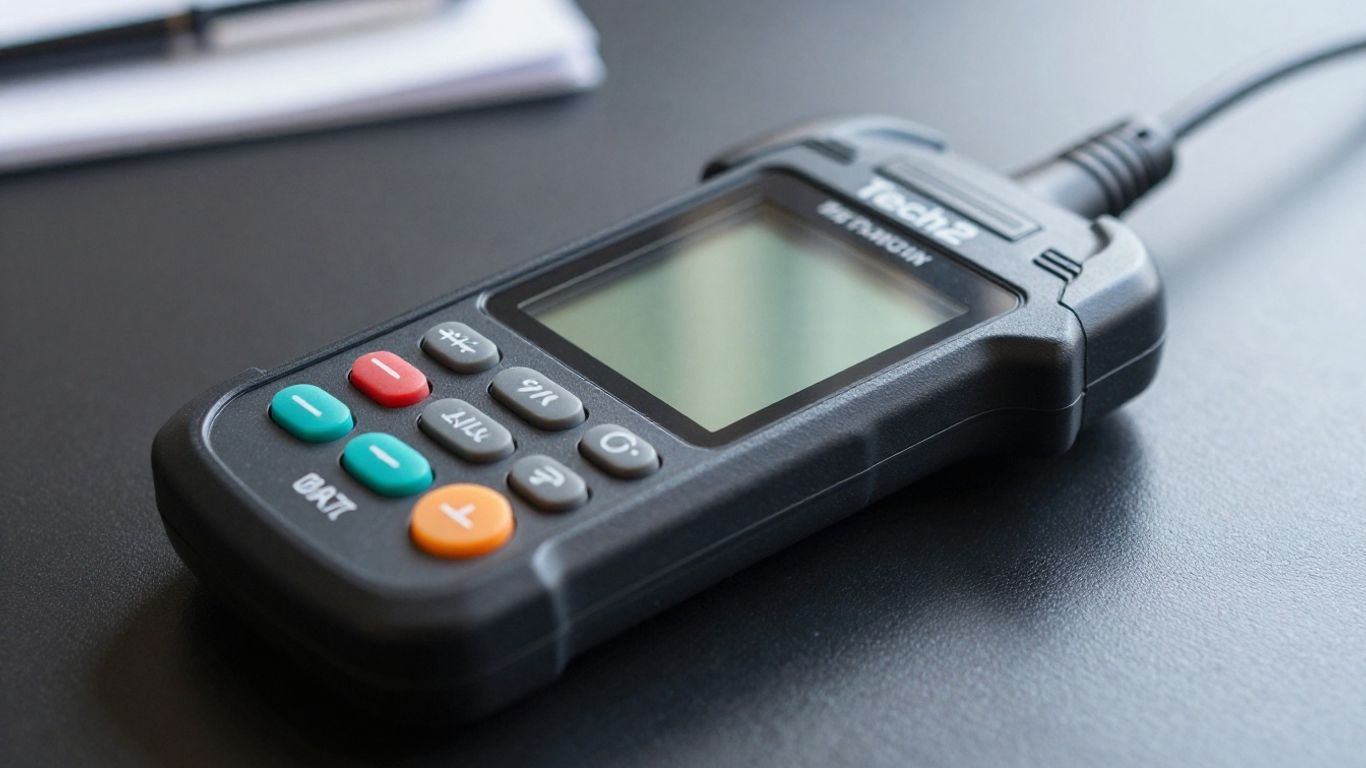
Don’t forget the physical connections! You’ll need the right diagnostic link cables (DLC) and adapters to plug into different vehicles. Some heavier trucks, like certain Isuzu models, might need special 24V adapters that also step down the voltage to the 12V the Tech2 needs. Most of the time, the scanner gets its power directly from the car’s OBD port. But if you’re working on a vehicle without an OBD-II port or dealing with those 24V systems, you might need an external 12V power source, like a cigarette lighter adapter. It’s always good to have these sorted out beforehand.
When you’re shopping around, especially online, you’ll see a lot of Tech2 scanners coming from China. Many folks find these work just fine for their needs, often at a much lower price. The main difference usually comes down to software updates. Official updates often require a pricey subscription to GM’s TIS2Web portal. With the China-made units, you typically get a set software version on the card, and getting newer versions might mean buying a new card from the seller. It’s not quite the same as the ‘internet updates’ you see on newer tools, and you won’t have direct access to the official GM update portal.
The Rise Of China-Made Tech2 Scanners
It’s hard to ignore the presence of Tech2 scanners originating from China when you’re shopping online. You’ll often see them listed at prices significantly lower than what you might expect for an original unit. Many mechanics and DIYers have found these tools to be surprisingly capable for their diagnostic needs. The general consensus is that these aftermarket units often perform well, especially for models up to around 2011.
Assessing Reliability Of Aftermarket Units
When these units first appeared, there was a lot of skepticism. However, over time, many users have reported that the reliability is quite good. It seems manufacturers in China have gotten quite good at reverse-engineering the hardware and software. While the legal aspects of these cloned tools are a separate conversation, from a practical standpoint, they frequently get the job done for many common diagnostic tasks. It’s not uncommon to find these units working reliably in independent shops.
Understanding Software Update Limitations
This is where things can get a bit tricky compared to dealership tools. Official software updates for the Tech2 usually come through manufacturer portals, which often require a substantial subscription fee. For the China-made Tech2s, updates aren’t typically handled through an internet connection like modern scanners. Instead, they usually come with a specific software version loaded onto the PCMCIA card. If you need a newer version, you’ll likely have to buy a new PCMCIA card from the seller or look for them in online forums. You won’t have direct access to official update servers.
Practical Considerations For Cloned Tools
When considering a China-made Tech2, keep a few things in mind:
- Software Version: Make sure the software version included on the PCMCIA card covers the vehicle years you intend to work on. For many common applications, the included version might be perfectly adequate.
- Hardware Quality: While generally good, the build quality might not be as robust as an original unit. Handle it with reasonable care.
- Support: Official support channels are usually non-existent. You’ll likely rely on seller support or online communities if you run into issues.
- CANdi Module: If you’re working on vehicles from roughly 2004-2005 onwards that use the CAN bus system, you’ll need to ensure the unit comes with or you purchase a compatible CANdi module.
While the cost savings can be significant, it’s important to weigh that against potential limitations in software updates and long-term support. For many users, especially those on a budget or working on older vehicles, these units represent a cost-effective way to access powerful diagnostic capabilities.
Here’s a quick look at what you might expect regarding software versions:
| Vehicle Type | Typical Software Coverage | Notes |
|---|---|---|
| GM Cars/Trucks | Up to 2010-2011 | May vary by specific unit |
| Isuzu Trucks | 1998-2011 | Requires specific Isuzu card |
| SAAB | Varies | Often requires specific software |
Ultimately, a China-made Tech2 can be a very useful tool, but it’s wise to go into the purchase with realistic expectations about its capabilities and limitations, particularly concerning software updates.
Wrapping Up Your Tech2 Journey
So, we’ve looked at what the Tech2 scanner can do and why it’s still a go-to tool for many mechanics and car enthusiasts, especially for GM and Isuzu vehicles. It’s not just about reading codes; it’s about getting into the nitty-gritty of your car’s systems. While the initial cost and the need for specific software cards might seem like a lot, the detailed insights and control it offers can save you time and headaches down the road. Whether you’re a seasoned pro or just starting to get serious about car repair, understanding tools like the Tech2 is a big step. Keep learning, keep tinkering, and happy diagnosing!
Frequently Asked Questions
What makes the Tech2 scanner special compared to other code readers?
Unlike basic scanners that just show error codes, the Tech2 can dig much deeper into your car’s systems. It’s like having a mechanic’s special tools right in your hands. It can read codes, but it also lets you see live information from sensors and even tell parts to turn on or off to test them. Plus, it can handle special settings specific to certain car brands, especially GM vehicles.
Can the Tech2 be used on cars other than GM models?
Yes, the Tech2 is very versatile. With the right software card, it can work on many different car brands. For example, it’s widely used for GM cars, but also for brands like Isuzu, Saab, and Suzuki. You just need to make sure you have the correct software loaded on a memory card for the specific car you’re working on.
Is the Tech2 scanner difficult to use for someone new to it?
The Tech2 is known for being pretty easy to use. It has a clear screen and simple buttons, making it straightforward to navigate through the different menus. Many mechanics who have used it for a long time say it’s one of the fastest and most user-friendly diagnostic tools out there, even though it can do very advanced things.
What is the difference between the Tech2 hardware and the Tech2Win software?
The Tech2 hardware scanner is the actual physical tool you hold, with a screen and buttons, that connects directly to your car. Tech2Win, on the other hand, is a computer program that lets you use the Tech2’s functions on your laptop or PC. You still need a special cable to connect your computer to the car for Tech2Win to work.
Can I update the software on a Tech2 scanner myself?
Updating the software on a Tech2 can be a bit tricky. Official updates usually come through manufacturer websites like GM’s TIS2Web, which often requires a paid subscription. If you have a Tech2 made in China, updates are usually limited to buying new software cards from the seller, as they don’t typically connect to the internet for direct updates like newer tools do.
Are the Tech2 scanners made in China as good as the original ones?
Many people find that Tech2 scanners made in China work quite well for most diagnostic tasks. They often cost much less than the original tools. However, they might not get official software updates, and their reliability over the very long term can sometimes be a question mark compared to the original equipment. It’s a trade-off between cost and guaranteed features/support.