User-generated content (UGC) has become an important part of digital marketing. Brands use creator-style videos to showcase products, answer questions, and reach potential customers. That said, filming, editing, and producing a new video for every campaign takes time.
UGC video tools can make that process easier. Some help creators edit existing footage, while others generate videos from AI presenters or product images. The right choice depends on your content goals, your budget, and the workflow you prefer.
Why Do Brands Use UGC Videos?
UGC videos often feature product demos, personal experiences, unboxings, or informal recommendations. Their strength lies in practical information and familiarity, not slick promotion.
According to Bazaarvoice’s 2025 Shopper Preference Report, 46% of surveyed consumers named short-form video as one of their most trusted content formats. At the same time, one in five respondents said they don’t trust creator content that feels too promotional. These findings underscore the importance of honest posts and straightforward communication.
AI can be used to create UGC-style videos, but that isn’t the same as a genuine customer testimonial. Brands should be transparent about where the content comes from.
6 Tools to Make UGC Videos
1. Flova AI: Best for Recreating UGC Videos
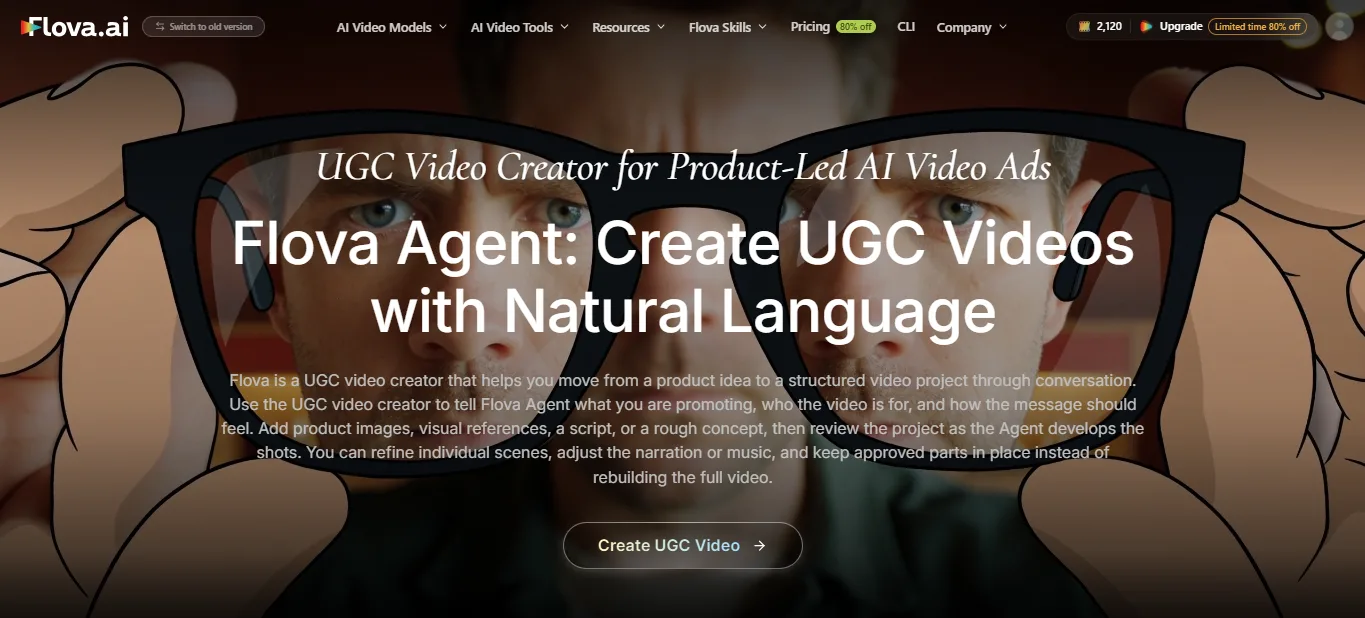
Flova AI is an AI-native video planning and production platform. It lets you develop a concept, organize shots, create media assets, and assemble an editable timeline, all within a single project.
Its Agent can work from written instructions, scripts, images, and other references. You can review the storyboard and ask for changes to specific scenes, making Flova useful for marketers creating product videos with a series of connected shots.
For example, an online store could open with an intro scene, highlight key product details, and close with a call to action. With Flova Skills, it can save and reuse that workflow to create a series of UGC-style videos. Swap in different products or settings to recreate popular UGC video formats without starting from scratch each time.
2. Creatify: Best for Product-Based Video Ads
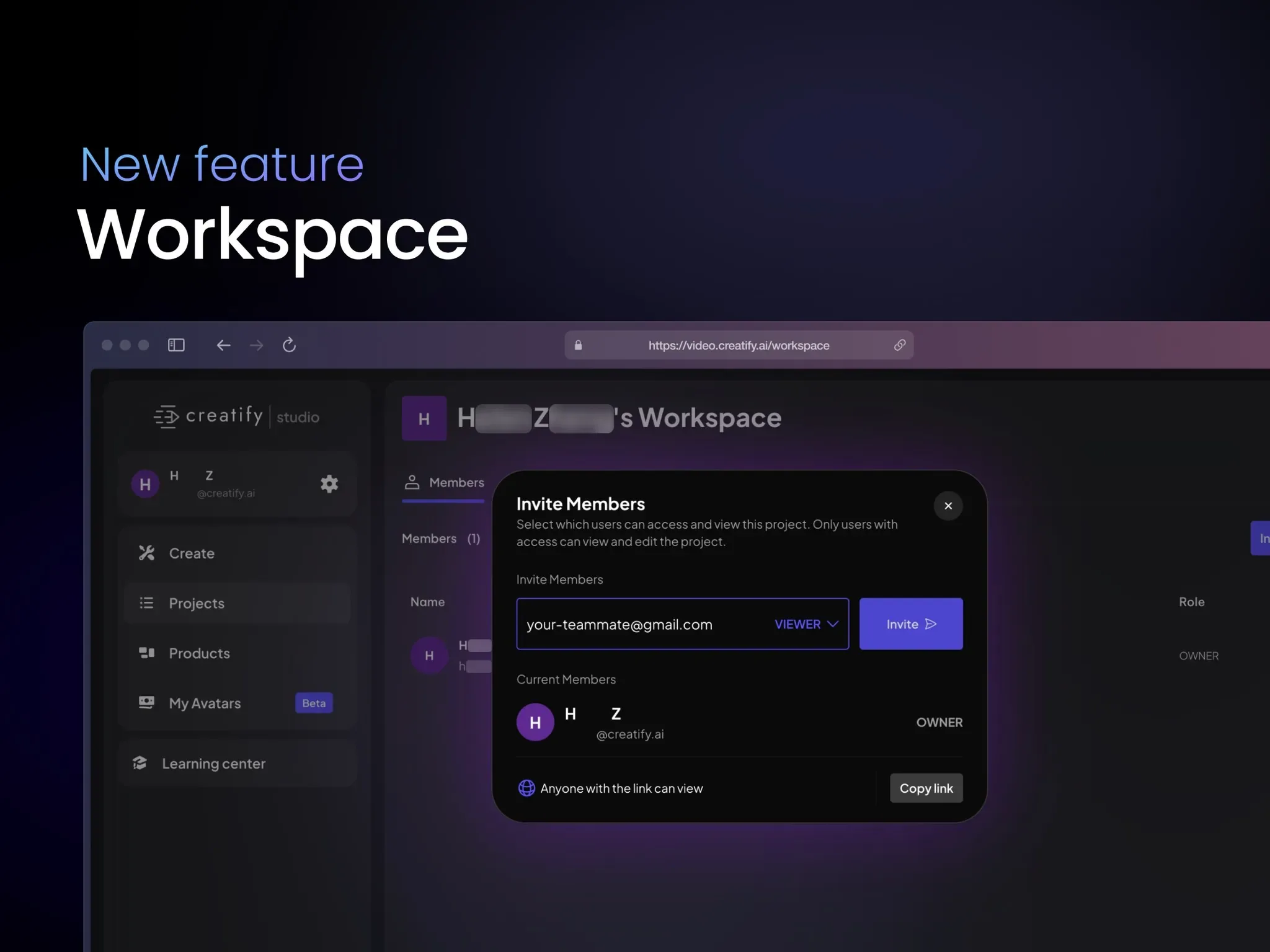
Creatify helps marketers turn product information into video ads. Its URL-to-Video feature lets users enter a product page URL and pull information from that page to build an ad. Users can also upload product assets manually.
This is the easiest option for ecommerce businesses that want to test new ad ideas without editing every video by hand. Product details and claims should still be fact-checked before publishing, though.
3. HeyGen: Best for AI Presenter Videos
HeyGen is an AI video company that specializes in digital presenters. Users can script presenter-led content and choose from a range of avatars and voices.
It works well for product explainers, demos, and marketing messages aimed at different audiences. A presenter alone, however, may not show enough product detail, so consider adding accurate product images when the demo matters.
4. Arcads: Best for Creator-Style Ad Concepts
Arcads helps marketers produce UGC-style ads with AI actors. Users choose an actor, write a script, and generate a talking-head video. It also supports product-focused scenes and ad variations.
This can help teams test different hooks and delivery styles. That said, AI personas should never pose as real customers who used or recommended a product.
5. InVideo AI: Best for Prompt-Based Video Production
InVideo offers an AI-powered production workflow: you describe a video concept and the AI helps you develop it. Its tools can help with scripting, visual planning, generation, and editing.
It suits creators who want to turn a campaign brief into a video without managing every production step by hand. Check the selected media carefully, especially when the video needs accurate product shots or specific brand details.
6. Captions: Best for Polishing Creator Videos
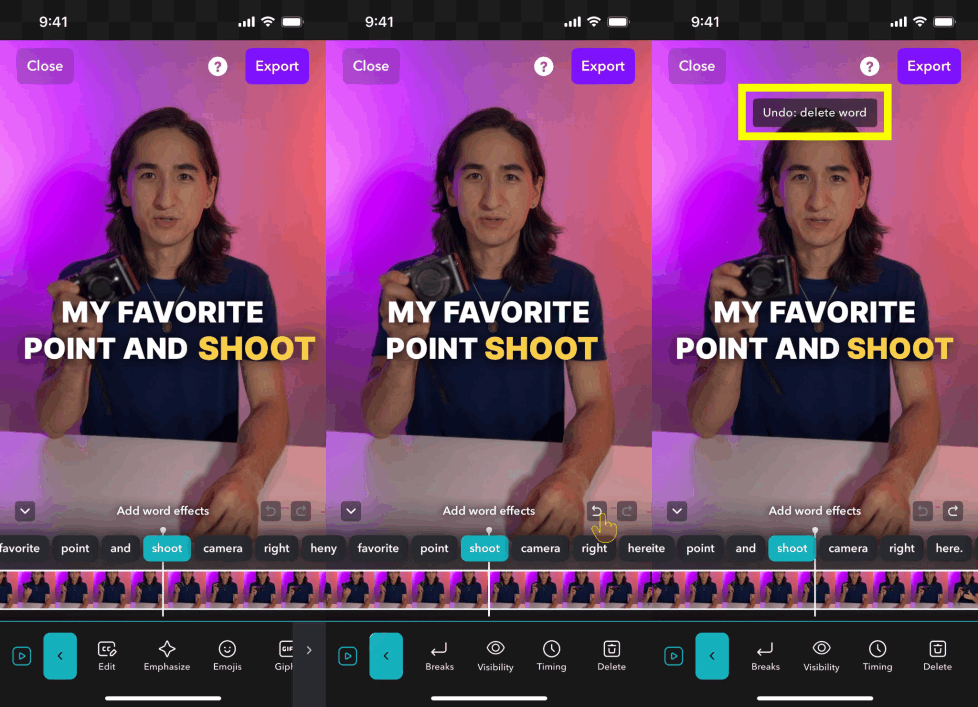
Captions focuses on AI-assisted video creation and editing. Its tools can enhance talking-head videos, add captions, and handle other parts of short-form content, depending on the workflow.
It’s worth considering if you already have footage or want to refine presenter-led videos. Test its current features to see whether its editing and generation capabilities fit your project.
How to Choose the Right UGC Video Tool
Start by deciding what you need to make. If you’re filming your own videos, prioritize editing, captions, and audio. If you sell products, look for tools that keep product details accurate and support ad-style output.
Also compare AI video costs, export options, commercial-use terms, and revision controls. Even if a tool produces polished drafts, expect to do a fair amount of manual editing.
For a workflow that combines planning, media generation, and timeline editing, consider Flova’s UGC Video Creator. For presenter-led ads or product-page video, compare the options against your requirements.
Final Thoughts
The best UGC video tool is the one that fits your production process. Run a small test project before you commit, verify product information, and keep your messaging honest. The right workflow lets you produce useful videos without spending hours on repetitive production work.