
Creating clean instrumental versions of your favorite tracks used to require complicated software and a steep learning curve. That’s no longer the case. Thanks to tools like Audioenhancer.ai’s Vocal Remover, removing vocals from songs has become as simple as clicking a button.
This AI-powered vocal remover offers precision and speed in an easy-to-use online interface. Whether you’re just starting out or working on professional audio projects, Audioenhancer.ai offers a vocal remover online that suits both beginners and experienced users.
This article provides a full review of how the tool works, its main features, benefits, and pricing plans.
Overview of Vocal Remover?
Vocal remover is a browser-based tool designed to extract vocals from songs and separate music components like bass and drums. The process is fully automated, powered by artificial intelligence, and doesn’t require you to download any software or create an account.
It supports a wide range of file types, including both audio and video, and offers near-instant results. Users receive isolated stems of music, vocals, bass, and drums, making it a powerful tool for remixing, karaoke, and educational purposes.
Why Use a Vocal Remover and Isolation Tool?
Musicians, teachers, content creators, and editors often need clean instrumentals or vocals for different use cases. A reliable voice remover simplifies this process by eliminating the need for manual editing or high-end audio suites.
With Audioenhancer.ai’s tool, all of this can be done online without the hassle of installation or complex setup.
How Audioenhancer.ai’s Vocal Remover Works
This voice remover follows a straightforward 4-step process. It’s accessible to anyone, even those with no background in audio editing.
1. Visit the Tool
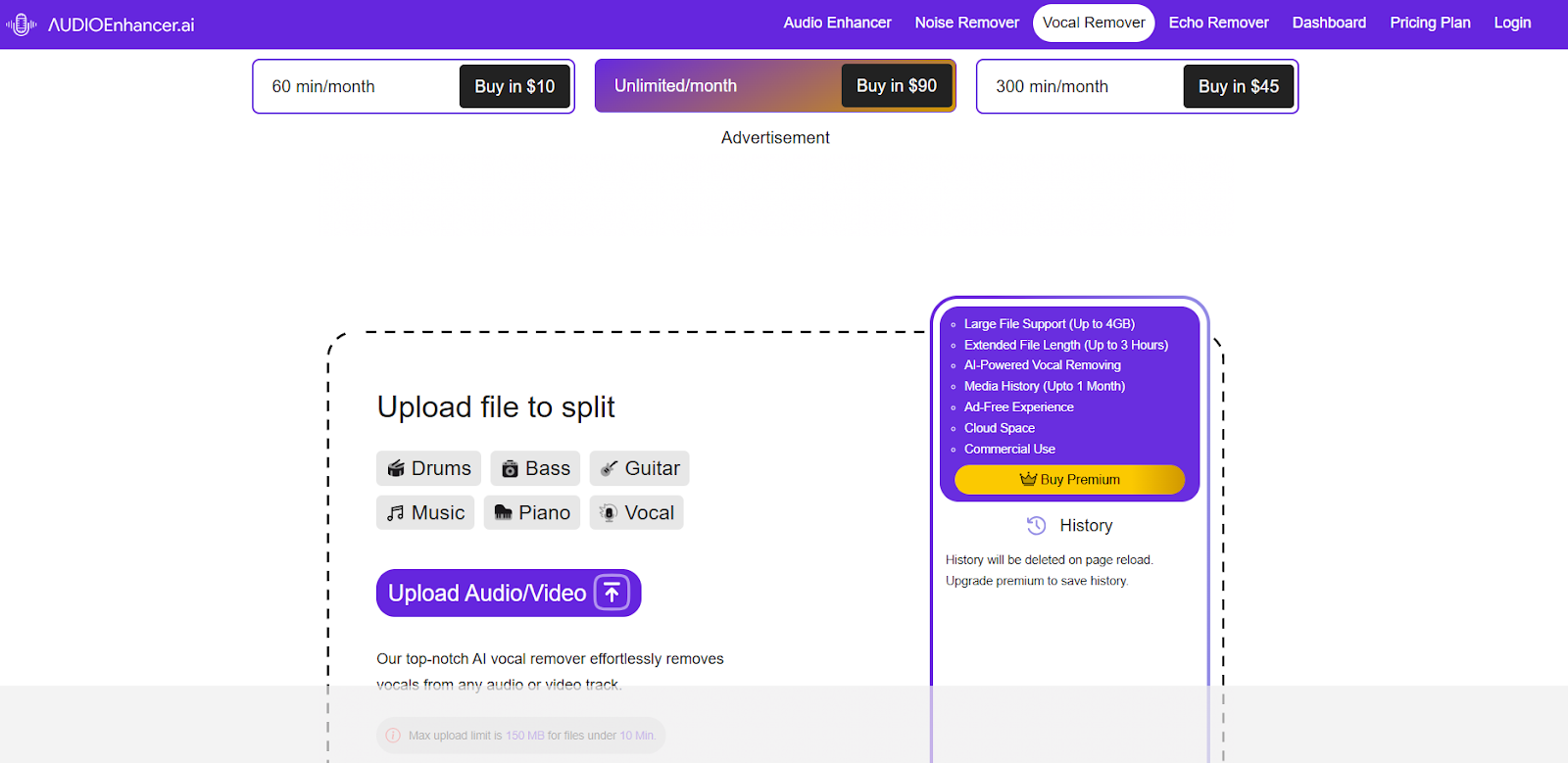
Open your browser and go to audioenhancer.ai/vocal-remover. The interface loads quickly and works on all major devices.
2. Upload Your File
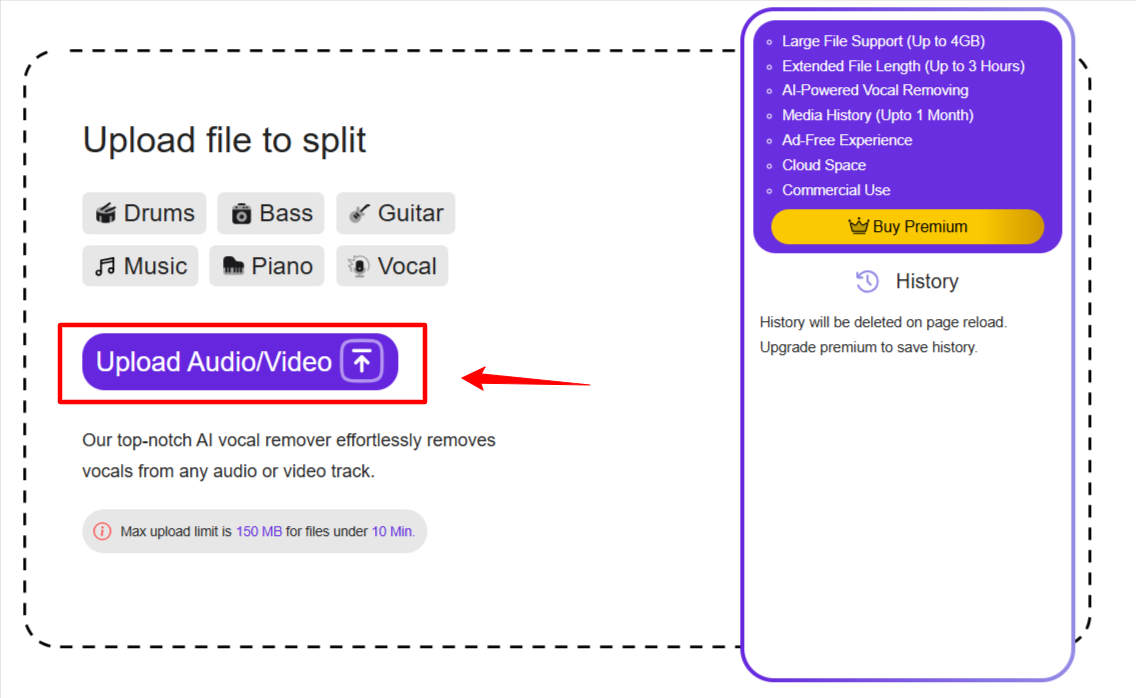
You can drag and drop your music or video file or browse your device to upload. Supported formats include MP3, WAV, MP4, MOV, and more.
3. Click “Remove Vocals”
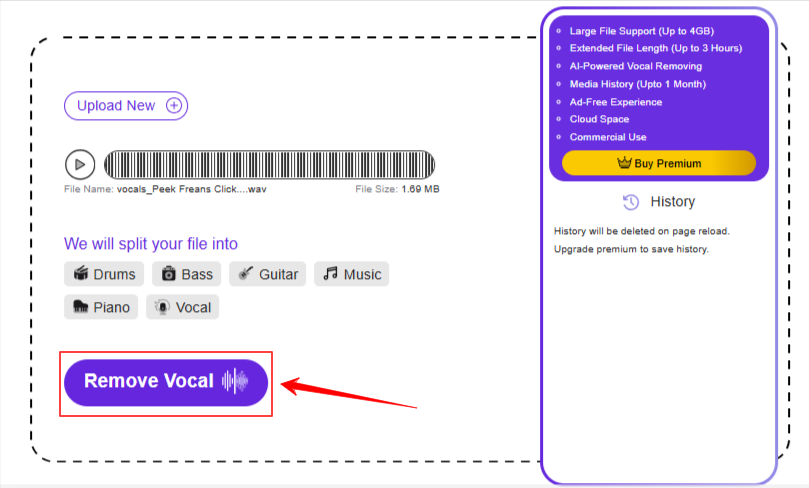
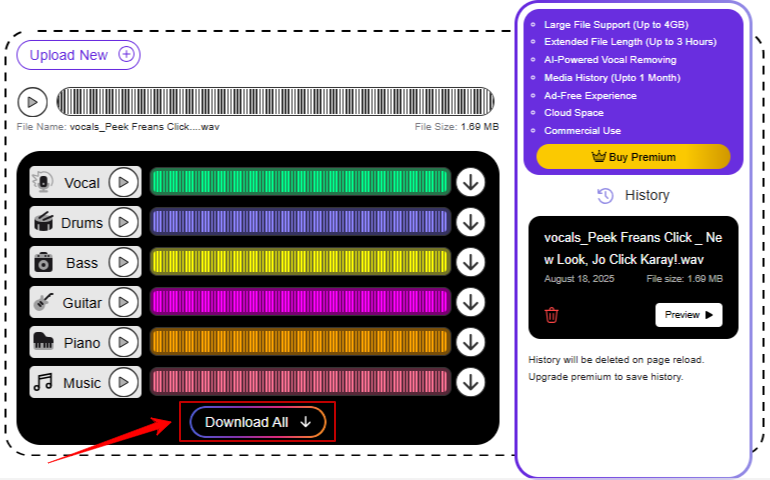
Once the file is uploaded, hit the “Remove Vocals” button. The AI will automatically analyze and split the audio into four distinct parts: vocals, music, bass, and drums.
4. Download the Results
After processing (usually within seconds), you’ll be presented with download options for each isolated track.
Features of the Vocal Remover AI
Here’s a breakdown of what makes this tool one of the top vocal removers available:
AI-Driven Vocal Separation
The tool uses intelligent machine learning algorithms to detect and remove vocals while maintaining audio quality.
4-Stem Audio Isolation
It extracts four separate stems from each upload:
- Vocals
- Background music
- Bass
- Drums
Each component is downloadable separately, which is great for remixing or educational use.
Audio and Video Support
Compatible with various file types, it can isolate vocals from music videos and podcast recordings too.
Instant Results
Most tracks are processed in under a minute, even for large files.
Simple Interface
The tool is designed for ease of use. No complicated menus or technical jargon.
Online and Accessible 24/7
No installations, no restrictions on operating systems. Use it any time from anywhere in the world.
No Ads or ReCaptchas
Enjoy a smooth and uninterrupted experience without being bombarded by popups or verification loops.
Who Can Use Audioenhancer.ai’s Vocal Remover?
This tool is built for a wide audience. Here’s who can benefit the most:
- Musicians: Create instrumentals to rehearse or perform with
- Music Teachers: Isolate parts of a track to help students understand musical layers
- DJs: Use isolated stems to remix songs
- Content Creators: Add vocals or background tracks to videos without copyright risks
- Karaoke Lovers: Make DIY karaoke versions for parties or personal use
- Choirs: Practice with clean instrumentals without vocal distractions
Pricing Plans
Audioenhancer.ai offers three tiers of pricing to cater to casual users, frequent editors, and professionals alike. Here’s a clear comparison:
| Plan | Monthly Price | Uploads at Once | Max File Size | Max File Duration | Monthly Minutes | Cloud Storage |
| Basic | $10 (was $20) | 5 files | 2 GB/file | 1 hour/file | 60 minutes | 5 GB |
| Pro | $45 (was $90) | 5 files | 2 GB/file | 2 hours/file | 300 minutes | 10 GB |
| Studio | $90 (was $180) | 5 files | 4 GB/file | 3 hours/file | Unlimited | 20 GB |
All plans include ad-free access, no captchas, and clean downloadable files.
Benefits of Using This Vocal Remover Online
Here are the biggest advantages that users enjoy:
- No signup required for basic use
- No installation or updates needed
- Support for both audio and video files
- Accurate stem separation for high-quality results
- Free version available for beginners
- Scalable options for professionals with high file volume
- Responsive platform that works on all major browsers
What Makes It Great for Beginners?
Audioenhancer.ai keeps things simple. From the clean design to the one-click vocal removal process, everything is designed to remove barriers for new users. If you’re just starting with audio editing or music remixing, this tool is perfect to explore and experiment with.
There are no advanced settings to worry about, yet the output matches what many professional tools offer. It’s the perfect starting point for beginners who want real results without a steep learning curve.
What Pros Will Appreciate
Professionals working with large files or on tight deadlines will value the unlimited minutes in the Studio plan, 4 GB file support, and the ability to isolate four stems for creative flexibility. It’s a fast, browser-based alternative that can complement existing workflows without slowing you down.
Final Thoughts
Audioenhancer.ai’s vocal remover tool strikes a great balance between simplicity and functionality. It offers a frictionless way to isolate vocals and instrumentals without downloading bulky software or having technical skills.
Beginners will appreciate its plug-and-play experience. Pros will benefit from accurate separation, batch upload capability, and flexible cloud storage.
From karaoke to remixing, from educational use to commercial content creation, this AI vocal remover is truly a valuable addition to any audio toolbox.
Frequently Asked Questions
Is the tool really free to use?
Yes, there’s a free Basic plan with 60 minutes of monthly usage and access to vocal remover and other AI tools.
Do I need an account to get started?
No account or login is required to use the free version of the tool.
Does it work with video files?
Yes, the tool supports both audio and video formats including MP4, WAV, MP3, and more.
Can I download the isolated tracks?
Yes, after processing, you can download each separated stem (vocals, music, bass, drums) individually.
Are there watermarks or branding on the output?
No, the outputs are clean and free of branding.

Founder Dinis Guarda
IntelligentHQ Your New Business Network.
IntelligentHQ is a Business network and an expert source for finance, capital markets and intelligence for thousands of global business professionals, startups, and companies.
We exist at the point of intersection between technology, social media, finance and innovation.
IntelligentHQ leverages innovation and scale of social digital technology, analytics, news, and distribution to create an unparalleled, full digital medium and social business networks spectrum.
IntelligentHQ is working hard, to become a trusted, and indispensable source of business news and analytics, within financial services and its associated supply chains and ecosystems










