Apple Music makes it easy to stream millions of songs, discover new artists, and build playlists for every occasion. However, listening through a streaming app is not always convenient. You might want to play your favorite tracks on an MP3 player, transfer music to a USB drive, or organize your personal music library in a more flexible format.
MP3 remains one of the most widely supported audio formats, making it a practical choice for everyday playback across different devices. Although Apple Music offers offline downloads to subscribers, these downloads are generally designed for playback within its supported app rather than as independent MP3 files.
So, how can you convert Apple Music to MP3? Here are the main considerations and a desktop solution worth exploring.
Why Convert Apple Music to MP3?
There are several reasons why listeners may prefer MP3 files. First, MP3 is compatible with a wide range of devices, including many portable music players, car stereos, and older audio systems. Second, local audio files can make it easier to organize music collections without relying on a streaming interface.
MP3 files can also be useful when managing music on a computer or preparing tracks for compatible devices that do not support Apple Music directly.
It is important to understand that an Apple Music subscription’s offline downloads are not the same as ordinary MP3 files. Simply downloading a song in the Apple Music app does not provide a standard MP3 file that can be freely moved between devices.
Method 1: Use ViWizard Apple Music Converter
For users who want a more flexible way to manage Apple Music tracks, ViWizard Apple Music Converter is a desktop tool designed to convert supported Apple Music content into common audio formats.
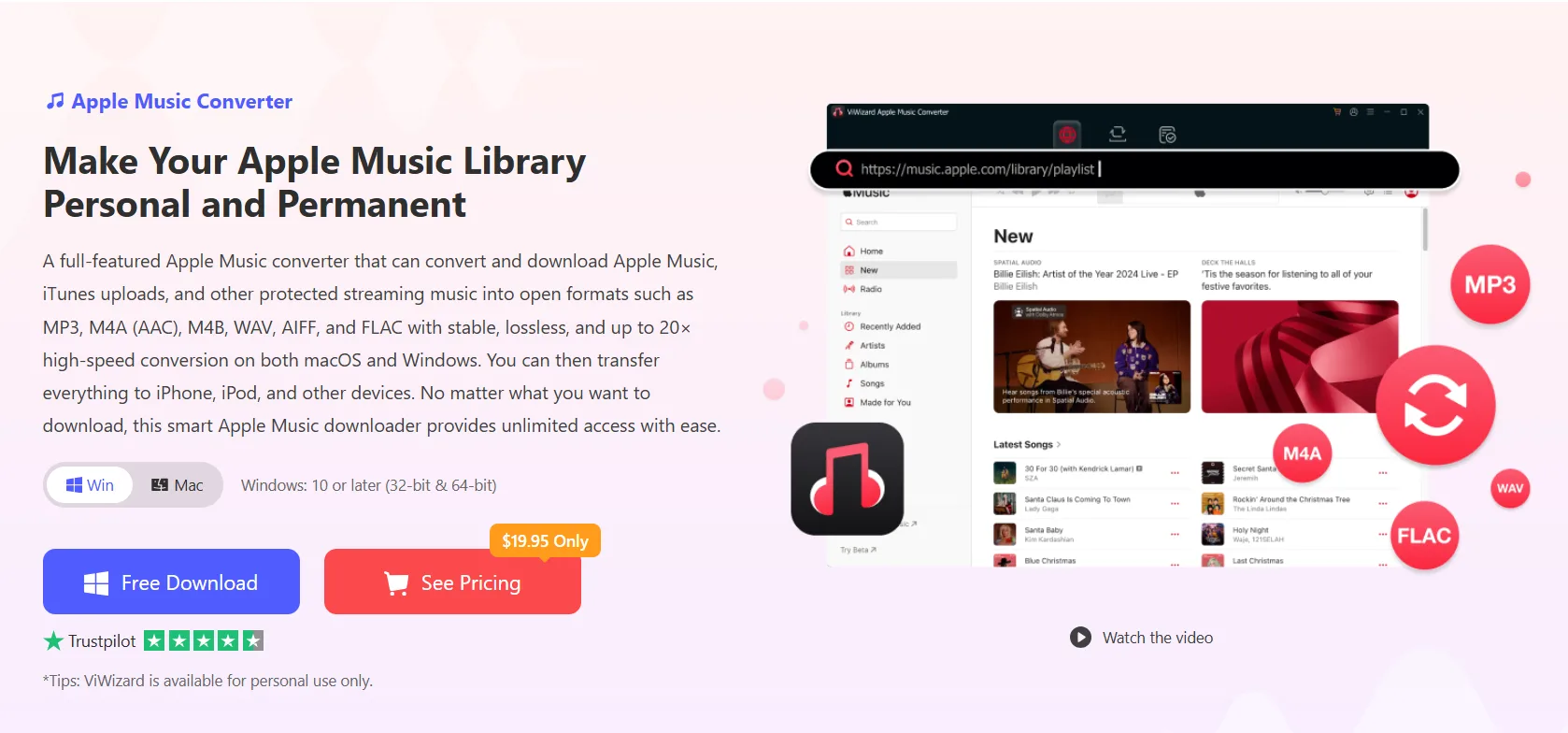
The software supports output formats such as MP3, AAC, WAV, FLAC, M4A, and M4B, depending on the conversion workflow. It also offers batch conversion, allowing users to process multiple tracks in one session instead of handling songs individually.
Another useful feature is metadata preservation. Keeping information such as song titles, artists, album names, and other available ID3 tags can make a converted music library easier to browse and organize.
How to Convert Apple Music to MP3 with ViWizard
The general workflow is straightforward:
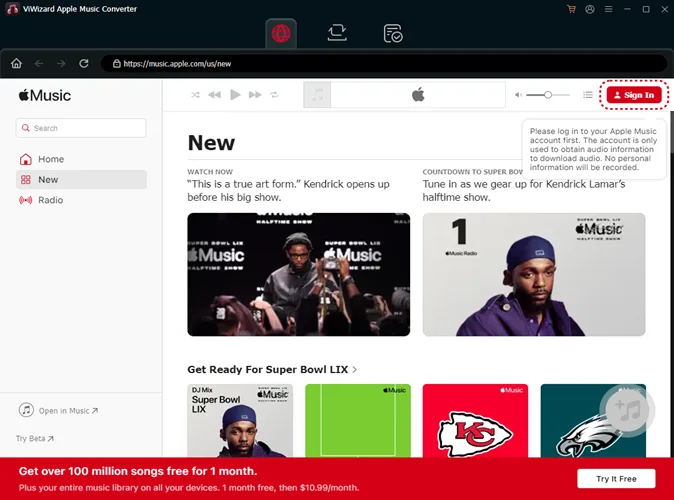
Step 1: Install ViWizard. Download the appropriate version from the official ViWizard Apple Music Converter website and install it on your Windows PC or Mac.
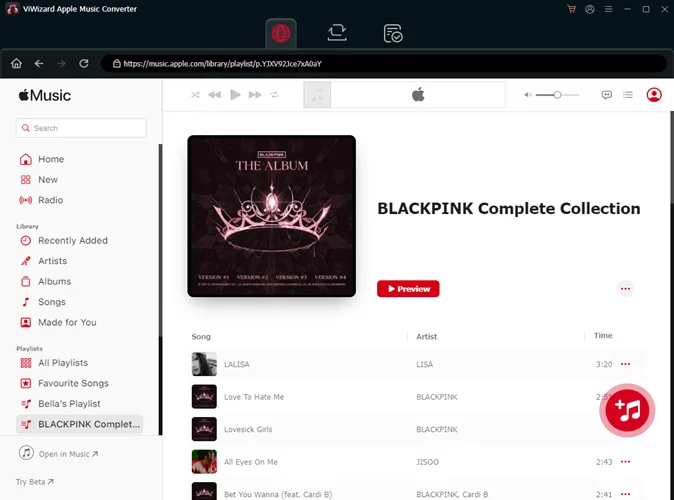
Step 2: Add your music. Open the program and follow its instructions to access and select the Apple Music tracks you want to process. Depending on the version and supported workflow, you may need to sign in to your Apple Music account.
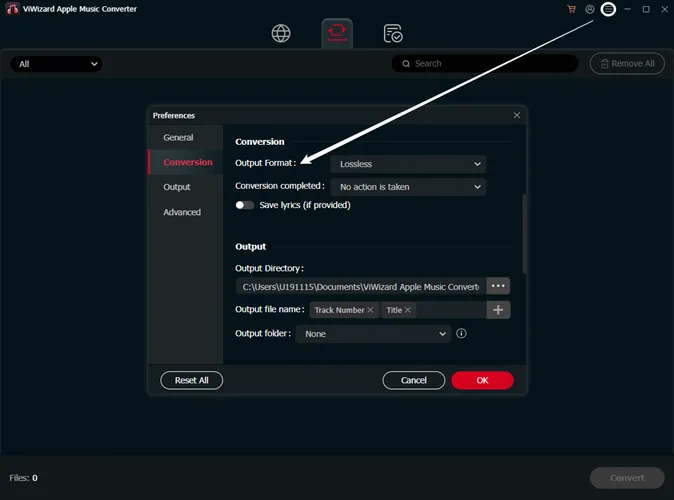
Step 3: Choose MP3 as the output format. Open the format or conversion settings and select MP3. You can also review the available audio quality and output folder options before starting.
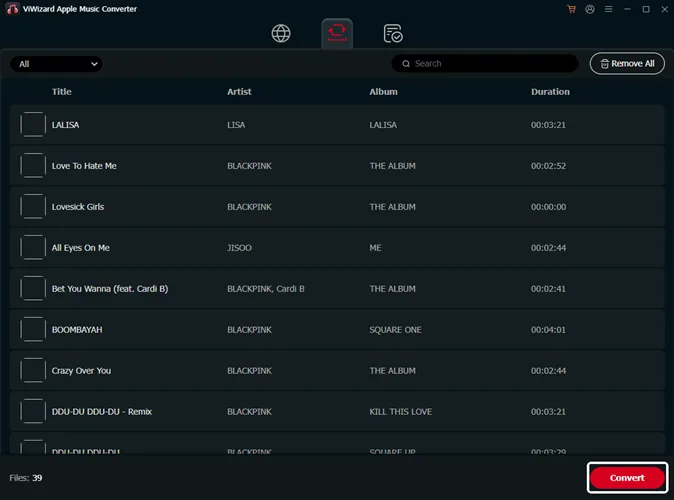
Step 4: Start the conversion. Confirm your selections and begin processing. Once the conversion is complete, check the destination folder for the resulting files and verify that the metadata and playback quality meet your expectations.
The exact interface may vary by software version, so consult the product instructions if a setting appears in a different location.
Method 2: Explore Other Apple Music Download Options
If you are still comparing available approaches, it helps to understand the difference between downloading music for offline playback and converting audio into a conventional file format.
Apple Music’s built-in download feature is convenient for subscribers who mainly listen through the official app. However, it does not generally provide unrestricted MP3 exports.
For a broader overview of the available approaches, read this guide on how to convert Apple Music to MP3. It can help you compare different methods and understand which workflow better fits your listening habits.
You can also explore this article about the best Apple Music downloader options to learn more about tools and alternatives for managing music offline.
Before choosing a third-party application, download it from its official website, review its compatibility requirements, and check its privacy and licensing terms.
Things to Consider Before Converting
Audio conversion is not only about choosing a file extension. The output quality depends on the source audio and the settings used during conversion. Selecting an excessively high MP3 bitrate cannot restore details that are missing from the original recording.
Storage is another consideration. MP3 files are generally smaller than lossless formats, making them suitable for devices with limited space. If preserving audio quality is a higher priority than saving storage, you may want to compare the available output formats before converting.
Final Thoughts
Converting Apple Music to MP3 can be useful when you want a more portable and organized music collection. While Apple’s native downloads are convenient for listening within its ecosystem, they are not equivalent to standalone MP3 files.
ViWizard Apple Music Converter offers an alternative for users who need common audio formats, batch processing, and music metadata management. By choosing suitable output settings and checking device compatibility, you can build a music library that better fits your everyday listening needs.