
The best email customer service tools for tracking response times are timetoreply, Email Meter, Front, HappyFox, and Freshdesk. These tools help turn response time data into reliable reporting.
The best email customer service tools fall into two categories. Dedicated analytics platforms read the mailboxes a team already uses and report on them. Help desks convert email into tickets and produce reply-time numbers as a by-product.
Response time has become one of the few service metrics that management reads without needing an interpreter. A figure is simply placed against its target. The email customer service tools below are compared on whether they record that figure and how much they charge to do so.
Table of contents
Why does email response time belong on the leadership dash?
What was the assessment criteria for this comparison?
Quick Comparison of the Best Email Customer Service Tools
How to choose between the two routes
How did we rank the platforms?
- timetoreply
- Email Meter
- Front
- HappyFox
- Freshdesk
FAQ
Final Thoughts
Why does email response time belong on the leadership dash?
Email response time belongs on a leadership dashboard because it tracks objective data directly from your mailboxes without needing surveys. It provides a continuous, real-time measure of how fast your company responds to customers across teams and mailboxes. The data is already in the business.
In most cases, the key issue isn’t a lack of data, but the lack of a reporting and visualization layer built on top of it. When these insights need to be shared with leadership, professional presentation design can help turn reporting data into clear and engaging business presentations.
The shift from yearly surveys to real-time customer feedback hinges on this main concept. Collect data continuously and make decisions quickly.
While traditional customer metrics show how clients feel, response times show how fast your team acts on those feelings. Real-time response-time indicators added to the leadership board are the visual component for linking customer feedback directly with how well the organization is performing operationally.
Customer engagement measures already sit on the leadership dashboard. The response-time number belongs beside them. When these metrics are reviewed alongside an effective Email Marketing Strategy, teams can better understand whether faster communication is also contributing to stronger customer engagement and retention.
According to Zendesk’s CX Trends 2026 research, 86% of consumers say responsiveness and accurate resolution highly influence their purchase decisions.
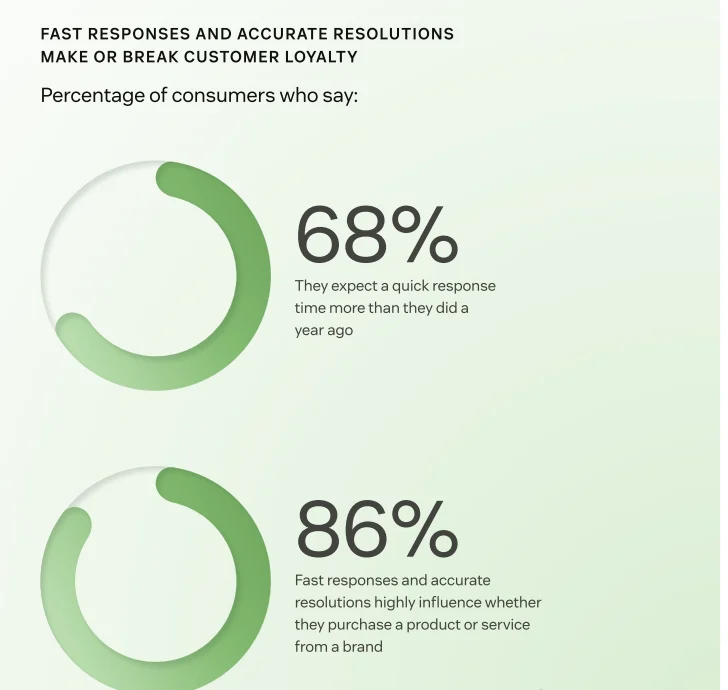
Image via Zendesk
The data collected in this study was a sample group of 6,182 consumers taken from a larger study of more than 11,000 consumers across 22 different countries.
This figure is an indication of customers’ perception of the service quality provided to them. It does not include a quantification of the money spent on those transactions. The score also combines speed and accuracy. The measure is reflective of a company’s ability to respond in a timely way to the different needs of its customers.
| Why does email response time belong on the leadership dashboard? Email response time belongs on the leadership dashboard because it uses existing mailbox data to show how fast your team acts on customer needs. Placing this real-time metric alongside feedback scores gives leaders a clear view of operational speed. |
What was the assessment criteria for this comparison?
Five email customer service tools were assessed on four questions. Does the product’s report time the gap between a customer’s message and the first human reply natively? Does it work with the mailboxes a team already uses, or replace them? Does it support email SLA targets? And what does the published pricing include?
The timetoreply tool, Email Meter, and Freshdesk are examples of customer service tools that document SLA tracking and reply-time reporting on their own pages. They differ most on the second and fourth.
Vendor round-ups of customer support email software set their own criteria. This shortlist applies to the four questions above.
Scope is email. Live chat sits outside it, as does digital signage software and other customer-facing estate in retail spaces.
| What was the assessment criteria for this customer service tools comparison? This comparison of customer service tools evaluated platforms using four standard criteria: native time-to-first-human-reply reporting, integration vs. inbox replacement, email SLA support, and published pricing structures. |
Quick comparison of the best email customer service tools
The table offers a side-by-side comparison of the best five email customer service tools. They are not ranked and are just displayed here by price route. The highest entry price of each vendor comes first.
Anyone shortlisting customer service email software should read that basis.
| Tool | Works in the existing inbox | SLA and reply-time reporting documented | Entry price (as displayed) | Billing basis | Free tier or trial |
| timetoreply | Yes | Yes, vendor pages | $44 per mailbox/mo | Monthly, 15-mailbox minimum | 14-day trial of +Intelligence |
| Email Meter | Yes | Yes, vendor pages | $0 on the free plan | Free tier; Plus $15/user/mo annual, $19 monthly | Permanent free tier |
| Front | No, the team works in Front | Not verified | $35 per seat/mo | Monthly, up to 10 seats | 14-day trial of Professional |
| HappyFox | No, email becomes tickets | Yes, vendor pages | $29 per agent/mo | Monthly, annual | 14-day trial |
| Freshdesk | No, email becomes tickets | Yes, vendor pages | $23 per agent/mo | Monthly | 14-day trial of Enterprise |
Pricing and plan terms were verified directly against vendor pricing pages in August 2026, using each provider’s documented public rates.
How to choose between the two routes
Choosing between these email customer service tools is a route decision before a product decision. The four steps below follow a clear order. Start with the job the tool must do, then the volume it will see. The commercial model and the minimum come next.
- Settle whether the gap is reporting or workflow: Email management systems that can generate reports, but not workflow, cannot take over from a ticketing system. If your team is already using a shared WhatsApp business inbox in addition to email, you may only need to know how well the two measure against each other, not introduce another queue.
- Reduce the volume before measuring it: If your self-service answers are up to date, customers with a new issue may often go straight to the knowledge base or website for help instead of contacting support. To know how many support tickets your team really handles, first check the helpdesk knowledge base tools.
- Match the commercial model to the shape of the team: Per-mailbox pricing and per-seat, per-agent, and per-user pricing are basically two major plans. The former depends on the number of inboxes you have, while the latter depends on the people working in the team.
- Read the minimum before the headline rate: Below timetoreply’s 15-mailbox floor, Email Meter’s free tier is the rational start. At 15 and above, timetoreply works out at $510 a month equivalent.
| How to choose between the two customer service tools routes? Choose from available email customer service tools by following four steps in order: define if you need reporting or workflow, reduce volume via self-service, pick a pricing model, and check total minimum costs. |
How did we rank the platforms?
Here are five key email customer service tools. Rather than rank them by their features or attributes, we’ve categorized them by their approach. timetoreply and Email Meter analyze existing mailboxes without changing your workflow. HappyFox and Freshdesk transform emails into full ticketing systems. Front sits in the middle, replacing traditional inboxes with a shared workspace while still supporting formal ticketing workflows.
1. timetoreply
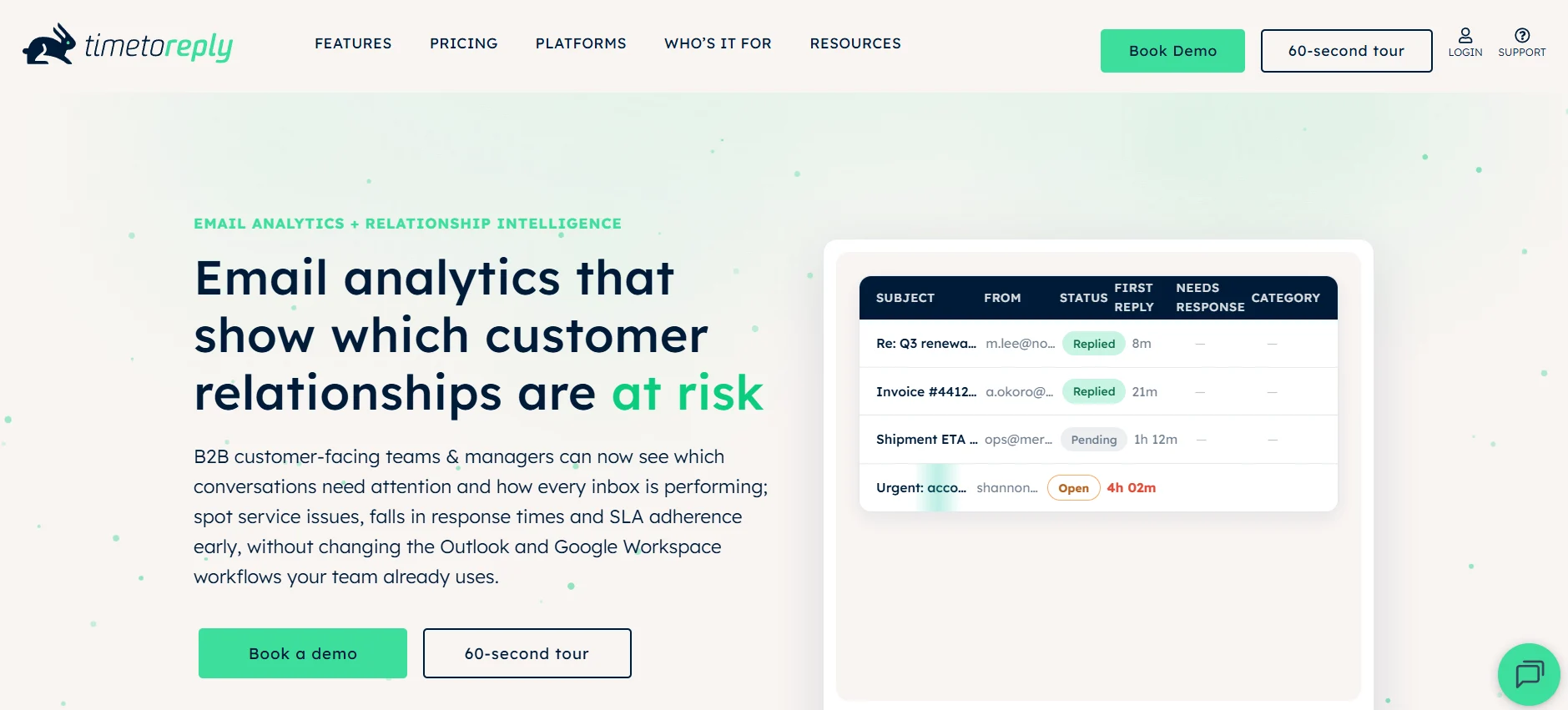
Image via timetoreply
One of the most efficient email customer service tools available, timetoreply measures reply speed and reports it. The tool sits directly in your team’s Gmail, Outlook, and Microsoft 365 inboxes without disrupting your standard workflows. That puts it in the analytics category, where measurement is the whole product.
Key features
- Reply-time reporting: Individual, team, and shared-mailbox performance.
- Goal tracking: KPI and SLA reports, with alerts when targets are at risk.
- Metadata scope: The operational analytics core reads header and metadata, and does not store message content.
Best for: Organizations with 15 or more mailboxes that want the number, not a ticketing system.
Pricing:
- Optimize: $44 per mailbox per month
- +Intelligence: $64 per mailbox per month
- Enterprise: $95 per mailbox per month
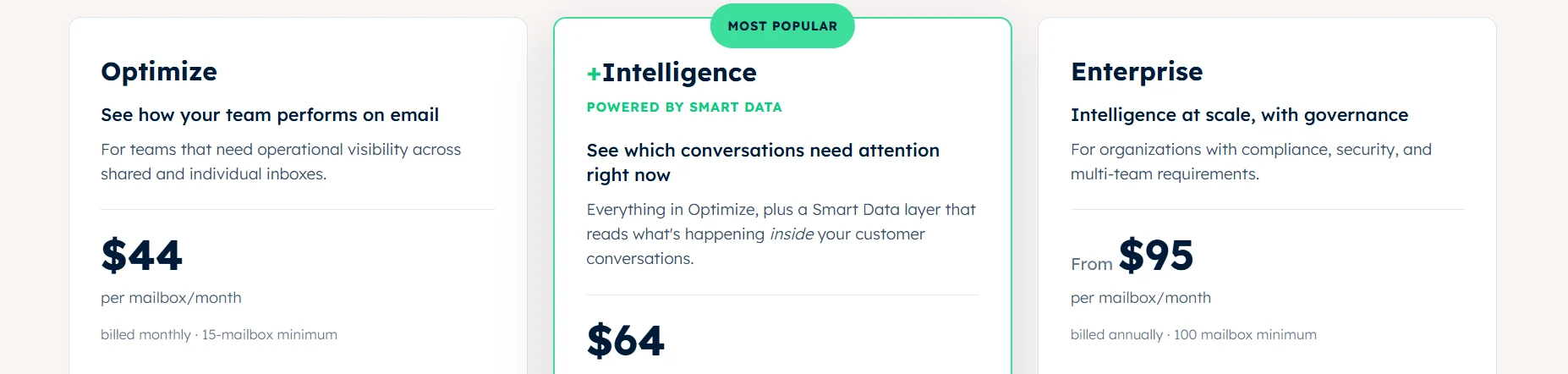
Image via timetoreply
Watch Out For: That minimum makes $510 the monthly equivalent and the highest entry floor here. There is no free tier, and it is not email ticketing software.
2. Email Meter
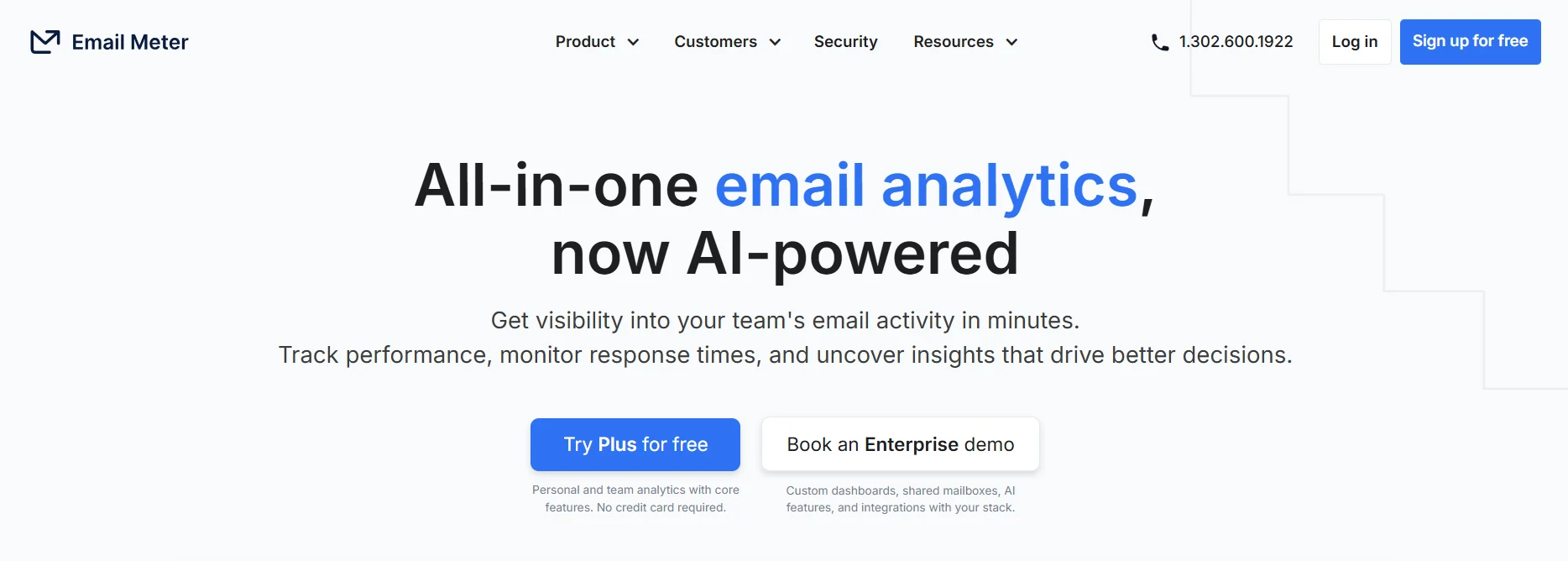
Image via Email Meter
For a baseline before a budget, Email Meter is the shortest path among customer service tools. The vendor positions it as an email analytics tool for Gmail, Google Workspace, and Microsoft 365. It covers response times and shared mailboxes. It is the only one here whose published pricing includes a permanent free tier.
Key features
- Response-time tracking: Average response time, reported per person.
- Shared-mailbox visibility: Individual productivity on shared addresses.
- SLA compliance: Email SLAs tracked as a metric.
Best For: Small teams, and any team wanting a zero-cost baseline first.
Pricing:
- Free
- Plus: $19 per user per month
- Enterprise: Contact Sales
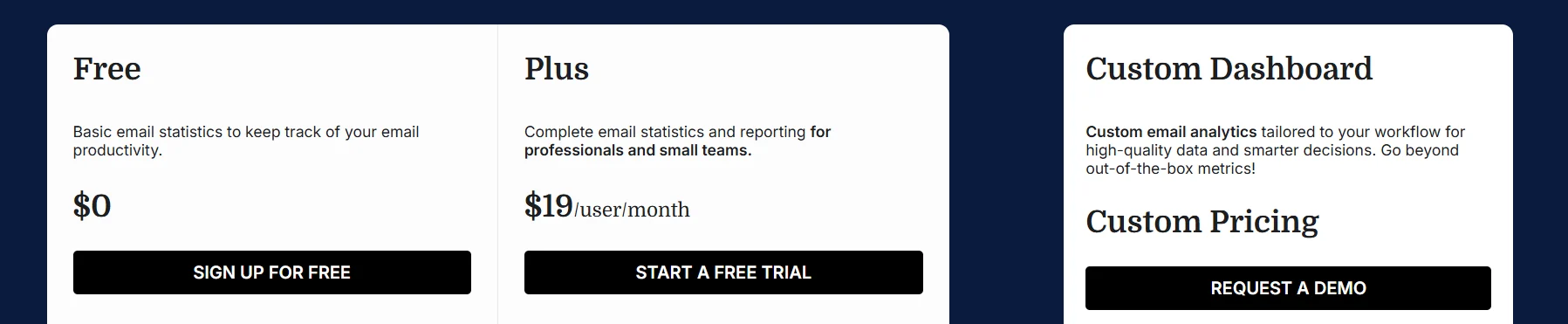
Image via Email Meter
Watch Out For: The Custom Dashboard offering is quoted separately, not bundled into Plus.
3. Front
Image via Front
Front changes where the work happens. It’s an all-in-one support platform built on collaborative shared inboxes. Among customer service tools, it stands out by keeping the team’s work inside Front rather than Gmail or Outlook. Front is a customer service email management software solution, not an analytics layer.
Key Features
- Collaborative inboxes: Assignment and discussion on one thread.
- Multi-Channel handling: Email alongside the team’s other channels.
- Built-in reporting: Performance data from the platform doing the work.
Best for: Teams that want a shared inbox and built-in reporting in a single tool.
Pricing:
- Starter: $35 per seat per month
- Professional: $85 per seat per month
- Enterprise: Only available on annual pricing
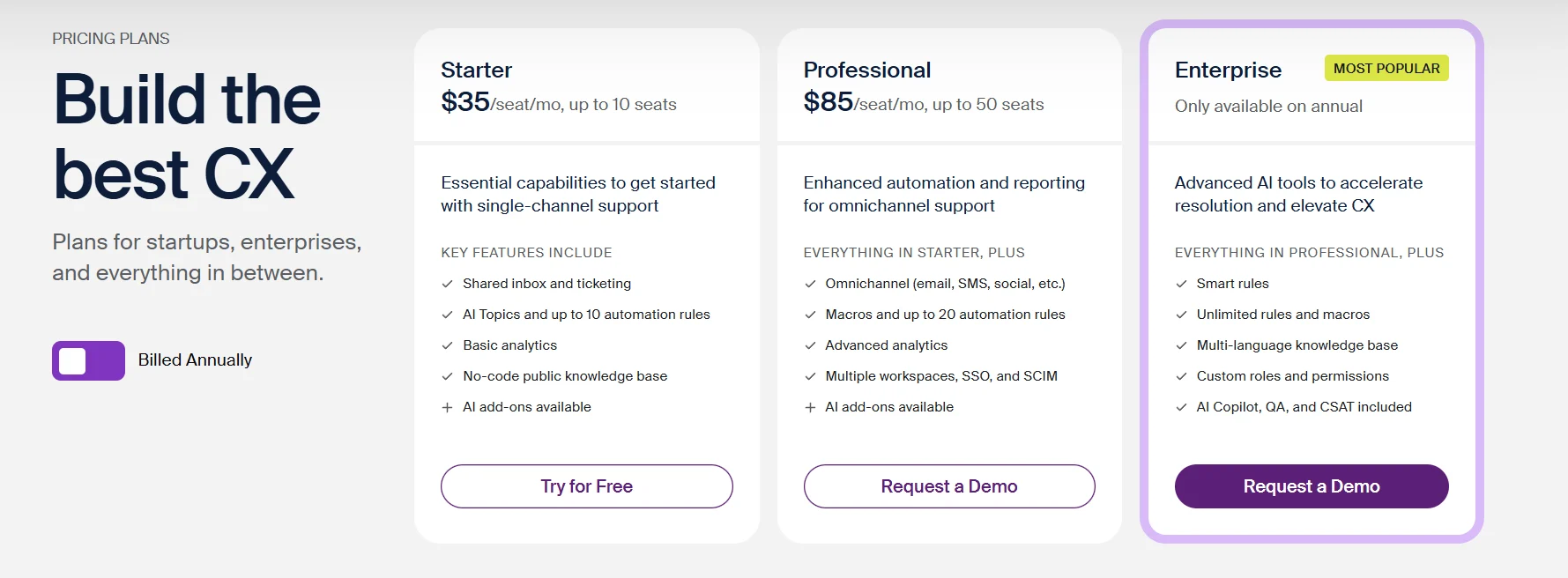
Image via Front
Watch out for: Changing your team’s primary inbox is not a matter of merely shifting reports around. It’s a change in how the team operates daily altogether. On top of that, per-seat prices jump rapidly, reaching $65 and then $105 per user as you scale up.
4. HappyFox
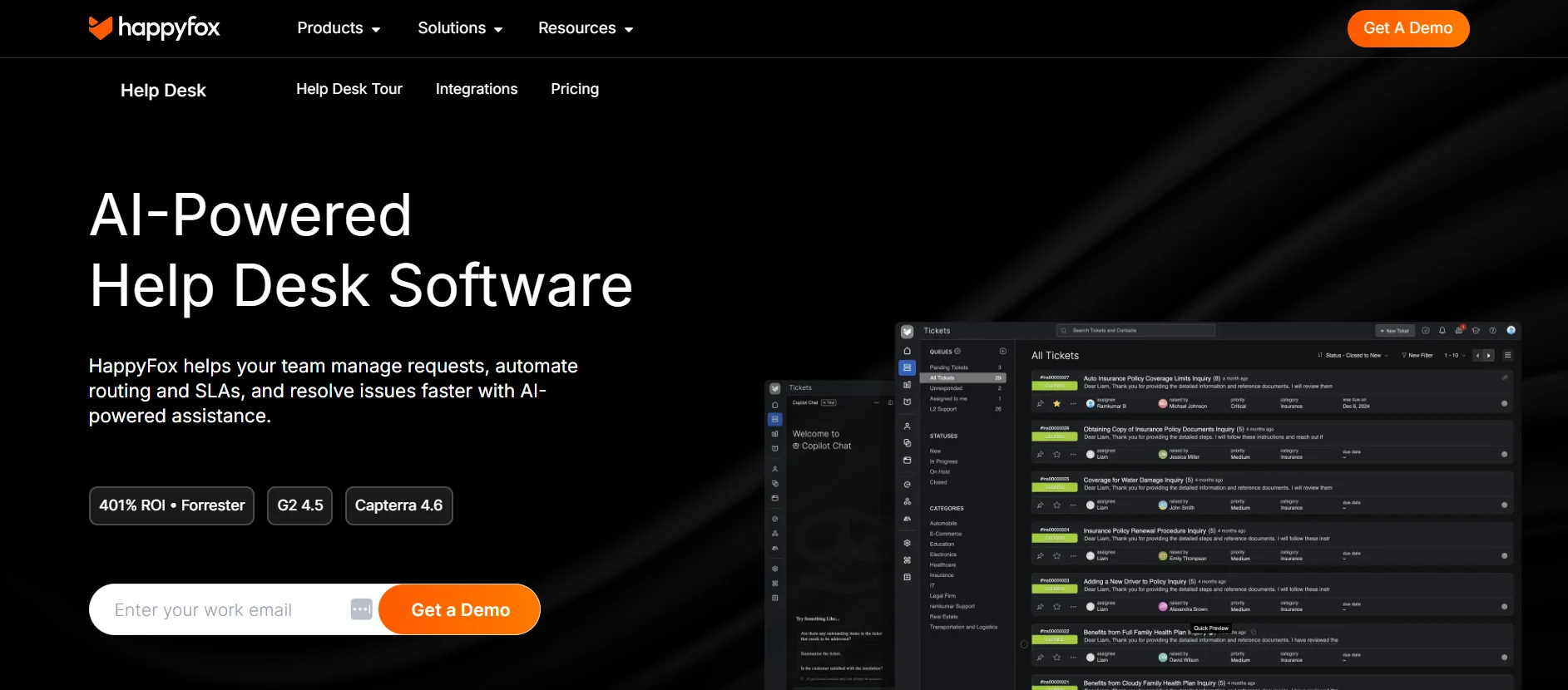
Image via HappyFox
HappyFox is a straightforward help desk for teams that want dedicated customer service tools without complex bloat. Like other ticketing systems, inbound emails convert directly into tracked tickets, automatically calculating response and resolution times as agents move through the queue.
Key features
- Email ticketing: Routes incoming customer emails directly into an organized ticket queue
- SLA management: Sets custom response targets with breach alerts and compliance tracking
- Native reporting: Delivers pre-built dashboards for first-response time and agent performance
Best for: Teams looking for dedicated SLA governance and structured email ticketing.
Pricing: HappyFox offers a tiered pricing structure.
Agent-based:
- Basic: $29 per agent per month
- Team: $69 per agent per month
- Pro: $119 per agent per month
- Enterprise Pro: Contact Sales
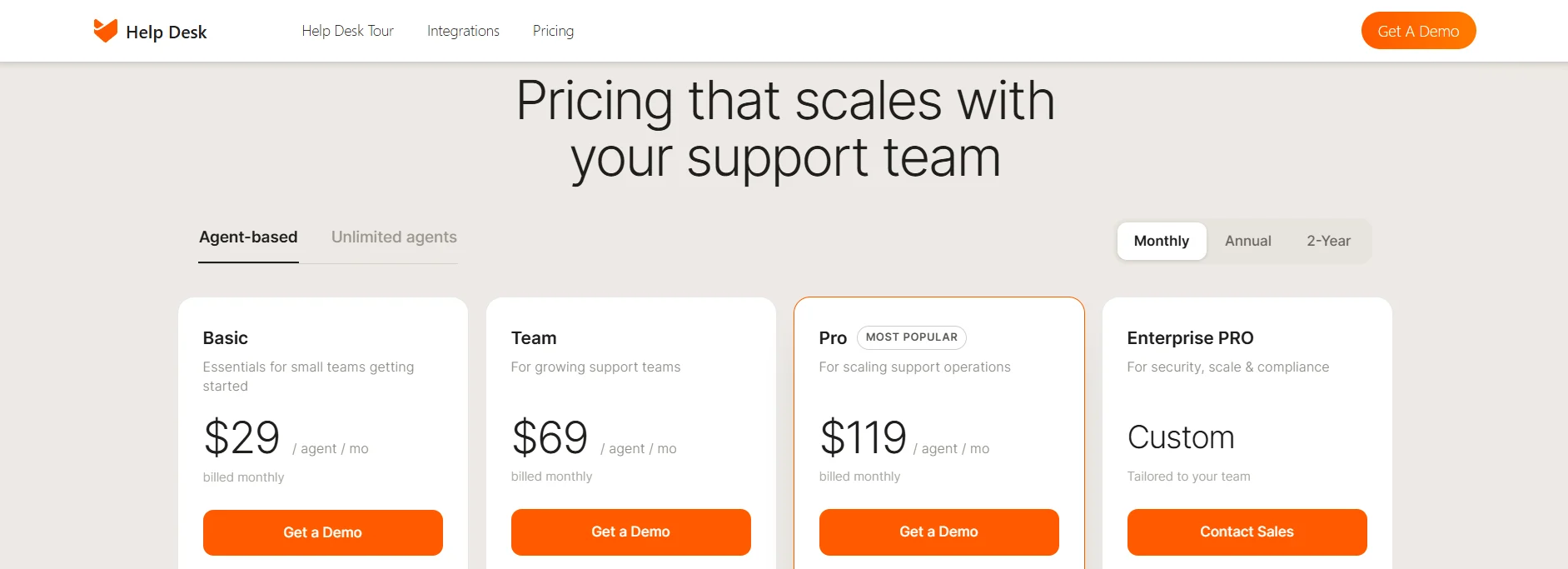
Image via HappyFox
Unlimited Agents: Billed annually
- Growth: $1,999 per month
- Scale: $3,999 per month
- Scale Plus: $5,999 per month
- Ultimate: Contact Sales per month
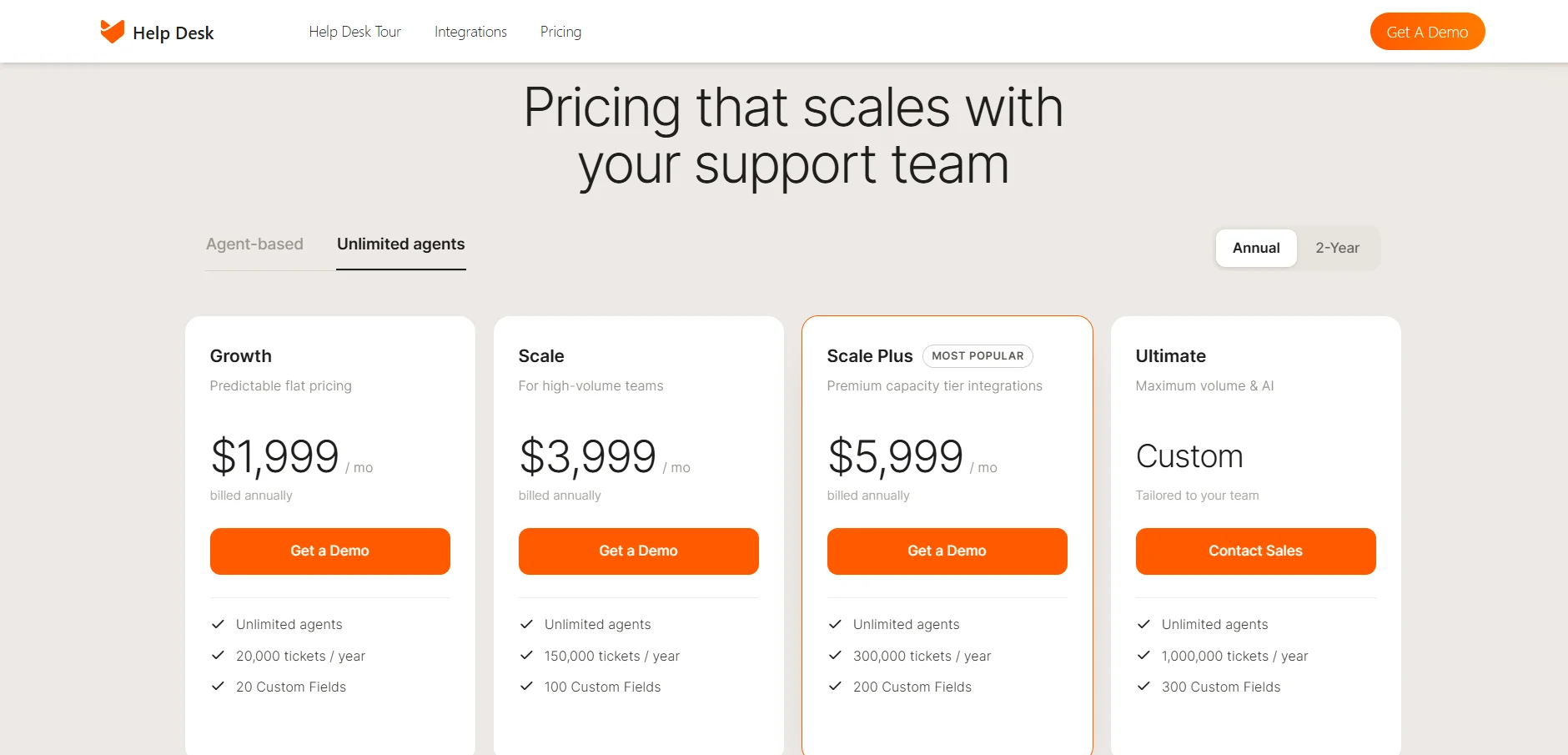
Image via HappyFox
Watch out for: There is no permanent free tier, only a 14-day trial, and all plans require a minimum of 5 agents.
5. Freshdesk
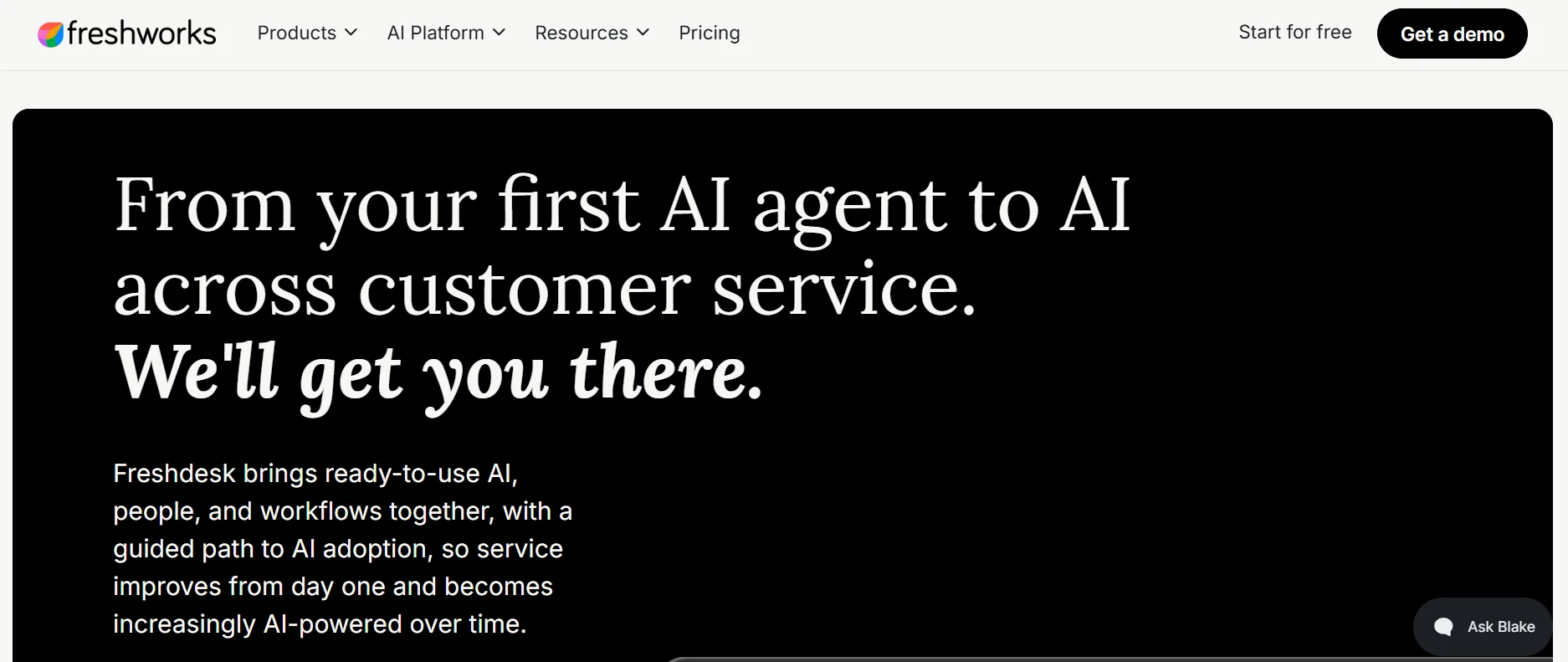
Image via Freshdesk
Freshdesk covers similar ground with a lower ceiling. Among customer service tools, it offers multiple SLA policies to accommodate the expectations of different kinds of customers. Pre-defined reports cover response times. It is a help desk and email support platform for teams growing into formal targets.
Key features
- Multiple SLA policies: Different targets per customer group.
- Pre-built reporting: Response times in standard reports.
- Email as tickets: Messages routed and tracked in a queue.
Best for: Growing support teams needing SLA reporting without enterprise pricing.
Pricing:
- Growth: $23 per agent per month
- Pro: $66 per agent per month
- Enterprise: $107 per agent per month
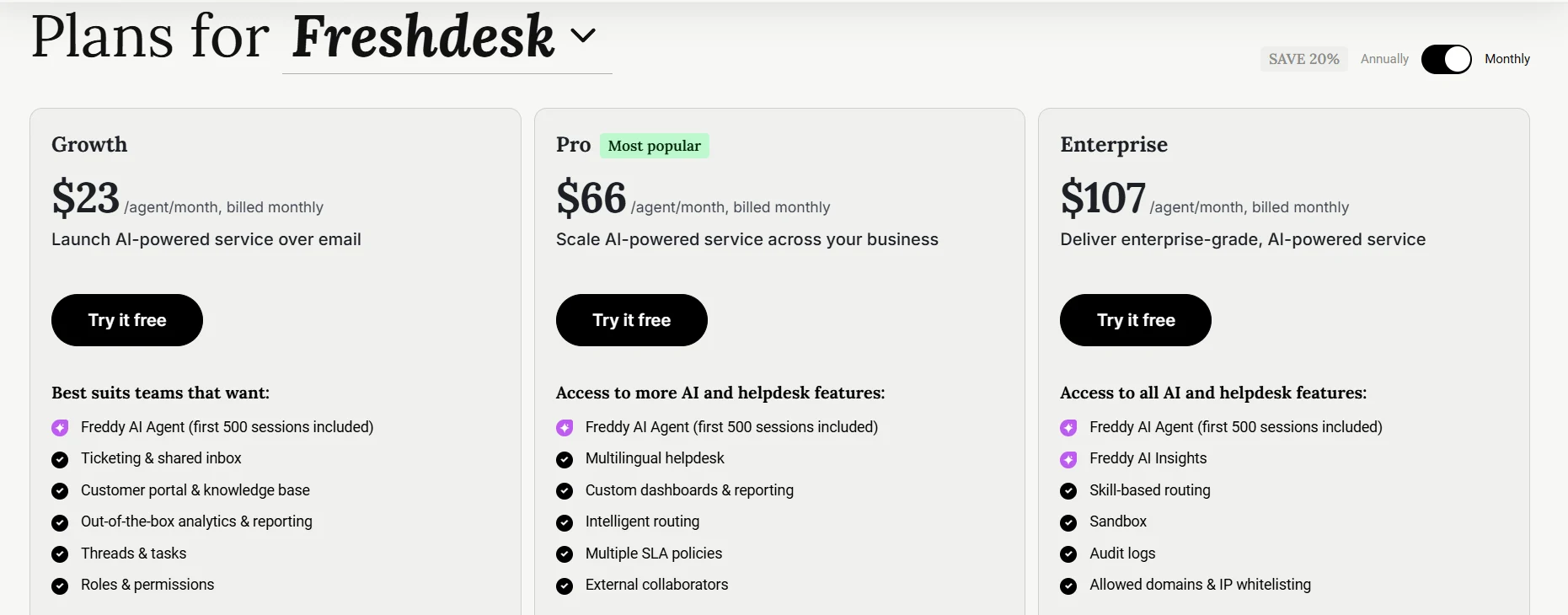
Image via Freshdesk
Watch out for: There is no permanent free plan, only a 14-day Enterprise trial. The feature page doesn’t state tier availability, so confirm SLA coverage on the plan you buy.
| How did we rank the email customer service tools? These customer service tools are categorized by operational approach rather than ranked by performance. They range from pure inbox analytics layers (timetoreply, Email Meter) to full ticketing systems (HappyFox, Freshdesk) and hybrid shared workspaces (Front). |
FAQ
Q1. What is a good first reply time for customer service email?
A: Nobody can really tell you what that is in general terms. The best thing for the manager is to come up with a reasonable target in normal business hours and let the employees know internally. After they show results, the manager may make the benchmark more challenging. A realistic target is something that a team regularly meets or exceeds.
Q2. What is the difference between an email analytics tool and a help desk?
A: An email analytics tool is first and foremost a monitoring software that analyses the content of emails that are already in use. Email help desk software helps in creating a ticket out of a message and managing the process of the workflow. Basically, one of them reports the state of the process as it is now, while the other one changes the way it is done.
Q3. Can email response times be tracked in Gmail or Outlook without extra software?
A: Neither is built to report a team-wide average. Both show timestamps on individual messages, so a team view is usually rebuilt from exports. That view is what the tools here add above the mailbox.
Q4. What is an email SLA, and how do teams enforce one?
A: An SLA (service level agreement) sets clear expectations for how quickly and how well a company will respond to customers. This includes setting a limit on the time required to answer queries, availability hours, and actions in case of a failure. For the agreement to be enforceable, any violation has to be identified automatically and be handed over to a person with the capacity to take any action required.
Q5. Are there free customer service tools for tracking email response times?
A: Among the customer service tools here, only Email Meter offers a completely free plan. Free customer service tools may be sufficient for an average user measuring benchmark performance within a single team, but they are too limited for efficient SLA governance.
Q6. How long does it take to set up email response-time tracking?
A: An analytics platform that is simply viewing your existing mailboxes needs nothing more than a mailbox connection and administrator approval. Workflow will not be altered at all. Help desk migration will probably take longer: routing rules, ticket fields, SLA policies all have to be designed from scratch.
Q7. Do these customer service tools work with shared mailboxes?
A: Yes, though the approach will depend on the kind of tool you have. There will be different commercial arrangements. Some charge per mailbox which will match shared mailboxes. Others charge per seat or user. So, before you compare quotes, you need to be certain about how vendors count shared addresses.
Q8. What should teams measure besides reply time?
A: Resolution time, reply volume per person, and the share of conversations needing more than one exchange. Reply time shows how quickly a team starts. The others show whether the reply helped, which a timestamp cannot see.
Final Thoughts
So, which of these email customer service tools is right for your team? The right choice may boil down to a single question. Is the gap there because of the reporting alone, or is it caused by a breakdown in the underlying process?
With data analytics tools, you can find a quick fix for the first one. On the flip side, help desks can help you identify the root cause of the second problem and fix it too.
Either way, a metric only matters if someone owns it and it connects to the broader customer experience goals your leadership tracks.
Four of these email customer service tools run a 14-day trial. One free tier never expires.
On the analytics route, connect one mailbox and set a target before the clock starts. On the help-desk route, scope a single queue. Judge either on whether it reports against that target.