Slack scrolls faster than your memory. That 2 am hot-fix that saved production? By breakfast it’s buried, and the question pops up again, because Slack isn’t a knowledge base.
Atlassian’s April 2023 release proved large-language models can live inside everyday tools, summarizing pages and answering in-thread without tab-hopping.
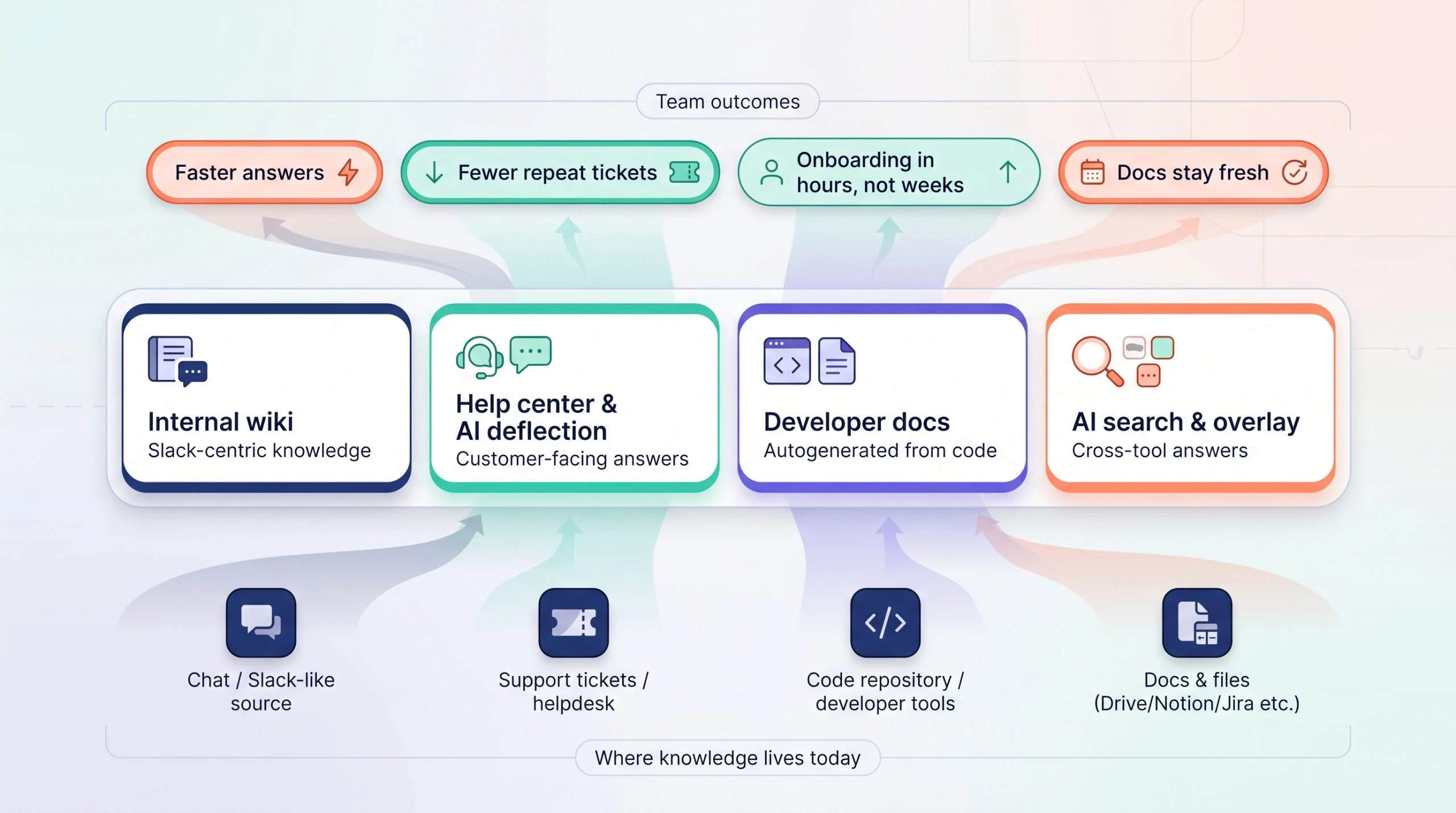
In this guide, you’ll see which platforms
- pull answers straight from Slack,
- keep docs fresh with auto-verification, and
- return cited replies in seconds.
Pick the track, wiki, help center, code docs, or AI overlay, that fits your team, and win back the hours lost to scroll-back hunts.
Slack-Centric Internal Wikis (Segment A)
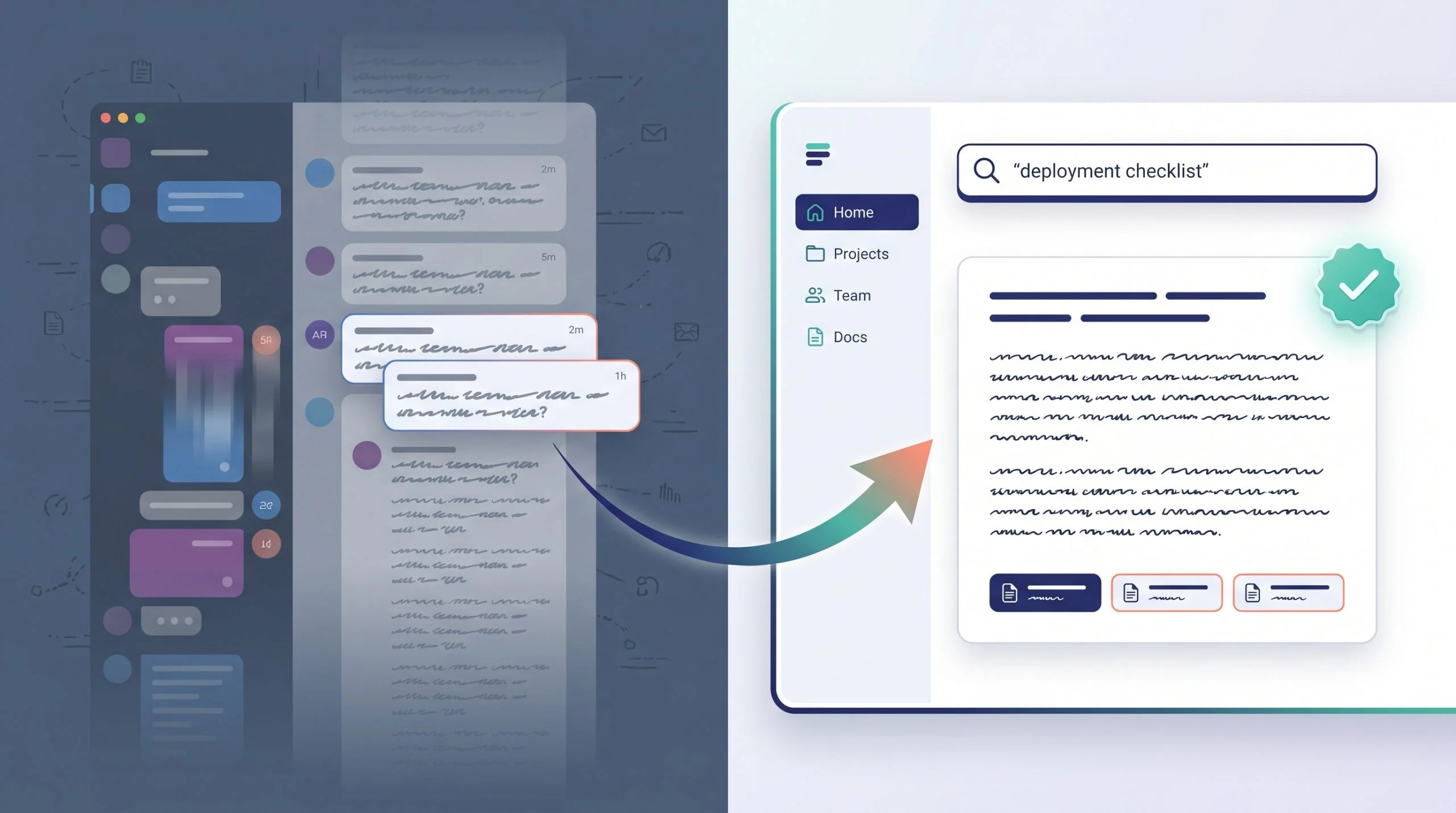
Tired of the same question surfacing in five channels? A Slack-native wiki answers in-thread, captures gems with one click, and reminds owners to verify pages before they go stale.
1. Slite: The Self-Maintaining Knowledge Base
Most wikis go stale the moment you stop tending them; Slite is built to keep itself current. Its standout is Slite Agent — a native AI agent you brief in plain language from Slite, Slack, or Claude. It cross-references your docs against Slack, Linear, GitHub, Intercom and 20+ tools, flags what’s drifted out of date, and proposes the fix — but nothing changes until a human approves it in a Triage review.
Day to day, Ask returns cited answers in-thread (and says “no answer found” rather than inventing one), while owner-set verification cycles keep pages trustworthy. Onboarding is just as fast: ready-made templates and a welcome/homepage doc get new hires productive on day one, and a Knowledge Management Panel quietly flags empty or unverified docs as you scale. That self-maintaining design is one reason Slite ranked first in the 2026 Slite AI knowledge base software comparison, a head-to-head review of 12 leading knowledge-base platforms.
On the trust front, Slite ticks the boxes a fast-growing startup gets asked about in every security review: SOC 2 Type II, GDPR, an EU-hosted option with servers in Belgium, plus SSO and SCIM provisioning — with HIPAA available on the Pro plan when you need it.
Pricing stays founder-friendly: a 14-day free trial, then Basic at $10 per user per month — full KB, AI Ask, doc verification, and MCP access on every plan — while Pro at $20 adds the full Slite Agent and cross-tool search.
Bottom line: Slite keeps documentation current automatically and serves verified, cited answers where your team already works, with humans in control of every change.
Best for: lean startups standardizing their company brain on Slack — teams that want trustworthy docs without the admin overhead.
2. Guru: Instant Answers With Built-In Verification
Guru stores knowledge as bite-size cards, each owned by an expert and set to auto-expire for re-verification. Ask @guru in Slack, and the bot shares the card in-thread with a green Verified badge if it is current. AI Suggest drafts new cards from active threads, turning chat wisdom into permanent knowledge. The Starter plan costs $25 per user per month with a 10-seat minimum. For teams that dread stale docs, Guru’s reminders keep accuracy visible without nagging.
3. Tettra: Q&A Flow That Nudges the Right Expert
Tettra began in a Techstars remote cohort, so it thinks in Slack threads. Mention @tettra; if an answer exists, the bot replies instantly. If not, Tettra pings the page owner to fill the gap, turning unanswered questions into documented knowledge rather than noise. The Basic plan costs $4 per user per month with a 10-user minimum, and the Scaling tier costs $8 per user. The result: fewer repeat pings and a knowledge base that grows itself, one Slack thread at a time.
4. Stack Overflow for Teams: Bring the Public Q&A Model Inside
Developers already trust the public site; the Teams version brings that reputation-based culture behind your firewall. Its Auto-Answer app monitors Slack and replies with the accepted answer from your archive, complete with vote history, so issues get solved before they escalate. The Free tier supports up to 50 users and includes Slack integration; paid tiers start around $10 per user for larger groups and add advanced permissions. Documented solutions grow naturally, and engineers spend less time re-explaining the same fix.
5. Nuclino: Wiki Meets Mind-Map for Visual Thinkers
Nuclino blends a minimal editor with a graph view that shows how pages connect—ideal for a new hire tracing links between “on-call policy” and “incident postmortems.” The beta Sidekick AI answers questions in Slack or inside Nuclino and can draft a first version of a page from a prompt. The free tier covers 50 items, and advanced features start at $6 per user per month. If your team thinks visually and wants Slack answers without drowning in menus, Nuclino hits the sweet spot.
Why This Segment Wins
Every tool above answers inside Slack and cites its sources, turning Slack from a knowledge sinkhole into a living, self-maintaining team brain.
Customer-Facing Knowledge and AI Deflection (Segment B)
Repetitive tickets drain support time. These tools pair a searchable help center with an AI agent that answers routine questions and hands off only the edge cases.
1. Intercom: GPT-4 Inside the Chat Bubble
Turn on Fin, and Intercom Messenger becomes an AI agent that reads your Articles library, replies in natural language, and cites its source. Intercom says Fin resolves up to 50 percent of support queries, freeing your team for edge-case tickets. Pricing scales with value: the Startup program offers steep discounts for year one, then Fin costs about $0.99 per resolved conversation.
2. Zendesk Guide: Ticketing Giant, Answer Bot Included
Already on Zendesk Support? Turning on Guide transforms your help articles into self-service. The GPT-powered Zendesk bot generates full replies, so customers see an answer, not just a link, cutting agent handle time. The Zendesk for Startups program offers six months free for up to 50 agents; after that, pricing follows Zendesk Suite tiers, so you can prove ROI before the meter starts.
3. Document360: Docs Site Without the Suite Overhead
Need a branded docs portal fast? Document360 lets writers work in Markdown, track versions, and publish on a custom domain. AI search fixes typos and synonyms, so users land on the right article the first time, and a chat bot is in beta. Pricing is quote-based across all tiers, so you must contact sales, but a 14-day free trial provides full access before you commit.
4. Stonly: Interactive Guides That Solve Before They Ask
Turn long FAQs into click-through flows that adapt to user choices. AI suggests missing steps and flags drop-offs, so each guide keeps improving. Ideal when troubleshooting depends on if/then logic, not one-line answers.
5. Bloomfire: Multimedia Hub With Smart Search
Bloomfire indexes videos, slides, and PDFs; AI search jumps to the exact second of a tutorial clip. A Slack app brings the same answers to your team. Pricing is quote-based and usually higher than self-serve tools, but it shines when training relies on rich media.
6. Chatbase: Launch a Bot in an Afternoon
Drop PDFs, URLs, or Docs into Chatbase, adjust a few settings, and embed the chatbot on your site or Slack. Each reply includes clickable citations.
- Free tier: 50 message credits per month, one bot, no card required
- Hobby plan: $32 per month for 500 credits and access to advanced models
For teams that need a proof of concept today and can’t budget for a full support suite, Chatbase delivers conversational search without heavy overhead.
Bottom line: Intercom and Zendesk suit teams already in those ecosystems; Document360 is the fast standalone option; Stonly handles decision-tree complexity; Bloomfire excels at video; Chatbase wins on speed and price for lean teams.
Developer-First Auto-Docs (Segment C)
When your product is an API, half the user experience lives in the docs. If those pages trail even one sprint behind the code, trial users leave. AI doc generators now scan your repo, draft the first version, and update pages when functions change.
1. Mintlify: Docs That Ship With the Pull Request
Point Mintlify at your GitHub repo, and its Autodoc engine turns endpoints and comments into a styled site, with dark mode, code samples, and search included. Engineers review the draft in a pull request; merge it, and the public docs go live with the release. The AI writer can fill narrative gaps and suggest quick-start guides based on your most-used functions.
Mintlify offers a free Hobby tier for small or open-source projects and quote-based paid plans for private repos and higher AI limits.
Choose Mintlify when:
- You release weekly and want docs to ride the same CI pipeline.
- Your users expect copy-paste code in seconds.
- You have no dedicated technical writer but plenty of commented code.
For broader collateral, such as videos or slide decks, pair Mintlify with a general wiki from segment A. For code references, a repo-integrated generator is tough to beat.
AI Search and Knowledge Overlay (Segment D)
Sometimes the fastest answer isn’t writing more docs; it’s surfacing the ones you already have. Overlay search engines sit on top of Drive, Notion, Jira, and Slack, acting like a permission-aware “Google for work.”
1. Glean: One Question, Every App
Glean connects to more than 100 SaaS tools, builds a private knowledge graph, and answers natural-language queries such as “Where’s our latest SOC 2 report?” The Slack bot returns a cited snippet while respecting source permissions, so finance stays invisible to marketing. Glean says customers save about 110 hours per user each year and often pilot for under $10 per seat.
2. Confluence With Atlassian Intelligence: Wiki Plus Work Graph
If you already use Jira, turning on Atlassian Intelligence lets Confluence answer questions across pages and issues. Ask “Summarize Project Phoenix decisions,” and the AI stitches related pages, comments, and tickets into a concise brief, then posts it back to Slack. Atlassian’s 2025 DevEx report says 68 percent of developers save ten or more hours a week with AI tooling. Confluence Cloud is free for ten users; premium tiers make the AI features available.
3. Notion AI: All-in-One Workspace Now Answers
Add Notion AI, and you can ask questions inside any page. It searches databases, meeting notes, and kanban boards, then links the exact blocks it referenced. There is no native Slack bot yet, but if your team already lives in Notion, the assistant saves a browser search every time.
When an overlay shines:
- Your knowledge spans five or more tools, and migrating feels impossible.
- Security insists data stay in existing apps, not a new silo.
- You need cross-tool insights such as “open bugs tied to unshipped specs.”
Overlay search won’t replace a wiki; it supercharges whatever you have. One query replaces a multi-tab scavenger hunt.
Conclusion
Startups move fast, and tribal knowledge evaporates even faster. The AI-powered tools above capture answers where they happen, surface them in Slack, and keep documents fresh without human chase-downs. Whether you need an internal wiki, customer help center, code reference, or cross-app search layer, choosing the right platform today will save your team hours of scroll-back tomorrow.