Churches host a wide variety of gatherings every week, from Sunday morning services to mid-week youth groups and community meetings. Keeping the visual tone smooth across every single gathering helps congregants stay connected without distraction.
A cohesive approach to media design keeps the focus where it belongs – on the message. Setting simple production standards creates a seamless flow for every event on the calendar.
Aligning Production Standards Across Every Service
Churches often rely on different volunteers for weekend services, midweek studies, and special conferences. Investing in high-quality options such as Canadian LED church video walls gives media teams a reliable platform that maintains standard color profiles and brightness across all gatherings. Standardizing graphics templates across teams helps maintain a recognizable visual style for every event.
Media teams can build shared design files that include fixed font sizes, approved color schemes, and pre-set background motions. Running quick pre-service checks helps volunteers catch formatting mismatches before the congregation arrives. Clear documentation keeps everyone aligned, regardless of who operates the control booth.
Centralizing media assets on a shared cloud server allows graphics to update automatically across multiple control rooms. Volunteers can pull approved graphics directly into presentation software without guessing file formats.
Selecting Text Sizes for Clear Readability
Scripture readings, lyric slides, and sermon outlines demand crisp typography so everyone in the sanctuary can follow along smoothly. Industry display guides indicate that a P3.91 pixel pitch works best for reading fine scripture text, keeping delicate fonts sharp across long distances.
Selecting clear sans-serif typography prevents text clutter on large digital backdrops. Setting a minimum font size prevents volunteer slide creators from crowding too much information onto a single screen.
Breaking long verses into two distinct slides improves readability for older members. Consistent text placement allows viewers to locate lyrics quickly during worship songs. High-contrast text pairings work best against dynamic video backgrounds during morning services.
Optimizing Viewing Angles for Wide Sanctuaries
Sanctuary layouts vary greatly, with many auditoriums featuring wide fan-shaped seating or balcony sections. Technical research highlights that modern church display panels offer a 160-degree viewing angle, keeping visual content crisp from nearly any seat in the house.
Proper screen positioning makes sure that families seated along the outer aisles receive the exact same visual quality as those in center rows. Mounting hardware must support accurate tilt angles to prevent glare from overhead stage lighting fixtures. Adjusting display height relative to floor slope keeps sightlines clear above seated congregants.
Uniform brightness levels across wide viewing angles prevent dark spots during low-light moments in the service. Testing screen visibility from every seating section helps identify potential obstructions like hanging speakers or structural pillars.
Establishing Standard Operating Procedures for Tech Teams
Creating clear checklists for production volunteers maintains technical consistency week after week. Standardizing boot-up routines prevents technical glitches during early morning soundchecks. A well-structured workflow includes several routine operational steps:
- Powering up display processors 30 minutes before rehearsal.
- Verifying slide aspect ratios match native screen resolutions.
- Testing live camera feeds for color balance and latency.
Training operators on a single presentation platform simplifies volunteer scheduling across mid-week and weekend events. Running monthly workshops helps volunteers learn quick troubleshooting steps for unexpected signal drops.
Written guides stored near the switcher board provide immediate answers during live technical emergencies. Post-service debriefs allow volunteers to flag technical errors or awkward slide transitions.
Managing Screen Brightness for Day and Night Events
Sanctuaries with large windows face shifting ambient light levels between morning services and evening gatherings. Adjusting display nit levels prevents harsh glare during dark evening events and maintains visibility during bright sunlit mornings. Auto-dimming sensors or preset brightness profiles help tech crews adapt screen output effortlessly.
Balanced brightness prevents eye fatigue for attendees sitting through multi-hour conferences or leadership seminars. Matching screen luminance to ambient stage lighting creates a natural look on live video broadcasts. Setting proper black levels keeps background graphics looking rich rather than washed out.
Presets calibrated for specific times of day allow volunteers to change brightness settings with 1 touch. Uniform lighting ratios keep sermon graphics legible regardless of outdoor weather conditions.
Diversifying Background Media Across Different Gatherings
Matching visual backdrop styles to the tone of a specific gathering builds an immersive environment for participants. Technical buying guides demonstrate that display setups accommodate atmospheric backgrounds, nature scenes, abstract graphics, architectural visuals, or custom motion graphics.
Using subtle motion graphics during prayer times creates a reflective mood without distracting from the speaker. Youth events often benefit from energetic motion graphics, whereas traditional Sunday services require calmer visual textures. Media Directors can categorize visual assets by mood and event type in a central library.
Structuring background media playlists prevents inappropriate visual themes during solemn service segments. Color palettes should reflect seasonal themes like Advent or Easter and retain core brand elements. Coordinating stage lighting colors with screen background hues unifies the physical and digital presentation.
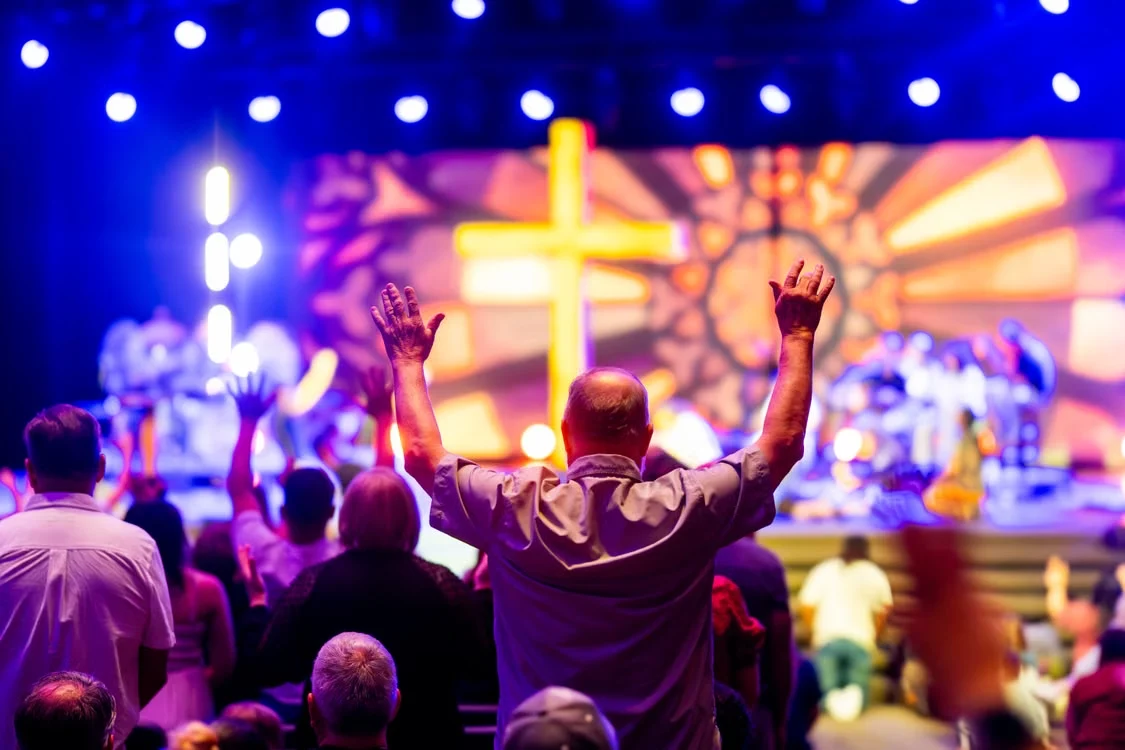
Building a seamless visual environment requires clear guidelines, reliable hardware, and consistent team communication. Prioritizing clear typography and unified graphic assets ensures every event reflects the heart of the ministry.
When technology operates smoothly in the background, congregants can fully engage with worship and teaching. Smart planning keeps visual experiences steady across every gathering throughout the year.