Two factor vs two step is an important topic for online safety. Many people think 2FA and 2SV are the same, but they are a little different. Both help keep your online accounts safe from hackers. They add one more check after your password.
Today, we use the internet for many things, like email, banking, shopping, and social media. Because of this, keeping our personal information safe is very important. One good way to protect your accounts is to add one more safety step when you log in. This can be done with two-factor authentication, also called 2FA, or two-step verification, also called 2SV.
These methods help make sure that only you can open your account. Even if someone knows your password, they may still need another code or check to get in.
In this article, we will explain what this extra login protection means, how it works, why it is helpful, what problems it may have, and the main difference between 2FA and 2SV.
What Is Two Factor vs Two Step?
Two-factor authentication, or 2FA, means you use two different ways to prove who you are when logging in, such as a password and a phone app.
Two-step verification, or 2SV, means you pass two steps to log in. These steps can be similar or different.
People often use these two terms in the same way, but they are not always exactly the same.
| Term | Meaning | Example | Stronger? |
| Two-step verification, 2SV | Two separate login steps | Password + email code | Good |
| Two-factor authentication, 2FA | Two different factor types | Password + security key | Better |
| Multi-factor authentication, MFA | Two or more factor types | Password + app + biometric | Often best |
| Phishing-resistant MFA | MFA designed to resist fake login pages | Passkey or FIDO2 security key | Strongest |
If you have ever wondered what is two factor vs two step, the short answer is this: two-step is about the number of steps; two-factor is about the type of proof used.
What Is Two-Step Verification?
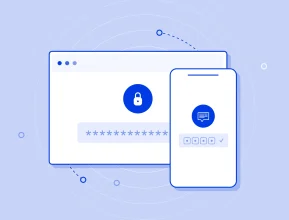
Two-step verification, or 2SV, is a way to make your account safer.
It means you need two steps to sign in:
- Enter your username and password.
- Enter a code or approve a message.
The code may come by SMS, email, or an authenticator app. The main idea is simple: even if someone knows your password, they still need the second step.
Examples
Two-step verification can use:
- password + SMS code
- password + email code
- password + phone notification
- password + app code
- password + backup code
Google calls this 2-Step Verification. You can turn it on in your Google Account security settings. Two-step verification is like having two locks on your account.
Related Content:
The Future of Identity Verification in Banking
What Is Two-Factor Authentication?
Two-factor authentication, also called 2FA, means you need two different ways to prove who you are before you can log in.
These two ways are usually chosen from three groups:
- Something you know
This is information you remember.
For example: a password, a PIN, or an answer to a security question. - Something you have
This is something that belongs to you.
For example: your phone, an authenticator app, a security key, or a device that uses a passkey. - Something you are
This is part of your body.
For example: your fingerprint, your face, or another biometric check.
Multi-factor authentication, or MFA, means using two or more of these groups. For example, you may use a password and then also confirm it with your phone. Because 2FA uses two different groups, it is one type of MFA.
Is Two-Step Verification Always Two-Factor Authentication?
Two-step verification is not always the same as two-factor authentication. Two-step verification only means you have two steps when you log in. But both steps can be the same kind of check. For example, a password and a security question are both things you know. So, this is two steps, but it is not real two-factor authentication. Two-factor authentication means you use two different kinds of checks, like a password and a code on your phone.
Difference between 2FA and 2SV
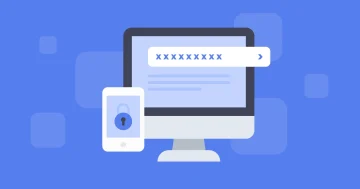
The main difference between 2FA and 2SV is the kind of checks they use. 2FA uses two different kinds of checks. For example, you may use a password and a code from your phone. 2SV also uses two steps, but the steps can be from the same kind of check. For example, you may use a password and answer a security question. 2FA is usually safer than 2SV because it is harder for someone to pass two different kinds of checks.
What is two factor vs two step verification
When people search for what is two factor vs two step verification , they usually want to know the difference between 2FA and 2SV.
two-step authentication means you need to pass two steps to log in. Two-factor authentication means you need to prove your identity in two different ways.
For example, two-step authentication can be a password and then a code sent to your email. This gives your account more protection, but both steps may still depend on similar information.
Two-factor authentication is usually stronger. For example, you enter your password and then use a security key or an app on your phone. This is safer because it uses different kinds of proof.
So, the main difference is simple: two-step authentication is about how many steps you take, but two-factor authentication is about what kind of proof you use.
Is 2SV the Same as MFA?
No, not always. 2SV can be MFA, but only when the two steps use different kinds of proof.
For example, a password and an authenticator app can be MFA. A password and a hardware security key can also be MFA, because they use stronger and different proof.
But a password and a security question is not strong MFA. Also, a password and a code sent to the same email can be weak, especially if that email is already hacked.
This is why many security experts use the word MFA. It is clearer because it talks about how strong the login method is, not only how many steps the user sees.
NIST also explains that different login methods give different levels of protection. So, not every second step protects your account in the same way.
Best Practices for Choosing Between 2FA, 2SV, and MFA
Choosing between 2FA, 2SV, and MFA depends on how important the account is. A simple account may only need basic safety, but an important account needs stronger protection.
For normal accounts, 2SV can be enough. It adds one more step after the password, like a code from email or SMS. This is safer than using only a password.
For more important accounts, 2FA is a better choice. It uses two different kinds of proof, such as a password and an authenticator app. This makes it harder for hackers to enter the account.
For bank accounts, business accounts, admin accounts, or accounts with private information, MFA is usually the best option. It can use stronger methods, like a password, phone app, fingerprint, or security key.
Try to avoid weak methods when you can. Security questions are not very safe because someone may guess the answers. Codes from SMS or email are also not always the strongest choice.
The simple rule is this: the more important the account is, the stronger the protection should be. For accounts with money, private data, work files, or admin access, use MFA or strong 2FA. For less important accounts, 2SV may be enough.
The best choice is a method that keeps the account safe and is still easy for people to use every day.
Common Mistakes People Make with Two-Step Verification
Even people who enable two-step verification can weaken their own protection. Avoid these mistakes:
- Using the same password everywhere
- Relying only on SMS for critical accounts
- Saving backup codes in an unlocked notes app
- Approving login prompts you did not request
- Ignoring account recovery settings
- Using shared email accounts for recovery
- Keeping old phone numbers attached to accounts
- Assuming 2FA makes phishing impossible
The goal is not just to add a second step. The goal is to make account takeover much harder.
FAQs
What is two factor vs two step in simple terms?
Two-step means you complete two login steps. Two-factor means those steps use two different types of proof, such as something you know and something you have. All strong 2FA is two-step, but not all two-step verification is true 2FA.
Can I still be hacked with 2FA enabled?
Yes. 2FA reduces risk, but attackers can still use phishing, SIM swapping, malware, stolen session cookies, or social engineering. For stronger protection, use phishing-resistant MFA such as passkeys or hardware security keys.
Which is better, 2FA or MFA?
MFA is the broader and often better term because it includes two or more factors. 2FA is a type of MFA that uses exactly two factors. For most people, strong 2FA with an authenticator app, passkey, or security key is excellent protection.