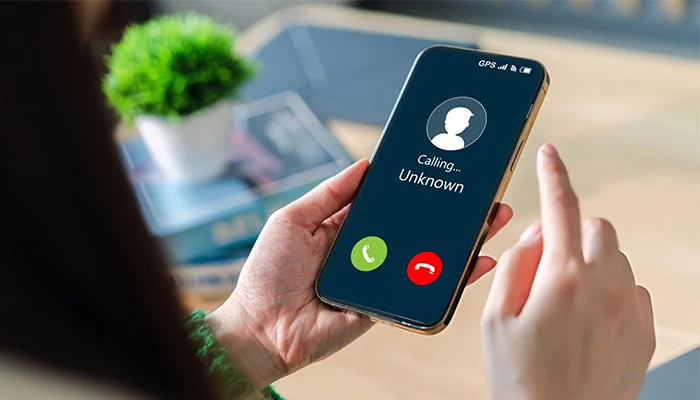
Private calling means you can call someone without showing your phone number. Sometimes you don’t want other people to see your number. For example, you may be calling a shop or company, calling back someone you don’t know, or just keeping your number private. When you call a private number, the person you call will not see your number. They may see words like Private, Blocked, or No Caller ID.
In this guide, I will show you how to hide your number on iPhone, Android, Samsung, and home (landline) phones. I will also show the short codes people use, *67 or #31#, and what to try if it doesn’t work. When you finish reading, you will know how to make a private call whenever you need it.
How to private call ?
When you call private number, your phone tries to hide your number so the other person cannot see it. Instead of your number, they may see “Private” or “Blocked.”
But private calls do not work in every case. Here are the limits:
- Emergency numbers: Police, ambulance, and other emergency services can often still see who is calling. Some places also do not allow private calls to emergency numbers.
- Some free (toll-free) numbers: Some toll-free numbers may still be able to see your number, even if you hide it.
- Some people block private calls; many people and businesses do so. If you call them, your call may not go through, you may hear a message, or it may go to voicemail.
Read More:
How to unblock a number on iPhone ?
How to schedule a text on iPhone ?
How to call someone private ?
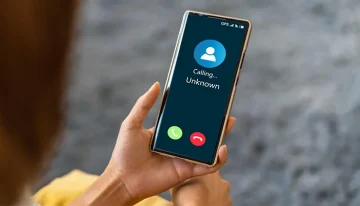
To call someone in a private way, you can hide your phone number. Then the other person will not see your number on their screen. On some phones, you can type a special code before the phone number. For example, in some places you type *67 and then the phone number. When the person gets your call, it may show “Private,” “Unknown” or “No Caller ID” . This can help if you do not want to share your number. But some people do not answer these calls because they do not know who is calling.
How to call private number ?
Many phones let you make a private call by changing a simple setting in the call options. You can turn off caller ID so your number stays hidden when you call someone. The steps can be different on each phone, so it helps to check your phone’s “Phone” or “Call Settings” menu. After you finish, you can turn the caller ID back on if you want your number to show again.
How to call private number on iPhone ?
Method 1: Hide your number for every call (iPhone)
Use this if you want your number hidden all the time.
- Open Settings
- Tap Phone
- Tap Show My Caller ID
- Turn it Off
If you don’t see “Show My Caller ID,” your phone company may not support this option.
Method 2: Hide your number for one call only (use a code)
Use this if you only want to hide your number one time.
- US/Canada: Dial *67 before the number
Example: *67 555-123-4567 - Many other countries: Dial #31# before the number
Example: #31# 555-123-4567
How to Call Private on Android ?
Android phones can look a little different, but the steps are almost the same on most devices.
Method 1: Hide your number for all calls (Android setting)
- Open the Phone app
- Tap the three dots (⋮) or Menu
- Tap Settings
- Tap Calls or Calling accounts
- Tap Caller ID
- Choose Hide number
(Some words may be different depending on your phone brand.)
Method 2: Hide your number for one call (easy code)
Before you type the phone number, add one of these codes:
- US/Canada: *67 + number
Example: *67 555-123-4567 - Many other countries (GSM): #31# + number
Example: #31# 555-123-4567
How to Call Private Number on Samsung ?
Samsung phones use Android, so the steps are usually like this:
- Open the Phone app
- Tap the three dots (⋮)
- Tap Settings
- Tap Additional services or Supplementary services.
- Tap Show caller ID
- Choose Hide number
(The names can be a little different on some Samsung models.)
If you can’t find this option, your phone company may block it. In that case, try a code before the number, like *67 (US/Canada) or #31# (many other countries).
How to call from a private number ?
Calling from a private number means other people cannot see your phone number when you call them. Your number is hidden, so their phone may show something like “Blocked” or “Private.” Many phones have a simple setting to hide your caller ID, and you can turn it on when you want and turn it off later. People do this when they want more privacy, for work, or for safety. But remember, some people may not answer because they do not know who is calling.
How to make a private call ?
To make a private call, you need to hide your phone number before you call someone. Many phones have a simple setting that lets you hide your caller ID. When this is on, the other person will not see your number on their screen. Instead, their phone may show something like “Private” or “Blocked.” This is useful if you want to keep your number secret when you call.
How to Call Private on Landline
Home phones (landlines) can also hide your number, but the code varies by country. Here are some common examples:
- US/Canada: *67
- UK: 141
- Australia: 1831
If you want your number to stay hidden for every call, call your phone company and ask them to turn on caller ID blocking for your line.
Get your phone carrier to hide your number ?
Many phone companies can help you hide your number so it does not show on Caller ID. In many cases, this is free, but it can depend on your plan. You can usually turn it on in your account settings, or you can ask customer support to do it for you.
Here are simple ways to do it with some popular carriers:
- Verizon: Log in to your Verizon account. Go to Blocks or Manage Blocks. Choose your phone line, then turn on Caller ID Blocking.
In the Verizon app, go to Plans & Devices, pick your phone, then find Block Services (or a similar option) and switch on Caller ID Blocking. - AT&T: The easiest way is to call AT&T customer service and ask them to turn on Caller ID Blocking for your number.
- Sprint / T-Mobile: You can usually set it up by calling support or using the chat option on the T-Mobile website. Just tell them you want Caller ID Blocking.
- Xfinity Voice (internet home phone): Use Xfinity chat support and ask them to turn on Caller ID Blocking for your phone line.
When you contact support, say this simple line:
“Hi, please turn on Caller ID Blocking so my number shows as Private/Blocked.”
How to call back a private number ?
Many people search “how to call private number back” after they see “No Caller ID” or “Private” on their phone. Here are the easiest things you can try.
Option 1: Try to call back the last caller (it may work)
Sometimes you can call back the last person who called you.
But if the caller hid their number, this may not work.
- US/Canada: Dial *69. Your phone will try to call the last caller only if their number was not hidden.
- UK: Some phone companies have a “last caller” service. Many people use 1471 to hear the last caller’s number or details (it depends on the provider).
If the call showed Private / No Caller ID, the number might be fully hidden, so calling back may be impossible.
Option 2: Check your call list and voicemail
Even if the call shows Private or No Caller ID, the number may still be saved somewhere. Look in these places:
- Recent calls: Open your phone’s call list and check the last calls.
- Voicemail: If the person left a message, their number may show there.
- Phone company history: Log in to your carrier’s app or website, then check your call history.
Option 3: Stop private calls if they happen again and again
If you keep getting these calls and it bothers you, you can do a few simple things:
- On iPhone, turn on Silence Unknown Callers (unknown numbers won’t ring)
- Turn on your phone company’s spam call filter (if they have it)
- Use block options for unknown callers (if your phone supports it)
- If the calls are scary, rude, or threatening, tell your phone company or report it to local authorities.
FAQs
What is *67 vs *69?
*67 hides your caller ID for an outgoing call. *69 calls back the last incoming caller if the number is available.
Does *67 make a call private?
On many US/Canada lines, yes, dialing *67 before the number typically shows your call as Private/Blocked/Restricted to the recipient.
Is *69 a private call?
No. *69 only helps you call back the last person who called you. It does not hide your number. Your number can still show.
What does #31# do?
In many countries, if you type #31# before the phone number, it can hide your number for that one call.
Example: #31# 555-123-4567
Why are my private calls getting blocked?
Some people and many businesses do not accept private calls. They use a setting that blocks calls that show as Private, Blocked, or No Caller ID. So your call may go to voicemail or may not go through at all.

Peyman Khosravani is a seasoned expert in blockchain, digital transformation, and emerging technologies, with a strong focus on innovation in finance, business, and marketing. With a robust background in blockchain and decentralized finance (DeFi), Peyman has successfully guided global organizations in refining digital strategies and optimizing data-driven decision-making. His work emphasizes leveraging technology for societal impact, focusing on fairness, justice, and transparency. A passionate advocate for the transformative power of digital tools, Peyman’s expertise spans across helping startups and established businesses navigate digital landscapes, drive growth, and stay ahead of industry trends. His insights into analytics and communication empower companies to effectively connect with customers and harness data to fuel their success in an ever-evolving digital world.