
Manage UK income tax, refunds, self-assessment, and tax code in one place. Learn how to set up and use your Personal Tax Account with HMRC, step by step.
Your Personal Tax Account is a secure HMRC online account where you can view and manage everything about your UK tax in one place: your income tax, tax code, National Insurance record, Self Assessment, state pension forecast, tax refunds, and more. You can also update your personal details (such as a new address), check what you owe, and claim money back without calling HMRC.
You can create a Personal Tax Account in minutes using your Government Gateway login and proof of identity (for example, a passport or payslips).
Related Contents:
A Simple Guide to Getting Your Sales Tax Permit
Personal Property Tax vs Real Estate Tax
Tax Consultants for Business Owners
What is a Personal Tax Account?
Your Personal Tax Account is an online service from HM Revenue & Customs (HMRC) that brings all your individual tax information into one dashboard. Think of it like online banking, but for your tax life. When you log in to your Personal Tax Account, you can:
- See how much Income Tax HMRC thinks you will pay this year
- See your tax code
- See what you earned from your jobs in the last 5 years
- See how much tax you already paid
- Send your Self Assessment tax return, or fix it
- Ask for a tax refund if you paid too much
- Check Child Benefit
- See your National Insurance record and your State Pension forecast
- Tell HMRC if you change your name or address
- See your National Insurance number and your UTR (tax reference number)
- Tell HMRC about job benefits (like company car or private health insurance) so your tax code is correct
Why is a Personal tax account important?
If your tax code is wrong, you might pay too much or too little tax. In your Personal Tax Account, you can fix this yourself fast without calling HMRC.
If you are self-employed or make extra money (for example, from renting property, YouTube, freelance work, Airbnb, etc.), you usually must do a Self Assessment.
Your Personal Tax Account helps you register, file your return, and view deadlines so you don’t incur a late penalty.
My Personal Tax Account
My Personal Tax Account” is my own HMRC online account. I can see what I owe, what I’ve already paid, my tax code, any refund I’m eligible for, my Self Assessment status, my National Insurance record, and even my future State Pension. I can also update my details so HMRC does not use old information. This helps me avoid mistakes, extra tax, and late penalties. I should log in whenever my job or pay changes, or when I start earning extra income (freelance work, rental income, side business).
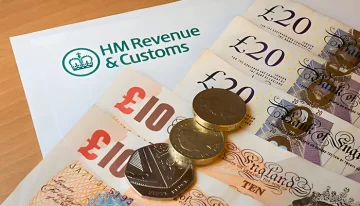
HMRC Personal Tax Account (official name and how it connects to HMRC)
The HMRC Personal Tax Account is your own online tax account on GOV. UK, made by HM Revenue & Customs, and you sign in with your Government Gateway login. In this account, you can see what HMRC knows about you, like your pay from jobs (PAYE), how much tax you have already paid, your tax code, your Self Assessment status, your National Insurance record, and even your State Pension forecast. You can also check whether you are due a tax refund, see if you still owe anything, and update your personal details, such as your address. HMRC now wants most people to fix tax questions online instead of calling, so you can use your HMRC Personal Tax Account to correct your tax code, ask for a refund, register for Self Assessment, send your tax return, and see deadlines so you avoid late penalties. This helps you keep your information up to date, stop mistakes (for example: wrong salary, old company car, old address, missing National Insurance year), and avoid surprise tax bills later.
Personal Tax Account UK
Your Personal Tax Account in the UK is an online HMRC account that most people should use, including those with a regular job, those who are self-employed, landlords, and those close to retirement. This account helps you make sure your tax is correct. For example, if you have more than one income (like a full-time job plus side work), HMRC might split your tax-free allowance in the wrong way, and you could pay too much tax. In your Personal Tax Account, you can check this and fix it yourself. If you rent out a room or a property, that income usually means you must do a Self Assessment. The account lets you register for Self Assessment, see deadlines, and avoid late fines. If you changed jobs in the middle of the tax year and got put on emergency tax, you can log in and see if HMRC owes you a refund and ask for that money back. The account is also helpful if you are near State Pension age, because it shows your National Insurance record and your State Pension forecast, and lets you see if you have missing NI years that could lower your pension. You can also manage things like Child Benefit and Marriage Allowance from the same place. HMRC is moving more and more to online services, so checking your Personal Tax Account a few times each year (April, December/January, and July) helps you fix problems early, avoid surprise tax bills, and avoid penalties.
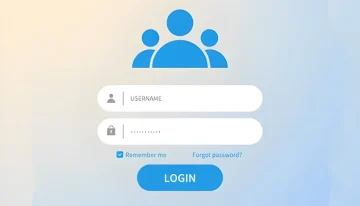
How to set up a Personal Tax Account
Setting up your Personal Tax Account is easy. You can do it step by step:
Go to the official HMRC page
Go to the Personal Tax Account page on the honest GOV. UK website and click “Start now.”
Necessary: only use GOV.UK. Do not trust other websites that say “fast tax refund.”
Sign in or make an account
You will see two choices:
- Sign in (if you already have a Government Gateway login), or
- Create an account (if you are new).
Your Government Gateway login is your HMRC online ID.
Prove who you are
HMRC will ask some questions to make sure it’s really you.
They usually ask for:
- Your National Insurance number
- Your email and mobile number
- Photo ID (UK passport or UK driving licence)
- Or details from your payslip, P60, or other tax info they already know
If you cannot pass this step (for example, if you have no passport or UK licence), you may need to contact HMRC for help.
Set up 2-step security
You will be asked to add extra security, such as receiving a code by text message or using an authenticator app.
You need this code each time you log in, so keep it safe.
Open your dashboard
After you finish, you can see your Personal Tax Account dashboard.
On the dashboard, you will see sections like:
- Income Tax
- Self Assessment
- National Insurance
- State Pension
- Tax credits / Child Benefit (if this applies to you)
- Check tax refund
- Update address
This dashboard is where you manage your tax online.
Personal Tax Account login tips
Your Personal Tax Account has very private information about you (your money, your National Insurance number, etc.). You must protect it like you protect online banking. Do this:
- Use a strong password that you do not use on any other website.
- Turn on 2-step sign-in (for example, a code by text message or an authenticator app).
- Do not share screenshots or photos of your account with other people or on social media.
- Always log out if you are using a computer or phone that is not yours.
If you cannot get in later (for example, you changed your phone number and no longer receive the code), HMRC has a “can’t sign in” help option to recover your access.
Personal Tax Account vs Business Tax Account
Here’s the same explanation in straightforward language, shown as a clear comparison table you can use:
| Topic / Feature | Personal Tax Account (for you) | Business Tax Account (for your business) |
| Who is it for | You as a private person / UK taxpayer | A company, business, or employer |
| What it is used for | Check your Income Tax, tax code, National Insurance, pension forecast | Handle business taxes like VAT, PAYE for staff, Corporation Tax |
| Self Assessment | Yes – you can register and file your own Self Assessment here | Yes – you can add Self Assessment for the business if you’re self-employed or trading |
| Tax refunds | You can ask for a personal tax refund here | Not mainly for personal refunds. It’s for business payments and reports |
| Payroll / PAYE for employees | No, this is only about you | Yes, you use it to send PAYE info for your workers |
| VAT | No | Yes, you register/manage VAT here |
| Corporation Tax | No | Yes, you manage Corporation Tax here |
| Login | Government Gateway for you (HMRC checks your ID with things like passport, payslip, NI number) | Government Gateway for the business (you sign in to act as the business / employer) |
| Main benefit | Keeps your personal tax correct, helps you avoid paying too much tax, helps you see pension and request refunds | Keeps your business legal with HMRC, helps you report VAT, PAYE and Corporation Tax on time |
| Do you need it? | Yes, if you pay tax in the UK | You only need this if you run a business, pay staff, or charge VAT |
FAQs
What is your personal income tax?
Personal income tax is the tax you pay on income such as salary, pensions, rental profit, and self-employed earnings. In the UK, this is mainly Income Tax plus National Insurance if you’re working.
Which account do I pay personal tax to?
You pay personal tax (for example, Self Assessment) directly to HMRC. Inside your Personal Tax Account, you can see exactly how much you owe and pay it online via card or bank transfer.
Is a Personal Tax Account the same as Self Assessment?
No, Self Assessment is a tax return. Your Personal Tax Account is the dashboard. You can register for Self Assessment, submit returns, and view what you owe from inside the Personal Tax Account.











