
Creating cartoon-style videos has become very popular on social media, but many content creators have trouble with complex animation software or expensive professional tools. If you want to transform personal memories into animated stories, create engaging content for your business, or just explore creative video editing, finding the right cartoonization tool can feel difficult.
This guide looks at the best online video cartoonizer tools. We will explore their features, ease of use, and output quality to help you choose the best solution for your needs. Keep reading to find the right cartoonizer for you and start making great animated videos today.
Top Video Cartoonizer Tools Comparison
The market offers numerous video cartoonizer tools, each with unique strengths and limitations. We tested five leading platforms to help you choose the right solution for transforming your videos into animated content. Here’s our detailed comparison based on features, usability, and overall performance.
| Tool | Pros | Cons | Rating |
| Wondershare Media.io | Multiple cartoon styles One-click conversion process Fast processing speed | Usage limits on the free plan | 4.8/5 |
| GoEnhance AI | Frame-to-frame video generation Character animation features Professional quality output | Token-based pricing system Limited free trial (30 tokens) Higher cost for extended use Complex interface for beginners | 4.2/5 |
| Vidnoz AI | Multiple language support Free daily minutes available User-friendly interface | Primarily avatar-focused, not pure cartoonization Limited cartoon styles Short video duration on the free plan Requires account registration | 3.8/5 |
| Filmora AI | Comprehensive video editing suite AI-powered enhancement tools Strong learning resources | Subscription required for full features Steep learning curve Watermark on the free version Resource-intensive software | 4.0/5 |
| AILab Cartoonizer | Completely free to use Simple three-step process HD output quality | Limited style options Basic functionality only File size restrictions (100MB max) No advanced editing features | 3.5/5 |
After lots of testing with different video types and ways to use them, Wondershare Media.io is our best choice for making videos look like cartoons. Its mix of many style choices, easy-to-use design, and good performance makes it great for both beginners and content creators. The tool always gives good results with little work, but users should think about getting a paid plan for exports without watermarks and more use.
In the following section, we’ll provide a detailed review of Media.io’s features and demonstrate how to create stunning cartoon videos using this powerful platform.
Detailed Review of Wondershare Media.io
Wondershare Media.io Free Video Cartoonizer is an AI-powered online tool that transforms regular videos into animated cartoon styles. The web-based platform works on any device through your browser, requiring no software installation.
Media.io helps content creators, social media managers, teachers, and businesses who want to make interesting animated content without special skills. The platform works well for changing real video into different cartoon styles like Disney, Cyberpunk, K-pop, and anime looks. Users can make cartoon videos from written instructions, change videos they already have, or create animations from still pictures.
The tool meets the need for eye-catching social media content, especially on sites like TikTok, YouTube Shorts, and Instagram Reels, where animated videos get more likes and views. If you need business content, educational materials, or fun posts, Media.io makes it easy to create cartoon videos. The platform works fast with videos, giving you results in minutes instead of hours, so it’s great for creators who need to finish quickly without making the quality worse.
Features and Capabilities of Media.io Video Cartoonizer
Media.io offers a comprehensive suite of features designed to make cartoon video creation accessible to everyone. These core capabilities ensure users can transform any content into engaging animated videos efficiently.
One-Click Video Cartoonization
This main feature changes videos you already have into cartoon styles automatically using AI technology. Users just upload their video, pick a style they like, and get animated results in minutes. The process removes the need for hard editing work while keeping the video quality and how good it looks.
Multiple Cartoon Style Options
The platform gives many different animation styles like Disney, Cyberpunk, K-pop, Fantasy, and Graffiti effects. Each style has special looks that work well for different types of content and audiences. Users can try different looks to match their brand or creative ideas perfectly.
Text-to-Cartoon Video Generation
This new feature makes complete cartoon videos from written descriptions or story ideas. The AI reads text input and makes matching pictures, characters, and scenes automatically. Content creators can make animated stories without knowing how to film or draw, which is perfect for storytelling and business campaigns.
High-Quality Output Options
Media.io works with different video quality settings like 480p, 720p, and more for professional results. The platform keeps video clear and colors bright during the change process. Users get content ready for social media, presentations, or business use without making the quality worse.
Cross-Device Compatibility
The web-based design works well on computers, tablets, and smartphones. You don’t need to download or install anything. So users can access their projects from any place with internet, which means you can create content anywhere, and it helps with work and teamwork today.
All these features make a strong and easy platform. It lets everyone make cartoon videos. This makes good-quality animated content easy for creators with any skill level.
How to Make a Cartoon Video with Media.io
Now that you understand Media.io’s capabilities, let’s walk through the actual process of creating your cartoon video. The platform makes video cartoonization straightforward with just three simple steps.
Step 1. Select Your Animation Style
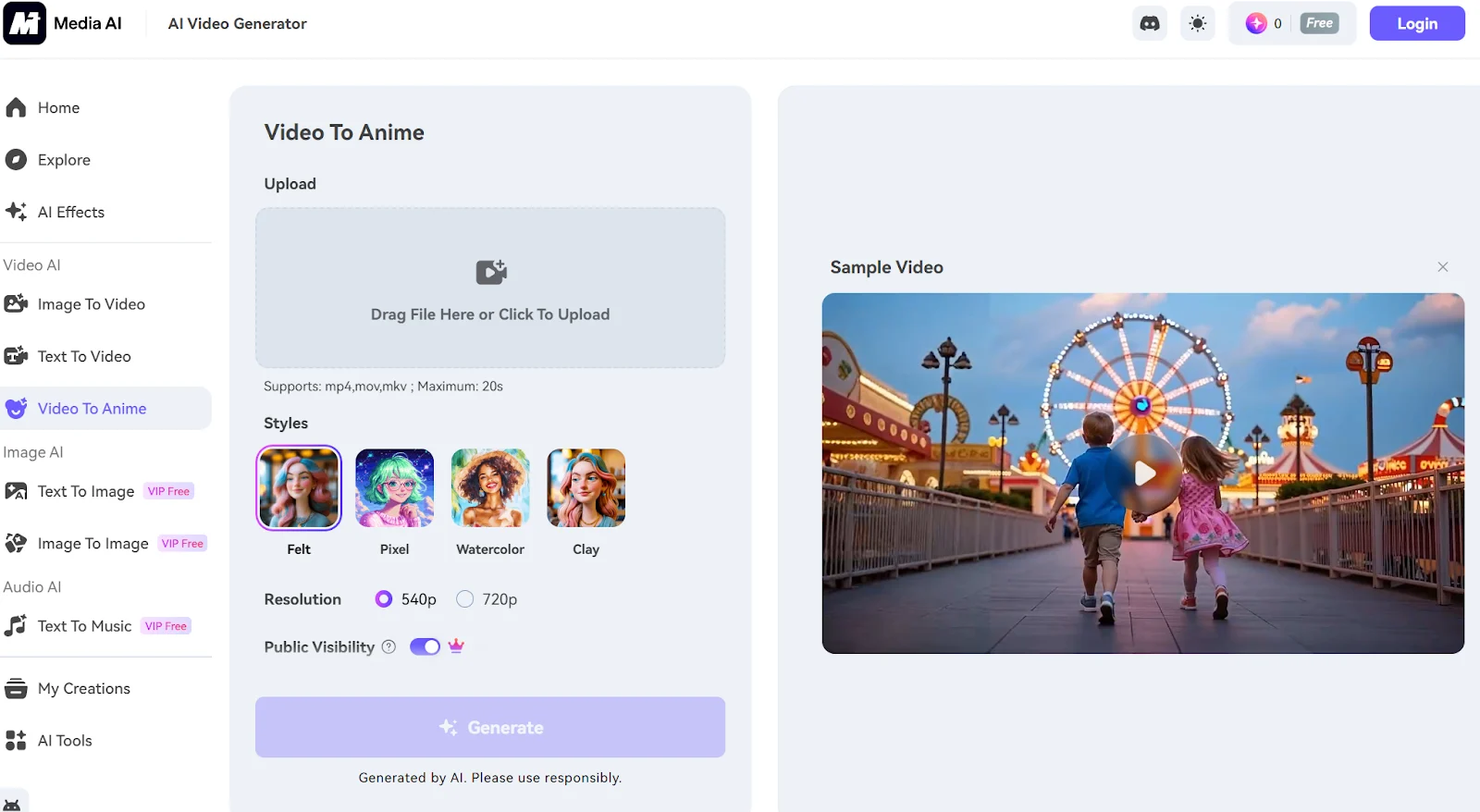
Open Media.io AI Restyle in your web browser and browse through the available cartoon templates. Choose from popular styles based on your project needs. Each style creates a different visual mood for your content.
Step 2. Upload and Process Your Video
Import your video file by dragging and dropping it onto the platform or using the upload button. Once uploaded, the AI technology begins converting your footage into the selected cartoon style automatically. The processing typically completes within a few minutes, depending on video length.
Step 3. Save Your Animated Creation
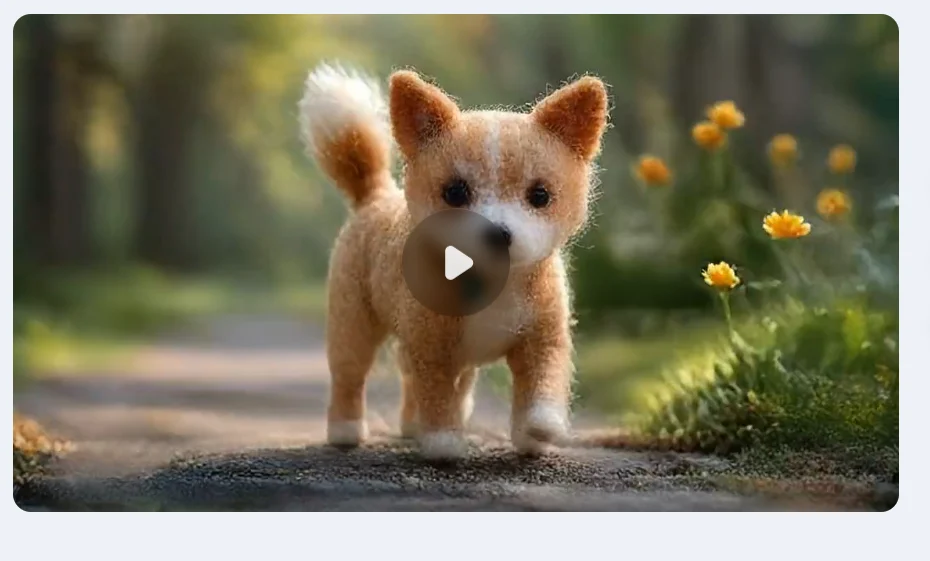
After the conversion finishes, preview your cartoon video to ensure it meets your expectations. Click the Download button to save the final animated video to your device. The file will be ready for sharing on social media or using in your projects.
Pro Tip: If you prefer creating cartoon videos from scratch instead of converting existing footage, try the text-to-video feature. Simply enter a detailed description in the prompt field, choose your preferred video duration, select the appropriate settings, and click Generate. This method produces original animated content based entirely on your written ideas.
Final Words
Media.io is a great video cartoonizer that puts together easy use with professional-quality results. Its web-based platform gives many different cartoon styles, fast processing speeds, and high-quality output without needing to install software. The tool makes cartoon video creation easy for creators with any skill level.
The platform always gets better by adding popular video effects and updating its AI abilities to meet what social media needs now. Visit the official Media.io website to check out the newest features, find more creative tools, and learn about new features that can make your video creation experience better.











