
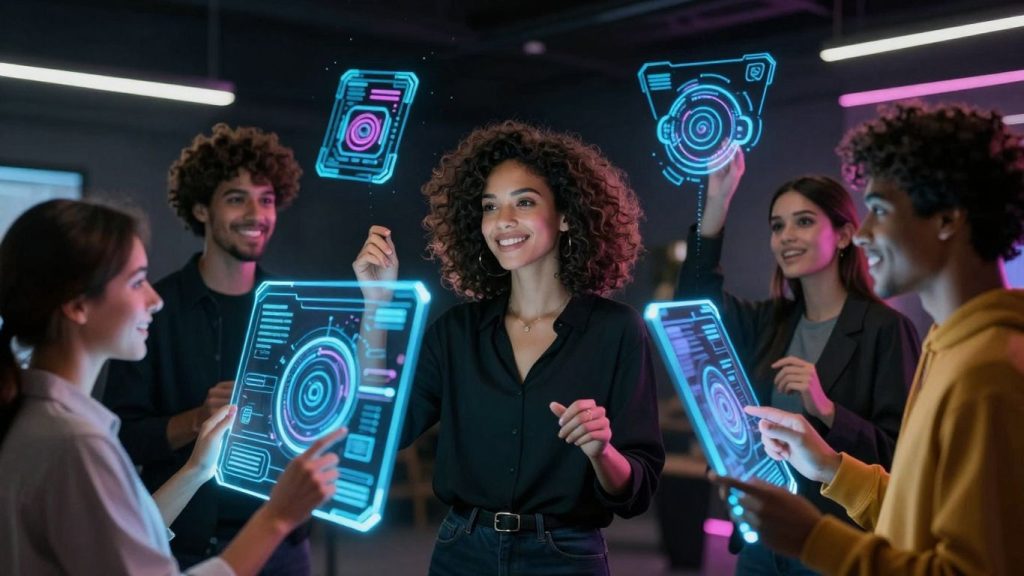
In today’s digital landscape, the ability to create compelling visuals is more important than ever. Fortunately, an ai photography generator offers a powerful way to bring your creative visions to life. These tools can transform simple ideas into stunning imagery, making professional-quality art accessible to everyone. Whether you’re looking to enhance existing photos or create something entirely new, an ai photography generator is a game-changer.
Key Takeaways
- An ai photography generator converts text descriptions into visual art, allowing users to create images based on their ideas.
- These tools offer various features like style transformations, quality improvements, and object removal to modify images.
- AI generators can produce professional headshots, explore different personal looks, and create fan art or imaginative scenarios.
- Using an ai photography generator can speed up the creative process by automating initial art creation stages.
- Improving AI-generated images involves refining prompts, using editing tools, and learning from community resources.
Understanding the Power of an AI Photography Generator
What an AI Photography Generator Does
An AI photography generator is a tool that uses artificial intelligence to create or alter images. Think of it as a digital artist that can take your ideas, described in words, and turn them into pictures. It’s not just about making simple edits; these generators can produce entirely new visuals that look like photographs, or transform existing ones into different artistic styles. They work by analyzing vast amounts of image data to learn patterns, styles, and how different elements combine. When you give it instructions, the AI uses this learned knowledge to construct an image that matches your request.
Transforming Ideas into Visual Art
This is where the real magic happens. You have a concept in your head – maybe a futuristic cityscape, a portrait of a historical figure in a modern setting, or a fantastical creature in a forest. Instead of needing to be a skilled artist or photographer to bring it to life, you can describe it to the AI. The generator then interprets your description and creates a visual representation. It’s like having a direct line from your imagination to a finished piece of art. This capability opens up possibilities for storytelling, concept development, and simply visualizing things that don’t exist in reality.
The Role of Prompts in AI Art Creation
Prompts are the instructions you give to the AI. They are essentially text descriptions of what you want the AI to create. The quality and detail of your prompt directly influence the outcome. A simple prompt like "a cat" might give you a generic cat image. However, a more detailed prompt, such as "a fluffy ginger cat sitting on a windowsill, bathed in warm afternoon sunlight, with a slightly blurred garden in the background, in a photorealistic style," will yield a much more specific and nuanced image. Learning to write effective prompts is key to getting the results you desire. It involves being descriptive, specifying styles, moods, colors, and even camera angles. It’s a skill that develops with practice, allowing you to guide the AI with increasing precision.
The process of using an AI photography generator is a collaborative one. You provide the vision and direction through your prompts, and the AI provides the visual execution based on its training. It’s a partnership that can lead to surprising and delightful results.
Here’s a basic breakdown of how prompts work:
- Subject: What do you want in the image? (e.g., "a knight", "a bustling market")
- Style: How should it look? (e.g., "photorealistic", "oil painting", "anime")
- Details: Add specifics like lighting, mood, colors, or background elements. (e.g., "dramatic lighting", "serene atmosphere", "vibrant colors", "in a medieval castle")
Experimenting with different combinations of these elements is how you discover the full potential of these tools.
Exploring Diverse Features of AI Photo Generators
AI photo generators are packed with tools that go way beyond just making a picture. They offer a whole suite of capabilities designed to reshape, refine, and reimagine your images. It’s like having a digital studio at your fingertips, ready to tackle almost any visual task.
AI Art Style Transformations
One of the most exciting aspects is the ability to completely change the artistic style of an image. You can take a regular photograph and, with a few clicks, turn it into something that looks like a painting, a sketch, or even a piece of digital art in a specific genre. This feature is fantastic for giving your photos a unique aesthetic or for exploring different artistic movements without needing to learn complex software.
- Realistic Photo Enhancement: Make your photos look sharper, brighter, and more lifelike.
- Fantasy and Sci-Fi Styles: Transport your subjects into imaginative worlds.
- Artistic Medium Emulation: Mimic the look of oil paintings, watercolors, or charcoal sketches.
- Anime and Cartoon Effects: Give your images a fun, animated feel.
Enhancing Image Quality and Clarity
Beyond artistic styles, these generators excel at improving the technical quality of your images. If you have a photo that’s a bit blurry, too dark, or lacks vibrant colors, AI tools can often fix these issues. They can sharpen details, boost contrast, and bring dull colors back to life, making your photos look professionally shot.
Sometimes, a simple adjustment to brightness and contrast can make a world of difference. AI tools automate this process, often achieving better results than manual tweaking for those unfamiliar with photo editing.
Object Removal and Image Expansion Tools
Ever taken a great photo only to find a distracting element in the background? AI generators often include sophisticated object removal tools. These can precisely erase unwanted people, objects, or blemishes, seamlessly blending the background so it looks like the object was never there. Similarly, image expansion tools allow you to extend the borders of a photo, creating a wider canvas while intelligently filling in the new space to match the existing scene. This is incredibly useful for reframing shots or creating images with specific aspect ratios.
Unlocking Creative Possibilities with AI
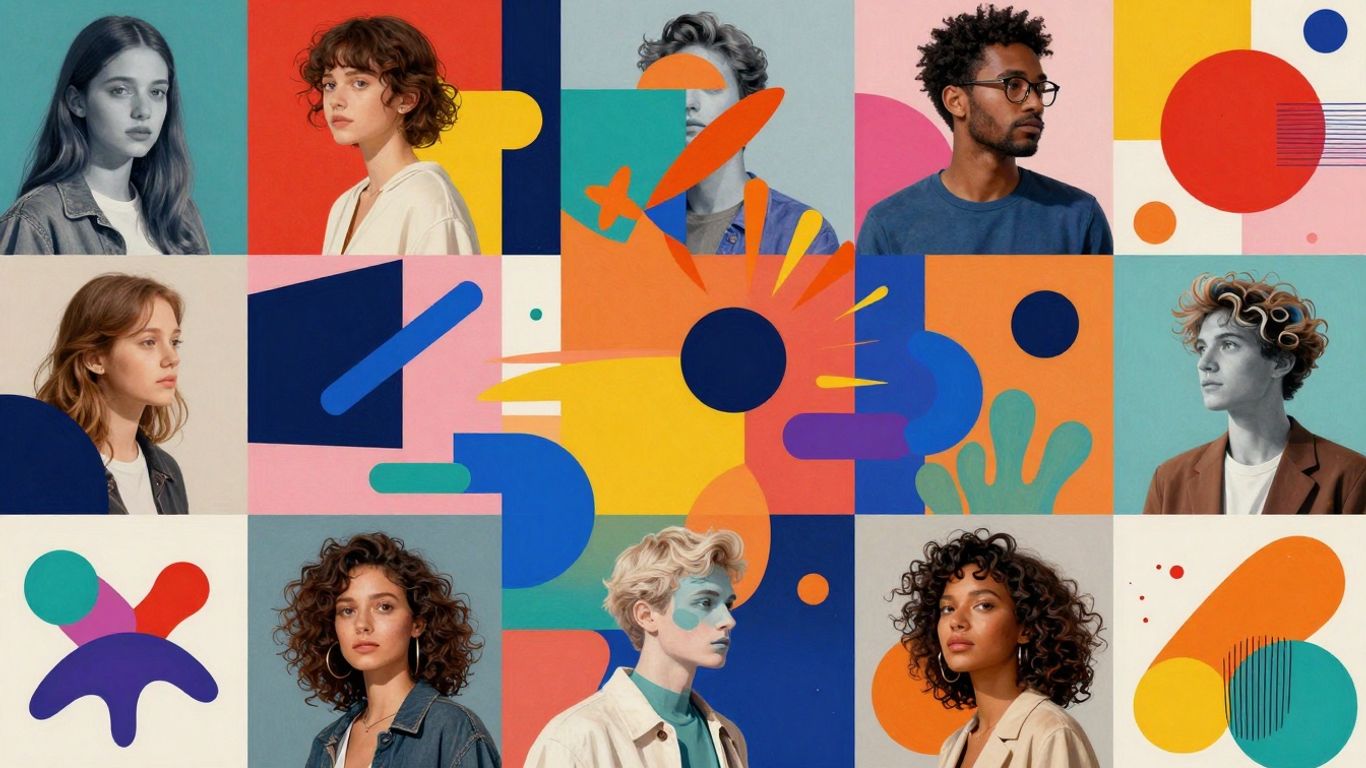
AI photography generators open up a whole new world for creators, letting you do things that were once really difficult or even impossible. It’s not just about making pretty pictures; it’s about bringing your wildest ideas to life visually.
Generating Professional Headshots
Need a professional headshot but don’t have the time or budget for a studio? AI can help. You can generate a variety of professional-looking headshots from a single photo of yourself. This is super handy for updating your online profiles, resumes, or business cards quickly. You can experiment with different backgrounds, lighting, and even attire without leaving your home.
- Upload a clear photo of your face.
- Select a professional style or background.
- Generate multiple options and choose the best one.
This method is not only efficient but also allows for a level of customization that traditional photoshoots might not easily accommodate. It’s a smart way to ensure you always have a polished image ready to go.
Exploring New Looks and Self-Exploration
Beyond professional use, these tools are fantastic for personal exploration. Ever wondered what you’d look like with a different hairstyle, eye color, or even as a character from your favorite fantasy novel? AI generators can show you. This is a fun and safe way to experiment with different aesthetics and see yourself in entirely new ways. It’s a form of digital self-expression that can be quite revealing and enjoyable.
AI allows for a playful interaction with one’s own image, blurring the lines between reality and imagination. It provides a canvas for exploring identity and personal style without permanent commitment.
Creating Immersive Scenarios and Fan Art
For fans of movies, books, or games, AI generators are a dream come true. You can create fan art of your favorite characters in unique settings or even imagine them in different artistic styles. Want to see your favorite superhero in a watercolor painting or a cyberpunk cityscape? Just describe it. This capability lets you engage with your fandom on a deeper creative level, producing visuals that celebrate the stories and characters you love. You can even generate entire scenes, bringing your imagination to life with detailed environments and characters. This is a great way to visualize concepts for stories or simply to create unique artwork to share with others. The ability to generate these kinds of images is a significant step forward for digital art creation.
Leveraging AI for Enhanced Digital Artistry
AI tools are changing how we create digital art, making the whole process faster and more accessible. Think about it: instead of spending hours on the initial sketches or figuring out complex compositions, AI can handle a lot of that heavy lifting for you. This means you get to spend more time on the parts of art creation that really spark your imagination.
Accelerating the Creative Process
One of the biggest wins with AI is how quickly it can bring ideas to life. You can describe a scene or a character, and the AI generates multiple visual options in minutes. This rapid visualization is a game-changer, especially when you’re working on projects with tight deadlines or when you just want to explore different directions without getting bogged down in manual work. It’s like having a super-fast brainstorming partner who can instantly show you what your ideas might look like.
Automating Initial Art Creation Stages
AI generators are fantastic for kicking off the creative process. They can produce base images, textures, or even entire scenes based on your prompts. This automation is particularly helpful for tasks like generating backgrounds, creating variations of a character’s outfit, or developing mood boards. Instead of starting from a blank canvas, you begin with a solid foundation provided by the AI, which you can then build upon.
Refining AI-Generated Images with Editing Tools
While AI can create amazing starting points, the real magic often happens when you combine AI output with traditional editing techniques. You can take an AI-generated image and then use photo editing software to tweak colors, adjust lighting, add details, or blend it with other elements. This hybrid approach allows you to maintain a unique artistic style while benefiting from the speed and capabilities of AI. It’s about using AI as a powerful assistant, not a complete replacement for your own creative touch.
The integration of AI into digital art workflows doesn’t diminish the artist’s role; rather, it redefines it. Artists can now focus more on conceptualization, curation, and the final artistic polish, using AI as a tool to expand their creative reach and efficiency.
Here’s a look at how AI can speed things up:
- Concept Visualization: Quickly see multiple interpretations of an idea.
- Asset Generation: Create backgrounds, textures, or character elements rapidly.
- Style Exploration: Experiment with different artistic looks without extensive manual effort.
- Iterative Design: Generate and refine variations of an artwork efficiently.
Getting Started with Your AI Photography Generator
Embarking on your journey with an AI photography generator is simpler than you might think. These tools are designed to be accessible, allowing individuals with varying levels of technical skill to produce impressive visual content. The initial steps involve selecting the right platform and understanding its offerings, whether you’re looking for free exploration or advanced features.
Choosing the Right AI Art Generator
With a growing number of AI art generators available, selecting one that aligns with your needs is the first step. Consider what you want to achieve: are you aiming for quick edits, artistic transformations, or generating entirely new scenes? Some platforms focus on photorealism, while others excel at abstract or stylized art. Look into the variety of styles offered and the ease of use. Many generators provide a free tier, which is an excellent way to test the waters before committing to a paid plan.
Understanding Free and Premium Plans
Most AI photography generators operate on a tiered system. Free plans typically offer access to basic features and a limited number of generations per day or month. These are perfect for beginners or those who use the tool occasionally. Premium plans, on the other hand, usually provide:
- Higher resolution outputs
- Access to more advanced AI models and styles
- Faster generation speeds
- More customization options
- Increased generation limits or unlimited usage
It’s worth examining the specifics of each plan to see if the added benefits justify the cost for your particular use case.
Joining Communities for Inspiration and Support
Many AI art generator platforms have associated online communities, often found on platforms like Discord or Reddit. These communities are invaluable resources. Here, you can:
- See examples of what others are creating
- Learn new prompting techniques
- Get feedback on your own work
- Discover hidden features or workflows
- Participate in challenges and events
Engaging with these communities can significantly accelerate your learning curve and spark new creative ideas. It’s a space where both novices and experienced users share their knowledge and passion for AI-generated art.
Tips for Improving Your AI Generated Images
Creating compelling visuals with AI is an iterative process. While the technology is powerful, achieving truly remarkable results often involves a bit of refinement and strategic input. Think of it less like pressing a button and more like collaborating with a very capable, albeit literal, assistant. Here are some ways to get more out of your AI photography generator.
The Art of Refining Your Prompts
Your prompt is the blueprint for the AI’s creation. The more precise and descriptive you are, the closer the output will likely be to your vision. If an image isn’t quite right, don’t just generate it again; adjust the prompt. Consider what’s missing or what’s not working.
- Add Specific Details: Instead of "a dog," try "a golden retriever puppy playing in a sunlit park with a red ball."
- Specify Styles: Mention artistic movements (e.g., "impressionist," "surrealist"), camera types (e.g., "shot on a Canon EOS R5"), or lighting conditions (e.g., "golden hour lighting," "cinematic lighting").
- Adjust Emphasis: Use weighting or phrasing to highlight certain elements. If the background is too busy, you might add "minimalist background" or specify elements you don’t want.
- Simplify When Needed: If your results are consistently too complex, try removing some descriptive terms to see if the AI can focus better.
Experimentation is key. Try different phrasing, add or remove adjectives, and observe how the AI interprets the changes. Sometimes, a slight rephrasing can make a significant difference in the final image.
Utilizing Advanced Editing Capabilities
Most AI generators offer more than just basic image creation. They often come with built-in editing tools that allow for post-generation adjustments. These can be incredibly useful for fine-tuning an image that’s almost perfect.
- Object Removal: If there’s a distracting element in the background, use the object removal tool to clean it up. This is particularly helpful for portraits or product shots.
- Image Expansion: Need a wider aspect ratio or want to extend a scene? The expand tool can intelligently fill in the borders while maintaining the existing style and content.
- Style Adjustments: Some platforms allow you to tweak the overall style, color palette, or mood of a generated image after it’s created.
These tools act as a bridge between the AI’s output and your final artistic intent. They allow for corrections and creative modifications that might be difficult or impossible to achieve through prompts alone. For those concerned about the unauthorized use of their likeness in AI content, tools that allow for modification and control are becoming increasingly important, similar to how fashion models use software to protect their images.
Remember that AI is a tool, not a replacement for artistic judgment. The best results come from a partnership between your creative direction and the AI’s generative power. Don’t be afraid to iterate and combine different techniques.
Learning from Community Examples and Resources
Many AI art platforms have vibrant communities where users share their creations, prompts, and techniques. This is an invaluable resource for learning and inspiration.
- Explore Galleries: Look at images that impress you and see what prompts were used to create them. This can reveal effective prompt structures and stylistic choices.
- Join Forums or Discord Servers: Engage with other users. Ask questions, share your work for feedback, and learn from discussions about prompt engineering and editing.
- Study Tutorials and Guides: Many platforms offer official tutorials or have community members who create guides on advanced techniques.
By observing what others are doing and participating in the community, you can gain insights into advanced prompt strategies, discover new stylistic possibilities, and troubleshoot common issues. This collaborative learning environment can significantly accelerate your progress and help you produce more sophisticated and visually appealing AI-generated images.
Your Creative Journey Awaits
As we’ve explored, AI photography generators offer a fascinating new way to bring your visual ideas to life. Whether you’re looking to simply touch up a photo, experiment with artistic styles, or create something entirely new from text, these tools put a lot of creative power right at your fingertips. They can help beginners achieve impressive results and give experienced artists new avenues for exploration. So, don’t hesitate to try one out. You might be surprised at what you can create.
Frequently Asked Questions
What exactly does an AI photography generator do?
An AI photography generator is a tool that uses smart computer programs, called artificial intelligence (AI), to create new pictures. You can tell it what you want with words, and it will make an image based on your description. It can also change existing photos, like making them look like paintings or fixing them up.
How do I tell the AI what kind of picture to make?
You tell the AI what to create using something called a ‘prompt’. A prompt is just a set of written instructions. The more details you give in your prompt, like the style, colors, and what should be in the picture, the better the AI can understand and make the image you imagine.
Can I use these tools to make pictures of myself?
Yes, you absolutely can! Many AI photo generators let you upload your own photos and then change them in many ways. You can explore different looks, try new hairstyles, or even put yourself in fantasy settings. It’s a fun way to see yourself in different scenarios.
What if I don’t like parts of the AI-generated image?
Many AI tools have editing features that let you fix or change parts of the image. Some can even remove unwanted objects or people from a picture, or expand the edges of an image to make it look wider. You can often use these tools to fine-tune the picture until you’re happy with it.
Are there free AI photo generators available?
Yes, there are several AI photo generators that offer free options. These often come with basic features or a limited number of uses per day. Some platforms also give you free credits when you sign up or join their online communities, which you can use to try out more advanced features.
How can I make my AI-generated images look even better?
To improve your AI images, try making your written prompts more detailed and specific. Also, don’t be afraid to use the editing tools that come with the generator to make small changes. Looking at what other people create and sharing your work in online groups can also give you great ideas and help you learn new tricks.

Peyman Khosravani is a seasoned expert in blockchain, digital transformation, and emerging technologies, with a strong focus on innovation in finance, business, and marketing. With a robust background in blockchain and decentralized finance (DeFi), Peyman has successfully guided global organizations in refining digital strategies and optimizing data-driven decision-making. His work emphasizes leveraging technology for societal impact, focusing on fairness, justice, and transparency. A passionate advocate for the transformative power of digital tools, Peyman’s expertise spans across helping startups and established businesses navigate digital landscapes, drive growth, and stay ahead of industry trends. His insights into analytics and communication empower companies to effectively connect with customers and harness data to fuel their success in an ever-evolving digital world.










