

You might have heard about knowledge bases. They are helpful tools for knowledge sharing, whether that has to be done internally with a team or externally with customers and clients.
Nowadays, with AI featuring in everything, it has also found its way into the domain of knowledge bases. AI knowledge bases are a thing.
If you don’t know what they are and what makes them different, don’t worry. In this post, we’ll guide you on all there is to know.
What is an AI Knowledge Base and What Makes it Different from a Normal One?
Here is a definition of an AI knowledge base, along with the main difference from a normal one.
An AI knowledge base is built to understand information, not just store it. Instead of making people search through pages or exact keywords, it helps surface the right answer based on what someone is actually asking.
A normal knowledge base is more like a digital filing cabinet. An AI one behaves more like a helpful guide, connecting ideas, adjusting to context, and getting better the more it is used.
What are the benefits of an AI knowledge base?
Here are the benefits of using an AI-boosted knowledge base instead of a normal one:
- People can just ask a question instead of guessing the right keywords
- Answers feel natural, like getting help from a teammate
- Less back and forth and fewer follow-up questions
- Works across chat, search, and support without changing how people talk
- Adapts to context instead of giving the same rigid response every time
- Makes finding information feel easier and more human
Types of AI Knowledge Bases
AI knowledge bases usually come in a few common types, based on who they serve and where the information comes from.
- Internal knowledge bases are built for teams. They pull from company docs, wikis, tickets, and policies to help employees get fast answers without digging around.
- External knowledge bases face customers. They power help centers, chatbots, and support tools, turning public docs and FAQs into clearer, more conversational answers.
- Hybrid knowledge bases combine both. They use internal data for staff and approved external content for users, keeping answers consistent while respecting access and privacy.
Some systems also layer these together over time. They start internally, and then expand outward as the AI gets smarter and more trusted.
Examples of AI Knowledge Bases
There are quite a few knowledge bases on the internet that utilize AI, especially in their search function.
Here is a brief list:
EdisonOS Wiki
This knowledge base (even though named “Wiki”) uses AI in its search to help users find the answers to their questions, even if the question doesn’t contain the exact keywords that the relevant guide is published against.
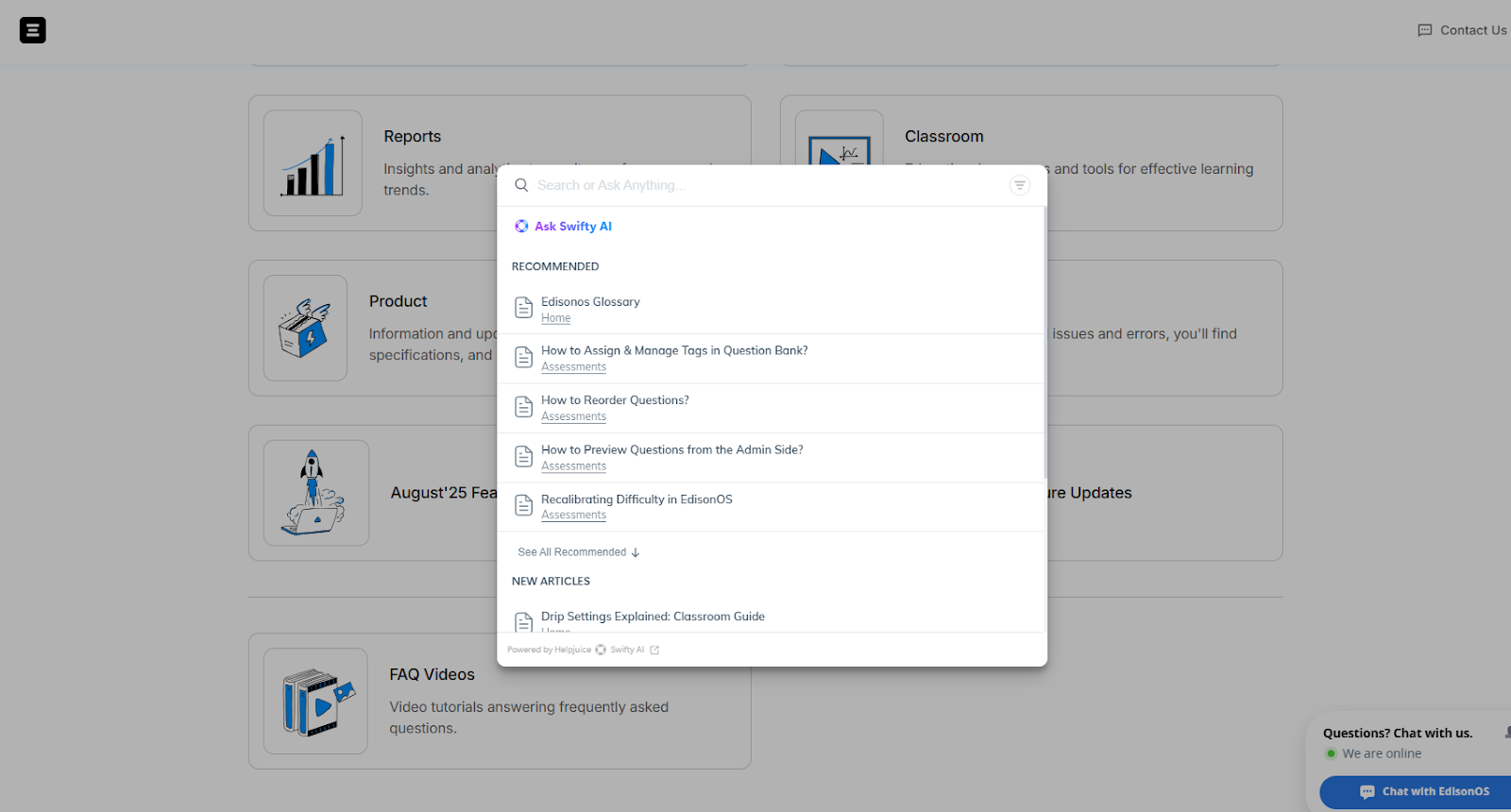
This particular knowledge base runs on Helpjuice, which is an AI knowledge base software.
The good thing about this particular knowledge base is that even if the results don’t show the article or data that you need, there is an AI assistant located right inside the search area that you can prompt to get a tailored answer.
Here is another example of an AI knowledge base.
Edding
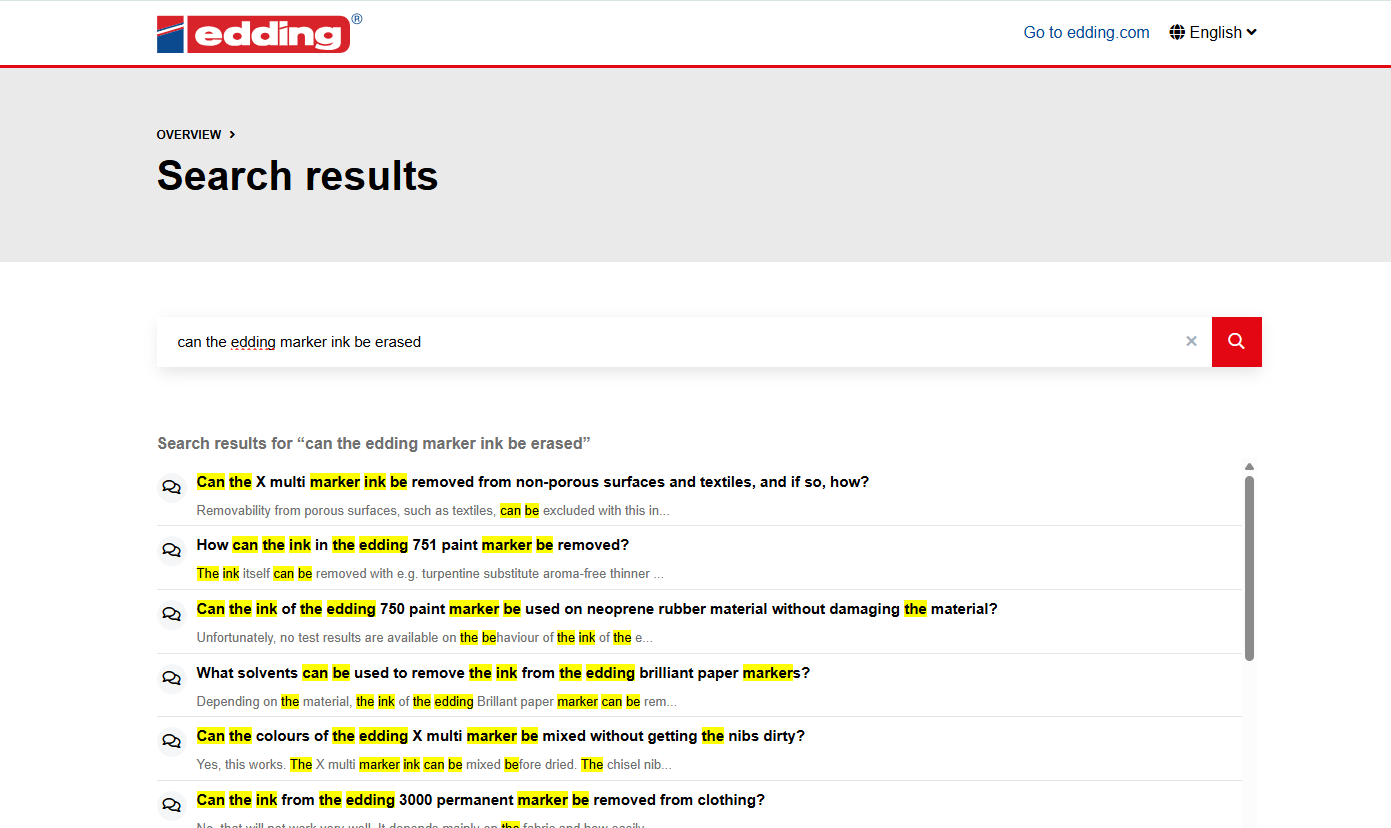
Edding is a renowned brand that sells items like markers and pens, etc. Their knowledge base also features AI in the search function, allowing users to find the answers to their questions even if the exact wording is not there.
How Can You Make an AI Knowledge Base?
Creating an AI knowledge base isn’t that difficult. There isn’t any complicated programming or coding that you have to do. There are tools and software available online that you can use and get started within hours.
Here is a practical breakdown of how you can make an AI knowledge base:
Choose an AI Knowledge Base Platform
Start by selecting a tool that already has AI built in. The goal is to use a system where natural language search, AI suggestions, and conversational assistance are part of the core product.
Examples of platforms that offer this include:
When evaluating tools, look for:
- AI-powered search that understands full questions
- Built-in AI assistant or chatbot functionality
- Analytics on what users are asking
- Easy content editing and version control
- Access permissions for internal and external use
This step matters because the platform determines how intelligent and flexible your knowledge base can become.
Import and Structure Your Content
Once you choose a tool, upload your existing documentation. That can include:
- Help articles
- FAQs
- Product guides
- Internal policies
- Training materials
Most AI knowledge base tools allow bulk imports from Word files, Google Docs, PDFs, or previous help centers.
Then organize content into categories and subcategories. Add clear titles and descriptive headings. AI performs better when the structure is logical and consistent.
For example, instead of naming an article “Issue #24,” use something like “How to Reset Your Account Password.” That makes it easier for both users and the AI to understand intent.
Enable and Configure AI Features
Most modern tools have AI features that need to be turned on or configured.
This can include:
- Enabling semantic search
- Activating an AI assistant inside the help center
- Connecting the knowledge base to live chat
- Setting tone or response guidelines
Some platforms allow you to define how the AI answers. For example, whether it should quote directly from articles or generate summarized responses.
Take time to test these settings. Ask real questions the way a customer or employee would. See if the answers feel clear and relevant.
Connect It to Customer or Team Touchpoints
An AI knowledge base works best when it is accessible where people already ask questions.
For external use, embed it into:
- Your help center
- Website chat widget
- Support portal
For internal use, connect it to:
- Slack
- Microsoft Teams
- Internal dashboards
Many tools integrate directly with communication platforms so employees can ask a question in chat and get an AI-powered answer instantly.
And that’s pretty much it
Wrapping Up
And that is where we’re going to end our article.
AI knowledge bases are helpful tools for internal and external information sharing. In the post above, we’ve defined them and also described what makes them different from normal knowledge bases.
If you’re looking to make an AI knowledge base of your own, you can do so with the help of existing online tools, such as Helpjuice and Zendesk.

Pallavi Singal is the Vice President of Content at ztudium, where she leads innovative content strategies and oversees the development of high-impact editorial initiatives. With a strong background in digital media and a passion for storytelling, Pallavi plays a pivotal role in scaling the content operations for ztudium’s platforms, including Businessabc, Citiesabc, and IntelligentHQ, Wisdomia.ai, MStores, and many others. Her expertise spans content creation, SEO, and digital marketing, driving engagement and growth across multiple channels. Pallavi’s work is characterised by a keen insight into emerging trends in business, technologies like AI, blockchain, metaverse and others, and society, making her a trusted voice in the industry.