Starting a 3D character with words sounds direct: describe the subject, generate a candidate, and inspect the result. The harder part begins after generation, when a model that looks convincing from the front must also hold together from the side and back.
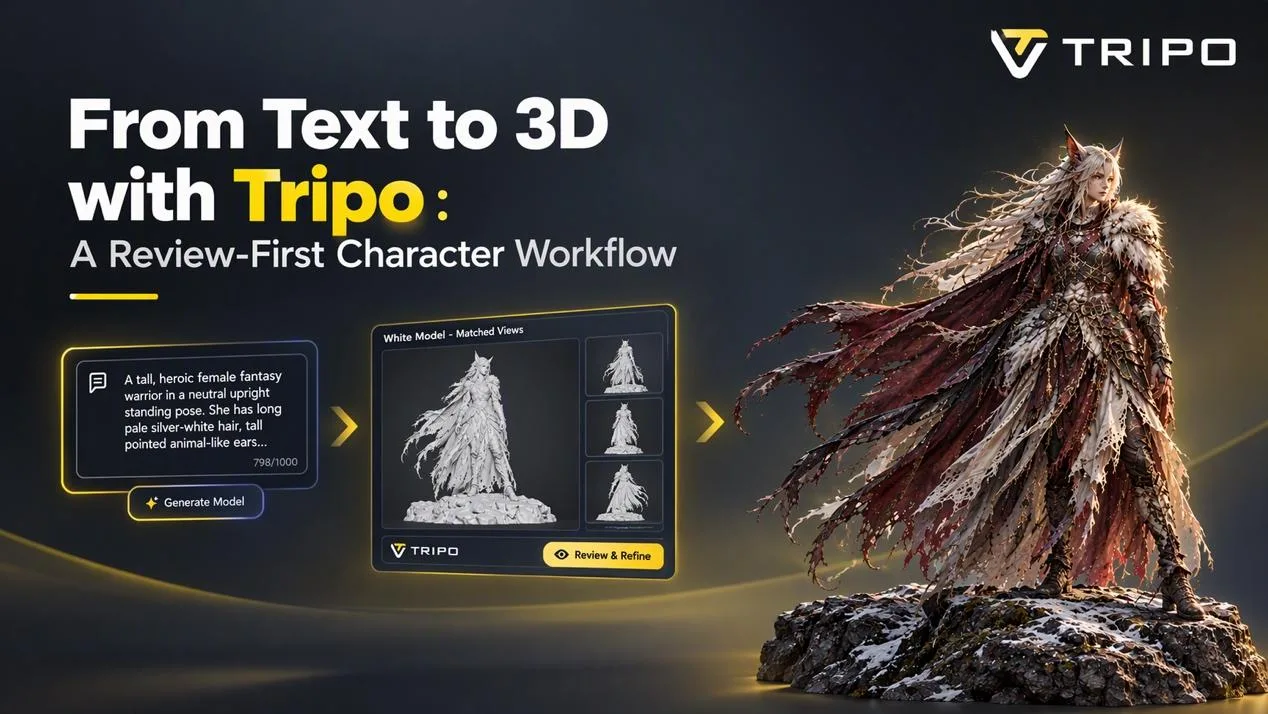
This case follows a dark-fantasy warrior prompt through a review-first Tripo workflow. The brief calls for long pale hair, animal-like ears, layered red-brown armor, white fur and feather accents, an asymmetrical facial detail, a torn cape, decorated boots, and a neutral standing pose. Those details can establish identity, but they do not specify every rear connection or overlapping surface.
For creators testing a text to 3d workflow, the prompt works best as a design brief rather than proof of the final geometry. It can state the intended style, materials, silhouette, and visible features. It cannot verify how the back of a cape, the hair volume, or hidden armor connections will be resolved.
That gap is the blind-side problem. A complete 3D candidate needs geometry on every side, while a text description may leave many spatial decisions open. A usefu workflow records what the prompt required, what the model inferred, and what still needs another source or downstream edit.
Why this prompt is a useful character test
The prompt is specific enough to support a clear identity check. It names the pale hair, animal-like ears, red-brown armor, white fur, feather accents, cape, and decorated boots. A reviewer can see whether those elements survived generation without pretending that the prompt functions as a construction drawing.
The character is also structurally demanding. Hair crosses the shoulders, fur overlaps armor, the cape passes behind the torso, and several costume layers meet at the waist. These intersections expose where a text description ends and geometric inference begins.
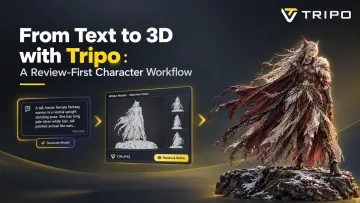
The illustration above is an editorial design reference for the case, not the text input and not proof of a Tripo result. The generated model should remain a working candidate. Publication or commercial use of any reference image also depends on confirmed ownership or licensing.
A six-step Tripo text-to-3d workflow
1. Write the character prompt
Write the prompt as a compact design brief. For this case: A full-body female fantasy warrior in a neutral upright standing pose. She has long pale silver-white hair, tall pointed animal-like ears, and a delicate asymmetrical facial detail. She wears layered dark brown and deep red leather-and-metal armor, a large white fur shoulder mantle, white feather accents, fitted forearm guards, articulated waist armor, and decorated dark leather boots. A long, heavily torn cape made of burgundy-red and ivory fabric flows from her shoulders, with irregular weathered edges and layered hanging panels. Slender athletic proportions, elegant dark-fantasy character design, realistic materials, a clear readable silhouette, and balanced full-body anatomy. Standalone character, centered composition, no weapon, no environment, no pedestal, no additional characters. Keep the wording traceable, and do not add rear details unless they are deliberate requirements.
Add a short acceptance list before generation. The broad silhouette should read clearly, the ears and pale hair should remain recognizable, the cape should separate from the body, and the main armor masses should not collapse into one shape. This list gives the first review a practical stopping rule.
2. Generate the first candidate and record the attempt
Open the Text to 3D interface, enter the exact prompt, and generate the first model candidate. Preserve the input wording shown in the interface so another reviewer can identify the source of the result.
Record the prompt, route, and attempt identifier. Treat the result as a first candidate, not a finished asset. If a later attempt changes the prompt, keep the earlier record and note the one variable that changed.
3. Check identity before small details
Begin with the front and front three-quarter views. Check the character category, overall silhouette, hair length, ear shape, shoulder volume, cape separation, waist armor, and lower-leg protection. The question at this stage is whether the candidate is worth a deeper structural review.
If the silhouette or main armor masses have failed, revise one part of the prompt and generate another attempt. Do not spend time judging small ornaments on a candidate that no longer matches the brief.
4. Inspect the blind sides in White Model
Capture front, side, rear three-quarter, and back views in White Model. Removing the influence of color makes the hair-to-back gap, shoulder layers, cape thickness, elbow transitions, waist attachments, and heel geometry easier to judge.
Use the same camera directions and similar zoom levels for later attempts. A flattering front view from one model and a difficult rear view from another do not support a fair comparison. The prompt may specify that a cape exists, but only these additional views show how the candidate resolved its attachment.
5. Label uncertainty instead of hiding it
Use four labels in the review record:
- Prompt-backed: the prompt or acceptance note explicitly requires the feature.
- Inferred: the candidate contains a plausible feature that the prompt did not define.
- Conflicted: the candidate differs from an explicit requirement or the chosen design reference.
- Unresolved: approval needs another source view, a clearer prompt, or downstream work.
The back of the cape may look coherent and still remain inferred. The ears are prompt-backed, but they become conflicted if their shape no longer reads as part of the same character. These labels explain the result more clearly than a single good or bad verdict.
6. Revise one variable and document the handoff
Change one prompt variable when the intended feature is unclear. If the prompt already states the requirement and the missing information is spatial, add an owned image or multi-view reference instead of repeating the same text input. A new source is often more useful than another undocumented retry.
Review Texture View only after the shape pass. Color can help confirm the red-brown armor, white fur, hair, and skin treatment, but it cannot validate geometry hidden behind the body. Assign a review status and record unresolved areas before export or downstream cleanup.
What text can specify, and what the mesh must infer
Text is useful for defining the character category, style, intended materials, named features, and pose. It is less precise about the distance between layered surfaces, the attachment points behind the torso, or the exact path of hair and cloth around the body.
A generated back can look plausible without being prompt-backed. The reviewer should therefore ask whether a surface is acceptable for the next task, not whether it looks finished in isolation.
When to add an image or multi-view reference
Move to an image-based route when visible identity, proportion, or costume placement needs stronger guidance. Use multi-view references when the next decision depends on more than the front. The image below is an optional image-based input example. The White Model, uncertainty, and texture figures in the workflow above all come from the same Text to 3D candidate.
Compare the text and image routes against the same acceptance list, but do not call them identical tests. Keep matched White Model views, record which source each result used, and describe any hidden surface as inferred until another view supports it.
From a generated candidate to a documented handoff
An AI-generated 3D candidate should leave review with a status rather than a compliment. Useful labels include approved for concept review, front identity accepted with rear cape unresolved, or suitable for layout testing. Each status tells the next person what was inspected and what still needs work.
Teams can reproduce this workflow in Tripo by keeping the exact prompt, capturing fixed White Model views, and recording prompt-backed, inferred, conflicted, and unresolved features. If an image or multi-view source is added later, version the input record. The result is a traceable candidate that can move into the next decision without pretending every surface was fully specified by text.