A short film made with AI still moves through the same stages as any other production: script, previs, casting, shots, sound and edit. The right tool depends less on which generator produces the most impressive single clip and more on what it does for the stage you are working on, and whether its output holds together across dozens of shots.
Some products cover several stages in one workspace. Others specialize in one job, such as writing, still images, voice or editing. Pricing also differs: some vendors bill by credits, others by GPU time, messages or a one-time license, so two plans with similar monthly fees can lead to very different costs for the same film.
This guide compares nine tools that solo filmmakers commonly combine: Higgsfield, ChatGPT, LTX Studio, Midjourney, Google Flow, Runway, Kling AI, ElevenLabs and DaVinci Resolve. Prices and plan details were checked against vendors’ public pages on October 28, 2026. Promotional offers, annual discounts, allowances and features can change.
The Best AI Tools for Making a Short Film at a Glance
- Higgsfield: Best for directed shots and consistent characters across scenes
- ChatGPT: Best for turning an idea into a script and shot list
- LTX Studio: Best for script-to-storyboard planning
- Midjourney: Best for look development and key art
- Google Flow: Best for Google AI subscribers who want video without another subscription
- Runway: Best for stylized shots, effects and in-app sound
- Kling AI: Best for creators who want Kuaishou’s own video app
- ElevenLabs: Best for dialogue, narration and sound effects
- DaVinci Resolve: Best for the final edit, color and audio post
There is no universal winner. A dialogue-heavy drama, a music-driven mood piece and an animated short each lean on different stages, so most solo filmmakers combine two to four of these tools.
AI Short Film Tools Comparison
| Platform | Best for | Public entry price | Main film stage | Primary billing unit |
| Higgsfield | Directed shots and consistent cast | Free plan available; paid plans start at $15 per month (Starter) | Previs, characters, shots, voice, edit plugins | Credits |
| ChatGPT | Script and shot list | $0; Go $8/month; Plus $20/month | Script | Subscription with usage limits |
| LTX Studio | Script-to-storyboard planning | $0 (800 one-time credits, personal use); Lite $15/month | Planning and previs | Credits |
| Midjourney | Look development | Basic $10/month | Stills and short clips | GPU time |
| Google Flow | Scene building for Google AI subscribers | 50 free Flow credits per day; Google AI Plus is $4.99 per month with 200 Flow credits, Google AI Pro is $19.99 per month | Shots | Flow credits |
| Runway | Stylized shots and effects | $0 (125 one-time credits); Standard $15/month | Shots and VFX | Credits |
| Kling AI | Kuaishou’s own video app | Free Basic plan with daily credits; Standard is $8.80 per month at the regular rate | Shots | Plan-based |
| ElevenLabs | Voice and sound | $0 (10k credits/month); Starter $6/month | Sound and voice | Credits |
| DaVinci Resolve | Edit and finish | Free version; Studio is a paid one-time purchase | Edit, color, audio post | License |
Public monthly pricing as of October 28, 2026, at monthly billing where both options are shown. Annual billing may reduce the effective monthly price. Verify credit allowances, commercial-use terms and plan-specific features before buying.
What Is an AI Short Film Workflow?
An AI short film workflow is a chain of tools that stands in for parts of a crew. A writing assistant drafts scenes and a shot list. An image or storyboard tool previsualizes each scene. A video tool generates the shots, ideally with the same characters, locations and props every time. A voice tool records dialogue, and a conventional editor cuts, grades and mixes the film.
The common failure in AI short films is not image quality. It is drift: the lead’s face changes between shots, the room changes layout, and the camera floats without purpose. A workflow is only as strong as its weakest link in consistency and control.
How We Evaluated These AI Filmmaking Tools
This comparison relies on vendors’ documented features and public pricing, not hands-on production tests. We assessed five areas:
- Stage coverage: Which film stages the tool handles, from script to final cut
- Consistency: Whether it can reuse characters, locations and props across shots
- Camera control: How precisely a filmmaker can set camera, lens, movement and light
- Edit fit: Whether output moves cleanly into a standard editing timeline
- Cost structure: What counts as billable usage and what that means for retakes
- Higgsfield: Best for Directed Shots and Consistent Characters
Starting price: Free trial available; paid plans start at $15 per month (Starter)
Higgsfield is a generative platform for creative production, and for short films it focuses on shot-level control. In Cinema Studio, a Director’s Panel sets genre, era and tempo, then camera body (Modern, 35mm, 8mm or DV), lens look, aperture, named camera moves, color palettes and lighting presets. Clips run up to 30 seconds, and Forward and Backward Extend lengthen a scene.
For consistency, Elements save reusable characters, locations and props inside a project, so the same cast and set can carry across shots. Shots turns one image into a nine-frame storyboard of camera angles, and 3D Jutsu stages a 3D scene before rendering it as video.
Key Higgsfield capabilities
- Cinema Studio with camera, lens, aperture, movement and lighting controls
- Elements for project-level characters, locations and props
- Shots and 3D Jutsu for storyboards and previs
- Lipsync Studio and Speak 2.0 for dialogue
- Plugins for Premiere Pro and After Effects, plus DaVinci Resolve
Who should consider Higgsfield?
Higgsfield suits solo filmmakers who want to direct coverage of a scene rather than collect unrelated clips. Use real people’s faces or voices only with their permission. It does not write the script, and dialogue and sound work best as a separate pass. Generations spend credits, and some video features require a plan above Starter.
- ChatGPT: Best for Script and Shot List
Starting price: $0 per month; Go is $8 per month and Plus is $20 per month
ChatGPT is OpenAI’s general AI assistant, and in a short film workflow its job is the page, not the picture. A filmmaker can move from a logline to a beat sheet, scene list and draft dialogue, then ask for a shot list formatted for pasting into a video tool. It is also useful for pressure-testing structure, such as asking where the midpoint sags or which scene can be cut.
The free plan offers unlimited everyday text chats under abuse guardrails, with limits on uploads, image creation and deep research. Go raises those limits, and Plus adds advanced reasoning models, projects and expanded memory. Claude is a comparable alternative for long scripts and structural notes.
Key ChatGPT capabilities
- Script drafting, rewrites and dialogue passes
- Beat sheets, scene lists and shot lists
- Projects and memory on paid plans for keeping a film’s notes together
- Image creation for rough reference frames
Who should consider ChatGPT?
Any filmmaker who starts from an idea rather than a finished screenplay. Treat it as a script editor, not the writer: AI dialogue tends to sound generic until it is rewritten in the filmmaker’s own voice. It does not generate final footage, so it pairs with a video tool for every other stage of the film.
- LTX Studio: Best for Script-to-Storyboard Planning
Starting price: $0 with 800 one-time credits for personal use; Lite is $15 per month with 8,000 credits
LTX Studio is built around developing a project from concept to final cut. Its site lists text-to-video, image-to-video, video-to-video and audio-to-video generation, advanced camera controls, keyframes and visual references, with its own LTX video models at the core.
The planning features are where it stands out for filmmakers. AI Storyboards, pitch decks and saved Elements for consistent characters are listed on the Standard plan, at $35 per month with monthly billing, which is also the first tier with a commercial-use license. The free tier is limited to personal projects.
Key LTX Studio capabilities
- AI Storyboards and pitch decks on Standard and above
- Saved Elements for consistent characters
- Camera movement, keyframe and reference controls
- Flows for node-based automation
- Upscales and editing tools from Lite upward
Who should consider LTX Studio?
LTX Studio fits filmmakers who think in sequences and want to see a whole film laid out before generating final shots, and teams that need a pitch deck for a client or funder. Anyone planning to sell or screen the film commercially should budget for Standard rather than Lite, because commercial use starts there.
- Midjourney: Best for Look Development and Key Art
Starting price: Basic plan at $10 per month, or $8 per month billed annually
Midjourney is widely used for mood boards, production design, character concepts and key art, where striking still matters more than motion. In a short film workflow, it is often where the visual language of the film is decided before any shots are generated.
All Midjourney plans are subscriptions billed by GPU time. Basic includes 200 minutes of fast GPU time per month and standard-definition video. Standard adds unlimited image generation in Relax Mode and HD video, while Pro and Mega add unlimited video in Relax Mode and Stealth Mode, which keeps work private. Companies with more than $1 million in annual gross revenue must use Pro or Mega.
Key Midjourney capabilities
- High-quality stills for mood boards, posters and concept art
- Short video generation, in SD on Basic and SD or HD on higher plans
- Relax Mode for unlimited image generation from Standard upward
- Stealth Mode on Pro and Mega for private work
Who should consider Midjourney?
Directors and production designers who want to lock the look of a film first. Keep in mind that stills from a public gallery are visible to others unless Stealth Mode is on. For a full film, Midjourney usually feeds a separate video tool that keeps the same characters and locations from shot to shot.
- Google Flow: Best for Google AI Subscribers
Starting price: 50 free Flow credits per day; Google AI Plus is $4.99 per month with 200 Flow credits, Google AI Pro is $19.99 per month; Google AI Plus includes 200 Flow credits per month
Google Flow is Google’s AI creative studio for video and images, available through Google AI Plus, Pro and Ultra subscriptions. Google’s plan page lists Gemini Omni Flash as the video generation model, with monthly Flow credits that scale from 200 on Plus to 1,000 on Pro and 10,000 or 25,000 on the Ultra tiers.
Higher tiers also add 4K image and video upscaling and the ability to vibe code custom Flow tools. Because Flow sits inside a broader subscription, the same plan also covers Gemini, storage and other Google services, which can make it good value for creators who already pay for one.
Key Google Flow capabilities
- Video and image generation in one creative studio
- Monthly Flow credits by plan tier
- 4K image and video upscaling on eligible tiers
- Custom Flow tools on eligible tiers
- Flow Music, with its own monthly credits
Who should consider Google Flow?
Flow suits creators already inside Google’s ecosystem who want to try AI shots without adding another subscription. Plan for consistency work: keeping one cast across a whole film depends on how carefully references are managed. Some features are available only in select countries, so confirm availability on Google’s plan page before committing to a production.
- Runway: Best for Stylized Shots and Effects
Starting price: $0 with 125 one-time credits; Standard is $15 per month with 625 credits
Runway combines its own Gen-4.5 video models with editing tools, and it is popular for stylized shots, effects work and quick experiments. Its pricing page translates credits into seconds of video, so a filmmaker can see that the Standard allowance covers about 52 seconds of Gen-4.5 per month.
Paid plans include access to its AI video and image models, music, voice and sound effects generation, 4K upscaling and no watermarks. Pro, at $35 per month, adds a custom voice clone, a Brand Kit and Runway MCP. Max adds HDR, ProRes and image-sequence output and lets unused credits roll over for one month.
Key Runway capabilities
- Gen-4.5 and Gen-4 video generation
- Music, voice and sound effects generation on paid plans
- 4K upscaling, with unlimited 4K video upscaling from Pro
- Custom voice clones from Pro
- HDR and ProRes output on Max
Who should consider Runway?
Filmmakers who need effects-heavy or stylized shots and want sound tools in the same account. Budget carefully: at Standard, a film with dozens of shots and several retakes each will outgrow the monthly allowance quickly, so most narrative projects will need Pro or Max. Use custom voice clones only for voices you own or have permission to use.
- Kling AI: Best for Kuaishou’s Own Video App
Starting price: Free Basic plan with daily credits; Standard is $8.80 per month at the regular rate, with a discounted first month
Kling AI is Kuaishou’s own app for its video and image models. Its site shows a Generate workspace, an Omni reference workspace, Kling Image 3.0 and a Canvas for arranging work, alongside examples of storyboards predicted from a single image. Creators who want new Kling features as soon as Kuaishou releases them often go straight to the app.
The app is model-first. It gives direct access to Kling’s generation tools, but previs, dialogue recording and editing usually happen in other products. Because the membership page could not be checked on the review date, this guide does not quote prices or credit allowances for Kling.
Key Kling AI capabilities
- Video generation from text, images and references
- Omni workspace for reference-driven generation
- Kling Image 3.0 for stills and character frames
- Canvas for arranging generations
- Storyboard generation from a single image
Who should consider Kling AI?
Creators who already like Kling’s look and want its tools at the source. It works best as the shot-generation step in a wider workflow, alongside a writing assistant, a voice tool and an editor. Check commercial-use terms and credit rules on Kling’s own site before starting a paid project.
- ElevenLabs: Best for Dialogue, Narration and Sound
Starting price: $0 with 10,000 credits per month; Starter is $6 per month with 30,000 credits
ElevenLabs is a specialist voice and audio platform. In a short film, it covers narration, character voices and sound effects, and it is the natural choice when the film lives on performance rather than spectacle. Its pricing is credit-based, and credits scale steeply across tiers.
The Creator plan, at $22 per month, includes 121,000 credits per month and is the tier ElevenLabs recommends for creators. Higher plans run from $99 to $990 per month, with Enterprise on custom terms. The pricing page shows first-month discounts on Starter and Creator, which this guide does not count as the regular price.
Key ElevenLabs capabilities
- Text to Speech for narration and character dialogue
- Voice Design, plus instant and professional voice cloning
- Sound effects and music generation
- Dubbing Studio for other-language versions
- Monthly credit allowances from the free tier upward
Who should consider ElevenLabs?
Dialogue-heavy shorts, documentaries and narrated pieces. Clone only voices you own or have permission to use, and keep that permission on file. ElevenLabs produces audio only, so lip sync and picture still come from another tool, and the final mix happens in an editor such as DaVinci Resolve.
- DaVinci Resolve: Best for the Final Edit, Color and Audio Post
Starting price: Free version; DaVinci Resolve Studio is a paid one-time purchase
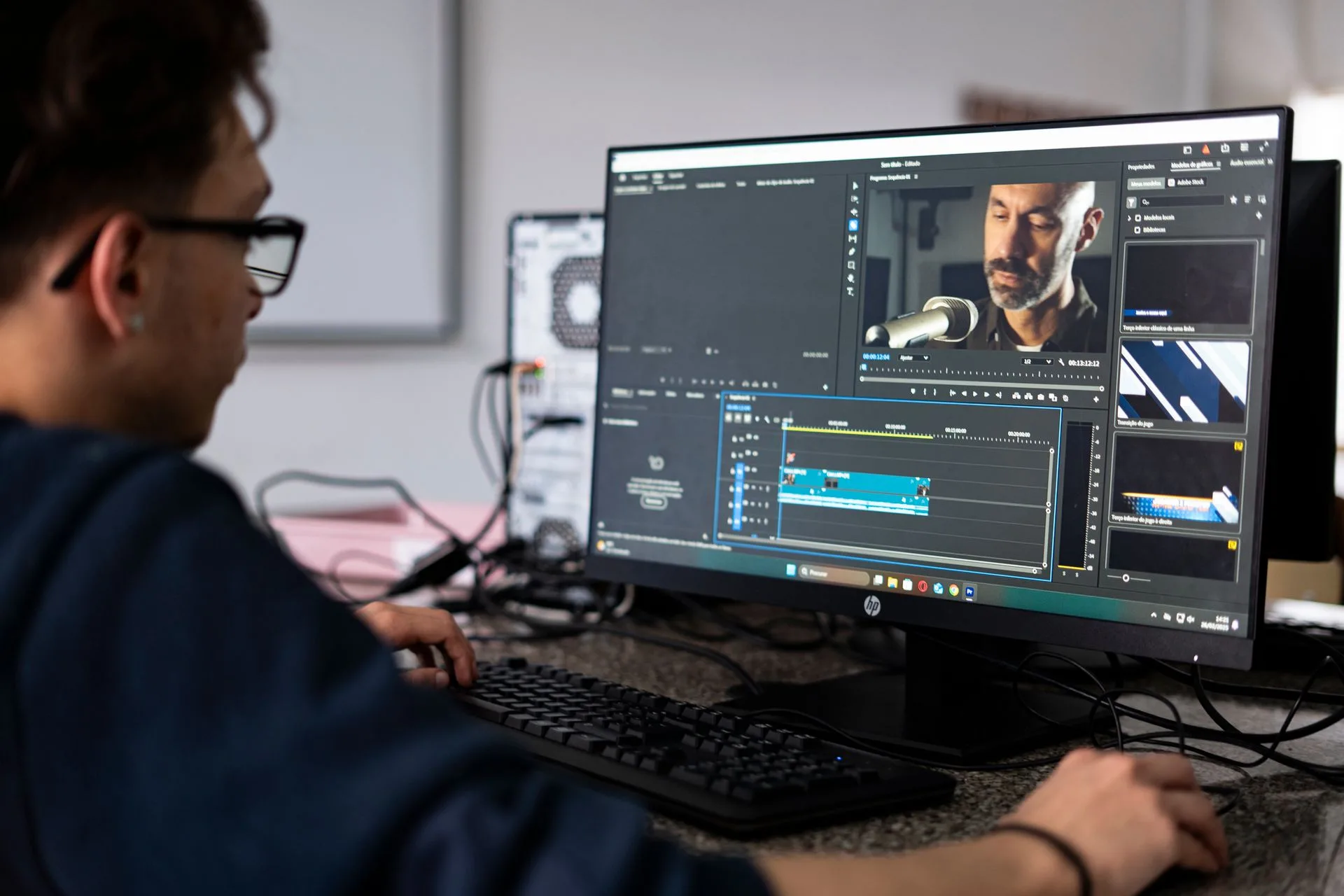
DaVinci Resolve from Blackmagic Design combines editing, color, visual effects, motion graphics and audio post in one application. AI generates shots, but pacing, continuity and the final mix still happen in an editor, and Resolve covers all of it without a subscription.
The free version handles 8-bit video at up to 60 frames per second in Ultra HD and includes multi-user collaboration and HDR grading. DaVinci Resolve Studio adds the DaVinci AI Neural Engine, more Resolve FX, AI noise reduction, text-based editing, Magic Mask and film grain, and supports 10-bit video up to 120 frames per second and resolutions beyond 4K. Adobe Premiere Pro is the main subscription alternative.
Key DaVinci Resolve capabilities
- Editing, color grading, VFX and audio post in one application
- Free version with Ultra HD output and HDR grading
- Studio upgrade with AI Neural Engine tools and text-based editing
- Optional hardware such as editor keyboards and color panels
Who should consider DaVinci Resolve?
Every AI short film needs an editor, and Resolve suits filmmakers who want to grade and mix in the same place. It has a real learning curve, and it does not generate footage on its own without plugins.
Essential Features in AI Filmmaking Tools
Character and location consistency
Look for a way to save a character, location or prop once and attach it to every shot. Without it, the lead’s face and the set drift between scenes, and continuity breaks the film.
Camera and lens control
A short film needs coverage: wide, medium, close-up and inserts. Tools that let a filmmaker set camera, lens, aperture and movement produce shots that cut together; tools that rely on prompt luck produce clips that do not.
Previs and storyboards
Storyboards and 3D blocking are cheaper than final shots. A tool that previsualizes a scene before committing credits saves money and retakes.
Sound and dialogue
Decide early whether dialogue comes from a voice tool, a lip-sync step or native audio in the video model, and keep one approach per film so voices stay consistent.
Edit fit and rights
Output should drop into a standard timeline at a usable resolution. Check commercial-use terms on the plan you buy, especially before festival submission or client delivery.
How to Compare AI Filmmaking Pricing
Budget by shot, not by film. Count the shots in the script, then estimate attempts per shot. As a planning assumption, hero shots often need several attempts, while simple inserts need fewer. A rough formula is: credits needed ≈ number of shots × credits per shot × attempts per shot.
Then compare billing units. Credit-based tools such as Higgsfield, Runway, LTX Studio and ElevenLabs charge per generation, so retakes add up. On Higgsfield, the exact credit cost is shown on the Generate button before a job runs, failed generations return their credits automatically, and subscription credits refresh each billing cycle without rolling over. Midjourney bills by GPU time, ChatGPT by plan limits and DaVinci Resolve by a one-time license.
Also account for commercial-use requirements, free-tier restrictions, credit rollover rules and first-month promotions that revert to a higher regular price.
How to Choose the Best AI Tools for a Short Film
Start with the stage that limits the film. A dialogue-driven drama needs strong voice and lip sync. A visual piece needs camera control and consistent locations. An animated short needs a stable style across every shot.
At minimum, run one test scene through the shortlisted tools:
- Generate the same character in a wide shot and a close-up
- Add one line of dialogue
- Cut the result in an editor and check continuity
Review whether the character holds, whether the shots cut together, and what the scene cost in credits or time. That evidence is more useful than a showcase reel.
Frequently Asked Questions
What is the best AI tool for making a short film?
It depends on the stage. Higgsfield focuses on directed shots and consistent characters, ChatGPT on the script, LTX Studio on storyboards, Midjourney on look development, Google Flow and Runway on shot generation, Kling AI on Kuaishou’s own models, ElevenLabs on voice and DaVinci Resolve on the final edit.
Can one person make a short film with AI?
Yes, for shorts of a few minutes, if it is treated as a production rather than a prompt. Write the script, save the cast as reusable references, previs each scene, generate shot by shot and cut in a real editor. AI does not replace the director’s judgment about which take works and when to cut.
How do I keep the same character in every shot?
Save the character once as a reusable element or reference and attach it to every generation. Higgsfield Elements, LTX Studio Elements and reference workspaces in other tools serve this purpose. Use a real person’s likeness only with their permission.
How much does it cost to make an AI short film?
Entry plans in this guide range from free tiers to $10 to $15 per month for the first paid video plans, but the real cost depends on shot count and retakes. Estimate shots × attempts × cost per shot before choosing a plan.
Can I use AI-generated footage commercially or submit it to festivals?
Commercial use depends on the plan. Higgsfield includes commercial use on paid plans, LTX Studio starts commercial use at Standard, and Midjourney requires Pro or Mega for companies above $1 million in revenue. Festival rules on AI footage differ, so read each festival’s submission rules.
Verdict on the Best AI Tools for Making a Short Film
Choose the combination that covers the stages your film depends on, not the tool with the most impressive demo.
Higgsfield offers the broadest set of shot-level controls in this group, with camera and lens direction, reusable Elements, previs tools and editor plugins. ChatGPT is the practical starting point for the script. LTX Studio suits planners who want storyboards and pitch decks. Midjourney is the specialist for look development. Google Flow is good value for existing Google AI subscribers, Runway for stylized shots with sound in the same account, and Kling AI for creators who want Kuaishou’s models at the source. ElevenLabs is the voice specialist, and DaVinci Resolve finishes the film.
Before committing, run the same test scene through two or three finalists and calculate the cost of the full shot list. The best workflow is the one that keeps the cast consistent, cuts together cleanly and stays within budget.