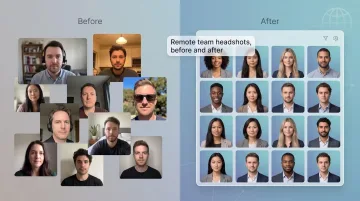
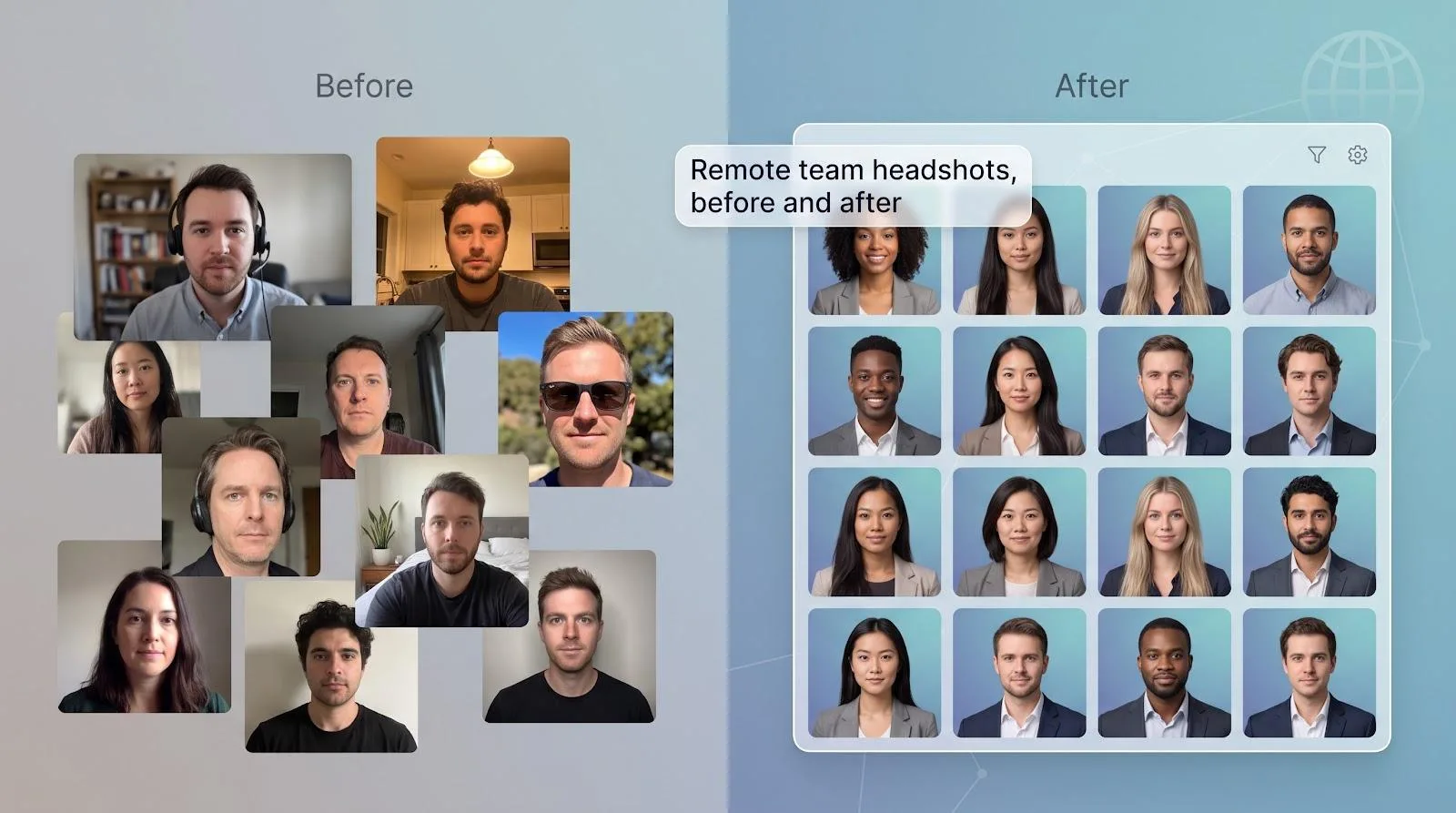
Remote teams rarely share studio lighting—or even time zones—so company headshots end up looking like a mismatched collage.
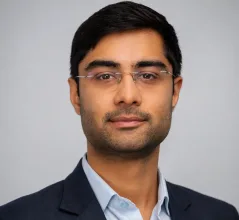
AI headshot generators for teams offer a faster fix. Upload a few selfies, wait a few minutes, and download portraits that share one background, one crop, and one brand color—all while honoring privacy rules and staying on budget.
In this guide, you’ll see which tools keep that promise across photo realism, data security, admin workload, and per-employee cost.
At a glance: five tools, five clear strengths
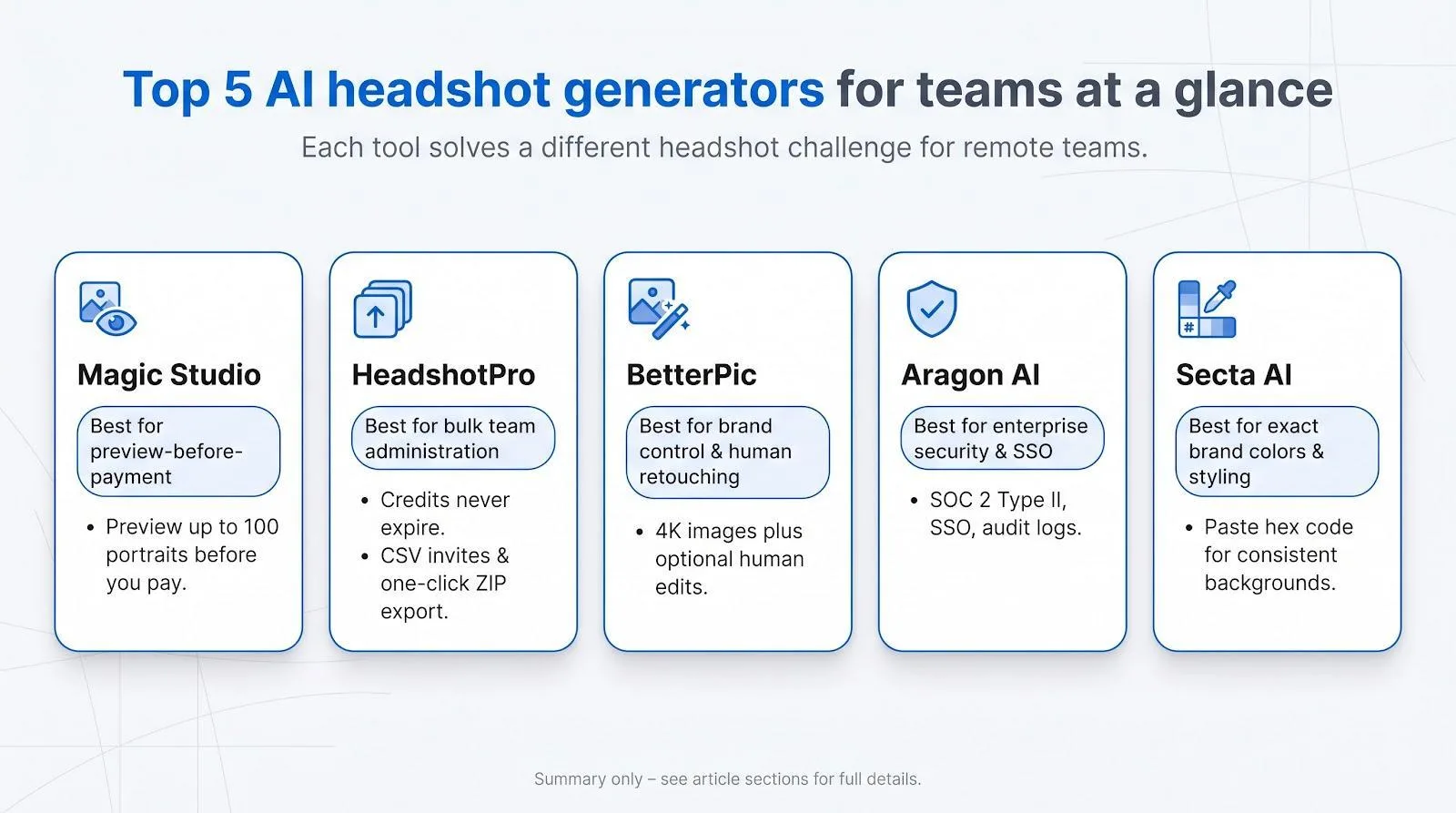
Need the one-minute version? Here’s how each AI headshot generator for teams stands out before we unpack the details:
Magic Studio lets you upload selfies, preview up to 100 finished portraits, then decide whether to pay. That try-before-you-buy flow is rare among leading vendors.
HeadshotPro sells portraits like SaaS credits: they never expire, bulk ZIP exports take seconds, and an audit log records every invite and download, making it ideal for steady hiring.
BetterPic builds polish into the price. Volume tiers drop to $13 per seat at 1,000 employees, and every package includes 4-K images plus optional human retouching.
Aragon AI leads on security with SOC 2 Type II, SSO, and a face-data policy that deletes source photos in as little as 30 days. That reassurance checks key infosec boxes.
Secta AI nails brand color. Paste your exact hex code once and every generated background matches it, which is a boon for enterprises that enforce strict design systems.
Each tool solves a different problem, so the sections that follow compare them rather than rank them.
How we put each platform under the microscope
Buying headshot software feels like any other SaaS procurement, so we assessed every vendor as if a security team would later audit the contract.
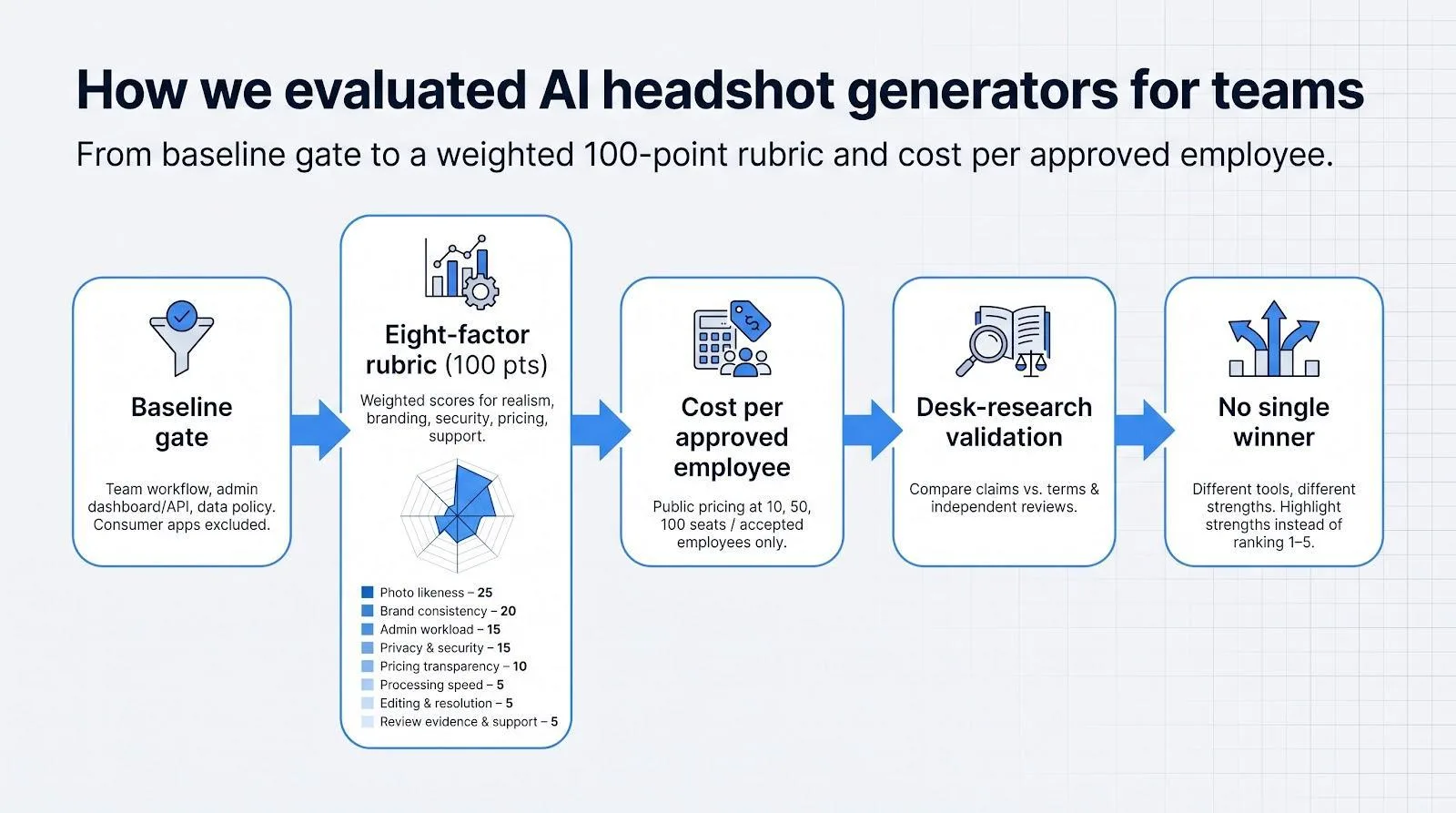
- Baseline gate. To qualify, a tool had to support a true team workflow: bulk invites, an admin dashboard or an API, and a published policy covering data retention and model-training use. Consumer-only apps and “coming soon” pages were cut immediately.
- Eight-factor rubric. We scored contenders on the weighted criteria below (100-point total):
- Photo likeness: 25
- Brand consistency: 20
- Admin workload: 15
- Privacy & security: 15
- Pricing transparency: 10
- Processing speed: 5
- Editing & resolution: 5
- Review evidence & support: 5 Photo likeness carries the most weight because a flattering portrait is worthless if it fails to resemble the employee.
- Cost per approved employee. We gathered public pricing at 10, 50, and 100 seats, then divided the total spend (credits, retouch fees, reruns) by the number of employees who finished with at least one accepted image.
- Desk-research validation. We cross-checked landing pages, terms of service, and independent reviews, flagging mismatches. For instance, we noted any “no model training” claim that the legal fine print quietly contradicts.
- No single winner. Because each platform addresses a different pain point, the next sections highlight strengths instead of naming a “best overall” option.
This process uncovers red flags early and keeps the shortlist focused on tools that can clear legal, security, and brand requirements before anyone uploads a selfie.
Magic Studio: best for preview-before-payment
Magic Studio team headshots let you upload selfies, see up to 100 finished portraits, then decide whether to pay. That try-before-you-buy flow did not appear in any other major team generator.
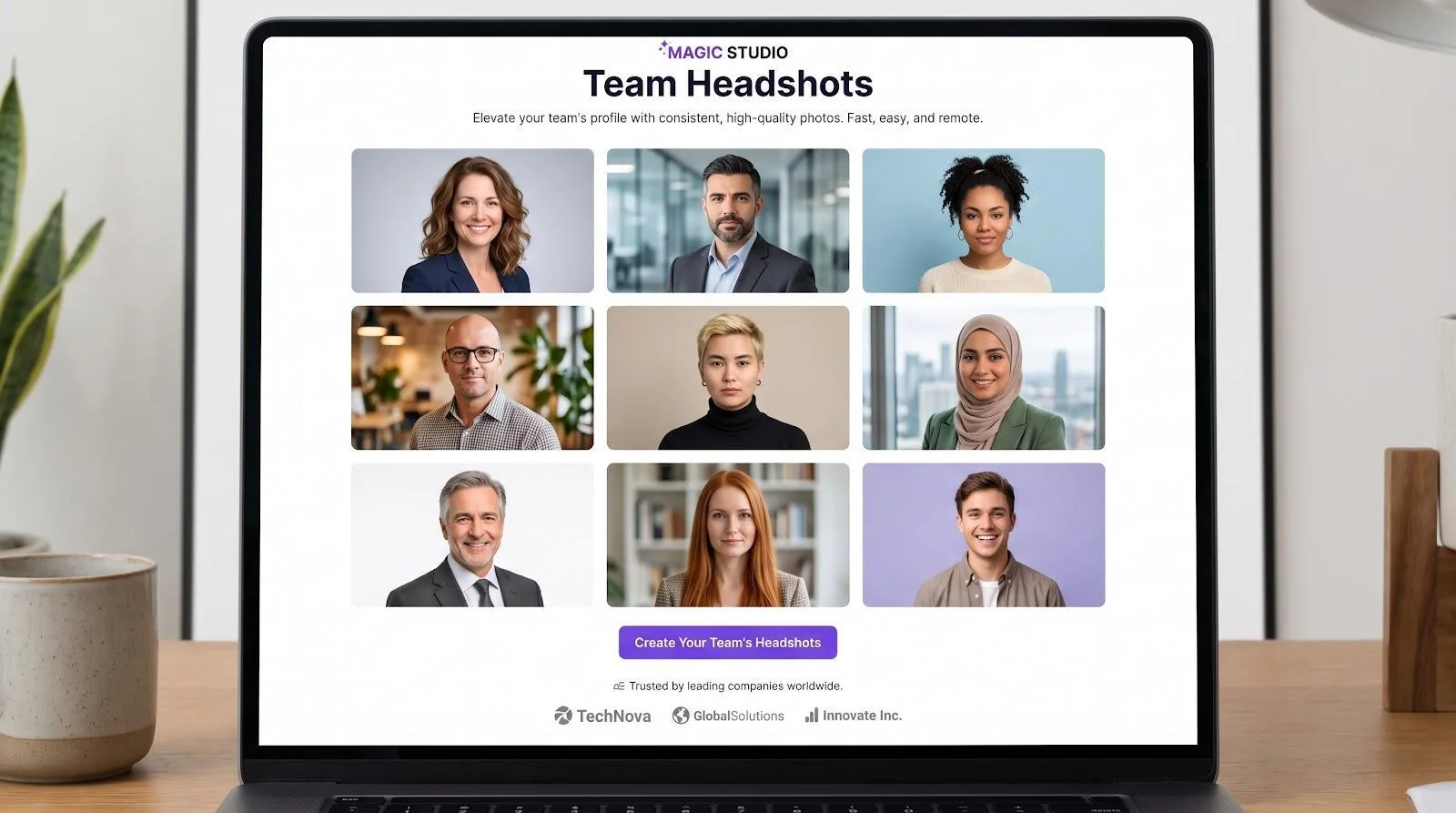
Magic Studio Teams Headshots Landing Page Screenshot
HR can share real output without raising a purchase order, and employees know how the AI treats their faces before a credit card hits the ledger. That clarity calms the “will it look like me?” nerves that often slow rollouts.
Because only legal and finance need to approve, pilots finish in one sprint instead of a month-long demo cycle. According to Magic Studio’s public calculator, the price is $62 per seat for a 10-person bundle. We will dig into volume discounts and data-policy details later, but if you need a painless first “yes,” Magic Studio belongs on the shortlist.
Why admins like it
- One locked background, crop, and attire style keeps the website grid uniform.
- If a photo misses the mark, you spend another credit; if an employee leaves, the file stays in your DAM.
- SSO plus an audit log cover the infosec basics, and Magic Studio’s policy states that source photos are deleted after 30 days and never used for general model training.
Bottom line
If your main challenge is getting real output in front of stakeholders before spending money, Magic Studio is the practical choice.
HeadshotPro: best for bulk team administration
HeadshotPro sells headshots the way SaaS sells seats: you buy credits, track usage, and top up when hiring spikes. Credits never expire, so finance avoids a “use-it-or-lose-it” crunch.
The workflow feels familiar to anyone who has run an email campaign. Upload a CSV, click Send, and the system nudges each employee until their selfies arrive. A dashboard tracks status and, once images are approved, one click bundles every portrait into a ZIP file.
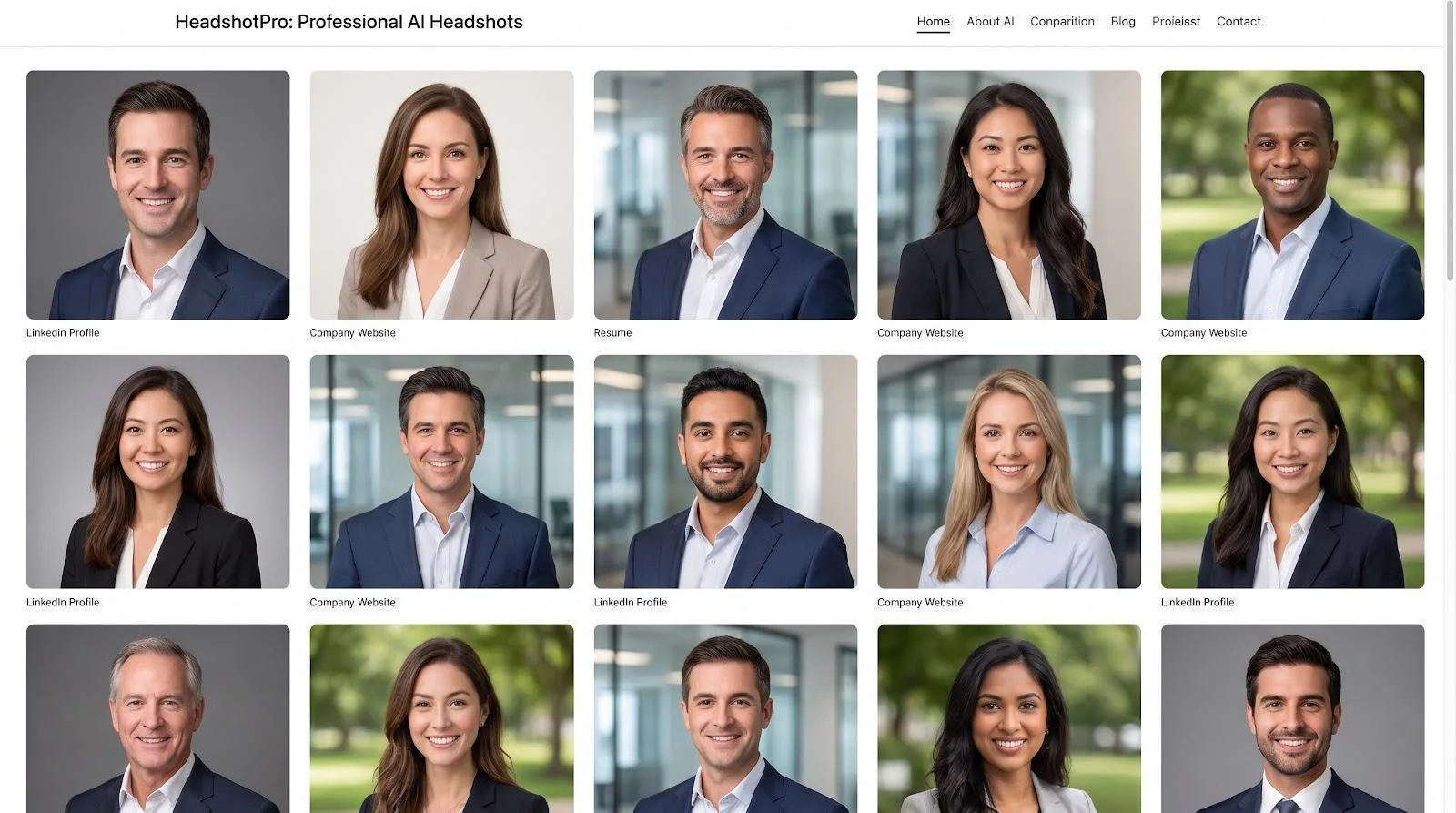
HeadshotPro Bulk Team Headshot Dashboard Screenshot
Why admins like it
- One locked background, crop, and attire style keeps the website grid uniform.
- If a photo misses the mark, you spend another credit; if an employee leaves, the file stays in your DAM.
- SSO plus an audit log cover the infosec basics, and the company’s policy states that source photos are deleted after 30 days and never used for general model training.
Public pricing starts at $29 per credit for small teams; discounts deepen to 30 percent at 50 seats and 50 percent above 1,000 credits. 4-K exports or manual retouching raise the total, but most mid-size companies still pay less per employee than a traditional photo shoot.
Bottom line
If your main challenge is moving dozens or hundreds of people through a low-touch pipeline without sacrificing security or brand control, HeadshotPro is the practical choice.
BetterPic: best for brand control and human retouching
Overview: pixel-perfect portraits, transparent pricing
Some teams need more than “good enough.” They want stray hairs fixed, jackets sharpened, and every backdrop locked to the exact brand hex. BetterPic pairs AI generation with optional human edits, so the final image looks like a studio shot, not a phone selfie.
Volume pricing sits in plain view: $49 per seat for 1–4 people, dropping to $13 at 1,000 seats. No hidden “contact sales” link. Because the math is public, marketing can estimate cost per approved employee before kickoff.
Why brand managers like it
BetterPic’s style configurator lets you lock backgrounds, crops, and clothing cues up front. Six months later a new hire’s photo lands in the grid and matches everyone else. Human editors remove AI quirks such as glare on glasses, plastic skin, or invented earrings, so trust-sensitive sectors get realism without “uncanny” vibes.
Security and policy checkpoints
The site advertises SOC 2 Type II and ISO 27001 and says paid photos never train public models. Support articles note a 30-day default storage window, yet the terms allow up to 90 days unless you request deletion. Smart buyers lock the shorter period in a DPA.
Pricing snapshots
- 50 seats ≈ $1,300
- 100 seats ≈ $2,300
Each pack includes 60 4-K images per person and three approved styles; manual retouching is available à la carte.
Bottom line
If your creative team sweats hex codes and leadership wants human eyes on files before they go live, BetterPic offers studio consistency at a per-employee price far below flying a photographer to three offices.
Aragon AI: best for enterprise security and integrations
Overview: portraits that satisfy the CISO
Many tools promise privacy; Aragon AI publishes proof. The company holds a SOC 2 Type II report and lets each organization set a photo-deletion window as short as 30 days. A data-processing addendum is available on request, pleasing legal and security teams before the first selfie uploads.
The user flow feels like a modern HRIS. SSO connects to Okta or Azure AD, role-based permissions keep marketing out of deletion settings, and an API pipes finished images into your DAM. With SCIM active, a new hire appears in Aragon the moment they clear background checks.
Why fast-growing teams like it
Even the Basic plan turns six selfies into 40 polished options in roughly 45 minutes, quick enough for a new hire to update Slack before lunch. Admins lock attire, background, and crop, yet each employee still gets one free edit, so brand harmony and personal taste coexist.
Pricing signals
The public Basic rate is $45 per seat. The Pro plan adds API access, SSO, and custom contracts; teams above 50 seats often negotiate discounts by bundling API volume with higher-resolution exports.
Bottom line
Choose Aragon when your security questionnaire rivals your creative brief. It ships the compliance paperwork, granular retention controls, and integration hooks that let IT sleep at night while still delivering likeable photos at start-up speed.
Secta AI: best for exact brand colors and enterprise styling
Overview: lock your hex code at generation time
If your design guide specifies #004F9F to the last digit, Secta AI lets you paste that hex code once and applies it to every generated headshot, so no Photoshop batch work is needed later. An automated onboarding flow invites hundreds of employees, applies the preset style, and routes approvals through a central dashboard, allowing regional teams to review without altering the master settings.
What makes it different
Most vendors aim for “close enough.” Secta insists on precision, but there is a trade-off: the platform asks for at least 20 source photos per person, triple the minimum on HeadshotPro or Aragon. The upside is a larger gallery (often 200+ images) that raises the keeper rate when staff want subtle pose variations.
Security and pricing notes
Marketing pages cite SOC 2 alignment and GDPR compliance, yet the terms allow internal use of uploads to improve the product. Confirm in writing that source photos, embeddings, and personalized models delete on your timeline. Pricing is quote-only; early customers report competitive per-seat rates above 250 employees, but smaller teams should request a 10-seat pilot quote before committing.
Bottom line
Choose Secta when exact color fidelity is non-negotiable and you can justify a bigger upload burden to achieve uniformity across regions and future hires.
Honorable mentions: niche needs worth testing
Some platforms fall outside our top five but solve very specific problems.
Dreamwave focuses on U.S-based storage and promises no secondary model training plus deletion on request. If your contracts require domestic data residency, add it to the shortlist, though you will need to request pricing and SSO details by email.
Try It On AI advertises a 30-minute turnaround and a sleek branded editor. Documentation on bulk pricing, retention, and security audits is thin, so treat it as an experimental option when speed matters more than certainty.
CompanyHeadshots.ai offers an 80-image gallery and a user-friendly dashboard. Enterprise certifications, retention periods, and volume discounts remain unclear; ask for a full security packet and a locked quote before you commit.
And yes, Canva fans ask, “Why not just use Canva?” Workflow is the answer. Canva handles touch-ups well but lacks the invite-based pipeline, SSO, and audit logging needed for ongoing team headshots.
Choose these tools when a single factor such as domestic data, sub-hour delivery, or tight budgets is more important than the balanced feature sets of the primary picks.
How to choose an AI headshot generator for your team
Picking a platform is simpler when you tackle one constraint at a time. Start with the non-negotiable: security and data retention.
1. Confirm security before comparing photo quality
Headshots are biometric data. Treat them the way you treat customer PII: demand proof, define deletion, and control access.
- Independent audit. Ask for a recent SOC 2 Type II report or equivalent. A marketing badge is not enough; a summary under NDA is the minimum.
- Written retention window. Marketing pages may promise “30-day deletion,” while the master terms quietly allow 90 days or more for “quality improvement.” Lock the shorter period into a DPA and state that source photos, embeddings, and any fine-tuned models disappear on the same schedule.
- SSO and audit logs. Confirm that HR can disable a departing employee’s account through Okta or Azure AD and that every upload, download, or deletion leaves an audit trail.
When these three boxes are checked, you can safely compare resolution, styling features, and price.
2. Prioritize 4K resolution and human retouching when pixel polish matters
If your brand team checks print proofs closely, look for 4K output and the option to fix details by hand. BetterPic is the clear front-runner here.
Resolution comes first. A 4K headshot scales from a profile thumbnail to a trade-show banner without visible blur, while lower-resolution files can show banding when you enlarge them for print.
Next comes the human touch. AI is fast, yet it sometimes invents earrings, smooths skin into plastic, or misplaces a strand of hair. BetterPic’s optional retouching lets a real designer fix those quirks before the file reaches your brand-asset library. The extra edit cycle takes longer, but it keeps legal and leadership from flagging the result as “too fake.”
Finally, look at cost in context. At roughly $1,300 for 50 seats, BetterPic works out to about $26 per employee.
If print collateral or high-resolution web images are on the roadmap, route your shortlist through BetterPic first.
3. Use preview-before-payment to win buy-in fast
Budget owners dislike mystery charges. Magic Studio lets you generate up to 100 portraits first and pay only if you like the results. If the images miss the mark, you have spent just 30 minutes, not a line item.
That transparency speeds executive sign-off: instead of a slide deck of vendor screenshots, you show leaders photos of their own faces. The question shifts from “Will this work?” to “Do we like these?”
Preview access also steadies employee nerves. Designers inspect lighting, sales reps judge approachability, and engineers look for uncanny artifacts before a credit card ever appears.
When cultural buy-in feels shaky, start with Magic Studio’s no-risk pilot. A single thumbs-up moves the project from debate to done.
4. Lock background color when visual consistency is non-negotiable
When a single rogue shade can derail a campaign review, you need generation-time color control. Secta AI lets you paste your exact hex code (for example, #1746A7) so every headshot lands on brand without a Photoshop batch run.
The catch: Secta asks for at least 20 photos per person to train its model, and pricing sits behind a quote form until your headcount tops about 200 seats. For global enterprises with strict design standards, that front-loaded effort pays off because, once the model is set, every future hire’s photo drops in perfectly on spec.
If color precision outranks speed or minimal input effort, Secta’s hex-locked workflow is the safest path to a uniform gallery.
5. Keep data inside U.S. borders when regulatory scope is tight
If your contracts or state rules require domestic data residency, add Dreamwave to the shortlist. The company says all processing happens on U.S. servers, never trains models on customer photos, and deletes data on request or after 30 days by default.
The trade-off is opacity elsewhere: bulk pricing, SSO support, and SOC reports sit behind a sales call. Still, when your checklist starts with “Is any data processed offshore?” Dreamwave’s U.S.–only stance can outweigh those gaps. A single phone call is cheaper than renegotiating a customer contract later.
Data security and employee consent: a non-negotiable checklist
Features and pricing mean little if a vendor mishandles biometric data. Use this five-point test before you upload a single selfie.
- One deletion clock for all data. Source photos, face embeddings, fine-tuned models, and final images often live in different stores. Your contract should apply the same window, ideally 30 days or less, to every layer.
- No public-model training. Ask directly whether employee photos feed any general model.
- Signed DPA with sub-processors and breach windows. A SOC 2 badge loses value if the CDN beneath it offers no 24-hour incident response.
- Built-in employee consent. U.S. teams may rely on a checkbox linked to the internal policy. EU staff often need explicit opt-in plus a deletion path.
- Label synthetic images. Article 50 of the EU AI Act requires clear disclosure or machine-readable provenance for AI-generated portraits used commercially.
Traditional photoshoot vs AI: the cost reality check
A half-day corporate shoot often starts around $2,000 for the photographer alone. Add travel, setup, and post-production, and the total climbs quickly. Include 90 minutes of employee downtime and, for 50 people, the direct bill typically tops $8,000 before counting lost work hours.
At scale, HeadshotPro lists $29 per credit, with discounts falling to $20.30 at 50 seats. Even after a redo credit and optional retouching, that same 50-person group lands well under $2,000. No travel, no makeup chair, and employees upload selfies on their own schedules.
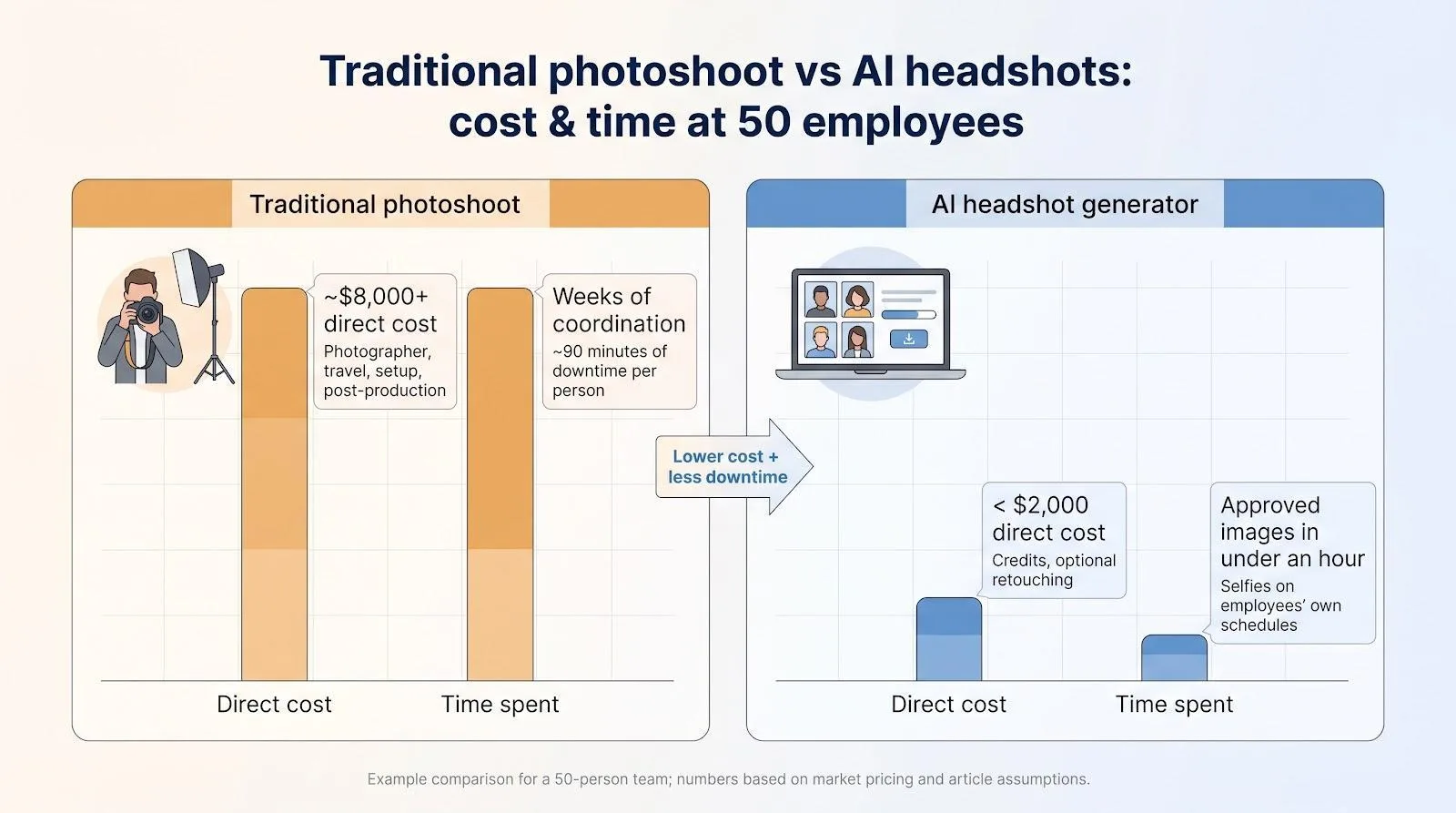
Quality stays high: a 4-K AI file matches or exceeds the megapixel count from most studio cameras, and locked styles mean a new hire six months from now slides straight into the grid without booking another session.
Time seals the deal. Coordinating a traditional shoot can take weeks, while AI delivers an approved image to your CMS in under an hour. Count the hard dollars and opportunity cost, and AI headshots can cut spend by 70 percent or more.
Unless you need an environmental portrait inside your flagship office, AI is usually the budget-wise choice.
Team rollout checklist
Rolling out AI headshots is easier when everyone follows the same playbook:
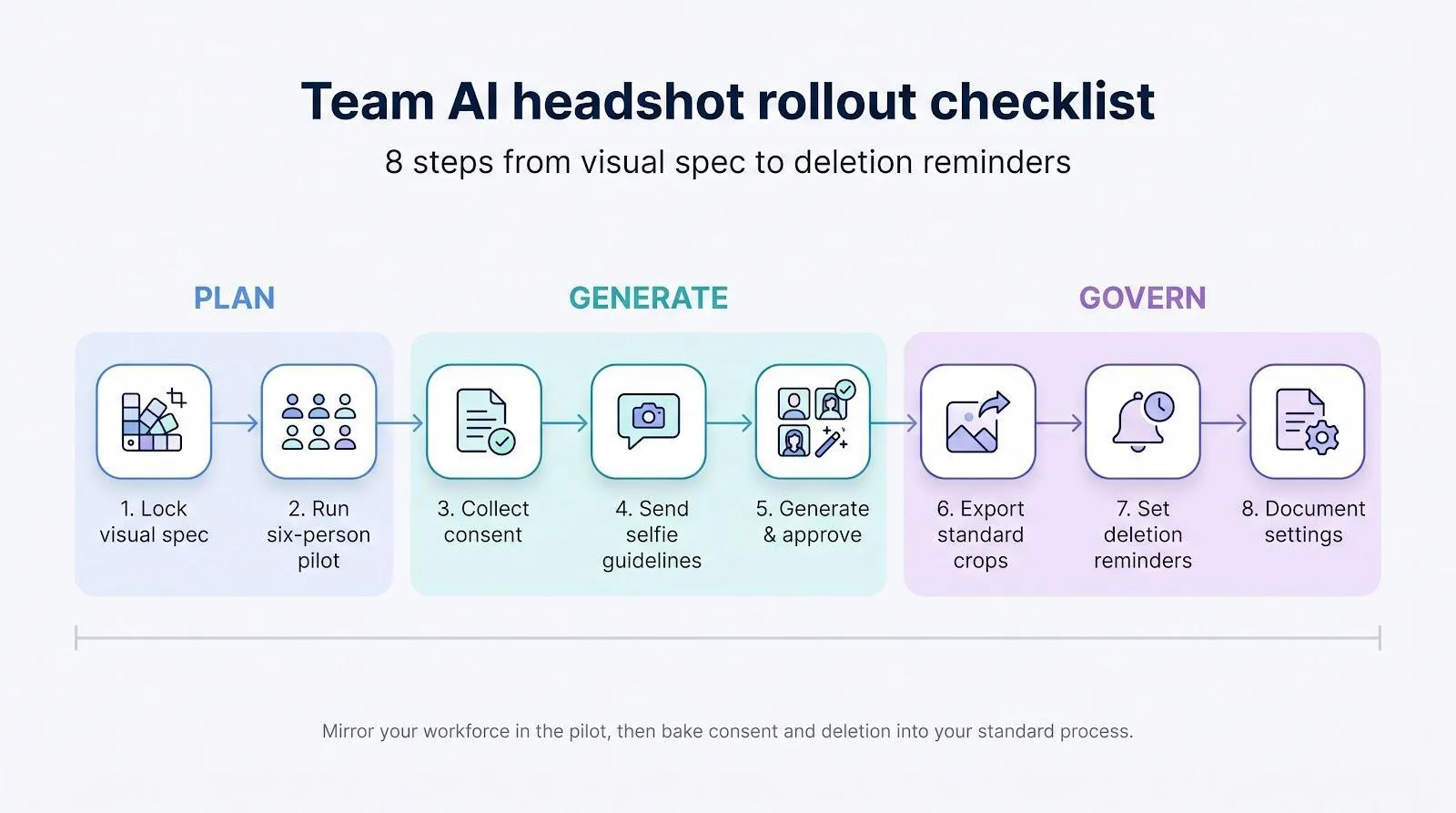
- Lock the visual spec. Decide background, crop, attire, and expression up front.
- Run a six-person pilot. Mirror your workforce to spot edge cases early.
- Collect informed consent.
- Send selfie guidelines.
- Generate and approve in one sprint.
- Export standard crops.
- Set deletion reminders.
- Document settings.
Follow these eight steps and your AI headshot rollout turns into routine practice rather than an experiment.
When to call a photographer instead
AI covers most needs, but some situations still call for a human behind the lens:
- Environmental portraits.
- Chain-of-custody photos.
- Executive preference.
- Employee comfort.
Keep these edge cases in mind, and you will use AI where it excels without forcing it where it does not fit.
Wrapping up: your next move
Five AI headshot generators now deliver studio-level portraits without studio-level logistics. Pick the tool that solves your first constraint:
- Security and SSO: Aragon
- Exact brand colors: Secta
- Preview before payment: Magic Studio
- Ongoing hiring scale: HeadshotPro
- 4-K output plus human retouching: BetterPic
AI matches or beats traditional shoots on cost, speed, and repeatability, provided you lock down data terms and employee consent first. Follow the checklist, run a diverse pilot group, and document every setting; you will launch with approvals in hand and a unified brand grid.
Ready to act?
- Download the one-page vendor-question sheet and send it to your shortlist.
- Block 30 minutes for a six-person pilot next week.
- Schedule time with legal to finalize the DPA once a favorite emerges.
Do that, and headshots stop being a bottleneck, freeing you to tackle the next branding project with the same clarity and speed.