Digital distractions do more than consume time. Every notification, unnecessary tab and habitual app check can interrupt concentration and make demanding work harder to complete.
The best focus apps address this problem in different ways. Some completely block distracting websites and applications. Others introduce friction before an impulsive action, measure working patterns or turn focused time into a rewarding habit.
This guide compares eight of the best focus apps available in 2026, based on their current features, platform coverage, blocking strength, privacy considerations and suitability for deep work.
Key takeaways
- Freedom is the strongest all-round option for blocking distractions across several devices.
- Cold Turkey Blocker provides particularly strict controls on Windows and macOS.
- Opal is a polished choice for managing habitual phone use.
- one sec interrupts automatic app-opening behaviour instead of relying exclusively on bans.
- Rize combines distraction blocking with automatic focus analytics.
- RescueTime is useful for people who want to understand where their working time goes.
- Forest makes focus sessions more engaging through visual rewards.
- FocusMe offers highly configurable blocking, scheduling and anti-bypass controls.
Best focus apps in 2026 at a glance
| Focus app | Best for | Main approach | Platforms |
|---|---|---|---|
| Freedom | Blocking across multiple devices | Scheduled website and app blocking | Windows, macOS, iOS, Android, Chrome |
| Cold Turkey Blocker | Strict desktop blocking | Locked blocks and allowlists | Windows and macOS |
| Opal | Reducing smartphone distraction | Focus rules, timers and usage insights | iPhone, Android and Mac |
| one sec | Interrupting impulsive checking | Intentional pauses and app friction | iOS, Android and browsers |
| Rize | Measuring and protecting deep work | Automatic tracking and distraction blocking | Windows and macOS |
| RescueTime | Understanding work patterns | Activity tracking and focus sessions | Desktop and mobile |
| Forest | Building a focus habit | Gamified focus timer | iOS, Android and browser extensions |
| FocusMe | Advanced custom controls | Blocking plans, limits and forced mode | Windows, macOS and Android |
Features and prices can change. Readers should verify current compatibility and subscription terms before purchasing.
1. Freedom: best overall focus app
Freedom is designed for people whose distractions move between devices. A user can create a blocklist, select devices and run the same focus session across a computer, phone and tablet.
Sessions can begin immediately or follow a recurring schedule. Freedom can block individual websites, applications or most internet access while preserving necessary resources through exceptions.
Its principal advantage is coordination. Blocking a social platform on a laptop is less useful if the same platform remains available on a phone beside the keyboard.
Best for: Professionals, writers and students working across several devices.
Key strengths:
- Cross-device blocking
- Scheduled and recurring sessions
- Website and application blocklists
- Locked sessions for stronger commitment
- Focus sounds and session tools
Main limitation: Its greatest value comes from the premium cross-device features rather than the restricted free option.
2. Cold Turkey Blocker: best for strict desktop enforcement
Cold Turkey Blocker is appropriate when a gentle reminder is not enough. It can block websites, applications, specific pages, searches or virtually the entire internet while allowing selected work resources.
Blocks can be locked using a timer, password, delay or typing challenge. Depending on the settings, users may be prevented from disabling the blocker or uninstalling it until the session ends.
The software also stores settings and statistics locally, which may appeal to users who are cautious about sending detailed activity data to a remote platform.
Best for: Desktop users who repeatedly bypass softer blocking tools.
Key strengths:
- Strong anti-bypass controls
- Website, application and internet blocking
- Recurring schedules and allowances
- Pomodoro-style breaks
- Locally stored statistics
Main limitation: It is primarily a desktop solution rather than a unified phone-and-computer system.
3. Opal: best for smartphone focus
Opal focuses on controlling screen time and protecting planned periods of concentration. Users can create Focus Rules, run timed sessions and select how difficult a block should be to override.
The app presents screen-use patterns through its Opal Score and history features. This makes it useful for people who want both intervention and feedback rather than a basic on-and-off blocker.
Its polished experience is particularly suitable for users whose most persistent distractions come from social, entertainment and messaging apps on their phones.
Best for: Smartphone users seeking structured, automatic focus routines.
Key strengths:
- Scheduled Focus Rules
- Adjustable blocking difficulty
- Focus timers
- Screen-time insights
- Phone and desktop availability
Main limitation: Some of its more advanced controls and historical insights require a paid plan.
4. one sec: best for breaking impulsive app habits
one sec takes a different approach to distraction. Instead of immediately banning every problematic application, it can insert a deliberate pause before an app or website opens.
That interruption breaks the automatic sequence of tapping an icon and beginning to scroll. Users may be asked to breathe, state their intention or complete another short intervention before continuing.
The app also provides scheduled blocking and usage limits when stronger controls are needed. Research published in the Proceedings of the National Academy of Sciences found that this type of self-nudge intervention reduced targeted app use.
Best for: People who open distracting apps without consciously deciding to do so.
Key strengths:
- Intentional pauses before app access
- Full blocking and scheduled restrictions
- Intention and emotion tracking
- Mobile and browser support
- Strong privacy positioning
Main limitation: Users seeking immediate, uncompromising desktop lockdown may prefer Cold Turkey or FocusMe.
5. Rize: best for deep-work analytics
Rize combines automatic time tracking with tools for protecting focused work. It categorises computer activity, measures distraction patterns and estimates the quality of focus sessions.
Users can schedule deep-work periods, activate a distraction blocker and review daily or weekly reports. Rize also provides break suggestions intended to prevent extended work from becoming counterproductive.
This combination helps answer two different questions: “What should I block?” and “When do I naturally perform my best concentrated work?”
Best for: Knowledge workers who want to measure and improve their focus patterns.
Key strengths:
- Automatic activity categorisation
- Focus and deep-work metrics
- Distraction detection and blocking
- Planned focus sessions
- Break recommendations
Main limitation: Automatic activity tracking requires a greater level of data access than a simple offline timer.
6. RescueTime: best for understanding lost time
RescueTime runs in the background and classifies time spent on websites and applications. Its Focus Sessions can then block activities labelled as distracting or personal.
Users can configure different blocking levels, create exceptions and prevent themselves from overriding a session. RescueTime can also identify periods when excessive context switching suggests that attention is becoming fragmented.
It is most valuable when the user does not yet know where the problem lies. A week of activity data may reveal that communication tools, news sites or frequent switching—not an obvious social network—are causing the largest disruption.
Best for: Professionals who want evidence before changing their workflow.
Key strengths:
- Passive activity measurement
- Configurable Focus Sessions
- Distraction and communication blocking
- Focus-zone and attention alerts
- Daily and weekly reporting
Main limitation: Detailed tracking may be unnecessary for users who only want a straightforward blocker.
7. Forest: best focus app for motivation
Forest turns a focus timer into a visual commitment. A virtual tree grows while the user remains focused, while leaving the session can interrupt that progress.
The approach does not provide the same enforcement as a locked desktop blocker. Its value lies in making repeated focus sessions satisfying and visible. Users can build a record of their concentrated time and review patterns over longer periods.
Forest is particularly suitable for studying, reading and structured work intervals where motivation matters more than strict technical restrictions.
Best for: Students and users motivated by visual progress.
Key strengths:
- Simple focus timer
- Gamified rewards
- Focus history and statistics
- Shared sessions
- Accessible mobile experience
Main limitation: Gamification may not prevent determined users from accessing distractions elsewhere.
8. FocusMe: best for advanced customisation
FocusMe combines website and application blocking with detailed schedules, time allowances and enforced breaks.
Its forced mode is designed to make active plans difficult to stop. Users can create limits for specific distractions, restrict the number of sessions allowed and use accountability controls. A built-in Pomodoro timer supports structured work-and-rest cycles.
This level of configuration can be useful for users with precise requirements, although it may require more setup than a simpler focus timer.
Best for: Power users who want detailed rules and strict enforcement.
Key strengths:
- Forced blocking mode
- Detailed schedules and usage limits
- App, website and short-form-video controls
- Forced breaks and Pomodoro sessions
- Accountability features
Main limitation: Its extensive settings may feel excessive for users who want to start a session with one tap.
How to choose the best focus app
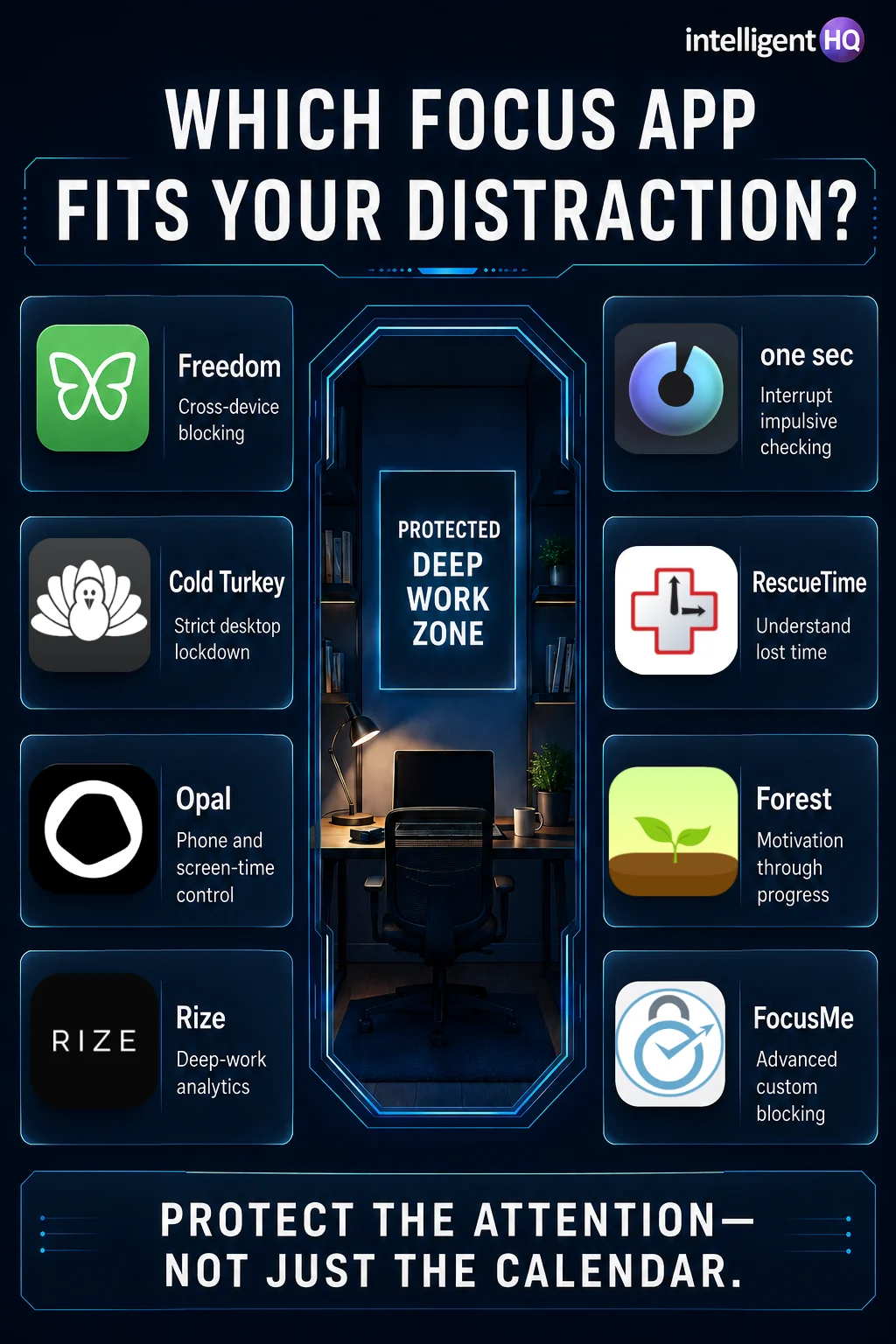
The right tool depends on the behaviour creating the distraction.
Choose by type of distraction
- Several devices: Freedom
- Desktop procrastination: Cold Turkey Blocker
- Compulsive phone checking: Opal
- Automatic social-media opening: one sec
- Poor awareness of work patterns: Rize or RescueTime
- Low motivation: Forest
- Repeatedly bypassing restrictions: FocusMe
Consider blocking strength
Focus apps generally use one of three approaches:
- Gentle friction: The app asks whether access is intentional.
- Timed restriction: Selected distractions are unavailable during a session.
- Locked enforcement: The restriction cannot easily be cancelled.
Start with the least restrictive method that works. Excessively strict blocks can obstruct legitimate communication or research, while controls that are too easy to dismiss may change nothing.
Check platform coverage
A blocker should cover the device on which distraction actually occurs. Desktop-only software will not solve habitual phone checking. Conversely, a mobile screen-time application may not protect a writing session conducted entirely in a browser.
Review privacy before enabling activity tracking
Apps that analyse focus patterns may need access to website names, application activity or screen-time information. Check:
- What information is collected
- Whether activity is stored locally or remotely
- How long records are retained
- Whether data can be deleted or exported
- Whether the product is suitable for confidential work
How to use a focus app for deep work
Installing a blocker is not the same as creating a focused working system.
1. Define a specific outcome
Replace “work on the report” with a concrete target such as “draft the executive summary and first two sections.”
2. Protect a realistic period
Begin with 30–60 minutes rather than attempting to block every distraction for an entire day.
3. Use an allowlist
Preserve access to the documents, research databases and communication channels genuinely required for the task.
4. Remove physical interruptions
Put the phone out of reach, close unnecessary applications and disable non-essential notifications. Software cannot compensate for an environment that constantly demands attention.
5. Review the result
Record whether the session produced meaningful output. A long timer is not evidence of deep work if the task remained unclear.
Readers building a broader personal-performance system can also explore IntelligentHQ’s guide to the best apps and online tools for self-improvement. Founders and managers may find additional workflow options in Digital Planning Tools That Actually Help Founders Execute.
Are focus apps effective?
A focus app can remove easy access to a distraction, introduce a pause before an impulsive action or reveal patterns the user previously overlooked. It cannot decide which work matters, resolve an overloaded schedule or create energy when someone needs rest.
The strongest results usually come from combining:
- A clearly defined task
- A protected calendar block
- Fewer notifications
- An appropriate blocking method
- Planned breaks
- A short review of completed output
The objective is not to maximise the number of blocked hours. It is to protect enough uninterrupted attention to complete valuable work.
Final thoughts
Freedom is the most versatile choice for people working across multiple devices, while Cold Turkey Blocker and FocusMe provide stronger enforcement. Opal and one sec are better suited to habitual smartphone distraction. Rize and RescueTime add analytics, while Forest makes repeated focus sessions easier to sustain.
Before paying for a focus app, identify the precise behaviour that needs to change. The best focus app is not necessarily the one with the most features—it is the one that creates the right amount of friction without obstructing the work itself.
Frequently asked questions
What is the best app for blocking distractions?
Freedom is a strong general-purpose choice because it can coordinate blocking across several platforms. Cold Turkey Blocker is better suited to strict desktop restrictions.
What is the best free focus app?
Forest, one sec and several other tools provide free access or limited free functionality, but availability differs by platform. Built-in tools such as Apple Screen Time and Android Digital Wellbeing can also provide basic limits without another subscription.
Can focus apps block social media?
Yes. Most focus apps can restrict social-media websites, applications or both. The effectiveness depends on platform permissions and whether the user can easily override the restriction.
Are focus apps safe?
Established focus apps can be used safely, but products that track activity may process sensitive behavioural information. Review permissions, privacy policies and data-deletion options before installation.
What is the best focus app for studying?
Forest is effective for students who respond to visual motivation. Freedom or Cold Turkey may be more appropriate when strict access controls are required.
SEO details
SEO title: Best Focus Apps in 2026: Block Distractions and Protect Deep Work
Meta description: Compare the best focus apps in 2026 for blocking websites, limiting phone use, measuring distractions and protecting deep-work sessions.
Suggested URL: /best-focus-apps/
Primary keyword: best focus apps
Secondary keywords: apps to block distractions, best focus app for studying, website blocker app, productivity apps for focus, deep work apps
Sources
- Freedom — official product and feature information
- Cold Turkey Blocker — official features
- Opal — official product information
- one sec — official product and research information
- PNAS — Directing smartphone use through the one sec self-nudge intervention
- Rize — productivity and focus features
- RescueTime — focus settings and blocking controls
- Forest — official focus-app website
- FocusMe — official feature list