AI tools are all around us.
One tool helps you with writing. Another tool helps you with coding. A third tool generates images for you. Then you need to use a platform for automation and for research and for presentations and for team collaboration.
Before you know it you are paying for five or six subscriptions and you are constantly switching between tabs.
That is the problem that Abacus AI is trying to solve.
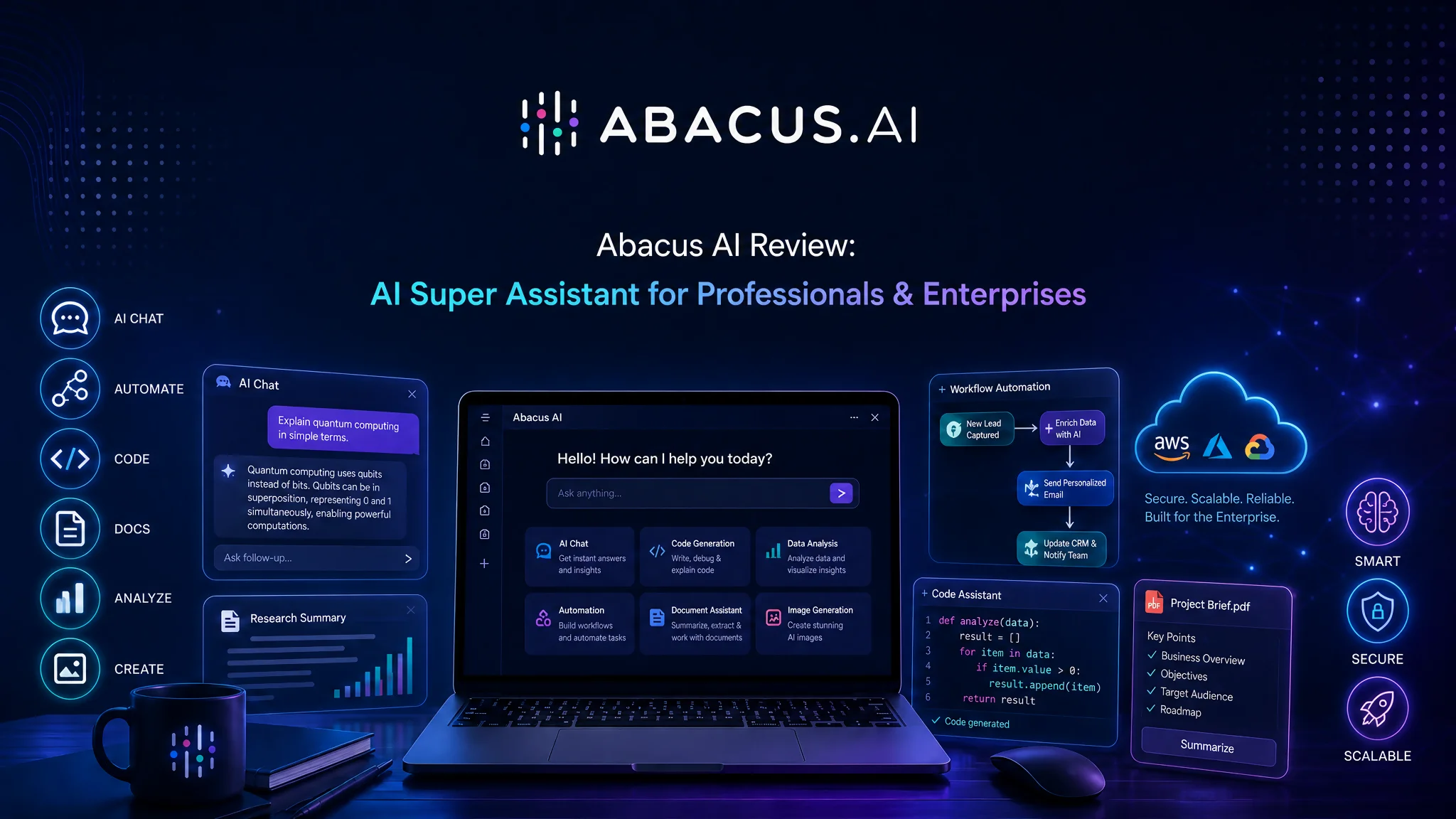
Abacus AI does not offer one chatbot. Instead combines AI models and agents and creative tools and coding assistants and automation capabilities all into one platform.
After looking at the ecosystem of Abacus AI it is clear that Abacus AI is not trying to compete with just ChatGPT. Abacus AI is trying to become the system for work that uses AI.
In this review we will look at every product of Abacus AI and the pricing and the strengths and the limitations of Abacus AI and whether or not it is worth using Abacus AI.
TL;DR
- Abacus AI is a platform that has everything you need from chat and coding to automation and media creation all in one place.
- It lets you access top AI models through ChatLLM.
- You get AI Agents that can do research, build things, automate tasks and finish jobs for you.
- There are also tools to create images, videos and voiceovers.
- The SuperComputer part offers cloud hosting, databases, APIs and tools to deploy your projects.
- This platform is good for professionals, founders, marketers, developers, agencies and big teams.
- The price starts at $7 for the month then it’s $10 a month.
- The only downside is that it can feel a bit overwhelming if you’re new to all this because there are many features.
- Overall Rating: 9/10
- Verdict: If you want lots of AI tools, in one place Abacus AI is one of the options available.
The Real Problem With AI Tools Today
Most people don’t have an AI problem.
They have a tool problem.
You might use:
- ChatGPT for writing
- Claude for analysis
- Gemini for Google integration
- Cursor for coding
- Midjourney for images
- Zapier for automation
- AWS for hosting
Every tool solves one problem.
The downside is managing multiple subscriptions, learning different interfaces, and moving work between platforms.
Abacus AI takes a different approach.
Instead of giving you one AI model, it gives you an entire AI ecosystem.
What Is Abacus AI?
Abacus AI is an AI platform designed for professionals, teams, and enterprises.
The company describes it as the world’s first AI super assistant.
The goal is simple:
Give users one platform where they can access leading AI models, automate work, build applications, generate media, analyze data, collaborate with teams, and deploy AI-powered solutions.
The platform is used by startups, agencies, developers, enterprises, and large organizations looking to centralize their AI workflows.
Inside the Abacus AI Ecosystem
The easiest way to understand Abacus AI is to look at its products individually.
ChatLLM: The Core Interface Most Users Start With
ChatLLM is the primary entry point into Abacus AI and the most commonly used component.
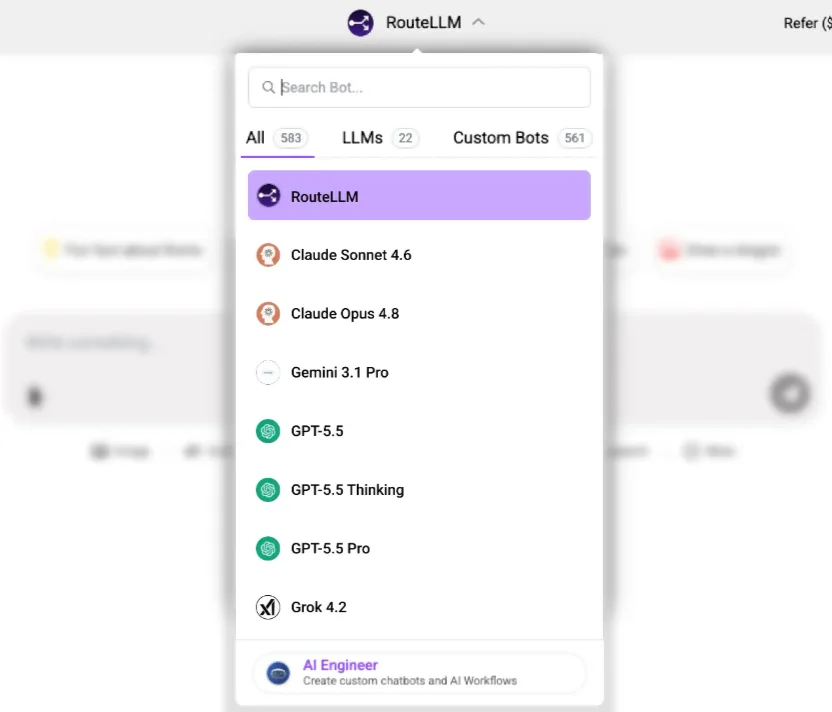
At a surface level, it resembles tools like ChatGPT or Claude. But underneath, it is designed as a multi-model workspace rather than a single-model chatbot.
It provides access to models from providers including:
OpenAI, Anthropic, Google, xAI, DeepSeek, Qwen, Kimi, and others.
Instead of switching between subscriptions, users operate within one environment.
More Than a Chat Interface
ChatLLM extends beyond conversational use.
It can be used for:
- Writing and editing articles
- Summarizing long reports
- Analyzing PDFs and documents
- Working with spreadsheets
- Generating code
- Conducting research
- Creating presentations
- Generating images
A practical example:
A marketer can upload a competitor analysis report and extract insights instantly.
A student can summarize academic papers.
A developer can debug or generate code without leaving the platform.
Because different models excel at different tasks, the ability to switch between them inside one interface becomes a practical advantage.
Document Intelligence: One of ChatLLM’s Strongest Use Cases
One of the most useful capabilities is file-based analysis.
Unlike basic chat tools, ChatLLM supports:
- PDFs
- Presentations
- Spreadsheets
- Reports
- Images
Instead of manually reading through large documents, users can query them directly to extract insights, summaries, or structured data.
This is especially valuable for analysts, researchers, consultants, and business teams dealing with large volumes of information.
Built for Individuals and Teams
ChatLLM is not limited to personal use.
Teams can:
- Organize projects
- Share knowledge bases
- Build internal AI assistants
- Centralize organizational context
This makes it useful for both individual productivity and enterprise collaboration.
Who Benefits Most From ChatLLM?
ChatLLM is especially useful for users who regularly work with information-heavy workflows:
- Content marketers
- Researchers
- Consultants
- Business owners
- Analysts
- Students
- Remote teams
If your work involves reading, writing, analyzing, or creating content, ChatLLM reduces friction across those tasks.
DeepAgent: From Assistance to Execution
Most AI tools stop at answering questions.
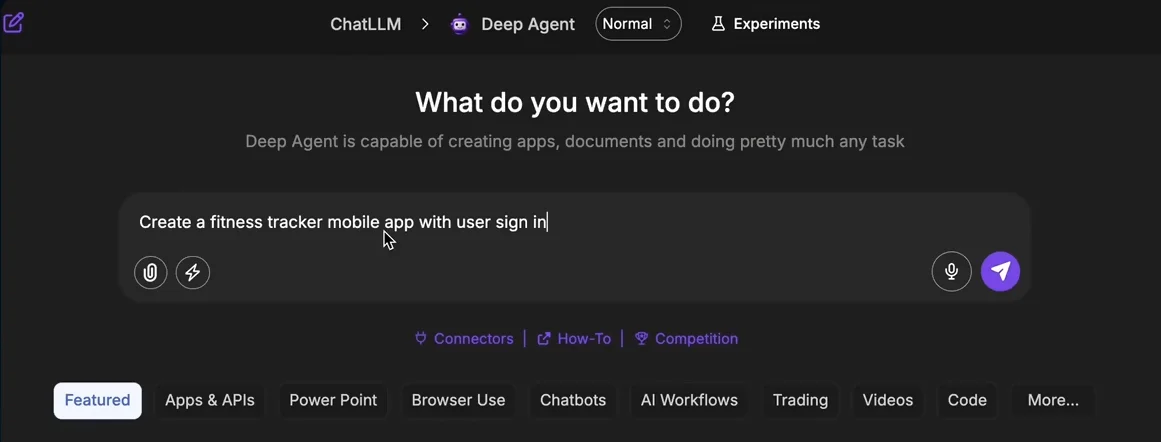
DeepAgent is designed to go further — from response generation to task completion.
Instead of providing instructions, it executes multi-step workflows toward a final outcome.
Users define a goal, and the agent:
- Breaks it into steps
- Collects relevant information
- Uses tools and integrations
- Produces a finished result
What DeepAgent Can Do
It can handle:
- Market research
- Presentations
- Website creation
- Application development
- Data processing
- Workflow automation
- Multi-source research
Instead of manually coordinating these steps, users delegate the entire process.
DeepAgent for App Development and Vibe Coding
One of the most discussed use cases is application building through natural language prompts.
Users can describe an idea in plain English and generate:
- Websites
- Dashboards
- SaaS prototypes
- Internal tools
- CRM systems
- eCommerce applications
- Support portals
While human oversight is still necessary for production-level systems, DeepAgent significantly reduces early development time.
This is often referred to as “vibe coding” — building software through intent rather than manual coding.
The key advantage is speed from idea → working prototype.
Who Should Use DeepAgent?
DeepAgent is most useful for:
- Entrepreneurs
- Agencies
- Product teams
- Developers
- Consultants
- Operations teams
It is designed for execution, not just conversation.
Abacus AI Desktop: A Unified Work Environment
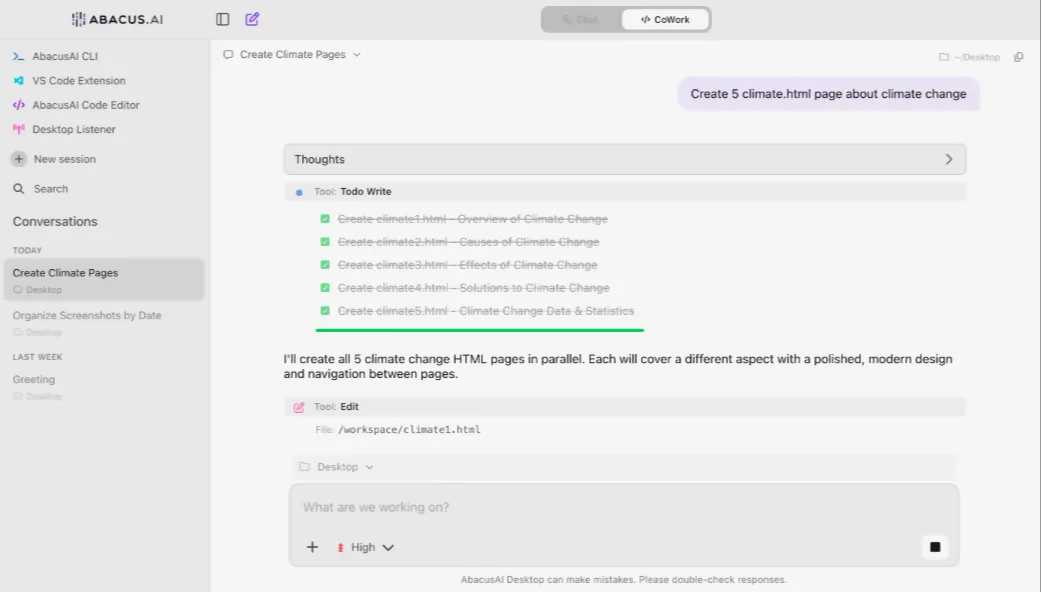
Abacus AI Desktop shifts the experience from browser-based interaction to a dedicated workspace.
Instead of switching between tools, users operate inside a single environment that combines:
- Chat
- Coding
- Terminal access
- Transcriptions
- Task delegation
CoWork Feature
A key feature is CoWork, where users assign tasks and allow the system to work independently.
It can:
- Analyze datasets
- Generate reports
- Organize files
- Process documents
- Conduct research
- Build presentations
The focus is reducing supervision and enabling autonomous task completion.
Ideal Users
- Developers
- Engineers
- Technical founders
- Product managers
- Power users
Abacus AI Studio: Creative Production in One Place
Studio consolidates creative AI tools that are usually spread across multiple platforms.
It supports:
- Image generation
- Video generation
- Voice synthesis
- Content editing
- Image enhancement
- Asset creation
Instead of switching tools, users manage creative workflows in one system.
Why It Matters
Creative production is usually fragmented across tools and formats.
Studio reduces this fragmentation by centralizing everything in one workspace, making it easier for teams to produce consistent output at scale.
Personal AI Agents: Claw and Hermes
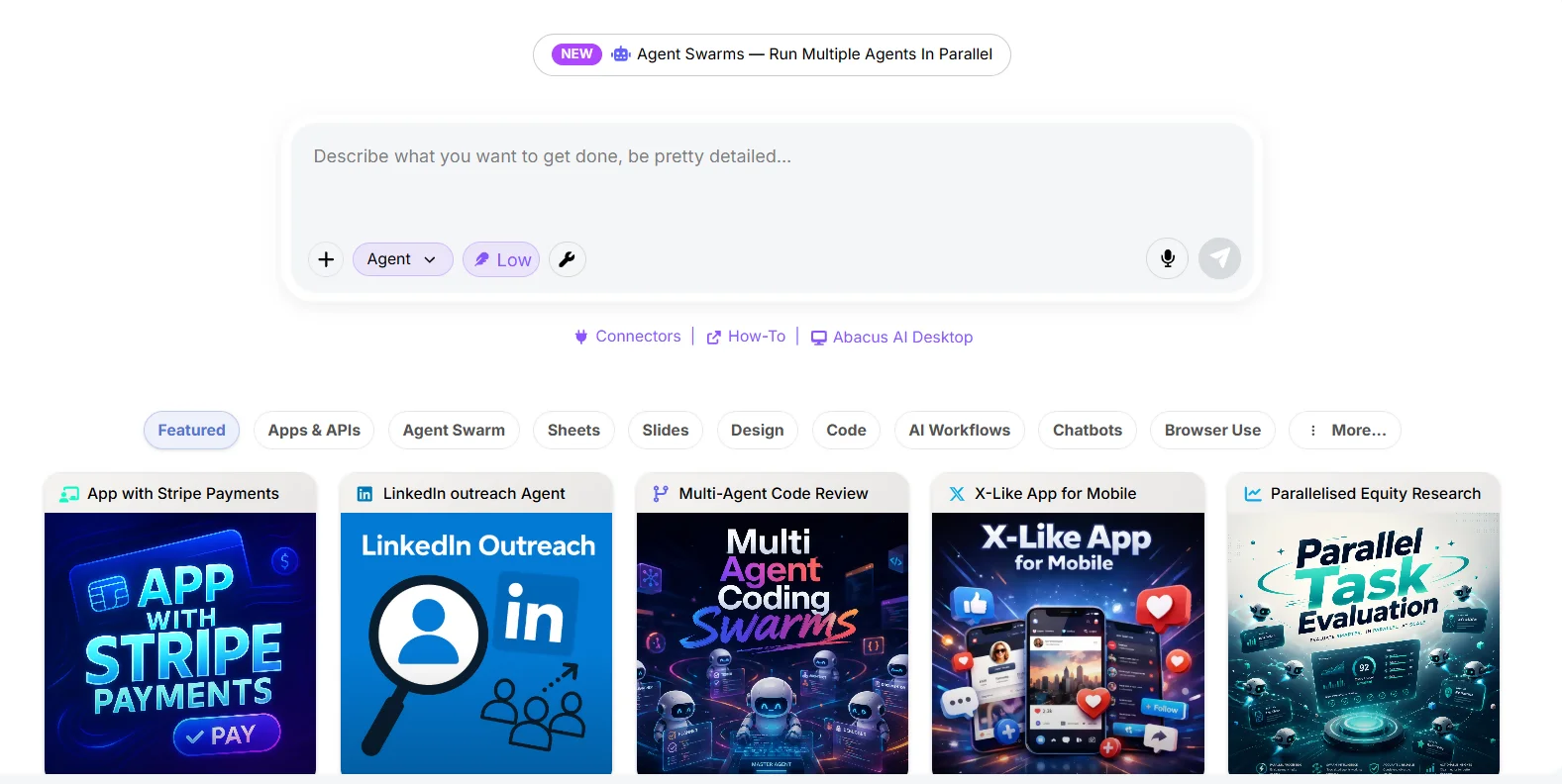
Unlike traditional AI tools that reset after each session, personal agents in Abacus AI remain active over time.
Claw: Messaging-Based AI Assistant
Claw operates across:
- Telegram
- Slack
- Other messaging platforms
It acts as a persistent assistant embedded into daily communication tools.
Users can:
- Customize behavior
- Control access
- Maintain context over time
It functions like an AI that follows you across workflows instead of staying inside a single app.
Hermes: Advanced Automation Agent
Hermes focuses on deeper workflow automation.
It supports:
- Multi-step execution
- Long-term memory
- Decision-making workflows
- Learning from past actions
It is designed for operational automation rather than simple interaction.
Abacus AI SuperComputer: Infrastructure Layer
SuperComputer extends the platform beyond AI tools into full infrastructure.
It provides:
- Compute resources
- Persistent storage
- Databases
- Terminal access
- HTTPS deployment
- Application hosting
- API management
Why It Matters
Traditional cloud platforms require setup, configuration, and maintenance.
SuperComputer reduces this overhead by combining infrastructure and AI workflows in one environment.
It is designed for building and deploying applications without managing separate cloud services.
Is Abacus AI Safe?
Security is often a major concern when using AI platforms.
Abacus AI states that customer data is not used for model training.
The platform also offers:
- Data encryption
- Enterprise-grade security controls
- SOC 2 Type II compliance
- HIPAA support
These protections make the platform suitable for many business environments.
Abacus AI Pricing
Abacus AI offers an attractive entry point compared to subscribing to multiple AI services separately.
Current pricing starts at:
$7 for the first month
followed by
$10 per month
for continued access.
Additional plans and upgrades are available for users who require more advanced features, higher usage limits, Studio capabilities, Personal Agents, or enterprise deployments.
Real-World Use Cases
For Marketers
- Content creation
- Campaign planning
- Research
- Presentation development
For Developers
- Coding assistance
- App development
- Deployment
- Debugging
For Agencies
- Client reporting
- Research
- Workflow automation
For Enterprises
- Internal AI assistants
- Process automation
- Knowledge management
Abacus AI Pros and Cons
Pros
- Access to multiple leading AI models
- Strong automation capabilities
- Powerful AI agents
- Excellent coding tools
- Creative tools included
- Enterprise-ready security
- Broad ecosystem under one platform
Cons
- Large number of features may feel overwhelming initially
- Some advanced tools require a learning curve
- Credit systems may take time to understand
Abacus AI vs. ChatGPT
ChatGPT is one of the most popular AI tools available today. It excels at conversations, writing assistance, brainstorming, coding help, and answering questions. For many users, ChatGPT is the first AI tool they interact with on a daily basis.
Abacus AI includes similar conversational capabilities but takes a broader approach. Instead of focusing primarily on chat, it combines multiple AI models, automation tools, coding assistants, AI agents, media generation tools, and cloud infrastructure within a single platform.
For example, if you need help writing an article, both platforms can assist. However, if you also want AI to research competitors, build a presentation, generate marketing images, automate workflows, and deploy an application, Abacus AI offers those capabilities within the same ecosystem.
In simple terms, ChatGPT is primarily an AI assistant for conversations, while Abacus AI aims to be a complete AI workspace for both individuals and teams.
Abacus AI vs. Claude
Claude has earned a strong reputation for thoughtful responses, long-context understanding, and high-quality writing. Many users prefer Claude when working on research, analysis, business documents, and detailed reports.
The difference is that Claude focuses mainly on the AI conversation experience. Abacus AI allows users to access Claude models while also providing additional tools for automation, coding, deployment, media creation, and team collaboration.
This means users can benefit from Claude’s reasoning abilities without leaving the larger Abacus AI ecosystem. Rather than choosing between different AI platforms, users can access multiple models from one interface and select the one that works best for a specific task.
For users who primarily need writing and analysis, Claude may be enough. For users managing multiple workflows, Abacus AI offers a broader toolkit.
Abacus AI vs. Gemini
Gemini is Google’s AI platform and is deeply integrated with Google’s ecosystem. It works naturally with products such as Gmail, Google Docs, Google Drive, Sheets, and other Google services.
This makes Gemini especially useful for users who already rely heavily on Google’s productivity tools.
Abacus AI takes a different approach. Instead of focusing on one ecosystem, it gives users access to multiple AI models and workflows from a single platform. Users can combine research, content creation, coding, automation, AI agents, and deployment tools without being tied to a specific provider.
If your daily work revolves around Google Workspace, Gemini may feel more familiar. If you want flexibility across multiple AI models and use cases, Abacus AI may offer a wider range of capabilities.
Abacus AI vs. Perplexity
Perplexity is designed primarily as an AI-powered research and search platform. It helps users find information quickly, summarize sources, and discover answers backed by citations.
For researchers, students, journalists, and knowledge workers, Perplexity can be extremely effective for gathering information.
Abacus AI also supports research tasks, but research is only one part of the platform. In addition to finding information, users can generate content, build applications, automate workflows, create images and videos, analyze files, and deploy projects.
A simple way to think about it is that Perplexity specializes in helping users find answers, while Abacus AI focuses on helping users complete entire projects from start to finish.
Abacus AI vs. Zapier
Zapier is one of the most widely used workflow automation platforms. It connects thousands of applications and allows users to automate repetitive tasks without writing code.
For example, Zapier can automatically send form submissions to a spreadsheet, create tasks in project management software, or move data between applications.
Abacus AI includes automation capabilities as well, but its focus extends beyond connecting apps. The platform combines automation with AI-powered research, content generation, coding assistance, intelligent agents, and cloud infrastructure.
This means users can not only automate workflows but also use AI to analyze information, generate outputs, make decisions, and perform more complex tasks.
Zapier remains one of the strongest dedicated automation platforms available. However, users looking for automation alongside AI-driven productivity tools may find Abacus AI’s broader ecosystem more appealing.
Understanding Credit Usage in Abacus AI
Abacus AI uses a credit-based system to manage usage across its platform. Every action you take: whether chatting with models, generating images, analyzing files, or using AI agents, consumes credits based on the complexity of the task.
Simple text-based queries use fewer credits, while advanced models, long outputs, file analysis, and image or video generation use more.
Credits are shared across all tools in ChatLLM, AI Agent, Studio, and other features, making it easier to use everything under one plan instead of separate subscriptions.
Your usage depends mainly on the model you choose, the size of your input/output, and the type of task. In general, everyday tasks like writing and research use credits slowly, while creative or agent-based workflows consume them faster.
Overall, the credit system is designed to keep usage flexible while giving access to a wide range of powerful AI tools in one platform.
Who Should Use Abacus AI?
Abacus AI is a strong fit for:
- Professionals
- Consultants
- Agencies
- Developers
- Founders
- Enterprise teams
- Individuals
If you regularly use multiple AI products, consolidating them into one platform can simplify workflows and reduce software costs.
Final Verdict: Is Abacus AI Worth It?
Abacus AI is the platform that combines leading AI models, autonomous agents, coding tools, creative applications, workflow automation, and cloud infrastructure into one ecosystem.
The biggest strength isn’t any individual feature.
It’s the fact that everything works together.
Instead of juggling separate tools for writing, research, coding, image generation, video creation, automation, and deployment, users can manage most of those activities from one platform.
For professionals, teams, and organizations looking to get more value from AI, Abacus AI is one of the most complete AI ecosystems available today.