Keeping a feed fresh takes more than quick thumbs and clever captions. We need visuals that stop the scroll, stay on brand, and publish fast.
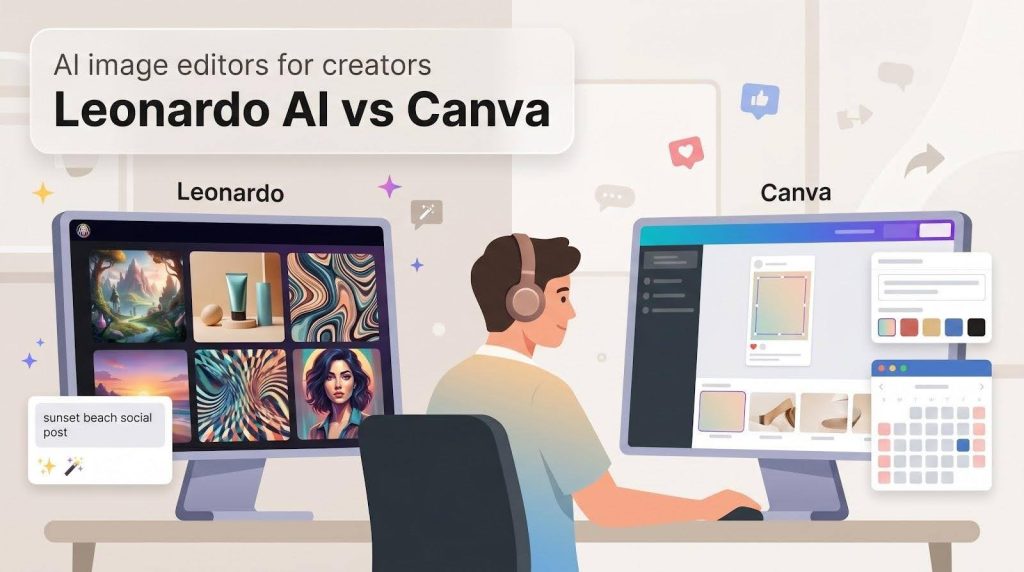
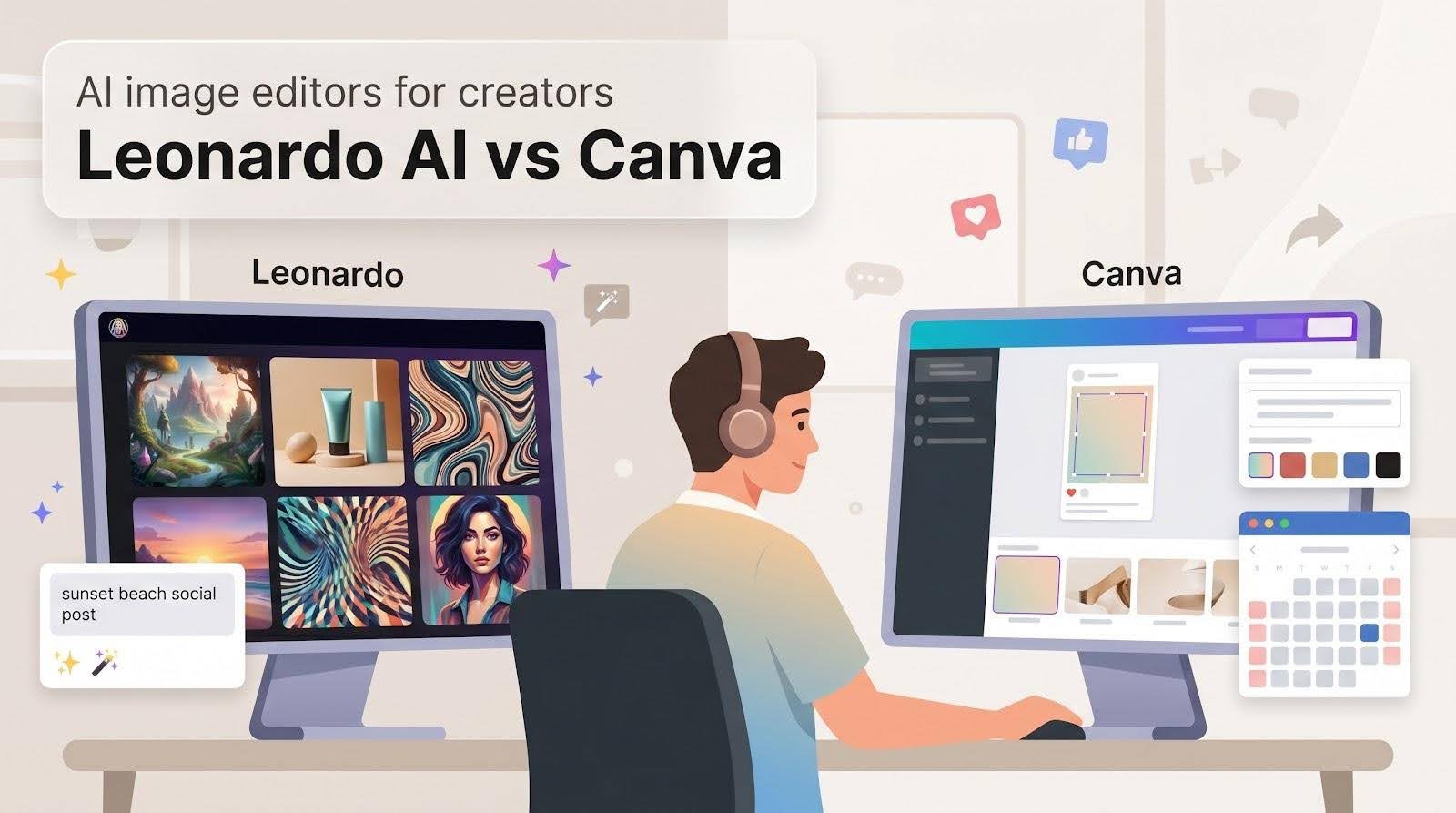
Two tools aim to help: Leonardo AI—known for high-quality generative art—and Canva, the broad-reach design suite now laced with its own AI features.
Wondering which one fits your workflow—or whether a combo works best? We spent a week creating, tweaking, branding, and scheduling images to find out.
Four essentials for social-media creators
- AI-powered editing and object removal
- Brand style consistency
- Workflow speed and integrations
- Cost and overall value
Ready to create smarter, not harder? Let’s jump in.
How we tested and scored
We treated Leonardo AI and Canva as teammates during a seven-day content sprint.
First, we mapped a typical social-media workflow: brainstorm, generate visuals, polish, and schedule. We timed every step in both platforms to capture the friction you feel right before a post goes live.
Next, we ran the same four tasks on each tool:
- remove a passer-by from a photo
- swap a plain sky for a sunset
- create five branded quote graphics
- produce 20 background images
We started on each free tier, then repeated the tasks on the first paid tier to see what changes once money enters the picture.
Each task earned a 1-to-5 score:
- Quality — how seamless and on-brand the final image looked
- Ease — clicks required and interface clarity
- Speed — minutes from idea to finished asset
- Value — usable images divided by dollars (or free credits) spent
Every feature section that follows ends with a micro-verdict. Add those scores and you get the quick-glance matrix that appears right after the feature deep dives. Skim or explore at your own pace.
1. AI-powered editing and object removal
A photobomber, a crooked horizon, a flat sky: small flaws that pull attention from your message. The fix should be fast, invisible, and handled inside the same tool you used to create the image.
Leonardo’s walkthrough on how to edit images with AI demonstrates the same three-step loop—start with any image, describe the change, then refine and upscale—so you keep improving the shot instead of starting over when a detail feels off. The guide even spotlights prompt-based object removal and background swaps, matching the real-world tests we timed for this review.
Leonardo: surgical control for perfectionists
Leonardo handles edits in its AI Canvas. Brush over an area, enter a short prompt such as “clean beach sand” or “pink sunset sky,” and watch the patch rebuild in real time. Because the Canvas sits on the same models used for full image generation, you can push beyond simple erases—replace a dull product label with a holographic one or extend a portrait into a widescreen banner without cloning seams.
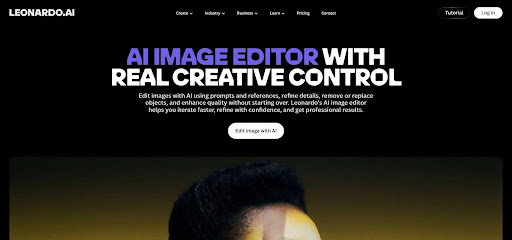
The trade-off is effort. Good prompts matter, masking takes a steady hand, and the Canvas sits behind the paywall. Beginners can get strong results, but they may spend a few rounds refining prompts.
Canva: one-brush edits for move-fast teams
Canva places Magic Eraser and Magic Edit inside the main editor. Select a photo, swipe the brush, and the stranger in neon disappears. Need to swap an empty mug for a latte? Brush, type “latte art,” choose Generate, and you’re done. PCMag rated Canva “Excellent,” noting that its AI tools remain easy for non-technical users even if complex edits can lack the precision of specialist software (pcmag.com).
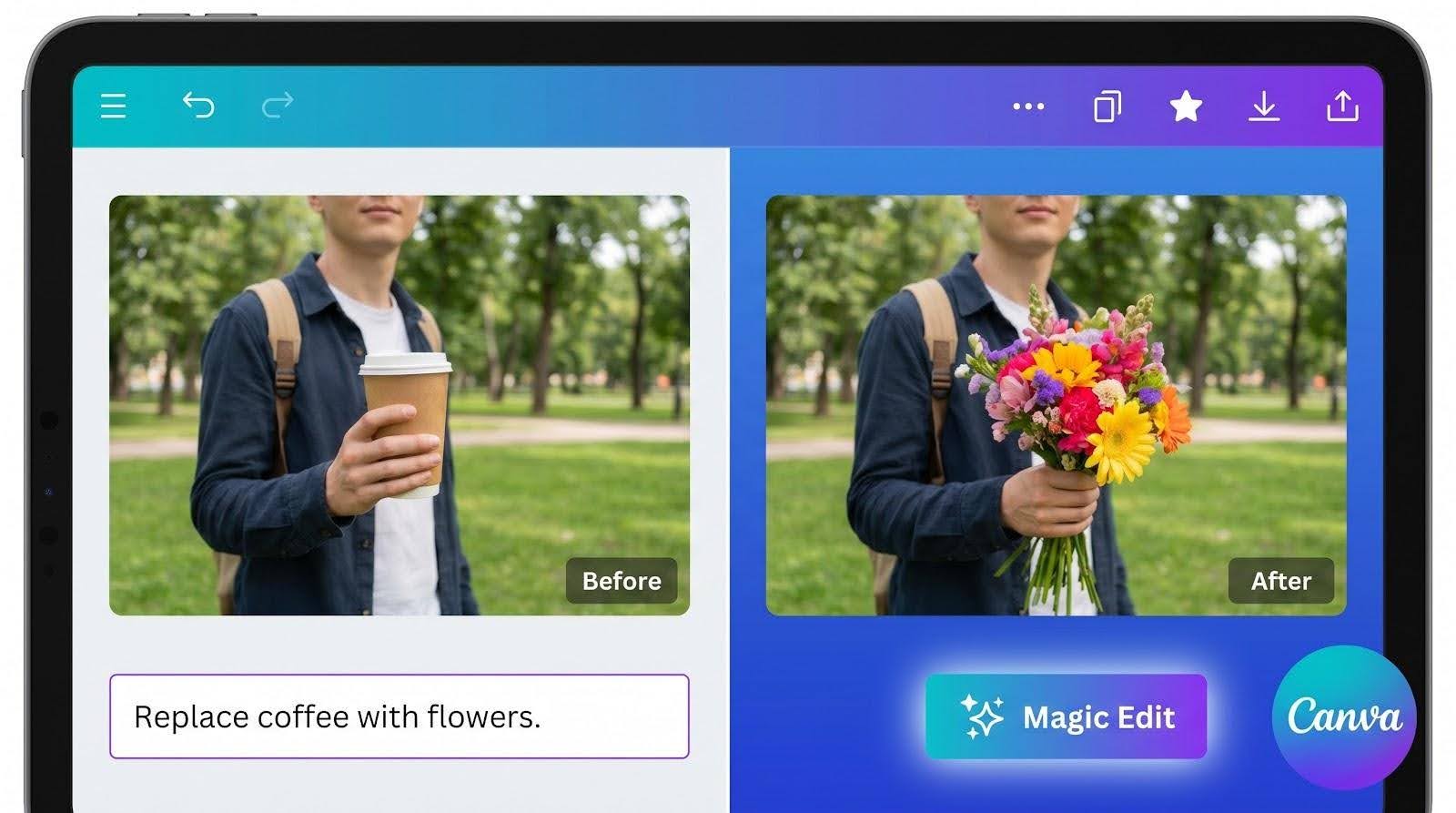
Quality is good for feed-sized posts. Complex backgrounds may smear, and you can’t fine-tune the fill beyond hitting Refresh. The upside is speed: edit, add text, and schedule the post without leaving the canvas.
Real-world feel
We timed the same task—remove a beachgoer from a 1080 × 1350 Instagram shot.
- Canva: 11 seconds from brush to publishable result. Minor blur in the sand, masked once we overlaid text.
- Leonardo: 2 minutes. The first pass left a ghost outline; the second, with a refined prompt, produced pixel-perfect sand.
If your brand demands flawless imagery, Leonardo hands you fine control. If you value speed, Canva lets you fix and post before your coffee cools.
Micro-verdict
Leonardo scores higher on final polish; Canva wins on convenience. Use them case by case, or let Leonardo handle heavy edits and Canva finish the layout.
2. Brand style consistency

Leonardo: training the look, not just the logo
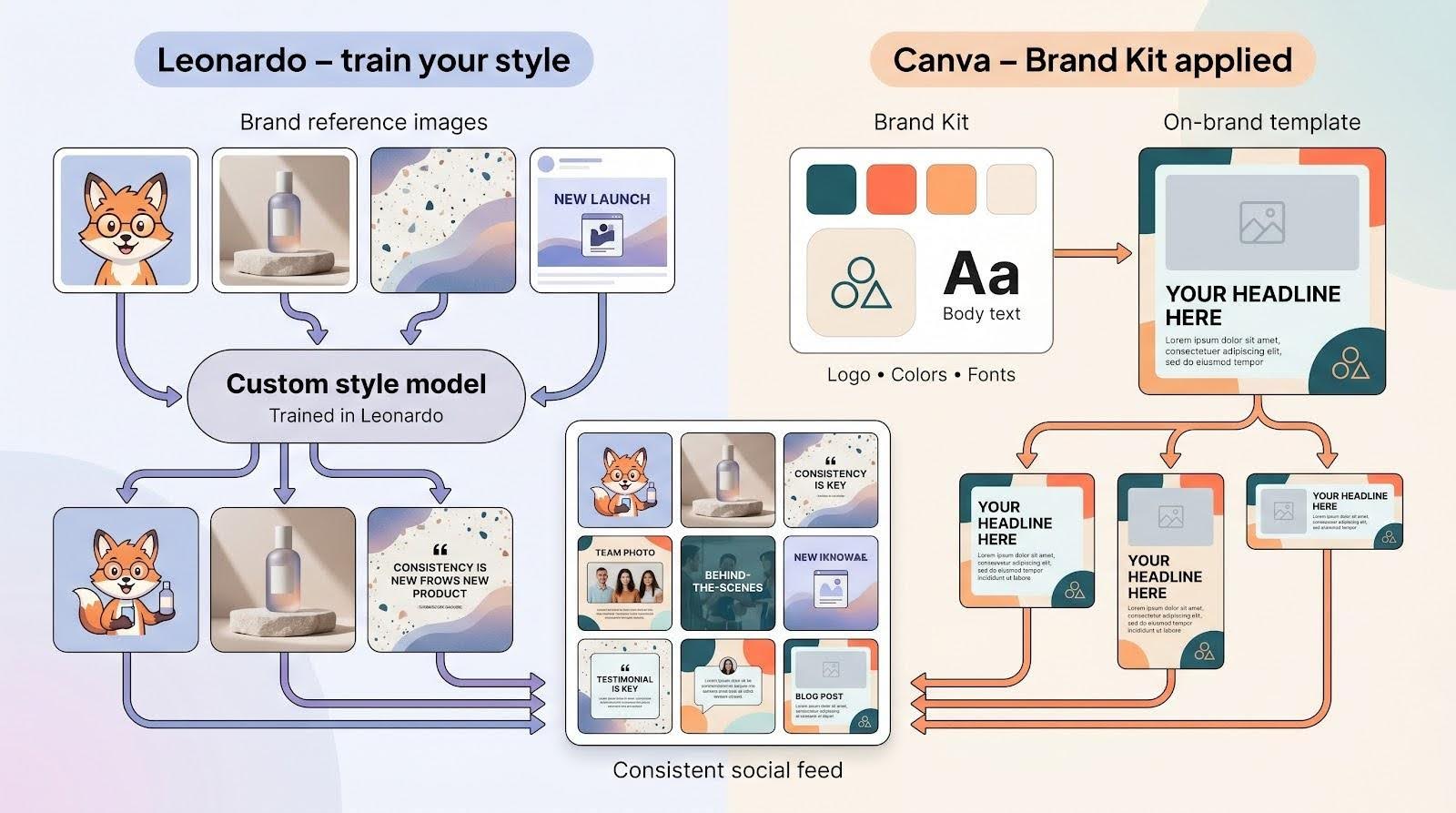
Branding is more than stamping colors on a template. It is the subtle feel that lets followers spot your post before they read your handle. Leonardo tackles that creative DNA head-on.
You start by fine-tuning. Feed in a small pack of reference images: a mascot illustration, last season’s product shots, or textures from past campaigns. In a few minutes Leonardo spins up a private model that knows your palette, lighting, and composition habits. From then on any prompt can summon that vibe: “summer cold-brew bottle, terrazzo countertop, branded style.” The results land close to your existing art direction, no manual recoloring needed.
Consistency scales, too. Need a recurring character? Train once, then drop that character into scene after scene without drifting eyes or mismatched poses. Teams with multiple clients can host separate models and switch personalities just by changing prompts.
There is a cost beyond tokens: setup time and curiosity. The first training session means picking clean reference files, naming checkpoints, and testing prompts. Once the model is dialed in, you own a visual engine most template libraries cannot match, giving your brand a signature that outlasts platform trends.
Canva: a brand kit that never forgets
Canva takes a different route. Instead of teaching the AI your style, it embeds your style in every template you touch. Drop your logo, fonts, and color palette into the Brand Kit once, and they appear everywhere: text boxes default to your headline font, color pickers start with your hex codes, and logos sit one click away.
The benefit appears when you duplicate designs. Create an Instagram carousel today, then resize it for LinkedIn tomorrow. Every slide keeps the same colors and typography automatically, so consistency feels effortless.
AI still plays a role. Canva’s Text-to-Image generates backgrounds or product scenes, then the editor layers your locked brand elements on top. Even if the generated art varies, the frame, fonts, and logo stay identical, so the feed looks like one cohesive campaign.
Teams notice the payoff fastest. Shared templates keep interns from picking off-brand colors, and comments live inside the design for quick approvals. No separate guidelines doc, no surprise Pantone issues. The Brand Kit gives you guardrails that make good design the default.
Micro-verdict
Leonardo delivers bespoke, style-true imagery once you invest in training. Canva guarantees every asset carries the right logo, font, and hue with minimal setup. Choose Leonardo if your brand equity lives in a signature illustration style; pick Canva if consistency means never missing a color code.
3. Workflow efficiency: speed, batch, integrations
Leonardo: raw velocity and a fast lane into Canva
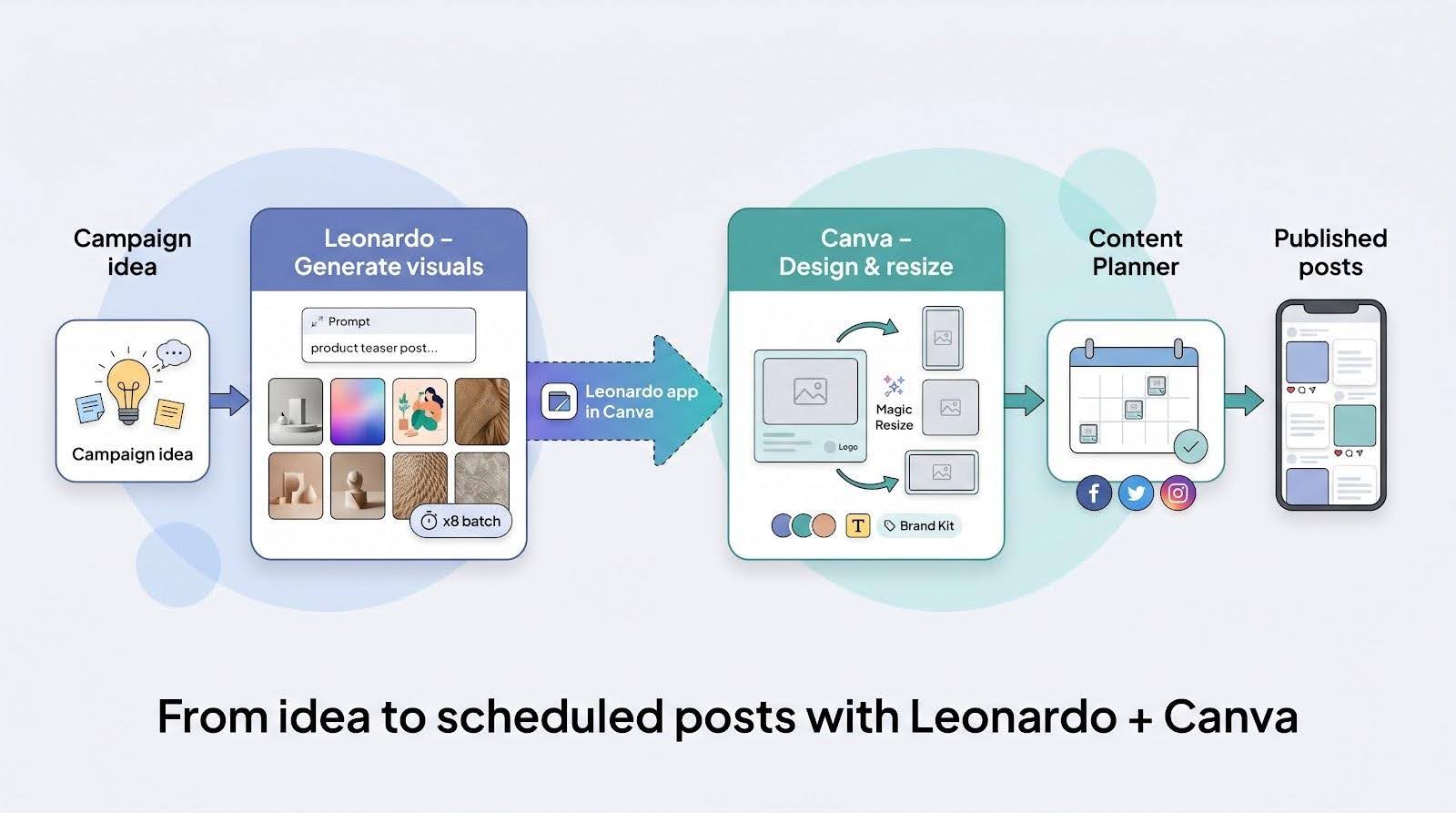
Leonardo was built for rapid-fire ideation. A standard 1024-pixel image renders in seconds, and the Realtime Gen feature can surface variations as you finish typing your prompt on the Leonardo website. Four options appear almost instantly, and you can queue several jobs at once to keep ideas flowing.
Batch volume is Leonardo’s sweet spot. Push the “images per prompt” toggle to eight, duplicate the tab, and you have dozens of fresh options in under a minute. Tokens refill daily on the free plan, so output rarely stalls.
The old friction—generate in Leonardo, download, then re-upload for layout—has eased. A native Canva app now lets you trigger Leonardo models inside Canva and drop finished images straight into your design or the content planner, according to Canva’s app marketplace.
Mobile remains a challenge for complex edits. The dedicated apps work, but masking and multi-image tasks feel cramped on smaller screens. Most creators will generate on desktop, then polish in Canva’s mobile editor.
First-look score
Speed: 5 Ease: 3 Integrations: 4
Leonardo is the sprint leader for high-volume visuals and now passes work to Canva for the final steps.
Canva: prompt to scheduled post in one place
Open a design, select Create, type a prompt, and Canva returns four images in about ten seconds. The new background lands on the canvas already sized for your template; no download folders required.
Need a story, a reel cover, and a tweet graphic? Finish the first layout, tap Magic Resize, and Canva duplicates the project in each social ratio. Adjust placements, update a headline, and you’re done.
When it is time to publish, the Content Planner steps in. Pick a date, connect Instagram or LinkedIn, and the post sits on the calendar without extra clicks.
Speed feels different here. Leonardo wins the raw render race, but Canva trims the small transfer steps that often stretch a work session. Mobile users feel this most: Canva’s full editor, AI tools, and scheduler live inside the iOS and Android apps, while Leonardo’s interface still prefers a larger screen.
Micro-verdict
Canva turns one prompt into a scheduled, multi-platform campaign with minimal hand-offs. Choose it when shipping speed matters more than maximum image volume.
4. Cost and value for creators
Leonardo: generous freebies, pennies per image
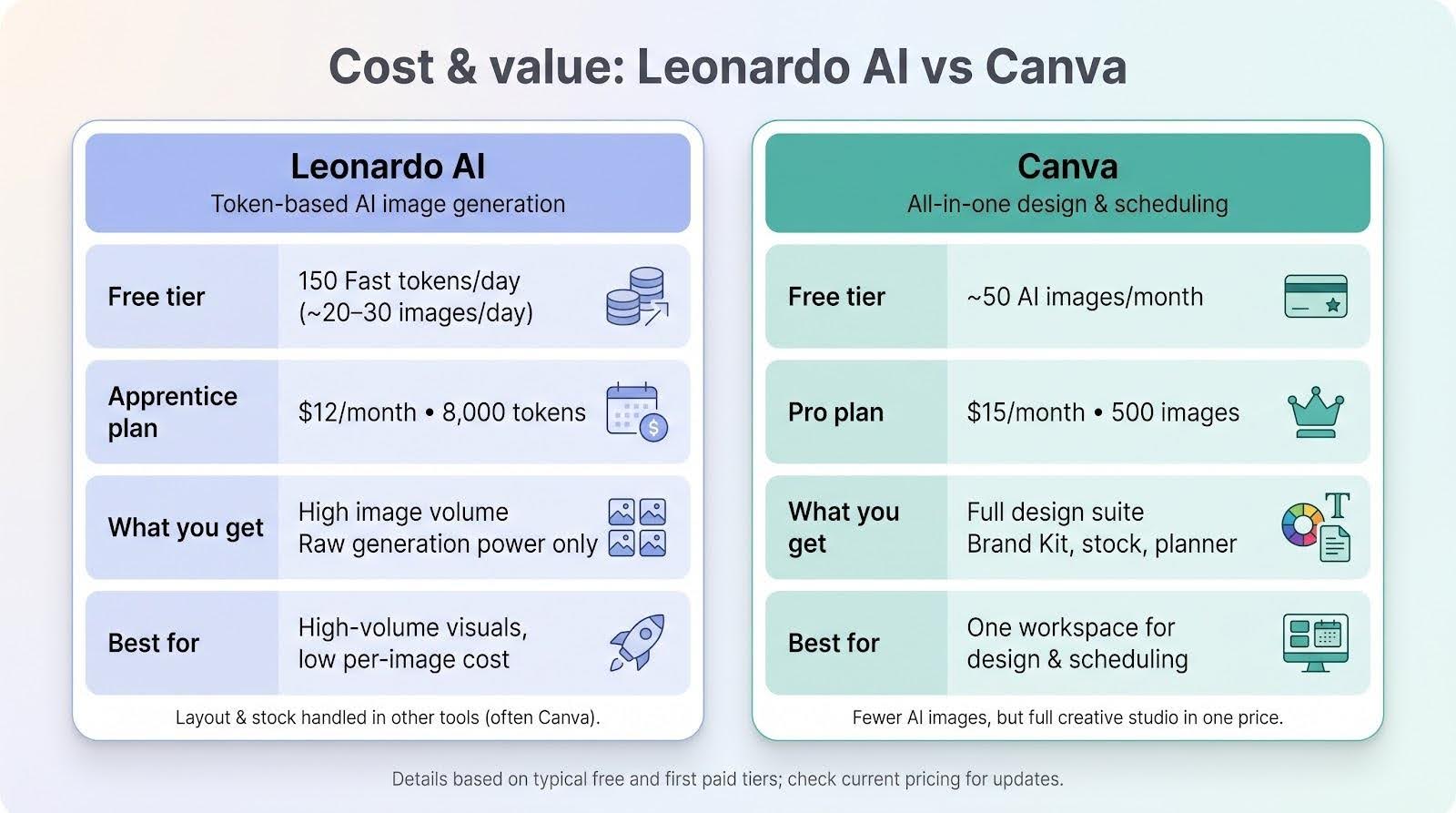
Leonardo’s free tier provides 150 Fast tokens each day, enough for about 20–30 standard images. The balance resets daily, so a side-hustle marketer can create fresh art all week without paying.
Upgrade to the Apprentice plan at $12 per month and you unlock 8,000 tokens, private generations, and the AI Canvas editor. Spread across a 30-day calendar, each finished graphic costs a fraction of a cent. For brands that need many variants—product shots, quote backgrounds, or A/B ad sets—the low unit cost works well.
The trade-off is scope. Your subscription buys raw generation power only. If you need layout tools or stock assets, you will layer another service on top, often Canva. Plan for the full stack, not just the token line item.
Canva: fewer images, but a full studio in the price
Canva Free offers about 50 AI images per month before credits pause. That limit feels snug for daily posters, yet the free plan still lets you design unlimited static content with templates, so many creators mix AI with stock photos.
Canva Pro costs $15 per month. It raises the quota to 500 images and unlocks every Magic tool, a stock library, the Brand Kit, 100 GB of cloud storage, and the Content Planner. You are paying for an end-to-end design and scheduling suite, not only AI pixels. For teams that value speed and polish over sheer output, the bundle often costs less than juggling separate tools.
Micro-verdict
Need hundreds of fresh visuals and plan to style them elsewhere? Leonardo’s token model wins on unit economics. Want a single workspace for design, collaboration, and scheduling? Canva Pro earns its keep even with a smaller AI quota.
Side-by-side scorecard and takeaways
| Feature | Leonardo AI | Canva |
| Editing & removal | ★★★★☆<br>Sharp, prompt-driven inpainting with fine control | ★★★★☆<br>One-brush Magic tools for quick fixes |
| Brand consistency | ★★★☆☆<br>Trainable models lock in illustration style | ★★★★★<br>Brand Kit auto-applies fonts, colors, and logos |
| Workflow speed | ★★★★☆<br>Fast renders; direct Canva app integration simplifies hand-off | ★★★★★<br>Create, resize, and schedule without leaving the editor |
| Cost & value | ★★★★★<br>150 free images per day and low per-image cost on paid plans | ★★★★☆<br>500 images on Pro, with full design and scheduling suite included |
What the numbers mean
We scored each platform on quality, ease, speed, and value during real social-media tasks. The stars reflect minutes saved, clicks avoided, and dollars kept in your budget.
Leonardo excels when you need large batches of distinct visuals at the lowest unit cost. Canva shines when you want to move from concept to scheduled post in a single workspace.
You do not have to pick only one. Generate art with the Leonardo app inside Canva, add your headline, and schedule the post in minutes. This combined workflow consistently saves time and budget.
Conclusion: Who should choose which tool?
Pick Leonardo when
- You produce a high volume of original visuals.
- You switch aesthetics often, from retro anime to Brutalist product renders, and want a model trained on each style.
- You are comfortable adding text or final layout in a second app to keep image costs low.
That setup fits freelancers handling several brands, indie game studios pre-visualizing assets, or social managers who need thirty background images for a month-long quote series.
Pick Canva when
- You prefer one workspace that moves from idea to scheduled post quickly.
- Your brand guidelines are strict, and every asset must carry the correct logo, font, and color.
- You or your clients approve content on mobile and enjoy tapping Schedule moments after design.
This profile matches small businesses without a designer, agencies building ad variations for paid media, or educators publishing lesson graphics on the go.
Pair them for the best of both worlds
Generate standout art with Leonardo, bring it into Canva, and finish the design without breaking flow. The blend of custom visuals and rapid deployment saves both time and budget.
Frequently asked questions
Is Leonardo free?
Yes. The platform reloads 150 Fast tokens every 24 hours, equal to about two dozen images a day before you spend a cent. Power users often upgrade for the AI Canvas or private generations, but hobbyists can create indefinitely on the free tier.
Do Canva’s AI credits roll over?
No. Canva Pro resets its 500-image allowance on the same billing day each month. Unused credits disappear, so plan larger content sprints near the end of a cycle if you want every credit to count.
Can I use the images commercially?
Both tools grant broad commercial rights. You own what you generate, as long as the prompt does not violate trademarks or attempt to recreate protected characters. Check the latest terms for edge cases, but normal marketing use is permitted.
Which tool is better for mobile editing?
Canva. Its iOS and Android apps provide the full editor, Magic Eraser, Magic Edit, and the Content Planner. Leonardo offers mobile apps, yet tasks like masking and prompt tweaking feel cramped on small screens.
Will Canva shut down Leonardo now that it owns it?
Unlikely. Leonardo continues to ship new models and features, and its dedicated app inside Canva suggests a long-term partnership rather than a sunset.
Does either tool correct AI-generated text errors?
Not completely. Leonardo’s newer models write cleaner text than earlier releases, but kerning and spelling can still slip. Canva’s generator can handle short words, yet longer copy benefits from adding real fonts afterward. Generate art first, then layer finished typography in Canva for crisp, brand-safe text.