Building a website used to be a long, confusing process. Now, with ai website builders, almost anyone can get a site online in just a few minutes. These tools use artificial intelligence to help you set up pages, fill in content, and organize everything so you don’t have to start from scratch. Some are better for beginners, while others give you more control if you want to tweak every detail. After testing a bunch of these platforms, here are some of the top ai website builders that can help you launch your site quickly and with less hassle.
Key Takeaways
- AI website builders make it possible to create a website in minutes, even if you have no tech experience.
- Most platforms offer free or low-cost plans, but some features may require upgrades.
- Customization levels vary—some builders let you adjust every detail, while others focus on speed and simplicity.
- AI tools can help with layout, text, images, and even basic SEO setup.
- It’s still important to review and edit your site to make sure it fits your needs and looks professional.
Design.com
Design.com positions itself as the best website builder for businesses that need a complete branding solution, not just a website. When you start building with Design.com, its AI builds an entire brand ecosystem.
The process begins with their AI logo generator, which creates your brand identity, and then automatically applies those colors, fonts, and style elements across your entire website. This means your site feels cohesive from the start, without you having to manually match colors or fonts across different pages.
What’s particularly useful is how Design.com’s website builder integrates with their massive library of over 360,000 logo templates and 1 million design templates. Once you’ve created or chosen your logo, the AI website builder automatically brands all your web templates with those same design elements. This makes creating a professional-looking site surprisingly quick, especially if you’re starting a new business and need everything to match perfectly.
The builder itself is designed for people without design experience. You can create a fully responsive website that works on any device, and the AI handles the heavy lifting of layout and spacing. If you need to make changes, the editing tools are straightforward enough that you won’t get stuck trying to move a section or change text. They also offer AI tools for writing content, generating backgrounds, and creating other marketing materials right within the platform.
Here’s what Design.com’s website builder offers:
- AI Branding Integration: Automatically applies your logo colors and fonts across your entire website
- Responsive Design: All websites are mobile-optimized automatically
- Free Website Plan: Start with a free website builder, upgrade when you’re ready
- 50+ Design Tools: Create matching social posts, business cards, and other materials from one platform
- Domain Registration: Easily register a domain name alongside your website
- Commercial Safety: All designs are checked for originality and quality
Design.com works well if you’re building a brand from scratch and want everything to match without spending hours on design work. The free plan lets you build and preview your website, and paid plans start at just $6 per month when billed annually, making it one of the more affordable options for getting a complete branded web presence.
BrandCrowd
BrandCrowd takes a brand-first approach to website building, making it the top website builder for businesses that want their online presence to feel professionally designed from day one. BrandCrowd’s AI website builder is built around the idea that your website should be an extension of your brand identity, not a separate design project.
When you use BrandCrowd’s website builder, it starts by helping you create or select a logo from their library of over 350,000 templates. Once that’s done, the AI automatically generates a website that matches your brand’s colors, fonts, and overall style. This automatic branding means you don’t have to worry about whether your website “goes with” your logo – it’s all designed to work together from the start.
The builder is straightforward to use, with templates that are pre-structured for different types of businesses. Whether you’re running a restaurant, a consulting firm, or an online store, you get a layout that makes sense for what you do. The AI fills in placeholder content to give you a starting point, and then you can customize everything using the drag-and-drop editor. No coding knowledge is required, and the interface is intuitive even if you’ve never built a website before.
BrandCrowd also offers AI assistance for content creation, including background removal and business name generation, which can be helpful when you’re pulling together images and text for your site. All websites are automatically optimized for mobile devices, and you get access to their full suite of design tools for creating matching marketing materials.
Here’s what BrandCrowd’s website builder includes:
- AI Brand-Matched Websites: Automatically inherits your logo’s colors and fonts for consistent branding
- Mobile-Responsive Design: All sites work seamlessly on phones and tablets
- Free Website Builder: Build and edit your site for free, with optional paid plans for premium features
- Integrated Design Suite: Create business cards, social media posts, and other materials that match your website
- Domain Services: Register your domain name directly through the platform
- 24/7 Support: Email and live chat support whenever you need help
BrandCrowd is ideal if you want a website that looks professionally designed but don’t have the budget for a designer or agency. The free plan gives you access to the website builder, and paid plans start at $6 per month annually, making it accessible for small businesses and startups that need a polished online presence without breaking the bank.
Wix
Wix has been around for a while, and they’ve jumped into the AI website building scene with their own tools. Think of it like this: you tell Wix’s AI what kind of website you need – maybe for your photography business or a small shop – and it whips up a starting point for you. It asks questions about your brand, what colors you like, and what you want the site to do. Based on your answers, it puts together a design, complete with text and images.
What’s neat is that the AI doesn’t just hand you a finished product and walk away. It’s more like a helpful assistant. You get a site that’s pretty much ready to go, but you can still tweak almost anything. If the AI’s text isn’t quite right, or you want to move a section around, you can do that easily with their drag-and-drop editor. They also have AI tools to help write things like headlines or create logos.
Here’s a quick look at what Wix offers:
- AI-powered design generation: Gets you a basic site structure quickly.
- Customization options: Lets you change layouts, text, and images.
- AI writing assistance: Helps create content for your pages.
- Business tools: Integrates features for selling products or taking bookings.
- App Market: Adds extra functionality with over 500 apps.
Wix’s approach feels like a good balance. It uses AI to speed things up, but it doesn’t take away your control. You get a functional site fast, and then you can spend time making it exactly how you want it.
Wix has a free plan, which is great for trying things out. If you’re serious about a business site, their paid plans start around $17 a month and include a custom domain for the first year. This plan also gives you full access to all their AI features without any limits.
SITE123
SITE123 is a website builder that really focuses on making things as straightforward as possible. When you start, it asks you a few questions about what kind of website you need – like if it’s for a business, a blog, or just a single page. Then, it instantly puts together a basic site for you. You don’t have to worry about picking out templates, colors, or fonts because the AI handles all of that.
This is a great option if you’re looking for a simple, working website for a small business, or maybe for a freelance gig or a personal project. SITE123 gives you a decent amount of free storage, secure connections, and makes sure your site looks good on phones, all without a complicated setup. You can easily add things like contact forms or picture galleries, and they just fit right into the site’s design.
SITE123 is ideal for users who need a clean, informational site up and running quickly. However, if you have a more complex project in mind, you might find the customization options a bit limited. You can’t freely move elements around on the page, and there aren’t built-in AI tools to help you write custom text or create images. Still, for getting a simple site online fast, SITE123 is one of the easiest AI builders to use.
Here’s a quick look at what SITE123 offers:
- AI-Powered Site Creation: A simple 3-step process that generates your site layout automatically.
- Pre-built Sections: Easily add ready-made sections like contact forms or service lists that match your site’s style.
- Mobile Optimization: All sites are automatically designed to look good on any device.
- Basic SEO Tools: Helps your site get noticed on search engines.
SITE123’s main strength is its speed and simplicity. It’s designed for people who want a functional website without a steep learning curve or a lot of design decisions to make.
Webador
Webador is a website builder that aims to make the process of creating a site straightforward, especially for small businesses. When you start with Webador, it asks you a few questions about your business, and then its AI gets to work building a basic site for you. This includes things like a homepage, a contact page, and pages for your services, all pre-filled with some starter content. This can save a good amount of time if you’re not keen on writing all the text from scratch.
While the AI does a decent job of getting a site up and running, the design templates can sometimes feel a bit basic. You might notice fonts that seem a little dated or spacing that’s a bit tight, which might not have the same modern look as some other builders. However, the editing tools are designed to be simple, so you’re less likely to get lost trying to figure out how to make changes. It’s a trade-off: less complex customization for an easier building experience.
One of the standout points for Webador is its affordability. Even after you move beyond the free plan, it remains one of the more budget-friendly options available. This is great for small businesses that need to keep costs down as they grow.
Here’s a quick look at what Webador offers:
- AI Website Generator: Creates your site’s layout and initial pages based on a short business description.
- SEO-Friendly Structure: Pages are built with basic SEO practices in mind to help with search engine visibility.
- AI Design Assistance: Suggests color schemes, fonts, and layouts suitable for your business type.
- Basic Analytics: Provides insights into visitor numbers and page views.
Webador’s approach focuses on simplicity and speed, making it a good choice if you want a functional website without a steep learning curve or a high price tag.
Squarespace
Squarespace is known for its sleek, professional designs, and its AI tools aim to help users achieve that polished look even faster. While it doesn’t offer a completely free plan, it does provide a 14-day free trial, which is a good way to test out its features without needing to put in payment details upfront.
When you use Squarespace’s AI, it can help generate a personalized starting point for your website. For instance, the Blueprint AI can create a homepage with key elements like a main image, a section for services, and a call-to-action button, all ready in just a few moments. You can see changes to colors and fonts happen in real-time, which makes the process feel quite responsive. They also have AI tools that can suggest background images based on what your business is about.
Squarespace’s AI can also assist with writing content. This includes drafting text for your pages, blog posts, and even product descriptions. It can also help with marketing emails and suggest SEO descriptions to improve your site’s visibility. However, it’s worth noting that Squarespace doesn’t currently have an AI tool for generating images directly.
Here’s a look at some of Squarespace’s AI features:
- AI Content Generation: Helps write and rewrite text for various parts of your site, adapting the tone to fit your brand.
- AI Email Campaigns: Assists in drafting marketing emails within their Email Campaigns tool.
- AI Site Themes: Automatically selects fonts, colors, and button styles to ensure a consistent brand look.
- AI SEO Descriptions: Provides suggestions for page and site descriptions to help with search engine ranking.
While Squarespace’s AI is great for getting a professional-looking site up and running quickly, you’ll likely spend some time customizing the initial AI-generated layout and adding your own images to make it truly unique. It’s a solid choice if your main goal is a high-quality, branded website for your business.
Squarespace’s AI tools are geared towards creating a well-designed, branded website. The starting price for a paid plan is $16.00 per month, which positions it as a more premium option compared to some other builders that offer free plans.
Hostinger Website Builder
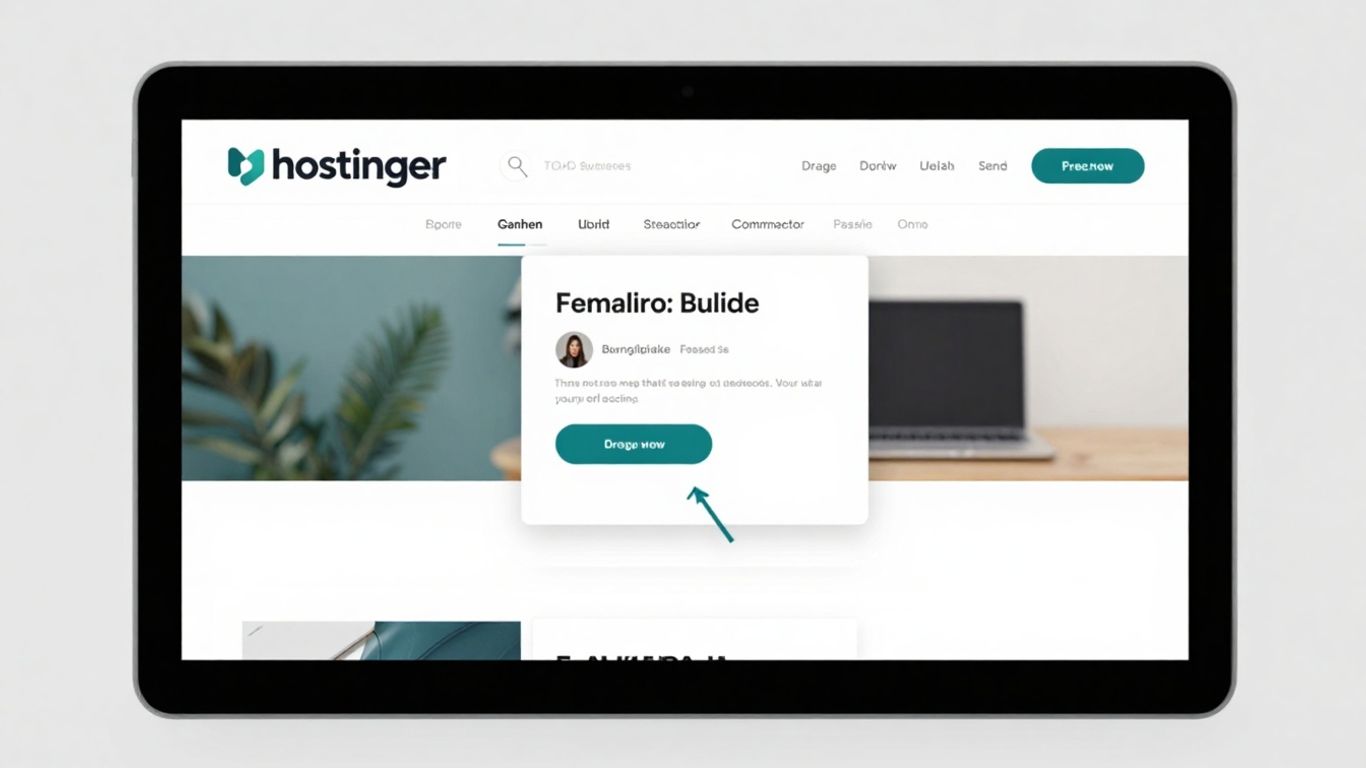
Hostinger Website Builder stands out as a budget-friendly option, packing a good amount of AI assistance into its plans. When I tested it, I was able to put together a basic site, including some initial SEO setup and a logo, without needing to hire extra help. You just input your business name and industry, and the AI presents a few starting layouts that are easy to adjust or swap out.
What’s particularly helpful are the AI tools that go beyond the initial setup. The AI Writer can help draft content, like blog posts about your services, and the SEO Assistant can suggest improvements to make your page titles sound more natural. They even have an AI Heatmap tool that shows where visitors are most likely to click, which can help you place important buttons, like a signup button, in more effective spots. These small adjustments are quite useful and certainly better than just guessing.
While Hostinger doesn’t offer a free plan, its paid options are quite affordable. The basic plan starts at a low monthly cost, but to access the more advanced AI features like the writer, image generator, heatmaps, and logo maker, you’ll need to opt for a higher-tier plan.
Hostinger also offers a unique feature: AI tools for creating web apps. While this is a separate, more advanced offering, it’s worth noting if you have an app idea you want to bring to life.
Here’s a quick look at some of Hostinger’s AI features:
- AI Website Creator: Generates initial site layouts based on your input.
- AI Writer: Assists in creating various types of written content, from blog posts to product descriptions.
- AI Heatmap: Visualizes user interaction points on your pages.
- AI Logo Maker: Helps design a brand logo.
- AI SEO Assistant: Provides suggestions for optimizing your site’s search engine visibility.
Hostinger’s AI tools can significantly speed up the initial website creation process, especially for those mindful of their budget.
IONOS Website Builder
IONOS Website Builder positions itself as a strong contender for small businesses looking to leverage AI for marketing and SEO. When you start, it asks for your business name and category, and then it quickly generates a basic site layout. This includes pre-filled sections for contact information and services, often with a muted color scheme that feels professional right out of the gate. It’s designed to get you online faster, with less fuss about initial design choices.
One of the standout features is its AI-powered marketing assistance. IONOS can help generate SEO-optimized page titles and descriptions with just a click, which is a big help for improving your site’s visibility. They also offer an AI Color Palette generator that suggests brand colors based on your industry, and an Image Generator that can create custom header images from simple text prompts. While some of the AI-generated images might feel a bit generic, the editor makes it easy to swap them out for something more fitting.
IONOS bundles hosting, email, and marketing tools into a single dashboard, which simplifies management. However, it’s worth noting that there isn’t a free plan available, and the design customization options are somewhat limited. You won’t find advanced features like animations or complex scrolling effects. If your priority is a functional, business-ready website with built-in AI marketing support and you don’t need extensive design freedom, IONOS is a practical choice.
Here’s a look at some of its AI-driven features:
- AI Section Generator: Quickly adds pre-built sections like FAQs or testimonials.
- Business Description Writer: Creates a short, SEO-friendly company description.
- AI Color Palette Generator: Suggests complementary brand colors.
- AI Image Generator: Creates custom visuals based on text prompts.
The platform aims to streamline the website creation process by offering AI tools that handle initial design and content generation, allowing users to focus on their business operations rather than getting bogged down in technical details.
Jimdo
Jimdo has been around for a while, and they were one of the first to jump into AI website building with what they called Jimdo Dolphin. While they might not use that name as much now, the AI is still a core part of how you get started. When you begin creating a site, you have a choice: pick a theme yourself or let Jimdo’s AI build one for you. If you go with the AI option, you’ll tell it what your site is for. You can even connect it to your Google Business listing to pull in contact details, or link your Facebook and Instagram to grab images. Based on this, Jimdo suggests a style, color scheme, and the pages you might need.
Once you give the green light, it takes just a moment to generate a couple of starting points. You pick the one that looks best, and bam – you’ve got a draft website ready to go. From there, it’s like most other builders; you use the editor to add your own content, set up things like booking forms, and make all the final adjustments. It feels a bit less
Framer
Framer is an interesting option, especially if you’re coming from a design background. It really leans into a Figma-like experience, allowing you to build and publish websites directly. Think of it as a powerful design tool that also happens to build websites.
When you start with Framer, you can use AI to generate a basic website structure from a text prompt. This is a quick way to get a rough draft, complete with some placeholder text. If you need to make changes or add elements, Framer offers a wireframing tool where you can describe what you want. It’s a neat way to mock up ideas fast.
However, it’s important to know that the AI part is more of a starting point. You won’t get a fully polished website straight from the AI. For instance, it might not automatically add stock photos or set up links between pages. You’ll still need to do a good amount of manual work to get from that initial AI draft to a finished, professional-looking site. This is where its strength lies for designers who want fine-grained control.
Here’s a quick look at what Framer offers:
- AI-powered wireframing: Quickly sketch out site layouts by describing them.
- Design-centric editor: A familiar interface for designers to build and customize.
- Direct publishing: Launch your website straight from the platform.
- Component library: Access pre-built elements to speed up design.
Framer’s approach means you get a lot of creative freedom. It’s less about a fully automated website creation and more about using AI to kickstart a design process that you then refine yourself. This makes it a strong contender if you value design flexibility and are comfortable with the hands-on aspects of website building.
Framer’s pricing starts with a free tier for hobby projects, which includes Framer branding and a domain. Paid plans begin around $10 per month per site, offering more pages and bandwidth. This structure makes it accessible for individuals testing ideas or small projects, while scaling up for more serious use. If you’re looking for a tool that bridges the gap between design and development, Framer is definitely worth exploring. It’s a good idea to research web hosting options to ensure your site is supported once it’s ready to go live.
Chariot
Chariot is an interesting player in the AI website builder space, focusing almost entirely on a chatbot interface for site creation. You essentially tell the chatbot what you want your website to do and look like, and it generates the site for you. It’s quite a novel approach and can be surprisingly fast for getting a basic structure up and running.
However, this pure AI approach comes with a significant drawback: editing. If you want to make any changes, even small ones like altering text or adding an image, you have to go back to the chatbot and ask it to make the modification. This can become quite cumbersome, especially for more complex edits or ongoing maintenance. It’s a bit like having a website that only communicates through a single, very specific channel.
Here’s a look at how it generally works:
- Initial Prompt: Describe your website needs to the chatbot.
- Site Generation: Chariot’s AI builds the site based on your prompt.
- Chatbot Editing: All subsequent modifications are requested through the chatbot.
While Chariot offers a free tier with a limited number of credits per month, it might not be enough for building a full site. The paid plans start at $17 per month, which puts it in competition with more established builders that offer a wider range of editing tools and features beyond just a chatbot interface.
Chariot is a fascinating experiment in what an AI-first website builder could look like. It demonstrates the power of AI to generate functional websites from simple text prompts, but the reliance on the chatbot for all edits makes it less practical for users who need flexibility and direct control over their site’s design and content.
It’s definitely worth trying out if you’re curious about the cutting edge of AI website creation and want to see a site built purely from a conversation. Just be prepared for a unique editing experience.
Carrd
Carrd is a bit of a different player in the AI website builder space. Instead of aiming to build a full-blown, complex website, Carrd focuses on creating simple, one-page sites. Think landing pages, personal profiles, or event announcements. It’s incredibly straightforward and designed for speed and ease of use.
Carrd excels at making single-page websites that look good and function well. It’s not about endless customization or complex e-commerce setups; it’s about getting a clean, professional-looking page up quickly.
Here’s what makes Carrd stand out:
- Simplicity: The interface is clean and intuitive. You don’t get bogged down with too many options, which is a good thing if you just need a basic site.
- Speed: You can genuinely create a site in minutes. The templates are well-designed, and the builder is responsive.
- Affordability: Carrd offers a very generous free plan, and its paid plans are among the most affordable you’ll find, especially if you need to build multiple sites.
While Carrd might not be the tool for building a large online store or a multi-page blog, it’s a fantastic option for specific use cases. If you need a quick, attractive, single-page presence, Carrd is definitely worth a look.
Carrd is perfect for those moments when you need a simple, effective online presence without the fuss of a traditional website builder. It strips away the complexity to give you exactly what you need for a single page.
Wrapping Up Your AI Website Journey
So, we’ve looked at how AI website builders can really speed things up when you need a site. They’re pretty good at getting the basic structure and content down fast, which is a big help if you’re not a design pro or just short on time. While no AI tool is going to build a perfect, unique website all on its own – you’ll still want to add your own touch – these builders give you a solid starting point. Think of them as a helpful assistant that handles the heavy lifting, letting you focus on making the site truly yours. Whether you’re starting a small business, a personal blog, or just testing out an idea, exploring these AI options can make getting online much simpler and quicker than you might have thought.
Frequently Asked Questions
What exactly is an AI website builder?
An AI website builder is a special tool that uses smart computer technology, called artificial intelligence, to help you create a website very quickly. It can help design the look, write some of the words, and put everything together in just a few minutes. You can then change things around until you like it.
Can I build an online store with a free AI website builder?
Generally, free AI website builders don’t have all the features needed for a full online store. You might be able to try out store features for a short time, but to keep selling things online, you’ll likely need to switch to a paid plan.
How much can I change my website after the AI builds it?
The amount you can change depends on the builder. Some, like Wix, let you move things around, change colors, and edit text a lot. Others might give you a good starting point but have fewer options for making big changes.
Is it better to use an AI website builder or a traditional one?
It depends on what you need. AI builders are super fast for making simple websites. Traditional builders give you more control over everything and are better if you plan to make your site much bigger later. If you want a quick, good-looking site without too much fuss, an AI builder is great.
How long does it typically take to create a website with AI?
For a basic website, an AI builder can have it ready in about 30 minutes. But if you want to add your own pictures, write a lot of text, or change the design a lot, it will take more time. The total time really depends on how much you want to customize it yourself.
Do I really need an AI website builder to make a good website?
Not necessarily. Many regular website builders already make it easy to create great sites with lots of designs to choose from. AI builders are helpful for speed and ease, but you can still make a fantastic website without them. The best approach is often using an AI builder that also has good regular editing tools.