It can be really frustrating when you can’t get into your blockchain wallet. You might have forgotten your password, or maybe something’s up with your two-factor authentication. This guide is here to help you sort out those blockchain wallet log in problems. We’ll go through the common issues and what you can do to get back into your account.
Key Takeaways
- If you’re having trouble with your blockchain wallet log in, start by checking the basics like your internet connection and if you’re using the correct login details.
- Your recovery phrase is super important. Keep it safe, and know how to use it to restore your wallet if you forget your password.
- Password resets are usually possible, but if you lose both your password and recovery phrase, getting back in can be very hard. Sometimes, specialized help is needed.
- Two-factor authentication adds security, but problems can happen. Make sure you can access your codes or devices, or know how to reset it.
- If you’re stuck with email issues for login or verification, check spam folders, try alternative email addresses, or contact support if you can’t access your registered email anymore.
Troubleshooting Common Blockchain Wallet Log In Issues
It can be frustrating when you can’t access your blockchain wallet. This section aims to help you figure out why and what to do about it.
Understanding Why You Can’t Log In
Several factors can prevent a successful login. Sometimes, it’s a simple mistake, while other times, it might point to a more complex issue. The most common reasons include incorrect password entry, issues with two-factor authentication (2FA), or problems with the wallet software itself. Understanding these common pitfalls is the first step toward resolving them.
Identifying the Root Cause of Access Problems
To pinpoint the exact reason for your login trouble, consider these questions:
- When did the problem start? Did it happen after a password change, a software update, or a device change?
- Are you receiving any error messages? Note down the exact wording, as it can provide clues.
- Have you recently made any changes to your email or phone number associated with the account?
- Is your internet connection stable? A poor connection can sometimes interfere with login processes.
Initial Steps for Resolving Login Difficulties
Before diving into more complex solutions, try these basic troubleshooting steps:
- Double-check your credentials: Ensure you are entering the correct username or email address and password. Pay attention to case sensitivity.
- Restart your wallet application or browser: Sometimes, a simple restart can clear temporary glitches.
- Verify your internet connection: Make sure you are connected to a stable network.
- Check for wallet updates: Ensure you are using the latest version of your wallet software, as older versions might have compatibility issues.
It’s always a good practice to keep your recovery phrase in a safe, offline location. This phrase is your ultimate backup if you ever lose access to your wallet through other means.
If these initial steps don’t resolve the issue, you may need to explore more specific recovery methods, such as using your recovery phrase or going through password reset procedures. For issues related to email verification, checking your spam folder or whitelisting Blockchain.com sender addresses can often help.
Recovering Access with Your Recovery Phrase
Locating Your Essential Backup Information
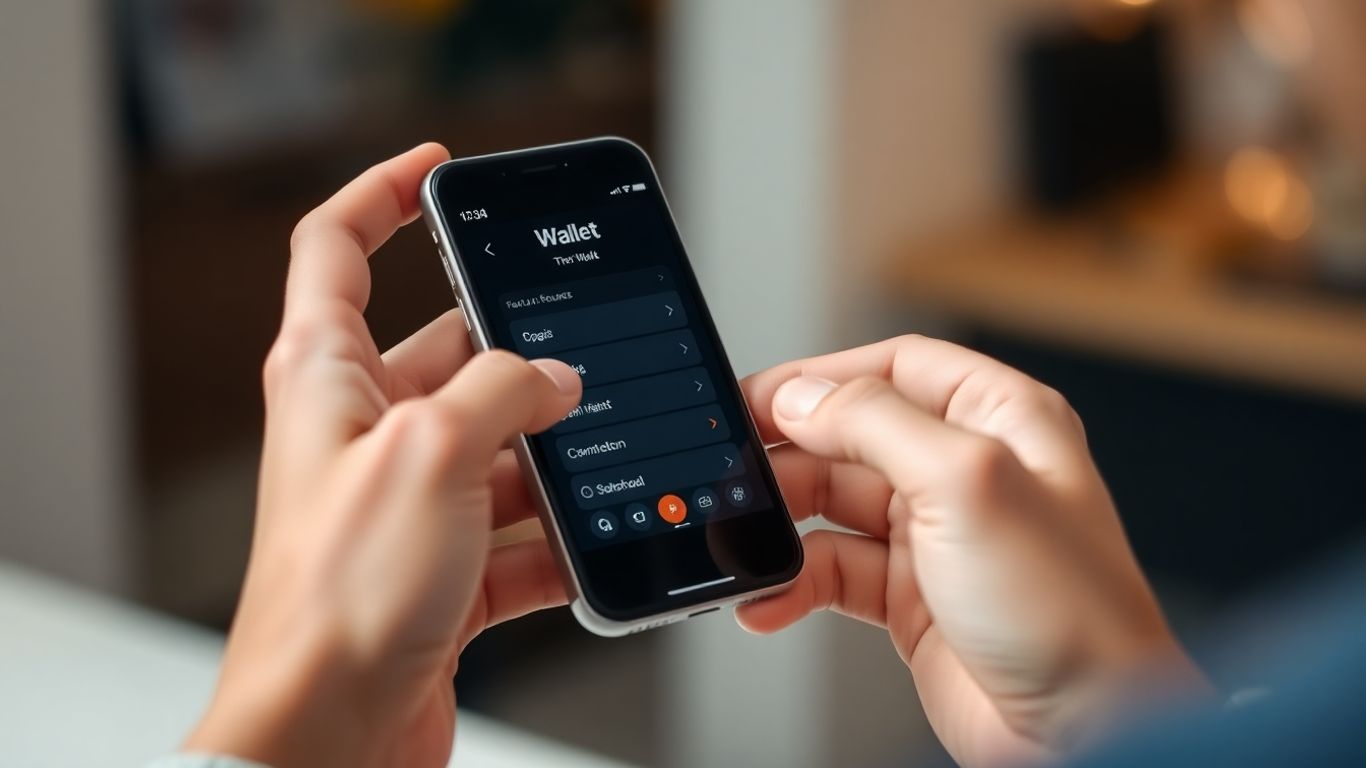
When you first set up your blockchain wallet, you were likely prompted to write down a special sequence of words. This is your recovery phrase, sometimes called a seed phrase or mnemonic phrase. This phrase is the master key to your digital assets, acting as a backup that bypasses the need for a password. It’s incredibly important to have this phrase stored securely and offline. Think of it as the ultimate fallback if you ever forget your password or lose access to your wallet through other means. If you haven’t written it down, or can’t find where you stored it, now is the time to search thoroughly. Check any notebooks, secure digital files, or safety deposit boxes where you might have kept important information.
Utilizing the Recovery Phrase to Restore Your Wallet
If you have your recovery phrase, restoring your wallet is usually straightforward. Most wallet applications provide an option to ‘Restore Wallet’ or ‘Import Wallet’ during the setup process or within the settings menu. You’ll typically be asked to enter your recovery phrase word by word, in the correct order. Accuracy is key here; even a single misplaced word or incorrect spelling can prevent the restoration. Once entered correctly, your wallet should be accessible again, allowing you to set a new password if needed.
Here are the general steps:
- Open your wallet application or download it again on a new device.
- Look for the ‘Restore Wallet’ or ‘Import Wallet’ option.
- Carefully enter your recovery phrase, ensuring each word is spelled correctly and in the right sequence.
- Follow any on-screen prompts to complete the restoration process.
Ensuring Security During the Recovery Process
While recovering your wallet using your recovery phrase, maintaining security is paramount. Always perform this process on a trusted device and a secure internet connection. Avoid entering your recovery phrase on websites or through unsolicited links, as these could be phishing attempts designed to steal your information. If you are using a hardware wallet, ensure it is connected directly to your computer and that you are using the official software. Remember, your recovery phrase should only be entered into the wallet interface itself. Treat it with the same level of security as you would your bank account password, because in many ways, it’s even more important.
The recovery phrase is a unique set of words that grants direct access to your cryptocurrency. It’s designed to be the ultimate backup, but its power also means it must be protected with extreme care. If this phrase falls into the wrong hands, your funds could be compromised without any further security layers.
Password Reset and Account Recovery Procedures
Steps for Resetting a Forgotten Password
Forgetting your password can happen to anyone, and it’s usually the first hurdle when you can’t access your blockchain wallet. Most wallet services offer a straightforward password reset process. Typically, this involves visiting the login page and clicking a "Forgot Password?" link. You’ll then be prompted to enter the email address associated with your account. A password reset link or a temporary code will be sent to that email. It’s important to check your spam or junk folders if you don’t see the email in your inbox within a few minutes. Once you receive the email, follow the instructions to create a new, strong password. Remember to choose a password that is unique and difficult to guess, combining uppercase and lowercase letters, numbers, and symbols.
What to Do When Both Password and Recovery Phrase Are Lost
Losing both your password and your recovery phrase presents a significantly more challenging situation, especially with non-custodial wallets where you are solely responsible for your keys. In such cases, regaining access can be extremely difficult, and sometimes impossible, due to the nature of cryptographic security. If the assets in your wallet are of substantial value, you might consider seeking specialized recovery services. These services often employ advanced techniques to attempt password recovery through brute-force methods or by analyzing patterns in your potential password choices. They typically operate on a success-fee basis, meaning you only pay if they can recover your funds.
Exploring Professional Recovery Assistance
When you’ve exhausted all personal recovery options, professional assistance might be your next step. This is particularly relevant if you’ve forgotten your password and, unfortunately, misplaced your recovery phrase. Specialized companies exist that focus on recovering access to cryptocurrency wallets. Their process often involves:
- Initial Consultation: You’ll typically provide details about your wallet and the circumstances of the lockout.
- Information Gathering: They may ask for any clues you have about your password, such as common words, patterns, or character sets you might have used.
- Brute-Force Attempts: Using powerful computing resources, they will systematically try millions or even billions of password combinations based on the information you provide.
- Success-Based Fees: Most reputable services charge a percentage of the recovered funds, ensuring you don’t pay if access cannot be regained.
It’s vital to approach professional recovery services with caution. Research any company thoroughly, check for reviews, and understand their fee structure and success rates before committing. Be wary of services that guarantee recovery or ask for upfront payment without a clear process.
Here’s a general idea of how password recovery services might operate:
| Service Step | Description |
|---|---|
| Contact & Analysis | You provide wallet details and potential password clues. |
| Brute-Force Attack | Service attempts millions of password combinations. |
| Recovery & Fee | If successful, funds are recovered, and the agreed-upon fee is charged. |
| Unsuccessful | If unsuccessful, no fee is charged (typically). |
Addressing Two-Factor Authentication Challenges
Two-factor authentication, or 2FA, is a great security step for your blockchain wallet. It means even if someone gets your password, they still can’t get into your account without a second piece of proof. But sometimes, things don’t go as planned with 2FA. Let’s look at what can happen and how to fix it.
It’s pretty common to run into trouble when you’re not getting those one-time codes sent to your phone via SMS. This can happen for a few reasons. Maybe your phone’s signal is weak, or perhaps your text messages are being filtered by your carrier. Sometimes, the wallet service itself might have a delay in sending them out. If you’re not getting codes, first check your phone’s signal and make sure you haven’t accidentally blocked messages from the wallet’s number. If that doesn’t help, try requesting the code again after a few minutes. If you’re still having no luck, it might be time to switch your 2FA method.
What happens if you lose your phone or can’t access the device you use for 2FA? This is a tricky spot, but there are ways to get back in. Most wallet services will have a backup option. This often involves using backup codes you were given when you first set up 2FA. These codes are super important, so you should have written them down and stored them somewhere safe, separate from your phone. If you don’t have those backup codes, you might need to go through a more involved account recovery process, which could take time. It’s a good idea to have a look at your wallet’s security settings to see what recovery options are available before you actually need them.
Authenticator apps, like Google Authenticator or Authy, are often a more reliable way to handle 2FA than SMS codes. They generate codes directly on your device, so they don’t rely on cell service. To use them effectively:
- Set up an authenticator app as soon as possible. Don’t wait until you have a problem.
- Back up your authenticator app if it supports it. Some apps allow you to sync your codes across devices or back them up to the cloud, which is a lifesaver if you lose your phone.
- Keep your recovery codes safe. Just like with SMS 2FA, authenticator apps usually provide backup codes. Store these securely.
Relying solely on SMS for 2FA can be risky due to potential delivery delays or network issues. Exploring alternative methods like authenticator apps can significantly improve your access reliability and overall account security.
If you’re struggling with 2FA, remember that your wallet provider likely has specific instructions on their support pages. For instance, understanding how to manage your blockchain wallet access is key. Don’t hesitate to check their FAQs or contact their support if you’re stuck.
Navigating Blockchain Wallet Log In with Email Concerns
Sometimes, the email you use to log into your blockchain wallet can cause a bit of a headache. It’s a common point of contact, and when it doesn’t work right, it can feel like you’re locked out of your digital assets. Let’s break down what might be happening and how to sort it out.
Troubleshooting Delayed or Missing Authorization Emails
When you try to log in, your wallet provider often sends an email to confirm it’s really you. If that email doesn’t show up, don’t panic just yet. First things first, always check your spam or junk folder. Sometimes, these important messages get misfiled. Also, consider if you’ve set up any filters in your email that might be catching these messages. It’s also possible your email provider is just running a bit slow, or there’s a temporary issue on their end. If you have multiple email addresses, double-check them all, as it might have landed in a different inbox than you expected.
Here are a few more things to try:
- Verify the Email Address: Make sure you’re using the exact email address associated with your wallet. Some systems are case-sensitive, so
MyEmail@example.comis different frommyemail@example.com. Try logging in with the capitalized version if you’re unsure. - Whitelist Sender Addresses: Add the wallet provider’s official email addresses to your contact list. This tells your email service that these messages are safe and should go to your inbox.
- Wait a Bit: Sometimes, email delivery can be delayed for up to 24 hours. If you’ve tried the above steps, give it some time before assuming the email is lost forever.
It’s important to remember that these authorization emails are time-sensitive. If you wait too long to click the link or button inside, it will expire, and you’ll need to request a new one.
Handling Cases Where You No Longer Control Your Email Address
This is a trickier situation. If you can’t access the email account linked to your wallet, you’ve lost a primary way to verify your identity. This can happen if you’ve forgotten the password to an old email account, if a provider has closed an inactive account, or if you’re trying to access a wallet for someone else and don’t have their email login details.
Your main goals here are:
- Regain Access to Your Email: If it’s a common provider like Gmail, Outlook, or Yahoo, they usually have account recovery processes. You’ll need to go through their specific steps, which might involve answering security questions or using a recovery phone number.
- Contact Wallet Support: If you absolutely cannot get back into your email, you’ll need to contact your blockchain wallet provider directly. They have procedures in place for this, but it often requires proving your identity in other ways.
Strategies for Re-establishing Email Account Access
If you’ve lost access to your email, the first step is always to try and recover it through the email provider’s own recovery tools. For example, if it’s a Gmail account, you’d use Google’s account recovery process. If it was an email tied to a former job, you might need to contact your old employer if you left on good terms. If you owned the domain yourself and let it expire, you might be able to re-register it and set up the email address again.
If recovering the email itself isn’t possible, you’ll need to work with your wallet provider. Be prepared to provide information like:
- Your Wallet ID
- The email address currently linked to the wallet
- The new email address you want to use
- Details about when you created the wallet
This process can take time and requires patience, as the provider needs to be sure they are giving access to the rightful owner.
When to Seek Expert Blockchain Wallet Support
Sometimes, no matter how much you try, you just can’t seem to sort out a blockchain wallet issue on your own. It’s completely normal to hit a wall, especially with the technical nature of digital assets. Knowing when to call in the pros can save you a lot of time, stress, and potentially, your funds.
Understanding When to Contact Customer Support
If you’ve gone through the troubleshooting steps, consulted FAQs, and maybe even tried restarting your computer a few times, and you’re still stuck, it’s probably time to reach out. This is especially true if the problem involves:
- Significant financial impact: If a transaction is stuck for an unusually long time, or if you suspect unauthorized access to your account, don’t delay.
- Complex technical errors: Some error messages or wallet behaviors are not easily explained and might require specialized knowledge.
- Loss of access: If you’ve lost your password and are struggling with recovery, or if you’ve misplaced your recovery phrase and are in a critical situation.
- Uncertainty about security: If you have any doubts about the security of your account or your digital assets, it’s better to get expert advice.
It’s easy to get caught up in trying to fix things yourself, but sometimes, the most efficient path forward is to ask for help. Support teams are there because they have the tools and knowledge to handle situations that go beyond basic troubleshooting.
Preparing Information for Efficient Communication
To make your support interaction as smooth as possible, have some key details ready before you contact them. This helps the support agent understand your situation quickly and provide a more accurate solution.
Here’s what you should generally prepare:
- Account Identifier: Your username, email address associated with the wallet, or your wallet address.
- Transaction Details (if applicable): The transaction ID (TxID), the amount, the date, and the recipient’s address.
- Device and Software Information: The type of device you’re using (e.g., desktop, mobile), the operating system, and the version of your wallet software.
- A Clear Description of the Problem: Explain exactly what happened, what you were trying to do, and any error messages you received. Chronological order can be very helpful.
- Steps Already Taken: Mention any troubleshooting steps you’ve already attempted.
Leveraging Support Channels for Blockchain Services
Different blockchain services offer various ways to get help. It’s good to know what options are available and which might be best for your specific issue.
- Live Chat: Often the quickest way to get answers for less complex issues. Available on many exchange and wallet websites.
- Email Support: Suitable for non-urgent matters or when you need to provide detailed information and documentation. Response times can vary.
- Phone Support: Ideal for urgent issues or when you need to explain a complex problem verbally. Availability might be limited to specific hours or regions.
- Help Centers/FAQs: A great first stop for common questions. While not direct support, they can often resolve your issue without needing further contact.
Remember, reaching out to support is a sign of responsible digital asset management. Being prepared and clear will help them assist you more effectively.
Wrapping Up Your Wallet Log In Journey
So, we’ve walked through a bunch of common reasons why you might be having trouble getting into your blockchain wallet and what you can do about it. Remember, keeping your recovery phrase safe and sound is probably the most important thing you can do. If you’ve tried everything and are still stuck, don’t hesitate to reach out to support. They’re there to help guide you through the trickier bits. With a little patience and by following these steps, you should be able to get back to managing your digital assets without too much fuss. Happy crypto-ing!
Frequently Asked Questions
What should I do if I forget my blockchain wallet password?
If you forget your password, the first step is to try recalling any variations you might have used. Most wallets allow you to reset your password if you have your recovery phrase. Look for a ‘Forgot Password’ or ‘Reset Password’ option on the login screen and follow the prompts, which usually involve verifying your identity.
How can I recover my wallet if I lose my recovery phrase?
Losing your recovery phrase along with your password can make regaining access extremely difficult, as this phrase is the master key to your wallet. For non-custodial wallets, recovery might be impossible without it. In cases with significant value, specialized recovery services might be an option, but they are not guaranteed.
Why am I not receiving two-factor authentication (2FA) codes?
Several things could be happening. Check your phone’s signal, ensure you haven’t blocked messages from the sender, or try restarting your phone. Sometimes, using an authenticator app like Google Authenticator is more reliable than SMS codes. If issues persist, you may need to disable and re-enable 2FA.
What steps should I take if I can no longer access the email linked to my wallet?
If you’ve lost access to your email, you’ll need to try and regain control of that email account through your email provider’s recovery process. If that’s not possible, you will need to contact blockchain support to see if they can assist in changing the email address associated with your wallet.
How do I find my Wallet ID if I’ve forgotten it?
Your Wallet ID is like a username for your account. The easiest way to find it is by searching your email for a welcome message from your wallet provider. If you can’t find it there, try logging into the wallet’s website and entering your associated email address; the service might email you your Wallet ID.
What is a recovery phrase and why is it so important?
A recovery phrase, often called a seed phrase or mnemonic phrase, is a list of words that can be used to restore your cryptocurrency wallet. It’s like a master key that gives you full control over your funds. It’s incredibly important to write it down and store it securely offline, as it’s the only way to access your wallet if you lose your password or your device.