Choosing an AI video editor in 2025 is a lot different than it was just a few years ago. The tech has moved fast, and now there are so many options out there, each with its own quirks and features. Whether you’re making videos for social media, your business, or just for fun, figuring out which tool fits your style and workflow can feel overwhelming. This guide breaks down what these editors can actually do, how to match them to your needs, and what to look out for so you don’t end up frustrated or wasting money.
Key Takeaways
- Know what you want from an AI video editor before you start shopping—don’t get distracted by flashy features you’ll never use.
- AI editors can speed up your workflow, but some jobs still need a human touch, especially if you want a unique or polished look.
- Check if the editor works well with your existing tools and platforms; switching everything around just for one app can be a pain.
- Try free trials or sample projects before committing to a paid plan—sometimes what looks good on paper just doesn’t fit your style.
- Pay attention to how the AI editor handles quality and consistency, especially if you’re working with a brand or need to keep things looking the same.
Understanding What an AI Video Editor Can Do for You
The last few years have brought dramatic changes to video editing, with AI at the center of those shifts. AI video editors now handle much of the manual labor that once slowed down every project. But what do these smart tools really do, and how does that translate to creative freedom or saved time? Let’s break it down clearly.
Core Capabilities and Automation Features
AI video editors rely on multiple smart technologies packaged together to simplify tasks. This can include:
- Recognizing and trimming silences or filler speech (“um,” “uh,” etc.) automatically
- Tracking faces, objects, or gestures across frames to suggest smart crops or pans
- Breaking down requests written in plain language, like: “Remove background noise and add captions”
- Applying styles, templates, and transitions to video clips based on content type or creator preference
- Generating content from images, as seen with platforms promising talking photos or converting pictures into full videos (talking photographs and image-to-video generation)
| Task | Traditional Editing Time | AI Editing Time |
|---|---|---|
| Remove silences | 30 mins | <5 mins |
| Add captions | 25 mins | <4 mins |
| Sync audio | 15 mins | <2 mins |
| Overall video assembly | 2-4 hours | 20-30 mins |
How AI Helps Creativity and Workflow
Instead of focusing on every single technical detail, a creator or team can now direct their attention to bigger choices—story, pacing, or style. Here are some practical ways AI helps:
- Quick first-drafts: Turn a 30-minute raw interview into a polished 60-second highlight automatically, then polish as needed
- Visual consistency: Maintain color grading and sound levels across multiple clips with AI-applied presets
- Fewer bottlenecks: The AI does frame-by-frame cuts, syncing, and error checks, letting humans invest energy where it matters most
When you hand off the boring stuff to AI, you can spend more time deciding what story matters and less time fighting with software settings.
Typical Use Cases Across Creative Industries
AI video editors aren’t just for YouTubers or social media managers. They serve a wide range of industries:
- Entertainment and media: Post-production teams use AI for rough cuts, VFX planning, or scene prep
- Education: Teachers and course creators save hours generating lectures, explainer videos, and captions
- Marketing: Agencies quickly make short-form ads, branded social clips, and automated product demos
The variety of use cases is growing. In media, AI is already a staple for editing complex VFX-heavy scenes. In education, it’s become normal to use AI-generated avatars or automatic subtitling. Marketers, meanwhile, rely on AI templates to stay current with fast-paced social trends.
In summary, AI video editors are reshaping everyday creative work by automating slow, repetitive steps and letting people focus on what makes each project unique.
Identifying Your Unique Editing Needs and Goals
Before choosing an AI video editor, it’s smart to first understand what you really need from it—because what works for someone making daily TikToks isn’t always the best fit for a brand running weekly webinars. Focusing on your goals and the way you work allows you to get more value from your editing tool, not just more features.
Matching Features to Project Requirements
Every project has its quirks and must-haves. Start by listing what matters most:
- Do you need quick cutdowns and fast turnaround for social media?
- Are high-quality effects and creative styles a priority?
- How important is it to have tools for branding or working with team members?
- Is audio editing or transcription accuracy essential for your content?
It helps to compare different content creator types to see how their needs line up:
| Creator Type | Main Requirements | AI Editor Features to Prioritize |
|---|---|---|
| YouTube Vlogger | Long-form efficiency, batch cuts | Timeline editing, auto-caption, batch ops |
| Social Media Manager | Speed, on-trend templates | One-click templates, mobile support |
| Podcaster | Audio cutting, transcription | Text-based editing, silence detection |
| Brand Marketer | Consistent style, QC | Brand kits, batch processing |
| Experimental Artist | Unique effects, flexibility | Generative styles, manual control option |
Considering Your Content Platforms
Each platform—whether it’s TikTok, YouTube, Instagram, or something else—has its own quirks. Review:
- Supported output formats and aspect ratios
- Built-in templates for specific platforms
- Features for trend tracking or platform-specific optimization
- Direct upload or scheduling features (if available)
Some AI editors are designed with short vertical videos in mind while others do better with in-depth story-driven edits. If you’re repurposing video across multiple platforms, integration flexibility is vital. In some cases, outsourcing certain marketing-related video tasks can streamline your workflow and help you stay focused on high-value content.
Balancing Creativity, Speed, and Control
Finding the right mix comes down to your editing style and tolerance for automation. Ask yourself:
- Is it a dealbreaker if the AI sometimes "misreads" your creative intent?
- Are you willing to swap total manual control for a faster, more efficient process?
- How much time do you want to spend fine-tuning versus automating?
Here’s a quick list of points to weigh:
- How often do you feel deadline stress or editing fatigue?
- Does automation help you stay inspired and experiment more—or does it get in the way?
- Is consistent quality and brand style more important than unique edits every time?
Being clear about your priorities helps you avoid paying for features you won’t use or, worse, feeling stuck with generic results. Set your creative boundaries first; let your workflow and deadlines guide you the rest of the way.
Evaluating Features That Matter in AI Video Editors
Choosing an AI video editor in 2025 is all about knowing which features actually make a difference to your creative work. With so many products promising similar benefits, you have to separate real innovation from flashy marketing. The basic functions may look alike, but details like how well the tool understands your edits or works with your setup can save you hours and cut frustration.
Natural Language Editing and User Experience
One of the biggest steps forward has been editors that let you talk or type your edits in plain English. Instead of dragging clips around, just say "cut out the silences" or "add a title at the start." Some platforms even work with voice commands so you can edit without your hands. When comparing interfaces:
- Look for simple, clean layouts with clear buttons and menus.
- Test if the tool follows natural speech or writing—some misunderstand accents or phrasing.
- Is there a quick undo, helpful tutorial, or live chat support built-in?
| Editor | Voice Control | Text Commands | Beginner Friendly |
|---|---|---|---|
| Tool A | Yes | Yes | ★★★★☆ |
| Tool B | No | Yes | ★★★☆☆ |
| Tool C | Yes | No | ★★★☆☆ |
If an app slows you down with confusing steps, that shiny AI is just another hurdle, not a helper.
Template Versatility and Customization
Templates do more than save time—they keep your look consistent and help speed up posting. Some editors auto-suggest style templates based on current trends or your last video. Others let you craft every frame to match your brand.
Consider:
- How many templates come with the platform by default?
- Can you swap fonts, transitions, or color schemes easily?
- Does the AI adjust templates to fit different platforms, like vertical for TikTok or horizontal for YouTube?
- Are templates updated regularly to match new stylistic trends, such as those influenced by AI-driven beauty trend forecasting?
Integration With Existing Workflows and Tools
No one wants to upload files six times or re-tag every project. The best AI editors link smoothly with what you already use. When reviewing options, check for:
- Direct export to social media, cloud drives, or storage services.
- API support or plug-ins for project management tools.
- Compatibility with industry-standard file formats.
- The ability to bring in your existing motion graphics, overlays, and soundtracks without hassle.
| Workflow Integration Features | Must-Have | Bonus |
|---|---|---|
| Cloud Storage Sync | ✓ | |
| Social Media Auto-Publish | ✓ | |
| Collaboration (multi-user) | ✓ | |
| API Access | ✓ |
AI video editing in 2025 should feel like using a tool that understands your process—not one that forces you to start from scratch. When the features align with the way you think and work, creativity becomes easier and production gets smoother.
Measuring Output Quality and Consistency With AI Video Editors
Evaluating the final video is an important part of using any AI video editor. With so many options and automation features out there, you’ll want to be sure that the finished product meets your standards every single time. This section walks through the different facets of quality control and consistency when relying on artificial intelligence for your edits.
Assessing Video and Audio Processing Accuracy
When you use AI to process video and audio, you’re trusting that the tool can automate technical tasks like trimming silences, syncing sound, or cleaning up rough cuts. While many tools are becoming impressively accurate, errors still pop up:
- Misaligned audio or video clips, especially after automatic silence trimming or scene detection.
- Missed filler words or repeated phrases that don’t get trimmed out.
- Inconsistent color grading from clip to clip.
You might want to keep a checklist to review:
- Are cuts clean and logical?
- Is the audio consistent, or does it drop in quality between segments?
- How often do you need to manually step in and correct?
Some AI editors offer analytics dashboards that track processing accuracy, and metrics like ‘audio match rate’ or ‘cut precision’ are especially helpful for ongoing review.
Maintaining Brand Style and Visual Identity
For creators and brands, consistency is more than just technical polish—it’s about making every video look like it belongs to you. AI editors usually let you set templates or style presets, but mistakes can still slip through:
- Automated intro/outro placement is sometimes off if your brand’s format has unique timing.
- Color grading and logo overlays can vary if AI fails to recognize certain backgrounds.
- Lower thirds, captions, and overlays might shift in style if not locked down in a template.
Quick Ways to Safeguard Brand Consistency
- Set up brand assets (logos, color codes, fonts) within your editor.
- Check the outputs in different content formats—short clips, square videos for social media engagement, etc.
- Assign a team member or do periodic manual spot checks.
Quality Control and Error Prevention Methods
Even the smartest AI can make mistakes—sometimes obvious, sometimes subtle. Good editors give you tools to catch these before hitting “publish.” Features that help include:
- Preview modes for checking transitions, captions, and jumps before export.
- Backup and version history to reverse bad edits.
- Comment or flagging systems for team review.
Here’s a simple table to compare a few control features you might find:
| Feature | Typical Use | Benefit |
|---|---|---|
| Preview/Playback | Spot errors pre-export | Avoids embarrassing mistakes |
| Auto-backup | Restore earlier versions | Recovers lost work or missed errors |
| Collaborative Editing | Comments and approval flows | Adds extra layer of quality checks |
Taking a few minutes to review the output—even with fast, automated editing—can save you time and trouble later. The most consistent creators combine smart automation with regular spot checks.
As AI video editors keep getting better, it’s still smart to treat them like powerful assistants rather than total replacements for human judgment. Careful review and a few targeted tweaks are often the difference between an ordinary and a standout video.
Comparing Popular AI Video Editor Platforms in 2025
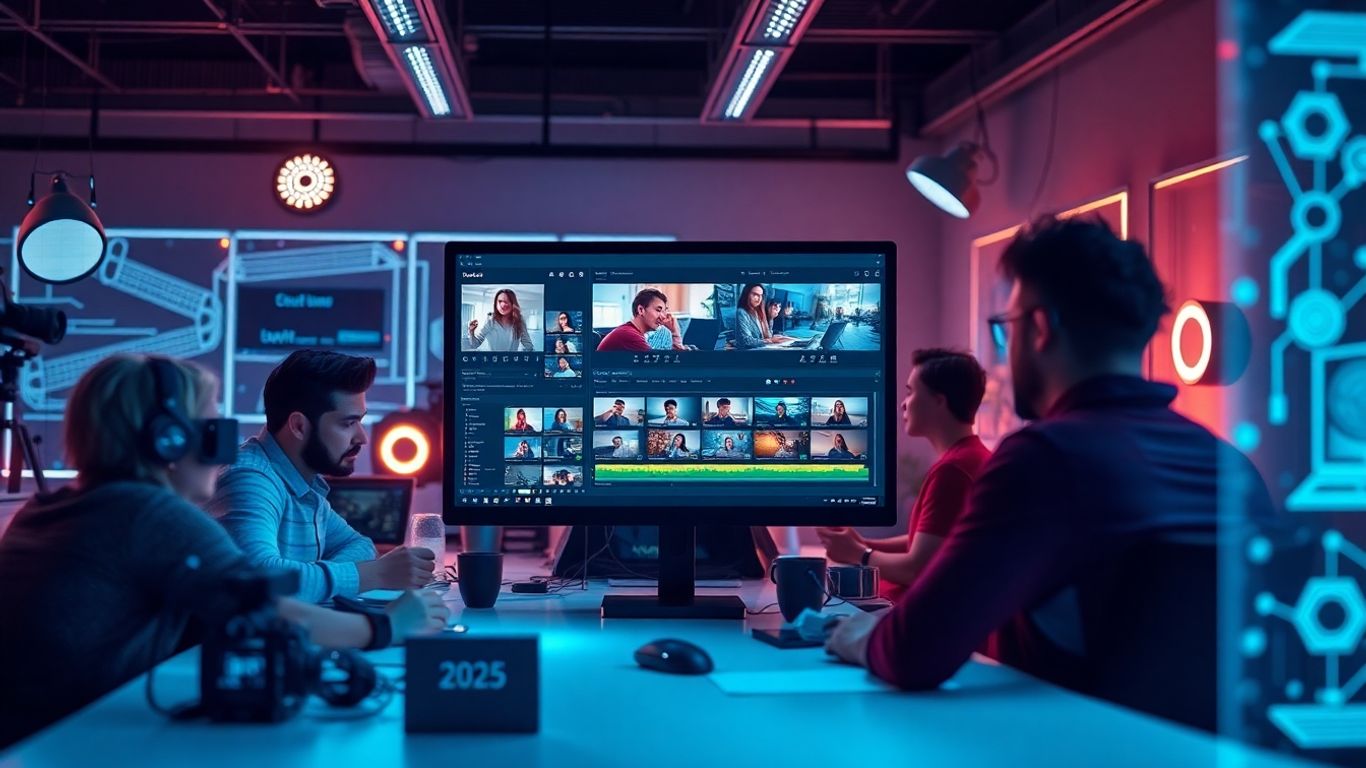
The market for AI video editors has gotten pretty wild this year. New tools are popping up every few months, and the top names keep pushing out updates to stay ahead. Still, a few standouts have built a reputation for reliability, speed, and creative flexibility. Below, we’ll go through what makes these platforms unique, how they stack up on features, and what you should consider before committing.
Strengths and Limitations of Leading Tools
Let’s break down some of the most talked-about AI editors this year:
| Platform | Best For | Key Strengths | Main Limitations | Typical Price (USD/mo) |
|---|---|---|---|---|
| Sora | All-purpose creators | Quick automation, easy to learn | Fewer advanced options | $20–40 |
| Runway | Artistic experiments | Generative effects, style transfer | Slower processing, pricey | $25–76 |
| Descript | Audio/video podcasts | Edit like a doc, great transcripts | Limited visual effects | $12–24 |
| EditFast | Fast bulk editing | Short-form, template driven | Customization limited | $10–30 |
| Pictory | Social media managers | Stock libraries, batch processing | Heavy template dependence | $19–39 |
| Adobe Premiere Pro + AI | Pro editors, agencies | Deep integration, pro tools | Steep learning, scattered AI | $21+ |
Every editor has a sweet spot—finding yours means matching their strengths to your most common project types. Runway excels for creative clips, while Sora and EditFast are favorites for those who just need to move quickly and don’t want a steep learning curve.
Pricing Models and Free Tier Options
Pricing isn’t always straightforward. Some tools offer robust free plans with watermarks or export limits, others start charging from the first project. Here’s how the landscape looks right now:
- Free Tiers
- Most platforms offer limited free use, but features like HD exports or longer videos usually require a paid plan.
- Sora, EditFast, and Pictory let you try basic edits before subscribing.
- Subscriptions
- Monthly pricing is standard, with discounts for annual commitments.
- Advanced features such as batch exports, cloud storage, or AI learning often cost extra.
- Pay-as-you-go
- Rare, but some newer tools experiment with credit-based or per-video pricing for occasional creators.
Support, Community, and Ongoing Updates
No matter which platform you use, quick access to help can save your project on a deadline. This is what separates a casual tool from something you actually rely on.
- Customer Support
- Runway and Adobe continue to offer live chat and ticket systems that respond fast, even on weekends.
- Descript and Sora have strong help centers and peer forums.
- User Community
- Platforms like Descript and Runway have active Discord and Reddit groups. User-generated templates and how-to videos are everywhere.
- Updates and Reliability
- Most top editors release new features at least quarterly. Think voice command editing, platform optimization for TikTok vs. YouTube, or new templates for trending formats.
Whether you’re starting your first project or delivering dozens of edits weekly, picking a platform with a vibrant support network and frequent updates makes your workflow less stressful.
So, don’t just grab whatever’s trending. Compare what each editor is best at, check which features are on the free plan, and browse some community forums first. In the end, the right tool is the one that fits how you like to work, not just what’s flashy this month.
Considering Limitations and When to Use Manual Editing
AI video editors are great at speeding up basic tasks, but they do have rough edges. Everyone runs into situations where the flexibility and understanding of a human editor are still necessary. Below, let’s break down when AI tools might not deliver and when you should roll up your sleeves and work manually.
Scenarios Requiring Human Oversight
- Highly artistic or experimental videos: Some creative shots, dramatic pacing, or offbeat edits just can’t be taught to an algorithm. For original projects driven by mood or nontraditional narrative, manual editing is irreplaceable.
- Brand-sensitive campaigns: When every frame must fit strict brand guidelines (think high-profile product launches), you want eyes on every cut and effect. AI may not recognize subtle branding cues.
- Complex storytelling: If your project depends on a specific emotional build or has a complex structure, AI often misses the intent behind cut choices or music shifts.
- Live event edits: Unpredictable moments—audience reactions, surprises on stage, or sudden technical issues—are tough for AI to follow in real time.
Technical Restrictions to Watch For
| Limitation | How It Affects Editing |
|---|---|
| Poor source quality | AI can’t fix blurred or noisy clips |
| Unusual formats or codecs | Compatibility issues may arise |
| Long or high-res projects | Processing may slow down or stall |
| Real-time requirements (e.g., streaming) | AI may lag or needs pre-processing |
| Context-dependent content (sarcasm, irony) | AI can misinterpret intent |
- Templates and Watermarks: Many AI tools force you into limited templates or stamp watermarks on exported files, which is a dealbreaker for some projects.
- Data Privacy and Cloud-Only Processing: If your material is sensitive, relying on cloud AI can be risky or too slow if uploads are big.
Finding the Right Human-AI Balance
- Try using AI for first cuts and rough assembly, but reserve the final pass for yourself. Use your judgment for color grading, pacing, and narration edits.
- For projects where every second matters, prioritize manual review after the AI work—especially if the end product will go public or to a client.
- If you’re learning editing, challenge yourself to do at least some manual work. Understanding timing, flow, and story will make you better at using any tool, AI or not.
Sometimes the fastest solution is letting AI do the heavy lifting on repetitive tasks, but when you want the result to feel personal, professional, or just a little different—that’s when manual editing shines.
Tips for a Smooth Transition to AI Video Editing
Switching from manual to AI video editing isn’t just about buying a subscription—it’s about changing the way you work. If you want results, spend time learning what your new tool can actually do. Here’s how to make your move to AI editing as smooth as possible.
Starting With Trials and Practice Projects
- Begin with the free tier or a trial version. Most AI video editors now have some sort of starter option.
- Use non-essential or test footage for your early projects. That way, there’s no stress if things need tweaking.
- Focus on mastering the simple stuff—commands like "cut silences," "add basic captions," or "apply template style" are a good place to start.
When you start small and test slowly, you can spot issues early. That’s when you learn what works for your content before scaling up.
Training AI for Your Personal Style
You can teach some AI editors to match your own editing style. Here’s how:
- Upload examples of your past work. These can be used as references or even as style guides.
- Adjust templates and preferences until the AI output looks more like your usual videos.
- Use feedback options—every correction you make helps the AI "learn." Over several projects, the suggestions will start to line up with what you want.
If you work with a team, set up shared style settings. This helps keep the look steady, even if more people are involved.
Measuring Efficiency Gains and Adjusting Workflows
Tracking your results paints a clear picture. Here are some practical Key Performance Indicators (KPIs) you might use:
| Efficiency Metric | Good Outcome |
|---|---|
| Editing time reduction | 60–80% |
| Videos per week | 2x–3x increase |
| Error/correction rate | Declining over time |
| Creative time freed up | 2+ hours/week |
- Compare the time spent on manual editing versus using AI—aim for a sharp drop.
- Review audience engagement: if AI-edited videos keep viewers just as long, you’re on track.
- Adjust your workflow. Batch simple edits for the AI, then spend your time polishing the tougher pieces.
Remember, robots make repetitive work way faster and free up time for what matters most: creative decisions and storytelling (improving efficiency and safety).
A smooth move to AI video editing is possible if you start with clear goals and use each project to learn. Take your time, test, and measure results—you’ll find the right balance quickly enough.
Conclusion
Picking the right AI video editor in 2025 really comes down to knowing what you need and how you like to work. There are a lot of choices out there, from simple tools that handle the basics to more advanced platforms packed with features. If you’re just starting out, it’s smart to try a few free versions or trials before you commit. Think about the kind of videos you make most often, your budget, and how much time you want to spend learning new software. AI can save you a lot of time on repetitive tasks, but you’re still in charge of the creative side. The best tool is the one that fits your workflow and helps you get your ideas out there without getting in the way. As these tools keep getting better, staying open to new options will help you keep your content fresh and your process efficient. No matter which editor you choose, the goal is the same: make great videos with less hassle.
Frequently Asked Questions
What is an AI video editor and how does it work?
An AI video editor is a software tool that uses artificial intelligence to help you edit videos. It can do things like cut out silent parts, add captions, and suggest creative changes, all by understanding what’s happening in your footage. Instead of editing every part by hand, you can use simple commands or even your voice to tell the AI what you want. This makes editing much faster and easier, even if you’re new to video production.
Can AI video editors make my videos look professional?
Yes, most AI video editors are designed to help your videos look polished and professional. They can automatically adjust colors, fix audio, and add transitions. Some tools even learn your style over time, so your videos keep a consistent look. While AI can do a lot, you might still want to check the final video yourself to make sure it matches your vision.
Are AI video editors good for all types of projects?
AI video editors work well for many projects, like YouTube videos, social media clips, and even business presentations. However, if you have a very unique or artistic project, you might need to do some manual editing. AI is great for saving time on common tasks, but for special effects or complex stories, human creativity is still important.
Do I need special skills to use an AI video editor?
No, you don’t need to be an expert to use most AI video editors. Many of them use simple menus or let you type what you want to do. Some even let you use your voice to give commands. If you can describe what you want, the AI can usually help you make it happen. This makes them a good choice for beginners and busy creators.
How do I choose the best AI video editor for my needs?
First, think about what kind of videos you want to make and what features you need. If you make lots of short clips for social media, look for a tool with good templates and fast editing. If you need more control, pick one with lots of customization options. Try out free versions before you pay, and see which tool feels easiest for you to use.
Are there any risks or downsides to using AI video editors?
AI video editors are powerful, but they’re not perfect. Sometimes they might make mistakes, like cutting out important scenes or missing your style. It’s a good idea to check your videos before sharing them. Also, some features might only be available if you pay, so make sure you’re not spending money on things you don’t need.